Skip to content
  • Categories
  • Recent
  • Tags
  • Popular
Skins
  • Light
  • Brite
  • Cerulean
  • Cosmo
  • Flatly
  • Journal
  • Litera
  • Lumen
  • Lux
  • Materia
  • Minty
  • Morph
  • Pulse
  • Sandstone
  • Simplex
  • Sketchy
  • Spacelab
  • United
  • Yeti
  • Zephyr
  • Dark
  • Cyborg
  • Darkly
  • Quartz
  • Slate
  • Solar
  • Superhero
  • Vapor

  • Default (Zephyr)
  • No Skin
Collapse
RipperStore Logo
  1. Home
  2. Assets
  3. Looking for...
  4. Gumroad/Payhip Avatars
  5. LF: Stylized Valkyr I VRChat Avatar

LF: Stylized Valkyr I VRChat Avatar

Scheduled Pinned Locked Moved Unsolved Gumroad/Payhip Avatars
nsfwwarframespsvalkyr
53 Posts 27 Posters 6.4k Views 42 Watching
  • Oldest to Newest
  • Newest to Oldest
  • Most Votes
Reply
  • Reply as topic
Log in to reply
This topic has been deleted. Only users with topic management privileges can see it.
  • VolttekkaV Volttekka

    Anyone up to the arduous task of manually separating the clothing and claws/tail from the rest of the avatar mesh in Blender?

    Artisy2024A
    Artisy2024A
    Artisy2024
    wrote on last edited by Artisy2024
    #15

    @Volttekka im trying to fix it but the bones for the animation are streching maybe someone else cn do it cuz this is a bit hard for me to doScreenshot 2025-05-20 032815.png when ever i took it to blender i guess the model just brokes the bones or something for the animations
    so im hoping someone else can fix this problem and have the better knowing of fixing this kinda of stuff

    D Rocky5R 2 Replies Last reply
    0
    • Artisy2024A Artisy2024

      @Volttekka im trying to fix it but the bones for the animation are streching maybe someone else cn do it cuz this is a bit hard for me to doScreenshot 2025-05-20 032815.png when ever i took it to blender i guess the model just brokes the bones or something for the animations
      so im hoping someone else can fix this problem and have the better knowing of fixing this kinda of stuff

      D
      D
      DirtyKenku
      wrote on last edited by
      #16

      @Artisy2024 ayo calm yo titties valkyr

      1 Reply Last reply
      0
      • Artisy2024A Artisy2024

        @Volttekka im trying to fix it but the bones for the animation are streching maybe someone else cn do it cuz this is a bit hard for me to doScreenshot 2025-05-20 032815.png when ever i took it to blender i guess the model just brokes the bones or something for the animations
        so im hoping someone else can fix this problem and have the better knowing of fixing this kinda of stuff

        Rocky5R
        Rocky5R
        Rocky5
        wrote on last edited by
        #17

        @Artisy2024 When you export from Blender, try using FBX all for scaling
        a72ffc3a-807c-4421-9a08-4afa637a5717-image.png

        E Artisy2024A 2 Replies Last reply
        0
        • Rocky5R Rocky5

          @Artisy2024 When you export from Blender, try using FBX all for scaling
          a72ffc3a-807c-4421-9a08-4afa637a5717-image.png

          E
          E
          ExpiredJewel
          wrote on last edited by
          #18

          @Rocky5 can this also be said for other models that stretch too? cuz im figuring out oin how to export blender models to fbx without any bone stretches or incorrect places on the model itself

          Rocky5R 1 Reply Last reply
          0
          • E ExpiredJewel

            @Rocky5 can this also be said for other models that stretch too? cuz im figuring out oin how to export blender models to fbx without any bone stretches or incorrect places on the model itself

            Rocky5R
            Rocky5R
            Rocky5
            wrote on last edited by
            #19

            @Letecus There are two scales. Blender's and Unity's.
            When a maker exports a model for Unity, they are supposed to export as FBX all which is the one that Unity likes. There isn't a guide book for this, so sometimes an avatar maker won't change the scaling and it will export with Blender's scale. It won't break anything.

            Then when someone comes along and edits the model and wants to bring it in to Unity, they have to export it with the same scale, otherwise animations that were made for a different scale will be broken, physbone radius settings will be off and other problems.

            Long story short, when you are exporting a model in to an existing project, you might have to try both until you get the one that matches what the original creator used.

            1 Reply Last reply
            0
            • E
              E
              ExpiredJewel
              wrote on last edited by
              #20

              i see. just needed to be sure what helps certain models to be rigged right than to just have all the proportions stretch and detach when testing the model in unity. this tip would come in handy though so thx!

              1 Reply Last reply
              0
              • Rocky5R Rocky5

                @Artisy2024 When you export from Blender, try using FBX all for scaling
                a72ffc3a-807c-4421-9a08-4afa637a5717-image.png

                Artisy2024A
                Artisy2024A
                Artisy2024
                wrote on last edited by
                #21

                @Rocky5 ill give it another try with this thanks for telling me about this i didnt know there was a method with this

                1 Reply Last reply
                0
                • VykosaV
                  VykosaV
                  Vykosa
                  wrote on last edited by
                  #22

                  anyone have a fixed version?

                  Artisy2024A 1 Reply Last reply
                  0
                  • VykosaV Vykosa

                    anyone have a fixed version?

                    Artisy2024A
                    Artisy2024A
                    Artisy2024
                    wrote on last edited by
                    #23

                    @Vykosa no not yet im going to try fixing it again

                    1 Reply Last reply
                    0
                    • Artisy2024A
                      Artisy2024A
                      Artisy2024
                      wrote on last edited by Artisy2024
                      #24

                      so i did the blender thing and omg it works no more strechy ears, chest or anything

                      1 Reply Last reply
                      0
                      • Artisy2024A
                        Artisy2024A
                        Artisy2024
                        wrote on last edited by Artisy2024
                        #25

                        so i came across this how do i fix the scaling to be exactly looking like the orginal cuz from the looks of it the quest model is a bit bigger then the orginal model and the quest model i exported it from blender

                        Screenshot 2025-05-21 064413.png

                        Rocky5R 1 Reply Last reply
                        0
                        • Artisy2024A Artisy2024

                          so i came across this how do i fix the scaling to be exactly looking like the orginal cuz from the looks of it the quest model is a bit bigger then the orginal model and the quest model i exported it from blender

                          Screenshot 2025-05-21 064413.png

                          Rocky5R
                          Rocky5R
                          Rocky5
                          wrote on last edited by
                          #26

                          @Artisy2024 It actually looks like one model is higher off the ground than the other.
                          You can click on the PC version and copy the transform and paste it on the Quest version and they should line up.

                          1 Reply Last reply
                          0
                          • crsbyC crsby

                            that is NOT valkyr... bump

                            ResuR
                            ResuR
                            Resu
                            wrote on last edited by
                            #27

                            @warnut is valkitty, bump

                            Need helping handz!!! :33

                            1 Reply Last reply
                            0
                            • ClaptasticFragC
                              ClaptasticFragC
                              ClaptasticFrag
                              wrote on last edited by
                              #28

                              bump for quest conversion- idk why spacetato changed how they did clothing toggles for this avatar exclusively...

                              I am an avatar connoisseur, I love everything weird and strange, and world drops. Give me something to customize and my soul is yours!

                              Wishlist: https://drive.google.com/drive/folders/1GZ5wx6Bc2DAxX9vmd5TaVRZgFFnTnBEx?usp=sharing (UPDATED 3/18/2026)

                              If you know where to get any of them, @ me or send me a DM!

                              1 Reply Last reply
                              0
                              • lollermsparkoL
                                lollermsparkoL
                                lollermsparko
                                wrote on last edited by
                                #29

                                bump. Don't you guys dare forget this..

                                1 Reply Last reply
                                0
                                • Artisy2024A
                                  Artisy2024A
                                  Artisy2024
                                  wrote on last edited by Artisy2024
                                  #30

                                  here sorry if you guys had to wait for sometime it pc and quest [register or login to view this hidden content]

                                  1 Reply Last reply
                                  👍
                                  2
                                  • cococuitC
                                    cococuitC
                                    cococuit
                                    wrote on last edited by
                                    #31

                                    So whenever I uploaded the quest side the arms broke whenever they were around my hip area? Didn't show up in unity whatsoever. Any advice on how to fix it?
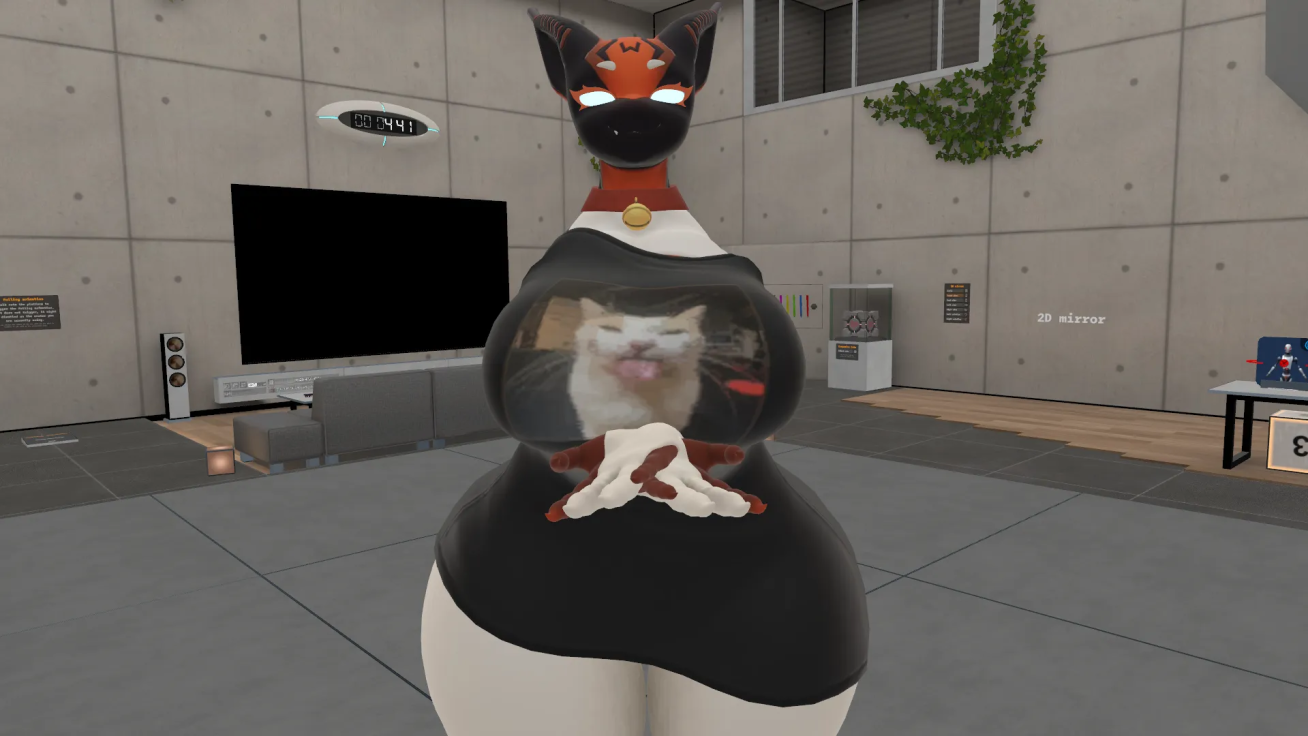
                                    image.png

                                    Artisy2024A 1 Reply Last reply
                                    0
                                    • Artisy2024A
                                      Artisy2024A
                                      Artisy2024
                                      wrote on last edited by Artisy2024
                                      #32

                                      0.0 I didnt know it was broken on Quest
                                      last year I put the model on blender cuz i want stuff on pc side to work for quest
                                      what i can do is reupload it on my account and test it for quest but if it works for me just fine then its on your end that needs to be fixed

                                      1 Reply Last reply
                                      0
                                      • cococuitC cococuit

                                        So whenever I uploaded the quest side the arms broke whenever they were around my hip area? Didn't show up in unity whatsoever. Any advice on how to fix it?
                                        image.png

                                        Artisy2024A
                                        Artisy2024A
                                        Artisy2024
                                        wrote on last edited by Artisy2024
                                        #33

                                        @cococuit so i reupload mine and mine is not having that problem

                                        9db5476f49cbefbafa98170eddb214bb.png

                                        af5c1f9cddc94b6109c45900e71903ee_0.png

                                        did you make sure to check the configure of the avatar to make sure the rig on unity was right?

                                        1 Reply Last reply
                                        0
                                        • cococuitC
                                          cococuitC
                                          cococuit
                                          wrote on last edited by
                                          #34

                                          @artisy2024 I can try again with a new project maybe and see if that'll work, as I was also working on spacetato's another stuff.

                                          Artisy2024A 1 Reply Last reply
                                          0

                                          Hello! It looks like you're interested in this conversation, but you don't have an account yet.

                                          Getting fed up of having to scroll through the same posts each visit? When you register for an account, you'll always come back to exactly where you were before, and choose to be notified of new replies (either via email, or push notification). You'll also be able to save bookmarks and upvote posts to show your appreciation to other community members.

                                          With your input, this post could be even better 💗

                                          Register Login
                                          Reply
                                          • Reply as topic
                                          Log in to reply
                                          • Oldest to Newest
                                          • Newest to Oldest
                                          • Most Votes


                                          • Login

                                          • Login or register to search.
                                          • First post
                                            Last post
                                          0
                                          • Categories
                                          • Recent
                                          • Tags
                                          • Popular