
Skip to content
  • Categories
  • Recent
  • Tags
  • Popular
Skins
  • Light
  • Brite
  • Cerulean
  • Cosmo
  • Flatly
  • Journal
  • Litera
  • Lumen
  • Lux
  • Materia
  • Minty
  • Morph
  • Pulse
  • Sandstone
  • Simplex
  • Sketchy
  • Spacelab
  • United
  • Yeti
  • Zephyr
  • Dark
  • Cyborg
  • Darkly
  • Quartz
  • Slate
  • Solar
  • Superhero
  • Vapor

  • Default (Zephyr)
  • No Skin
Collapse
RipperStore Logo
  1. Home
  2. Support
  3. General Support
  4. Mapping Problems

Mapping Problems

Scheduled Pinned Locked Moved General Support
mappingavatarhierarchyerrorhelp
14 Posts 3 Posters 1.1k Views 1 Watching
  • Oldest to Newest
  • Newest to Oldest
  • Most Votes
Reply
  • Reply as topic
Log in to reply
This topic has been deleted. Only users with topic management privileges can see it.
  • crsbyC
    crsbyC
    crsby
    wrote on last edited by
    #1

    my avatar configuration mapping is all correct, from all bones being mapped accordingly to the hierarchy being in the correct order. with these conditions, im somehow getting errors claiming that the upper arms and feet are not mapped on my avatar when they clearly are. any solutions? any and all help will be appreciated.

    4e0495d0-e9ac-494b-95d3-8373a200c823-image.png

    f9638dca-66e3-4bbd-9fde-94ed107ae9b4-image.png

    rex 4evr

    1 Reply Last reply
    0
    • kh4m4riK
      kh4m4riK
      kh4m4ri
      wrote on last edited by
      #2

      Yeah uh.. I'm PRETTY sure your avatars bones have to be named a certain way to be correct for VRChat. Don't think these bone names are correct. Is your avatar made for VRChat? And is it a human?

      1 Reply Last reply
      0
      • crsbyC
        crsbyC
        crsby
        wrote on last edited by
        #3

        so if the names of the bones need to be renamed, is there some sort of tool i can use or would i have to do it by hand? either way is fine. (and yes, it is a humanoid rig)

        rex 4evr

        kh4m4riK 1 Reply Last reply
        0
        • crsbyC crsby

          so if the names of the bones need to be renamed, is there some sort of tool i can use or would i have to do it by hand? either way is fine. (and yes, it is a humanoid rig)

          kh4m4riK
          kh4m4riK
          kh4m4ri
          wrote on last edited by
          #4

          @warnut Well, I was asking if your avatar is a human. Not what kind of rig it is. Anyways, you probably need to do all of that in blender. Like I asked, was your avatar made for VRChat?

          crsbyC 1 Reply Last reply
          0
          • kh4m4riK kh4m4ri

            @warnut Well, I was asking if your avatar is a human. Not what kind of rig it is. Anyways, you probably need to do all of that in blender. Like I asked, was your avatar made for VRChat?

            crsbyC
            crsbyC
            crsby
            wrote on last edited by
            #5

            @kh4m4ri not necessarily.if you're wondering what it is, it is synaptic from CoD: IW. in which is a robot. so to answer your question, it was not originally made for vrchat, im attempting to port it

            rex 4evr

            kh4m4riK 1 Reply Last reply
            0
            • crsbyC crsby

              @kh4m4ri not necessarily.if you're wondering what it is, it is synaptic from CoD: IW. in which is a robot. so to answer your question, it was not originally made for vrchat, im attempting to port it

              kh4m4riK
              kh4m4riK
              kh4m4ri
              wrote on last edited by
              #6

              @warnut It's never a good idea to try and make an avatar that was not made for VRChat into a VRChat avatar. You'll most likely have to delete his armature in Blender and completely re-rig it.

              crsbyC 1 Reply Last reply
              0
              • kh4m4riK kh4m4ri

                @warnut It's never a good idea to try and make an avatar that was not made for VRChat into a VRChat avatar. You'll most likely have to delete his armature in Blender and completely re-rig it.

                crsbyC
                crsbyC
                crsby
                wrote on last edited by
                #7

                @kh4m4ri but i've done it with other un-vrchat models and they've worked completely fine? especially from the game this model came from

                rex 4evr

                1 Reply Last reply
                0
                • crsbyC
                  crsbyC
                  crsby
                  wrote on last edited by
                  #8

                  i know there's other ways

                  rex 4evr

                  kh4m4riK 1 Reply Last reply
                  0
                  • crsbyC crsby

                    i know there's other ways

                    kh4m4riK
                    kh4m4riK
                    kh4m4ri
                    wrote on last edited by
                    #9

                    @warnut Just telling you my opinion. I personally think the issue is the VITAL bones like the Hips, Chest, Feet, and Arms aren't named properly and so it's not detecting correctly.

                    crsbyC 1 Reply Last reply
                    0
                    • kh4m4riK kh4m4ri

                      @warnut Just telling you my opinion. I personally think the issue is the VITAL bones like the Hips, Chest, Feet, and Arms aren't named properly and so it's not detecting correctly.

                      crsbyC
                      crsbyC
                      crsby
                      wrote on last edited by
                      #10

                      @kh4m4ri alright, but one more quick question. would it be better to rename the bones themselves in blender? or can i just do it in unity

                      rex 4evr

                      1 Reply Last reply
                      0
                      • D
                        D
                        Deviant
                        wrote on last edited by
                        #11

                        this is wrong the names of the bones dont have to be the same as what your mapping it to; it can be a few different things as far as importing a animation or your animator

                        kh4m4riK 1 Reply Last reply
                        0
                        • D Deviant

                          this is wrong the names of the bones dont have to be the same as what your mapping it to; it can be a few different things as far as importing a animation or your animator

                          kh4m4riK
                          kh4m4riK
                          kh4m4ri
                          wrote on last edited by
                          #12

                          @Deviant Never said they had to be the same as what they're mapping it to. I said that the names are not being detected properly for VRChats system because they're completely differently named from regular avatars. Check out an actual avatar meant for VRChat, or even a booth avatar. 2 different skeleton bone names, but still both valid for VRChat. I've never tried renaming them in unity, so I wouldn't know. I also don't mess with the bones of avatars period. I leave them as is. (I only make avatars with proper rigging and bone names).

                          1 Reply Last reply
                          0
                          • crsbyC
                            crsbyC
                            crsby
                            wrote on last edited by
                            #13

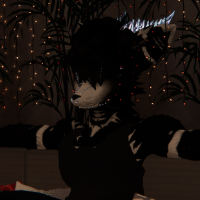
                            if anyone is wondering what happened later on, it wasnt that anything was wrong, unity was just being a bitch to work with. simply making another project fixed it

                            rex 4evr

                            kh4m4riK 1 Reply Last reply
                            0
                            • crsbyC crsby

                              if anyone is wondering what happened later on, it wasnt that anything was wrong, unity was just being a bitch to work with. simply making another project fixed it

                              kh4m4riK
                              kh4m4riK
                              kh4m4ri
                              wrote on last edited by
                              #14

                              @warnut Good to know!

                              1 Reply Last reply
                              0

                              Hello! It looks like you're interested in this conversation, but you don't have an account yet.

                              Getting fed up of having to scroll through the same posts each visit? When you register for an account, you'll always come back to exactly where you were before, and choose to be notified of new replies (either via email, or push notification). You'll also be able to save bookmarks and upvote posts to show your appreciation to other community members.

                              With your input, this post could be even better 💗

                              Register Login
                              Reply
                              • Reply as topic
                              Log in to reply
                              • Oldest to Newest
                              • Newest to Oldest
                              • Most Votes


                              • Login

                              • Login or register to search.
                              • First post
                                Last post
                              0
                              • Categories
                              • Recent
                              • Tags
                              • Popular