Skip to content
  • Categories
  • Recent
  • Tags
  • Popular
Skins
  • Light
  • Brite
  • Cerulean
  • Cosmo
  • Flatly
  • Journal
  • Litera
  • Lumen
  • Lux
  • Materia
  • Minty
  • Morph
  • Pulse
  • Sandstone
  • Simplex
  • Sketchy
  • Spacelab
  • United
  • Yeti
  • Zephyr
  • Dark
  • Cyborg
  • Darkly
  • Quartz
  • Slate
  • Solar
  • Superhero
  • Vapor

  • Default (Zephyr)
  • No Skin
Collapse
RipperStore Logo
  1. Home
  2. Support
  3. General Support
  4. Having Problems with Yaokisub Avatar

Having Problems with Yaokisub Avatar

Scheduled Pinned Locked Moved General Support
24 Posts 10 Posters 4.6k Views 8 Watching
  • Oldest to Newest
  • Newest to Oldest
  • Most Votes
Reply
  • Reply as topic
Log in to reply
This topic has been deleted. Only users with topic management privileges can see it.
  • WillowstarW Willowstar

    @furry-lovers I am using that scene, the unity version I have on my CC for that project is 2022.3.22f1

    which one are you using? Could it be different?

    F
    F
    furry lovers
    wrote on last edited by
    #9

    @Willowstar I am using 2022.3.6f1

    WillowstarW 1 Reply Last reply
    0
    • F furry lovers

      @Willowstar I am using 2022.3.6f1

      WillowstarW
      WillowstarW
      Willowstar
      wrote on last edited by
      #10

      @furry-lovers I just changed it over but I'm still getting the same problem, I did notice this on the console saying 819f4958-19f0-47b1-883d-2f53740fcef7-image.png
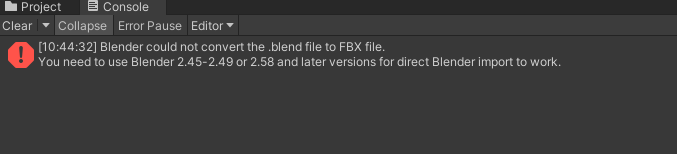
      I did download blender and its version 4.2.0 but I don't know if just having it open or something would help

      Bumping for fullsets!

      1 Reply Last reply
      0
      • WillowstarW Willowstar

        @TheBoldStool yes, of course! here ya go πŸ”— Download Link (workupload.com)

        TheBoldStoolT
        TheBoldStoolT
        TheBoldStool
        wrote on last edited by
        #11

        @Willowstar Blender 4.2 might be fucked cuz it did a lot of changes.
        Finally got to test it, started with the same issue as you.
        Worked when I linked .blend extension to blender.
        For context, using latest unity, blender 4.1, after linking the .blends to blender made a new project, imported the file and it worked fine!

        Green EggG WillowstarW 2 Replies Last reply
        0
        • TheBoldStoolT TheBoldStool

          @Willowstar Blender 4.2 might be fucked cuz it did a lot of changes.
          Finally got to test it, started with the same issue as you.
          Worked when I linked .blend extension to blender.
          For context, using latest unity, blender 4.1, after linking the .blends to blender made a new project, imported the file and it worked fine!

          Green EggG
          Green EggG
          Green Egg
          wrote on last edited by
          #12

          @TheBoldStool How does one link the .blend files?

          1 Reply Last reply
          0
          • TheBoldStoolT TheBoldStool

            @Willowstar Blender 4.2 might be fucked cuz it did a lot of changes.
            Finally got to test it, started with the same issue as you.
            Worked when I linked .blend extension to blender.
            For context, using latest unity, blender 4.1, after linking the .blends to blender made a new project, imported the file and it worked fine!

            WillowstarW
            WillowstarW
            Willowstar
            wrote on last edited by
            #13

            @TheBoldStool How did you link to blender w.o making a project first? I'm not used to blender but I was able to link somewhat to blender after the project was made. I got the avi to appear in blender as a messf0bbb505-5ef8-4900-9323-d6a81f413804-image.png
            and when I tried to go back to my already made project it took too long for comfort (30mins) and no progress on the progress bar. I know that was not the right way to do it but I had have hoped it would work

            I did get to Blender 4.1, but I couldn't understand how to get it in before making the project and what I'm suppose to be looking for. I guess what I'm saying is, tell it to me like I'm 5 basically

            Bumping for fullsets!

            1 Reply Last reply
            0
            • TheBoldStoolT
              TheBoldStoolT
              TheBoldStool
              wrote on last edited by
              #14

              By linking what I meant is that you just right click any .blend file and select "Open With" and chose blender there.
              In any case after checking the actual avatar I'll recommend you to [register or login to view this hidden content] it's the same avatar just basically almost setup, from what I know this is the latest packaging method Yaoki used for the gumroad ones. You do need unity 2019.4.31f1 as that the one that was used. You unzip the file and add it as a new project with creator companion, everything should work there.

              WillowstarW Akito_A Spyro2667S 3 Replies Last reply
              0
              • TheBoldStoolT TheBoldStool

                By linking what I meant is that you just right click any .blend file and select "Open With" and chose blender there.
                In any case after checking the actual avatar I'll recommend you to [register or login to view this hidden content] it's the same avatar just basically almost setup, from what I know this is the latest packaging method Yaoki used for the gumroad ones. You do need unity 2019.4.31f1 as that the one that was used. You unzip the file and add it as a new project with creator companion, everything should work there.

                WillowstarW
                WillowstarW
                Willowstar
                wrote on last edited by
                #15

                @TheBoldStool Ah, I'll try to remember that if I run into something that'll need that, but also Thank you

                The one you recommended worked for me (you have no idea how happy I am to see it actually work) I sincerely thank you!!!!
                Its a shame I couldn't get the other one to work out and see why it wouldn't work for me, but nonetheless the new one works and I'm very happy about that
                Thank you again!

                Bumping for fullsets!

                Akito_A 1 Reply Last reply
                0
                • TheBoldStoolT TheBoldStool

                  By linking what I meant is that you just right click any .blend file and select "Open With" and chose blender there.
                  In any case after checking the actual avatar I'll recommend you to [register or login to view this hidden content] it's the same avatar just basically almost setup, from what I know this is the latest packaging method Yaoki used for the gumroad ones. You do need unity 2019.4.31f1 as that the one that was used. You unzip the file and add it as a new project with creator companion, everything should work there.

                  Akito_A
                  Akito_A
                  Akito_
                  wrote on last edited by
                  #16

                  @TheBoldStool hey I'm getting a few errors trying to upload this would you mind helping me?b73c616c-16cd-4dfd-be4a-01e35c97d390-image.png

                  1 Reply Last reply
                  0
                  • WillowstarW Willowstar

                    @TheBoldStool Ah, I'll try to remember that if I run into something that'll need that, but also Thank you

                    The one you recommended worked for me (you have no idea how happy I am to see it actually work) I sincerely thank you!!!!
                    Its a shame I couldn't get the other one to work out and see why it wouldn't work for me, but nonetheless the new one works and I'm very happy about that
                    Thank you again!

                    Akito_A
                    Akito_A
                    Akito_
                    wrote on last edited by
                    #17

                    @Willowstar would you be able to help me fix it? or like send me you're unity file?

                    WillowstarW 1 Reply Last reply
                    0
                    • Akito_A Akito_

                      @Willowstar would you be able to help me fix it? or like send me you're unity file?

                      WillowstarW
                      WillowstarW
                      Willowstar
                      wrote on last edited by
                      #18

                      @Akito_ I'm sorry, I don't really understand that specific problem you have atm but the files I'm using is exactly the one TheBoldStool sent to me in their post above my other post

                      Bumping for fullsets!

                      nothing_relevantN 1 Reply Last reply
                      0
                      • WillowstarW Willowstar

                        @Akito_ I'm sorry, I don't really understand that specific problem you have atm but the files I'm using is exactly the one TheBoldStool sent to me in their post above my other post

                        nothing_relevantN
                        nothing_relevantN
                        nothing_relevant
                        wrote on last edited by
                        #19

                        @Willowstar Do you have this avatar that you can pass me your package? priv please

                        1 Reply Last reply
                        0
                        • WillowstarW Willowstar

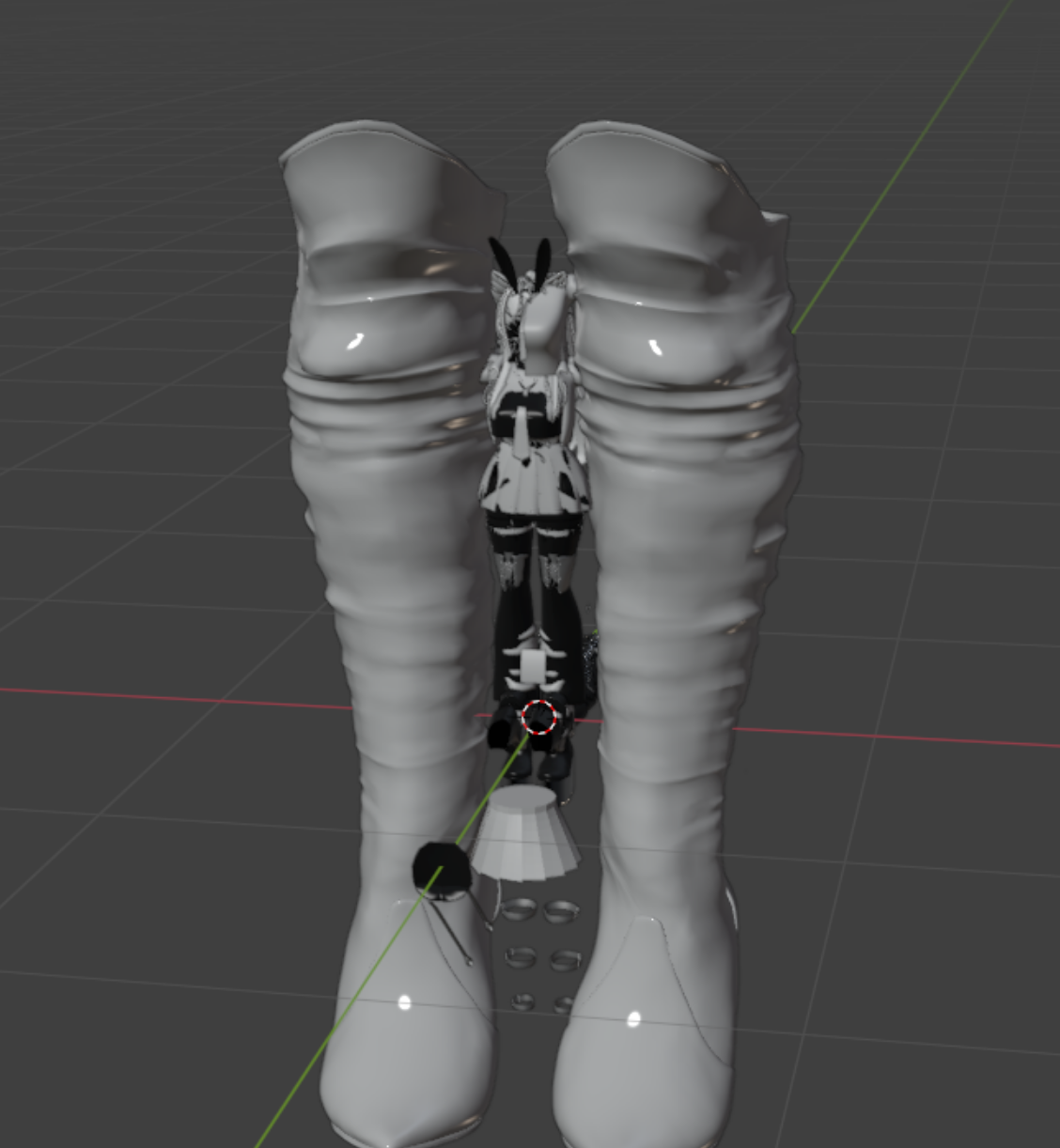
                          226af1b0-5ea4-4e81-8ddf-ebe61e564668-image.png 5f641a58-5870-4489-95ee-857166131549-image.png

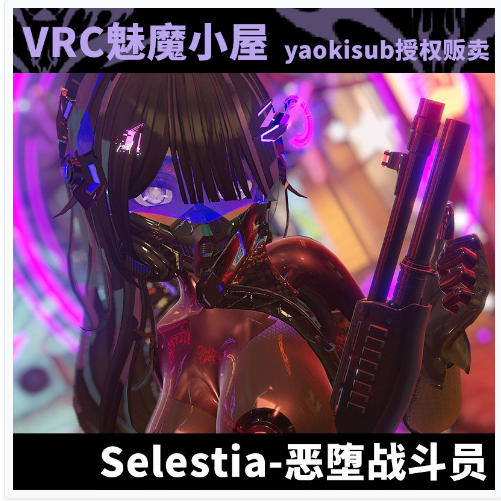
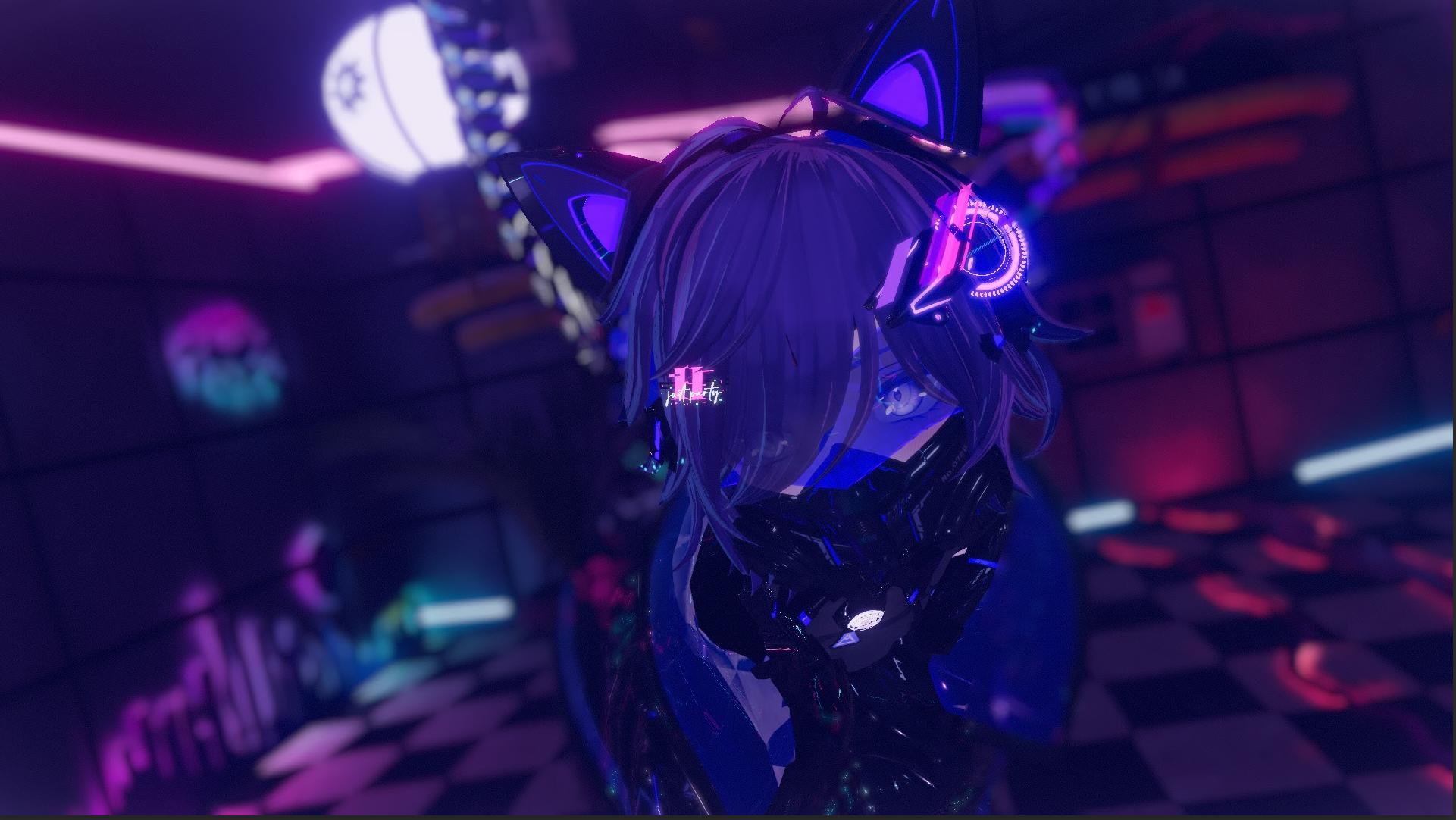
                          This one specifically. The clothing has shown and while in gesturemanager, it does move around but the body and head mesh are missing? When I replaced with selestia's head and body it would warp

                          this is what it would look when I open up the project as is
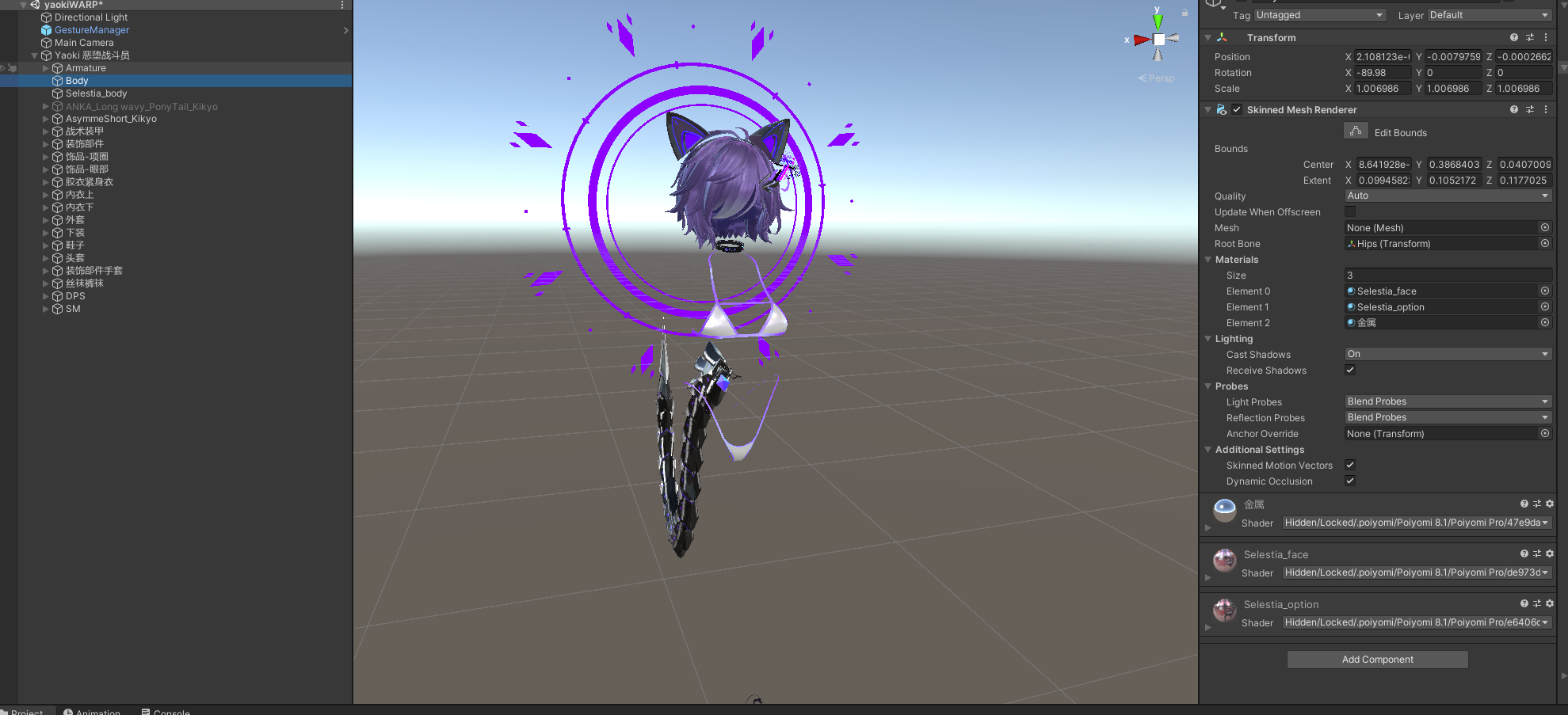
                          349ee18a-e2d4-4f1f-94d6-1b24b1401f61-image.png

                          and when I apply a mesh, here you can see the warp happening
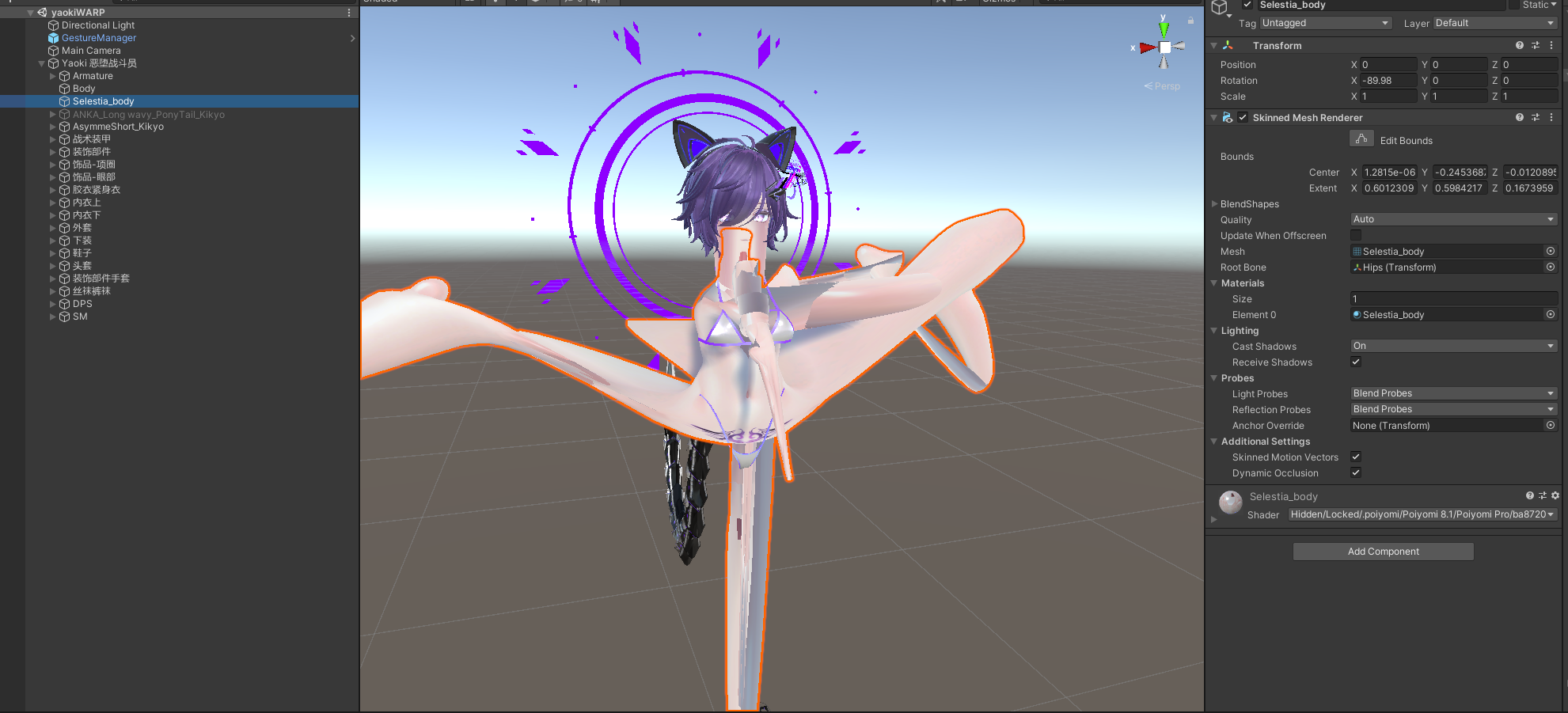
                          613966cb-ef03-49dd-8dab-e2daa875a19b-image.png

                          I haven't had problems with their other avatars, Its only ever been this one. Any advice or help?

                          VisaeresV
                          VisaeresV
                          Visaeres
                          wrote on last edited by
                          #20

                          @Willowstar Spaghetti junction πŸ˜‚

                          Wow that's a lot a' words, too bad I'm not reading em'

                          1 Reply Last reply
                          0
                          • TheBoldStoolT TheBoldStool

                            By linking what I meant is that you just right click any .blend file and select "Open With" and chose blender there.
                            In any case after checking the actual avatar I'll recommend you to [register or login to view this hidden content] it's the same avatar just basically almost setup, from what I know this is the latest packaging method Yaoki used for the gumroad ones. You do need unity 2019.4.31f1 as that the one that was used. You unzip the file and add it as a new project with creator companion, everything should work there.

                            Spyro2667S
                            Spyro2667S
                            Spyro2667
                            wrote on last edited by Spyro2667
                            #21

                            @TheBoldStool is it possible that i could use the 2022 version without it breaking? i have a lot of stuff i want to use but when i import it into the 2019 version it all says missing scripts im assuming its missing the scripts/broken because its an older version

                            1 Reply Last reply
                            0
                            • WillowstarW Willowstar

                              226af1b0-5ea4-4e81-8ddf-ebe61e564668-image.png 5f641a58-5870-4489-95ee-857166131549-image.png

                              This one specifically. The clothing has shown and while in gesturemanager, it does move around but the body and head mesh are missing? When I replaced with selestia's head and body it would warp

                              this is what it would look when I open up the project as is
                              349ee18a-e2d4-4f1f-94d6-1b24b1401f61-image.png

                              and when I apply a mesh, here you can see the warp happening
                              613966cb-ef03-49dd-8dab-e2daa875a19b-image.png

                              I haven't had problems with their other avatars, Its only ever been this one. Any advice or help?

                              VisaeresV
                              VisaeresV
                              Visaeres
                              wrote on last edited by
                              #22

                              @Willowstar Thats hot asf

                              Wow that's a lot a' words, too bad I'm not reading em'

                              1 Reply Last reply
                              0
                              • diresD
                                diresD
                                dires
                                wrote on last edited by dires
                                #23

                                this avi is too big to upload. am i doing something wrong or does anyone have an upload-ready version that fits security checks?


                                it’s just gonna get worse for me

                                SigmusS 1 Reply Last reply
                                0
                                • diresD dires

                                  this avi is too big to upload. am i doing something wrong or does anyone have an upload-ready version that fits security checks?
                                  SigmusS
                                  SigmusS
                                  Sigmus
                                  wrote on last edited by
                                  #24

                                  @dires compress the the textures using unity

                                  Merry Novembermus :3

                                  1 Reply Last reply
                                  0

                                  Hello! It looks like you're interested in this conversation, but you don't have an account yet.

                                  Getting fed up of having to scroll through the same posts each visit? When you register for an account, you'll always come back to exactly where you were before, and choose to be notified of new replies (either via email, or push notification). You'll also be able to save bookmarks and upvote posts to show your appreciation to other community members.

                                  With your input, this post could be even better πŸ’—

                                  Register Login
                                  Reply
                                  • Reply as topic
                                  Log in to reply
                                  • Oldest to Newest
                                  • Newest to Oldest
                                  • Most Votes


                                  • Login

                                  • Login or register to search.
                                  • First post
                                    Last post
                                  0
                                  • Categories
                                  • Recent
                                  • Tags
                                  • Popular