
[Unity] Converting a Prefab to FBX using the FBX Exporter
-
Introduction
This tutorial will teach you how to create a FBX file from an imported prefab, which comes in very handy when you need to alter the avatar.
When editing the avatar after using our VRCA Converter, this step is required.
Installing the FBX Exporter
Install the most recent version of the FBX Exporter by opening the Package Manager.
Verify that the FBX Exporter is correctly installed by opening it (from the top menu: GameObject > Export To FBX).
Creating the FBX
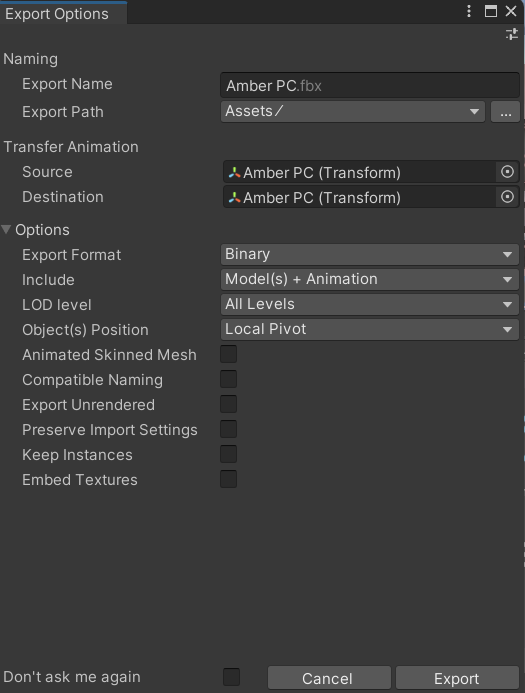
Make sure your avatar is imported, then click the hierarchy tab on the left, right-click the avatar you want to export, choose "Export to FBX.." make any necessary adjustments, and then click "Export"
Conclusion
You now have an FBX file that can be imported into Blender that is located inside the previously specified Export Path Folder.
-
i transfer the made fbx file into blender and its pink and all messed up?
-
Hey, when I try to export it, it doesn't export correctly. What settings should I have ticked?
-
Hey, when I try to export it, it doesn't export correctly. What settings should I have ticked?
@LambPrince Hey, you need to use the FBX Importer for Blender, otherwise it will not correctly work.
Here's the link -> https://forum.ripper.store/post/178554
-
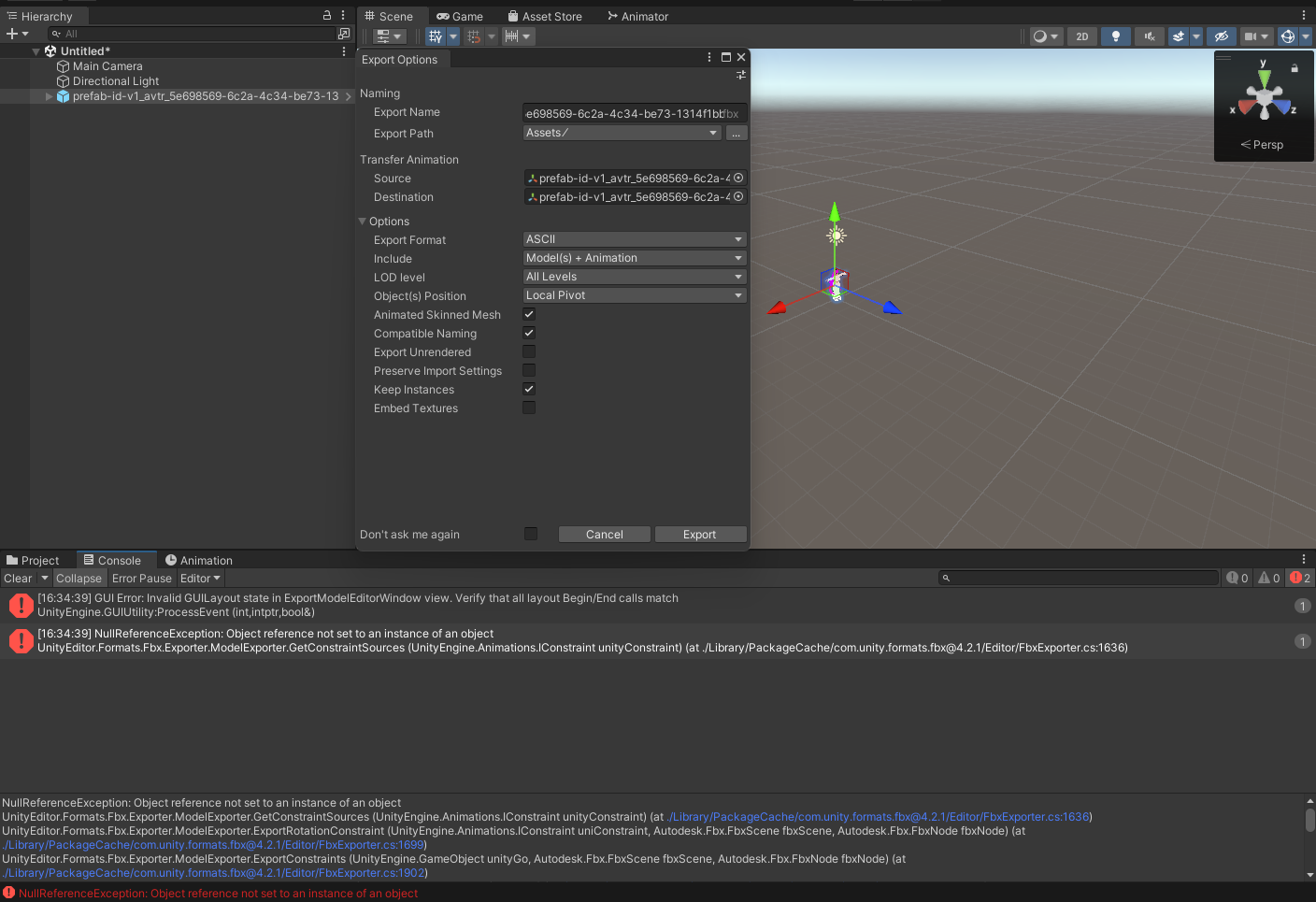
Guys, I figured about NullReferenceException error.. Unity will only export the meshes with “Skinned mesh renderer” on inspector..
It won’t export the parts without it.
Also idk why some of model parts are kinda messed up when importing into Blender..I’m absolute beginner in Unity but i found the solution anyway..

-
@Ela Go to "Windows"-> "Package manager" -> top of package manger will say "Package: In Project" click on it -> select "Package: Unity Registry" -> Select "FBX Exporter"
-
Guys, I figured about NullReferenceException error.. Unity will only export the meshes with “Skinned mesh renderer” on inspector..
It won’t export the parts without it.
Also idk why some of model parts are kinda messed up when importing into Blender..I’m absolute beginner in Unity but i found the solution anyway..
-
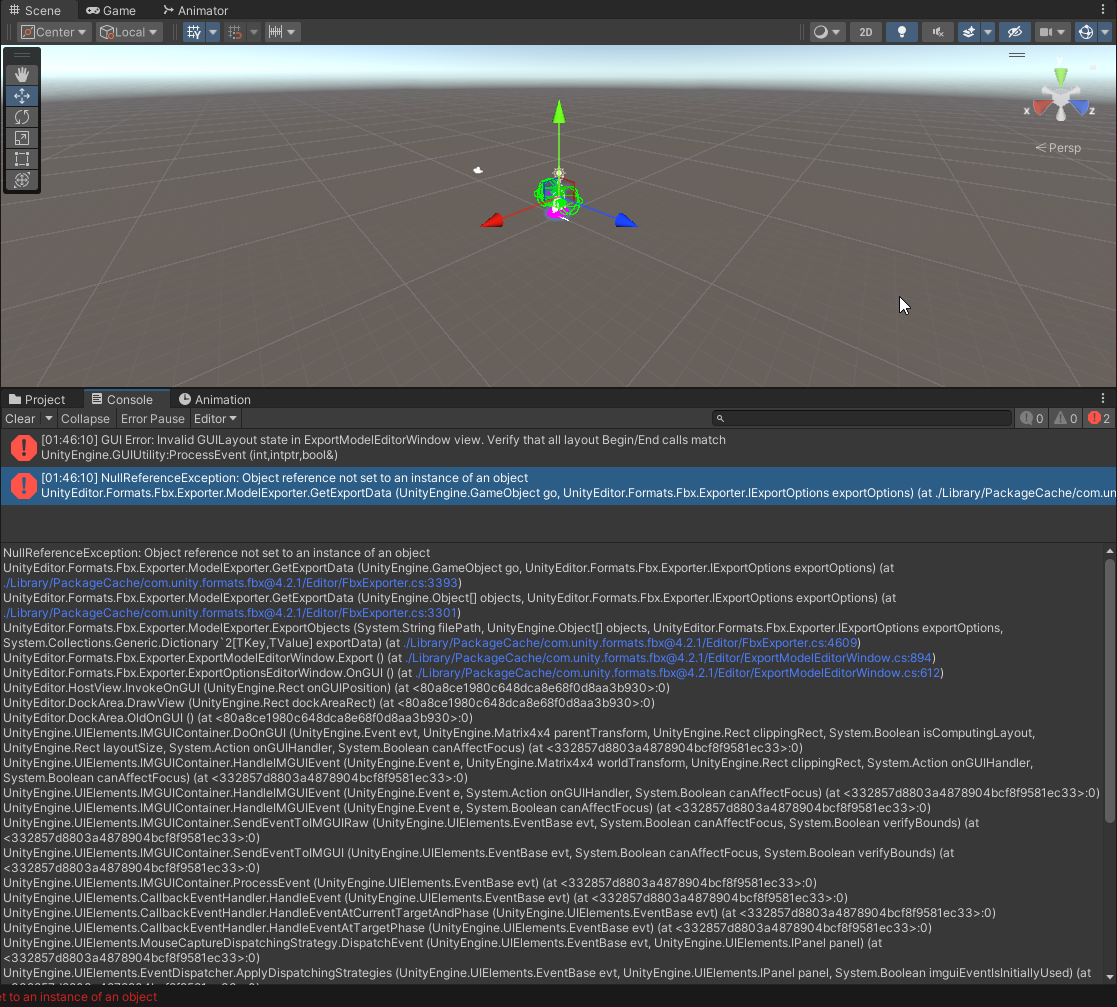
im still getting this damned error and its getting on my nerves at this point
-
@Kitku2007 Only select parts with "Skinned Mesh Renderer". Also, don't select the main part from the top.
-
@Daniel.D i know thats what i did and its still giving me the error








Hello! It looks like you're interested in this conversation, but you don't have an account yet.
Getting fed up of having to scroll through the same posts each visit? When you register for an account, you'll always come back to exactly where you were before, and choose to be notified of new replies (either via email, or push notification). You'll also be able to save bookmarks and upvote posts to show your appreciation to other community members.
With your input, this post could be even better 💗
Register Login