
Skip to content
  • Categories
  • Recent
  • Tags
  • Popular
Skins
  • Light
  • Brite
  • Cerulean
  • Cosmo
  • Flatly
  • Journal
  • Litera
  • Lumen
  • Lux
  • Materia
  • Minty
  • Morph
  • Pulse
  • Sandstone
  • Simplex
  • Sketchy
  • Spacelab
  • United
  • Yeti
  • Zephyr
  • Dark
  • Cyborg
  • Darkly
  • Quartz
  • Slate
  • Solar
  • Superhero
  • Vapor

  • Default (Zephyr)
  • No Skin
Collapse
RipperStore Logo
  1. Home
  2. Support
  3. General Support
  4. Eyes turn 180 when trying to do rotation states

Eyes turn 180 when trying to do rotation states

Scheduled Pinned Locked Moved General Support
helpblenderunityeyeavatar
4 Posts 2 Posters 55 Views
  • Oldest to Newest
  • Newest to Oldest
  • Most Votes
Reply
  • Reply as topic
Log in to reply
This topic has been deleted. Only users with topic management privileges can see it.
  • VV1nTeR__V
    VV1nTeR__V
    VV1nTeR__
    wrote last edited by
    #1

    Hello Forum! I’ve run into an issue where the avatar's pupils rotate 180 degrees when I try to set up the eye tracking. The strange thing is that this doesn't happen in Blender, and trying to reverse the eye bones doesn't fix the problem; it might be a quirk of the head model itself, though I have my doubts about that.
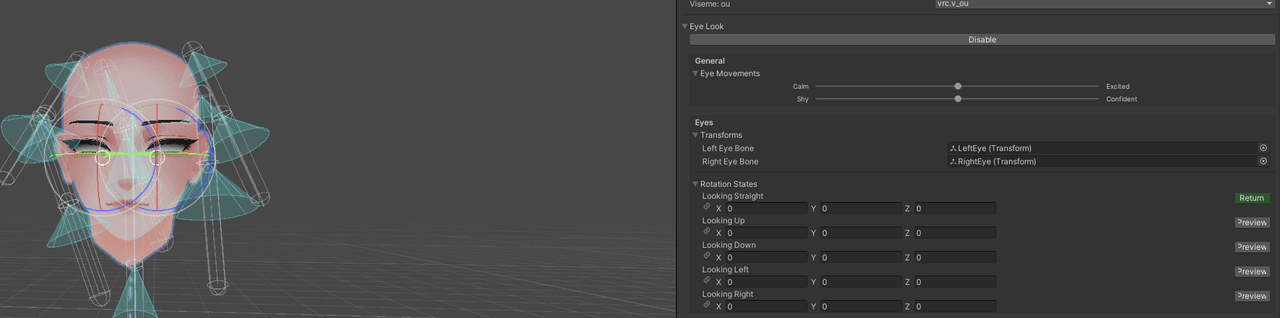
    Снимок экрана 2026-10-10 235726.png
    If you don't install them, then everything is fine—just as it should be. However, in that case, you'll need to set the rotation of each eye to 180 degrees in the Unity rig. Снимок экрана 2026-10-11 001018.png Снимок экрана 2026-10-11 001118.png
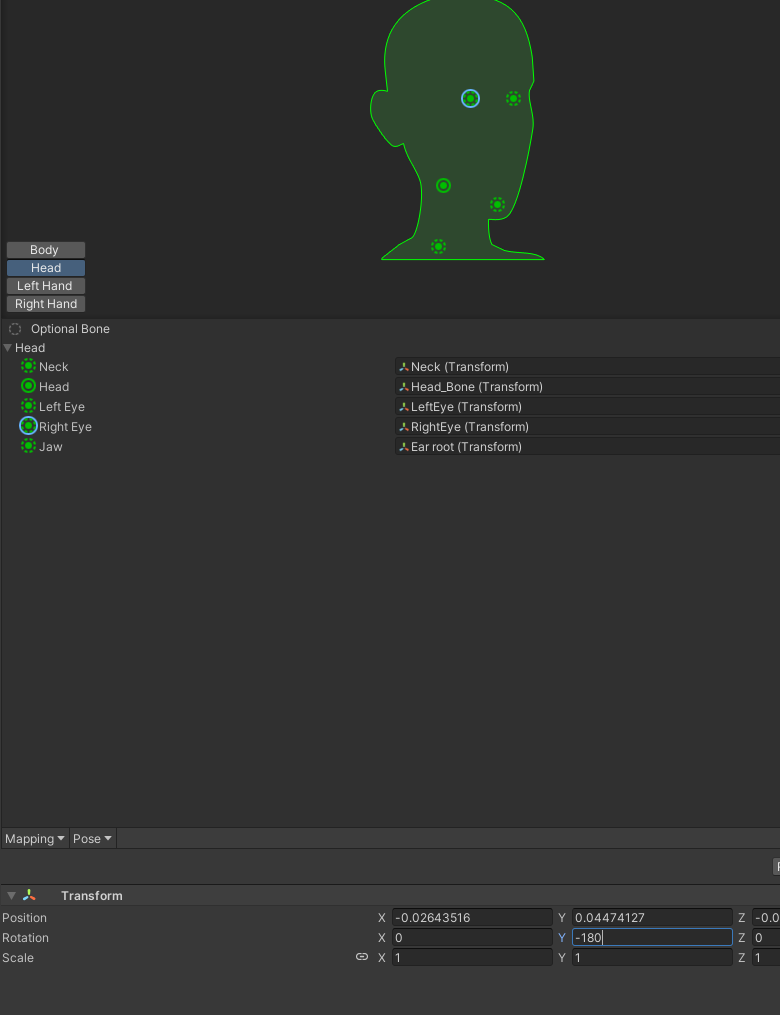
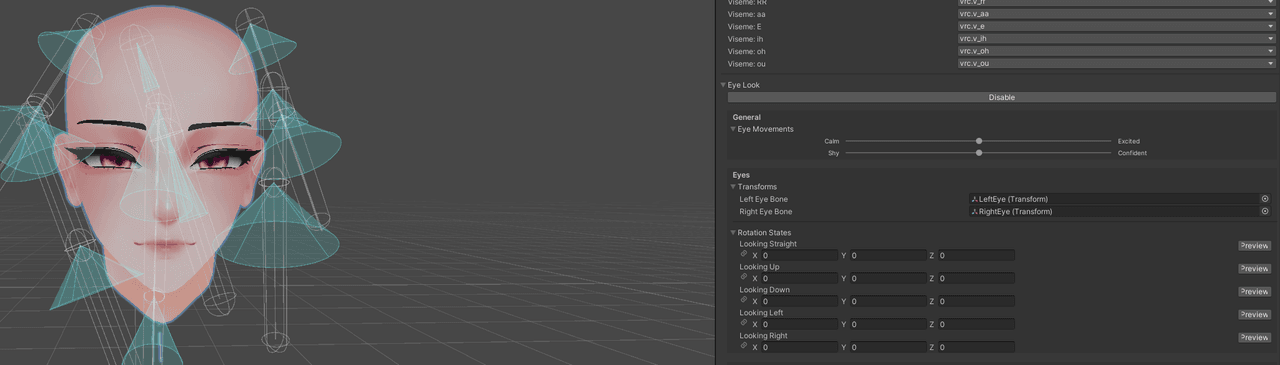
    Logically, I should just be able to go into Blender and rotate the bones 180 degrees in Edit Mode, but for some reason, Blender won't let me do it. I can move them and scale them, but I can't rotate them 180 degrees it makes no sense. Снимок экрана 2026-10-11 001600.png
    I use Adonis head https://gmsboxvr.com/b/ADec7

    1 Reply Last reply
    0
    • B
      B
      blapanda
      wrote last edited by
      #2

      Make sure that the armature bones for the eyes are rotated towards the correct direction/axis.
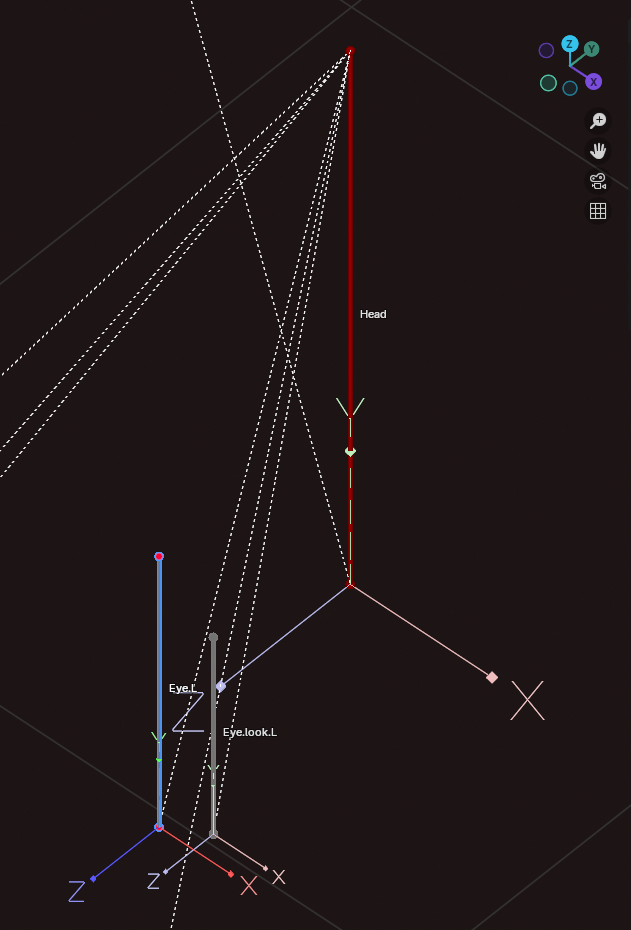
      Screenshot 2026-10-11 002345.png

      VV1nTeR__V 1 Reply Last reply
      0
      • B blapanda

        Make sure that the armature bones for the eyes are rotated towards the correct direction/axis.

        Screenshot 2026-10-11 002345.png

        VV1nTeR__V
        VV1nTeR__V
        VV1nTeR__
        wrote last edited by
        #3

        @blapanda I see that my coordinates don't match, But in any case, I have a question about how to fix this.

        1 Reply Last reply
        0
        • B
          B
          blapanda
          wrote last edited by
          #4

          If you did rotate the bones and re-exported the FBX with proper settings, and it is still acting up, it may be some other issue. AFAIK vertex groups can also inherit data to form/shape/manipulate a mesh in unwanted ways. Maybe there is something messing up with the setup of the head base.

          1 Reply Last reply
          0

          Hello! It looks like you're interested in this conversation, but you don't have an account yet.

          Getting fed up of having to scroll through the same posts each visit? When you register for an account, you'll always come back to exactly where you were before, and choose to be notified of new replies (either via email, or push notification). You'll also be able to save bookmarks and upvote posts to show your appreciation to other community members.

          With your input, this post could be even better 💗

          Register Login
          Reply
          • Reply as topic
          Log in to reply
          • Oldest to Newest
          • Newest to Oldest
          • Most Votes


          • Login

          • Login or register to search.
          • First post
            Last post
          0
          • Categories
          • Recent
          • Tags
          • Popular