Skip to content
  • Categories
  • Recent
  • Tags
  • Popular
Skins
  • Light
  • Brite
  • Cerulean
  • Cosmo
  • Flatly
  • Journal
  • Litera
  • Lumen
  • Lux
  • Materia
  • Minty
  • Morph
  • Pulse
  • Sandstone
  • Simplex
  • Sketchy
  • Spacelab
  • United
  • Yeti
  • Zephyr
  • Dark
  • Cyborg
  • Darkly
  • Quartz
  • Slate
  • Solar
  • Superhero
  • Vapor

  • Default (Zephyr)
  • No Skin
Collapse
RipperStore Logo
  1. Home
  2. Community
  3. General Questions
  4. Blender Texture. vs Render

Blender Texture. vs Render

Scheduled Pinned Locked Moved General Questions
15 Posts 4 Posters 878 Views 1 Watching
  • Oldest to Newest
  • Newest to Oldest
  • Most Votes
Reply
  • Reply as topic
Log in to reply
This topic has been deleted. Only users with topic management privileges can see it.
  • irawryouI
    irawryouI
    irawryou
    wrote on last edited by
    #4

    your best bet is to just go back and forth in Photoshop or use Substance painter. Don't use the blender texture paint

    1 Reply Last reply
    0
    • AnteupplayaA
      AnteupplayaA
      Anteupplaya
      wrote on last edited by
      #5

      how would i use substance painter for something that doesnt have an ssp?

      1 Reply Last reply
      0
      • GigaleakerG
        GigaleakerG
        Gigaleaker
        wrote on last edited by
        #6

        you'll have to import the fbx and texture separately, I have done it in the past but it's a bitch and a half because adobe are fucking idiots and don't know how to actually make a user friendly UI for the fucking life of them.

        :)

        1 Reply Last reply
        0
        • TissaT
          TissaT
          Tissa
          wrote on last edited by
          #7

          In Blender, you can export the UV layout of your meshes as a transparent texture and use it as a mask in your preferred image editor app:

          • Switch to the UV Editing workspace.
          • In Edit Mode, select all the meshes you want to export. You can do this either in the UV Editor or directly in the scene.
          • Click on the UV menu at the top and choose Export UV Layout from the dropdown.
          1 Reply Last reply
          0
          • AnteupplayaA
            AnteupplayaA
            Anteupplaya
            wrote on last edited by Anteupplaya
            #8

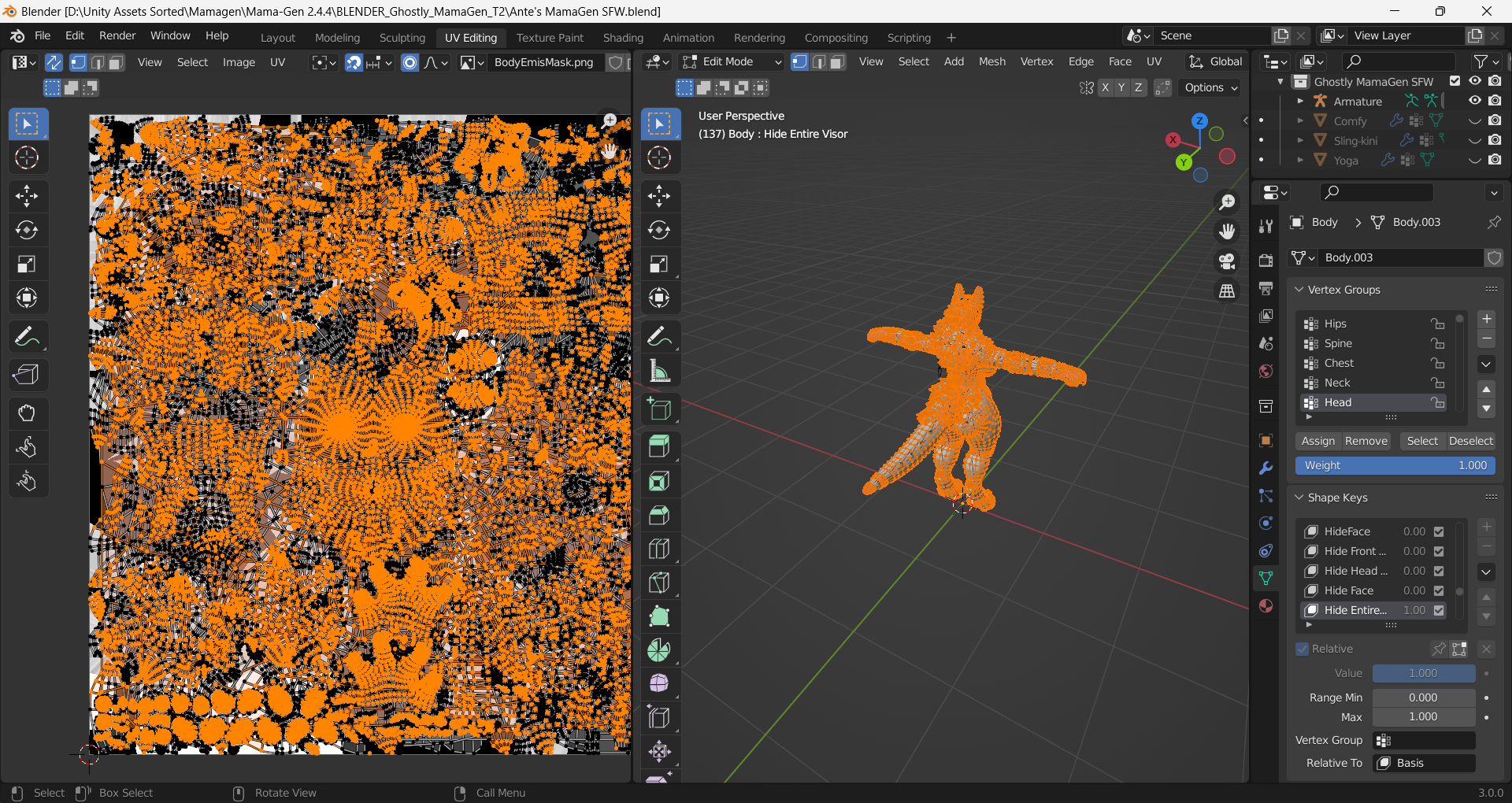
            Is there a way I can select all just in case I missed anything?
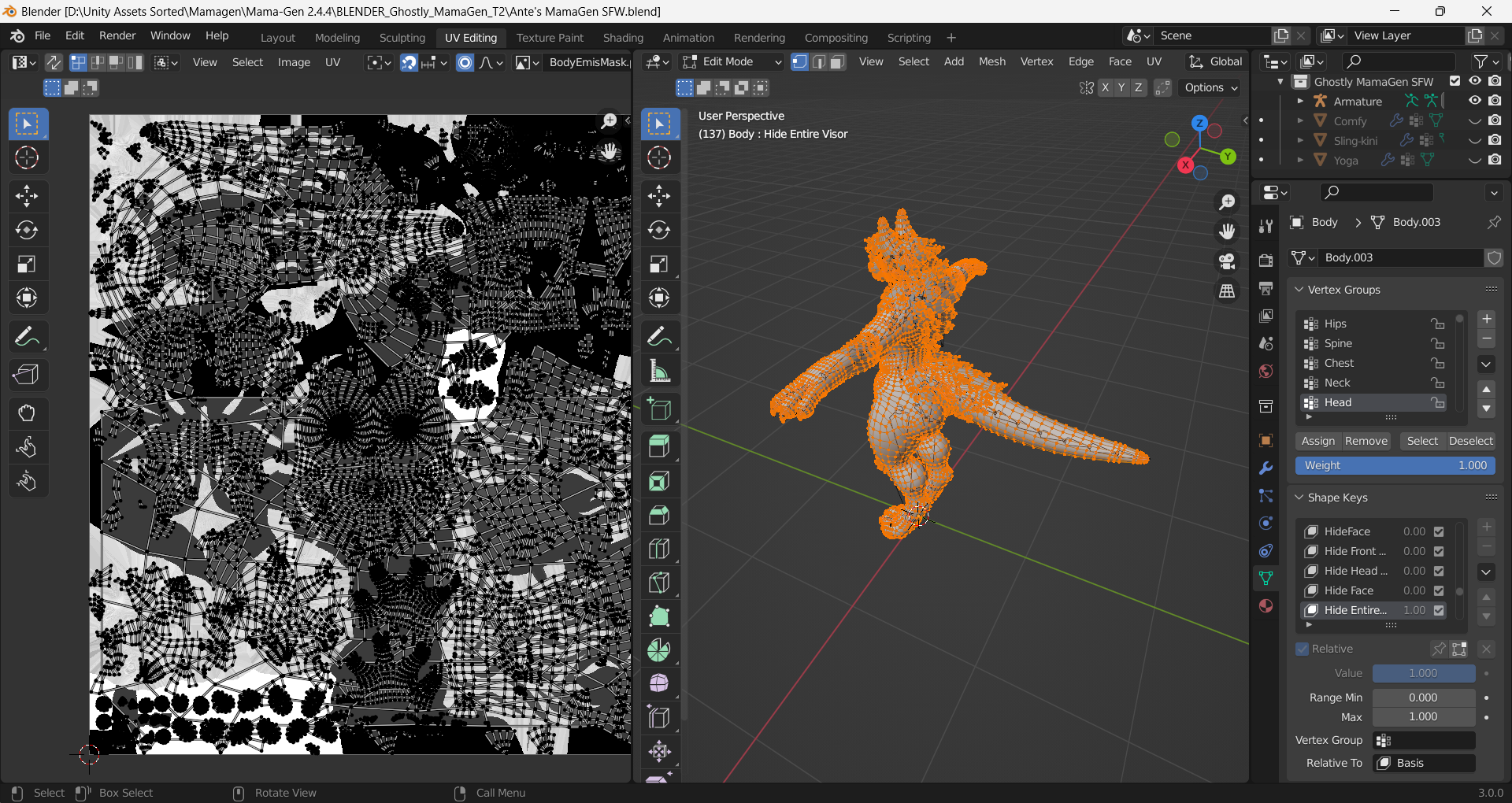
            image.png

            TissaT 1 Reply Last reply
            0
            • AnteupplayaA
              AnteupplayaA
              Anteupplaya
              wrote on last edited by
              #9

              @Tissa

              1 Reply Last reply
              0
              • AnteupplayaA Anteupplaya

                Is there a way I can select all just in case I missed anything?
                image.png

                TissaT
                TissaT
                Tissa
                wrote on last edited by
                #10

                @Anteupplaya Try with enabling the sync button:

                1 Reply Last reply
                0
                • AnteupplayaA
                  AnteupplayaA
                  Anteupplaya
                  wrote on last edited by
                  #11

                  i did but what did it do?
                  image.png
                  @Tissa

                  TissaT 1 Reply Last reply
                  0
                  • AnteupplayaA Anteupplaya

                    i did but what did it do?
                    image.png
                    @Tissa

                    TissaT
                    TissaT
                    Tissa
                    wrote on last edited by Tissa
                    #12

                    @Anteupplaya It selected all the vertices of your model. If you only want the pink parts you mentioned in your initial post, you can select them directly in your scene and then export the UV.

                    1 Reply Last reply
                    0
                    • AnteupplayaA
                      AnteupplayaA
                      Anteupplaya
                      wrote on last edited by
                      #13

                      im not trying to be dumb but how do I do that lol. I dont use blender at all

                      1 Reply Last reply
                      0
                      • AnteupplayaA
                        AnteupplayaA
                        Anteupplaya
                        wrote on last edited by
                        #14

                        @Tissa So i found out how to select all but this isnt what my texture looked like.
                        image.png

                        1 Reply Last reply
                        0
                        • AnteupplayaA
                          AnteupplayaA
                          Anteupplaya
                          wrote on last edited by
                          #15

                          is there anyway to take the texture on the right side of this image..
                          image.png

                          1 Reply Last reply
                          0

                          Hello! It looks like you're interested in this conversation, but you don't have an account yet.

                          Getting fed up of having to scroll through the same posts each visit? When you register for an account, you'll always come back to exactly where you were before, and choose to be notified of new replies (either via email, or push notification). You'll also be able to save bookmarks and upvote posts to show your appreciation to other community members.

                          With your input, this post could be even better 💗

                          Register Login
                          Reply
                          • Reply as topic
                          Log in to reply
                          • Oldest to Newest
                          • Newest to Oldest
                          • Most Votes


                          • Login

                          • Login or register to search.
                          • First post
                            Last post
                          0
                          • Categories
                          • Recent
                          • Tags
                          • Popular