
Minase face blendshape not saving
-
-
delete yur fx , see if it saves
-
In unity I can change the face blendshapes but they do not save on vrchat. If I need to make an animation could someone explain or make a video on how its done.
-
-
@TyeXO hey i added you could you send a vid of how to do it ima be busy or what to do in text sorry
-
@Vizytf

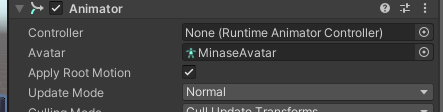
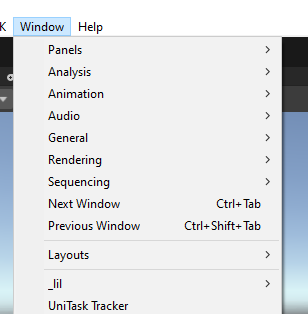
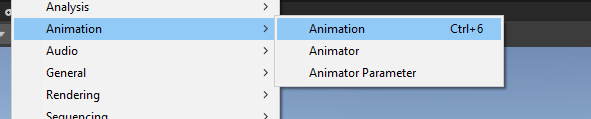
take the FX add it to the controller, go to window > animation > animation
find the corresponding face animation and copy then paste the blendshapes
when youre done be sure to remove the FX from the controller and it should be fine -
@stingraey im still quite confused, can u help me?
-
@stingraey I'm sorry, I'm so slow I don't know how the whole fx thing works :__;
-
@stingraey I'm sorry, I'm so slow I don't know how the whole fx thing works :__;
-
-




Hello! It looks like you're interested in this conversation, but you don't have an account yet.
Getting fed up of having to scroll through the same posts each visit? When you register for an account, you'll always come back to exactly where you were before, and choose to be notified of new replies (either via email, or push notification). You'll also be able to save bookmarks and upvote posts to show your appreciation to other community members.
With your input, this post could be even better 💗
Register Login