
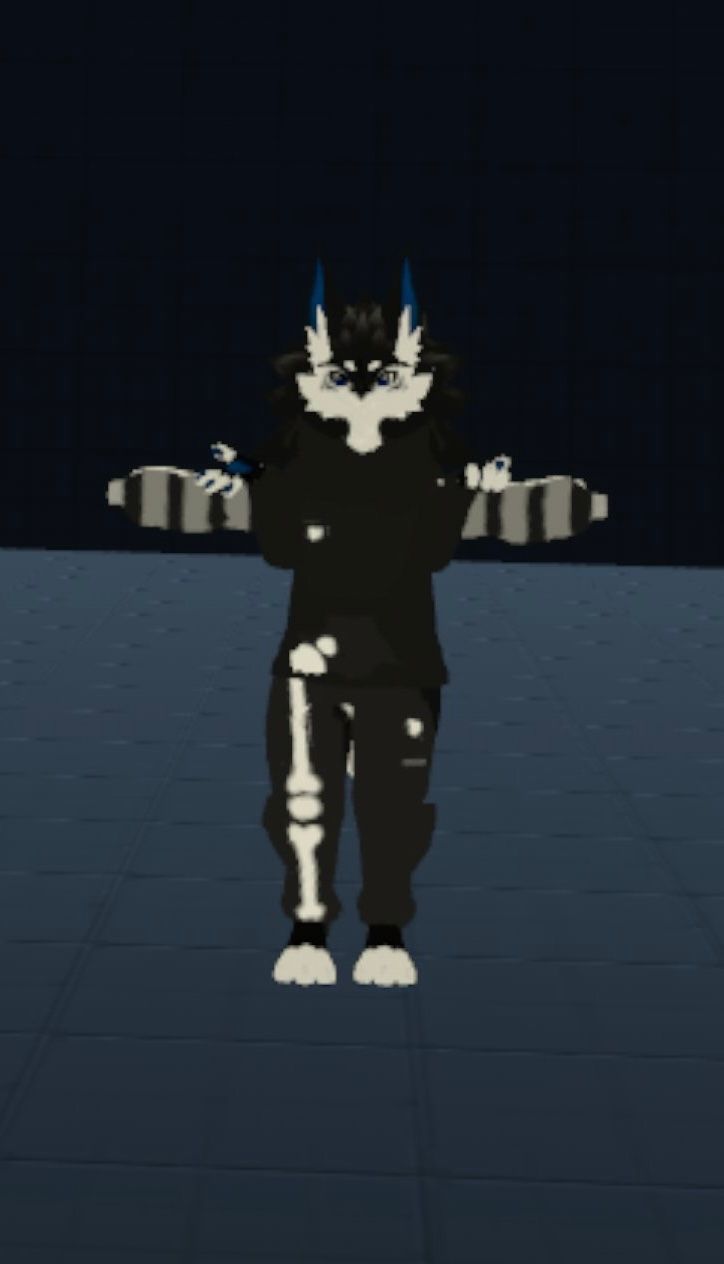
Using this clothes prefab and trying to install it with VRCFury, but it just stays in a t-pose and doesn't move with my arms and legs
-
This is the clothing:
https://soapblocc.gumroad.com/l/fmluuAnd this is where I downloaded it from:
https://vrmodels.store/clothess/48728-novabeast-drop-shoulder-outfit.htmlThe given instructions are just this: "Setup with VRC Fury, all you gotta do is drag the bones onto your avatars armature :]"
Am I meant to do more than simply drag it onto my avatar in unity? If so can anyone please help me?
Here are the comments relating to the issue from vrmodels.store
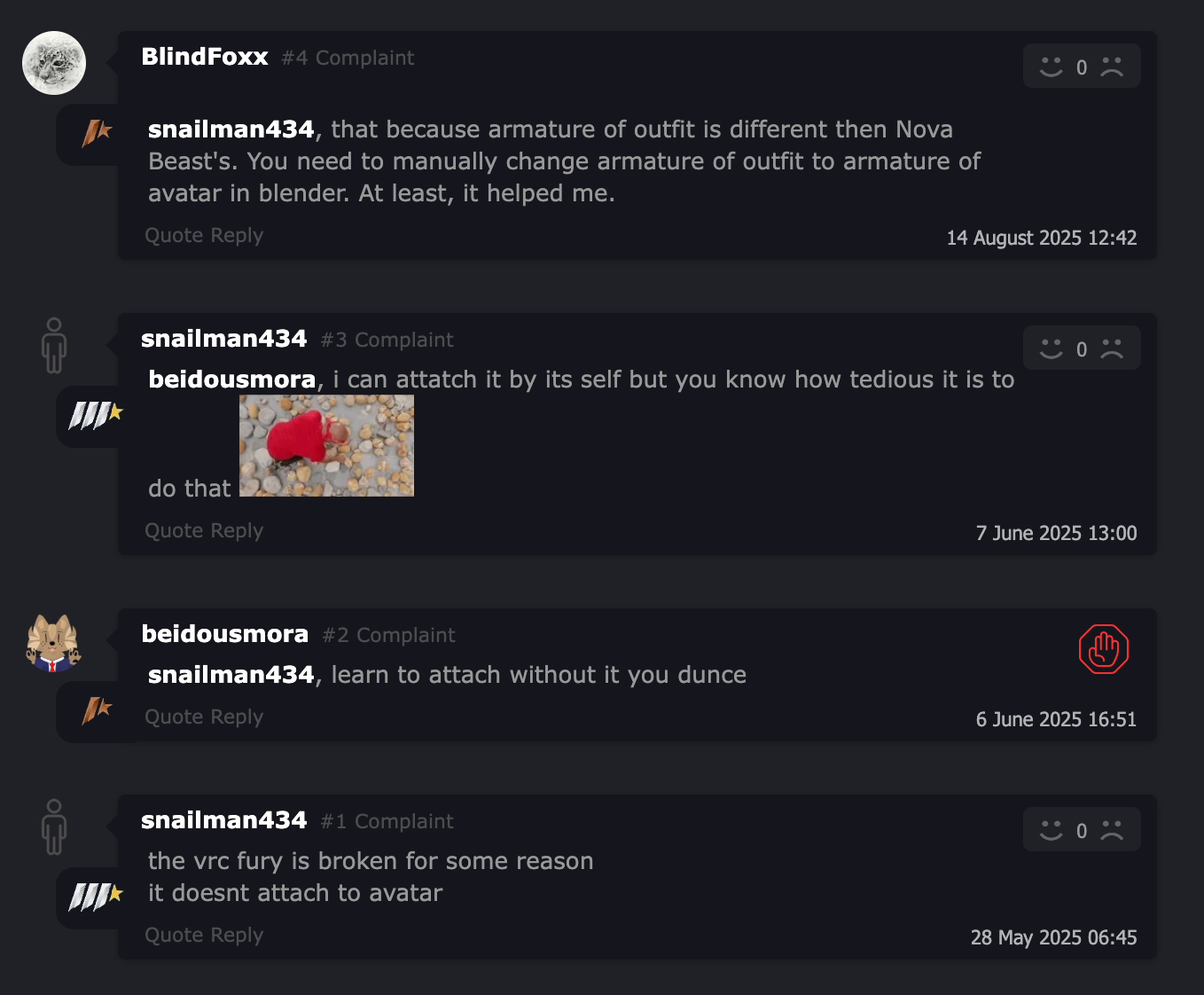
If anyone is able to help me it will be greatly appreciated!
-
In game photo for reference
-
Firstly, I may recommend that you get Modular Avatar, which takes all the work out of what you're doing! It gives you the option to right-click, and automatically set up model-appropriate clothes to an avatar. Otherwise, you need to open your avatar's 'Armature' tab, and the 'Armature' tab in the clothing you're trying to attach to it. Next, open each tier until you can see them all on both the avi's Amature and the clothing piece's Armature. Finally, you need to click each Armature section from the clothing and drag it into the like-named Armature branch on your avatar. You're essentially 'linking' the bones from the clothes to the appropriate bones of your avi.
...But really, you should just get 'Modular Avatar'.
 It does all the work for you.
 -
Firstly, I may recommend that you get Modular Avatar, which takes all the work out of what you're doing! It gives you the option to right-click, and automatically set up model-appropriate clothes to an avatar. Otherwise, you need to open your avatar's 'Armature' tab, and the 'Armature' tab in the clothing you're trying to attach to it. Next, open each tier until you can see them all on both the avi's Amature and the clothing piece's Armature. Finally, you need to click each Armature section from the clothing and drag it into the like-named Armature branch on your avatar. You're essentially 'linking' the bones from the clothes to the appropriate bones of your avi.
...But really, you should just get 'Modular Avatar'.
It does all the work for you.@AradiaWalpurgis Thank you so much! Modular Avatar worked flawlessly.
-
@AradiaWalpurgis Thank you so much! Modular Avatar worked flawlessly.
@Banana_rain No worries at all. ^^ Enjoy!

Hello! It looks like you're interested in this conversation, but you don't have an account yet.
Getting fed up of having to scroll through the same posts each visit? When you register for an account, you'll always come back to exactly where you were before, and choose to be notified of new replies (either via email, or push notification). You'll also be able to save bookmarks and upvote posts to show your appreciation to other community members.
With your input, this post could be even better 💗
Register Login