Skip to content
  • Categories
  • Recent
  • Tags
  • Popular
Skins
  • Light
  • Brite
  • Cerulean
  • Cosmo
  • Flatly
  • Journal
  • Litera
  • Lumen
  • Lux
  • Materia
  • Minty
  • Morph
  • Pulse
  • Sandstone
  • Simplex
  • Sketchy
  • Spacelab
  • United
  • Yeti
  • Zephyr
  • Dark
  • Cyborg
  • Darkly
  • Quartz
  • Slate
  • Solar
  • Superhero
  • Vapor

  • Default (Zephyr)
  • No Skin
Collapse
RipperStore Logo
  1. Home
  2. Support
  3. General Support
  4. Novabeast Fluff Glow Texture Change Slider Not Working

Novabeast Fluff Glow Texture Change Slider Not Working

Scheduled Pinned Locked Moved General Support
novabeasttexturevrcfuryunityunity help
3 Posts 2 Posters 360 Views
  • Oldest to Newest
  • Newest to Oldest
  • Most Votes
Reply
  • Reply as topic
Log in to reply
This topic has been deleted. Only users with topic management privileges can see it.
  • S
    S
    Skeptic0961
    wrote on last edited by
    #1

    Hello! I'm new to avatar editing, and I've been struggling with this issue for a few days.
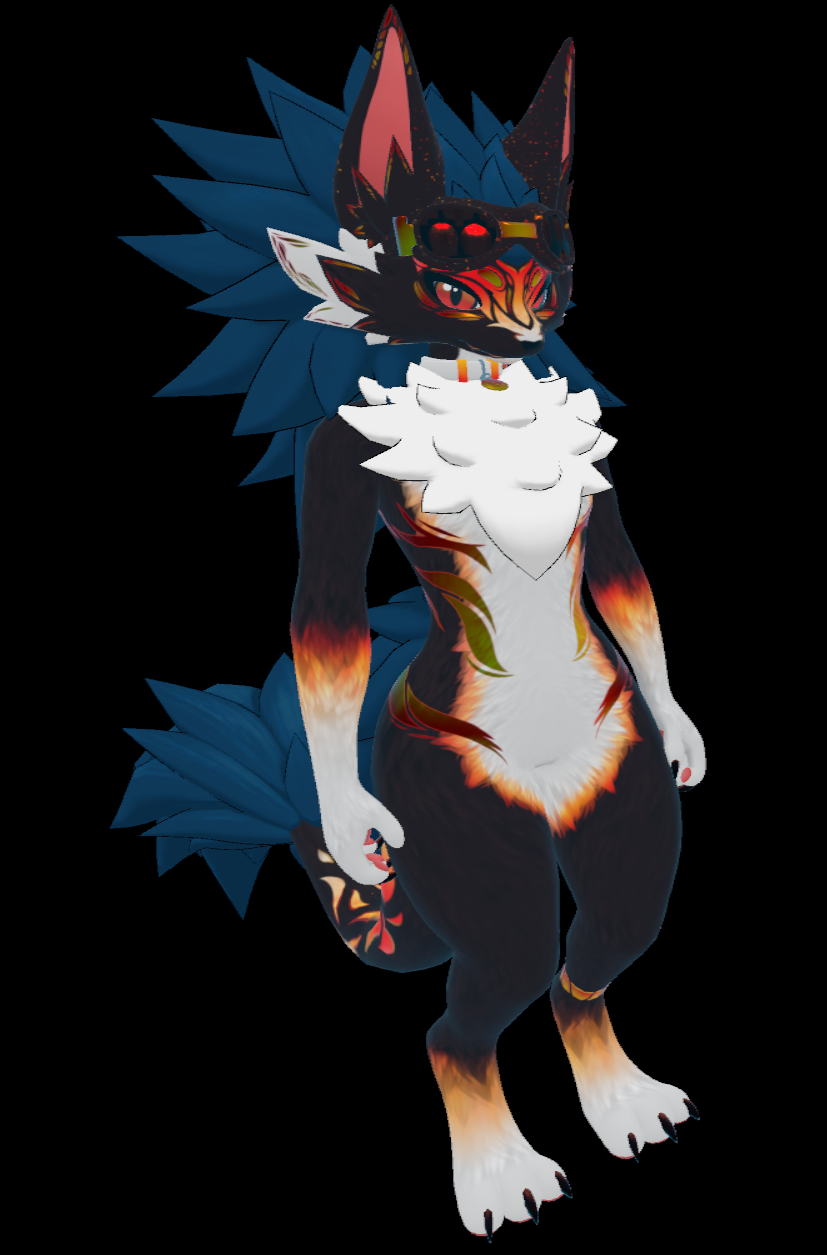
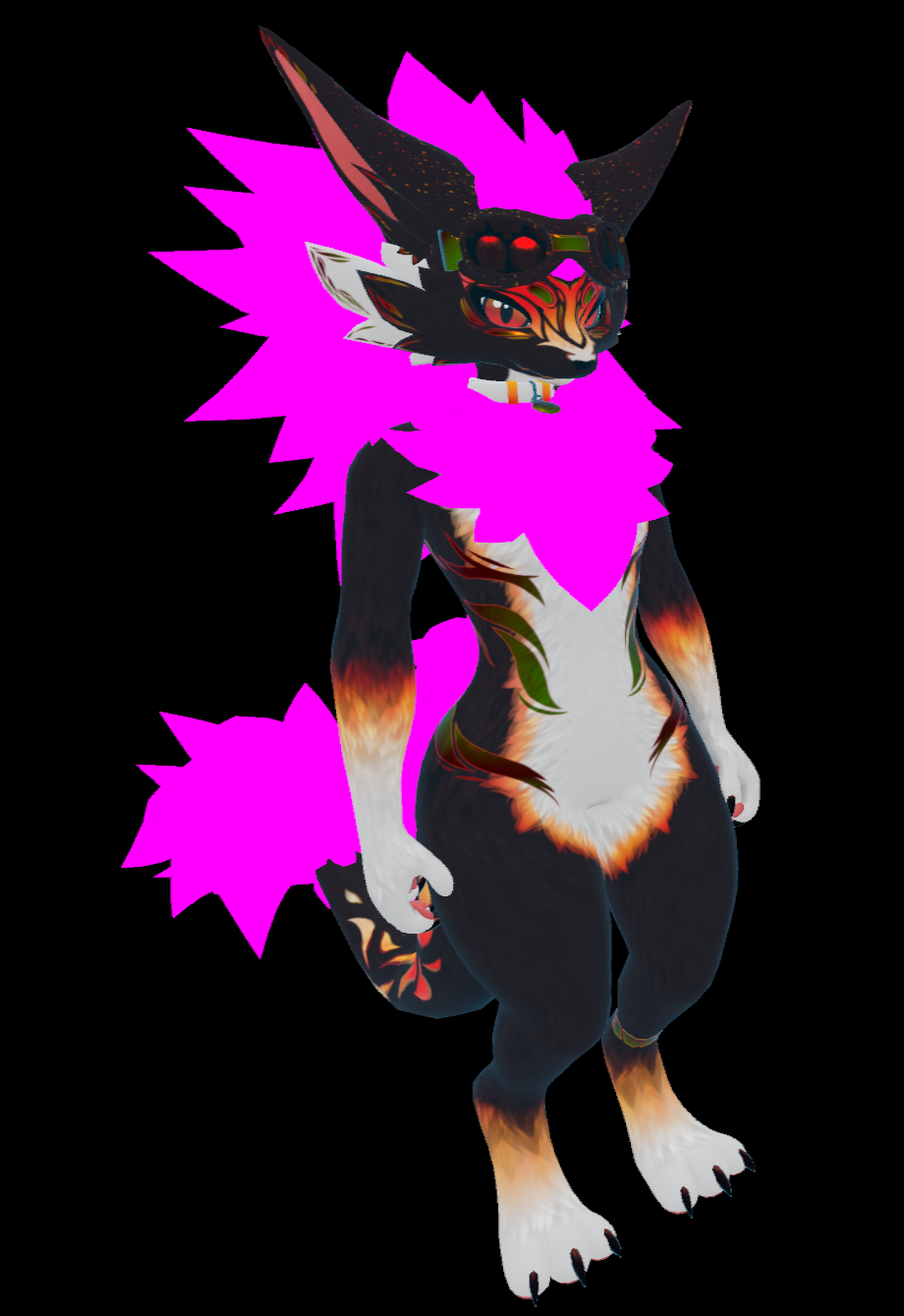
    When I add the Novabeast Fluff Glow texture to my unity avatar, the slider that is meant to change between the colors works, but the fluff and visor are broken.
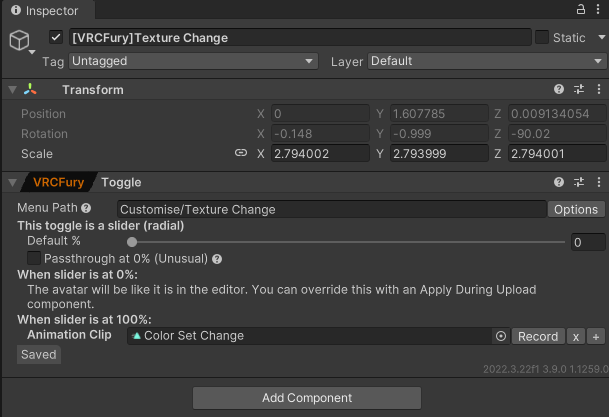
    I'm not sure why this is, and I can't seem to edit the animation that seems to control how the textures change.

    The animation for the slider.
    1f1b0f0c-da6d-498f-9556-0244374a11a1-image.png
    b2647fa3-7aaf-47c4-ba41-7da582e03465-image.png

    This is when the default Nova textures are present.
    924189b4-5944-4013-bba8-1df3641a8305-image.png

    This is when the default Nova textures are not present.
    0df621b8-6642-40f2-ac14-fb5198d3e061-image.png

    Thank you for your assistance!

    1 Reply Last reply
    0
    • zeta.zazaZ
      zeta.zazaZ
      zeta.zaza
      wrote on last edited by
      #2

      are the materials pink on their own or only when affected by the animation?

      to edit the animation you can drag it onto your avatar's root, this will add it to your animator and allow you to change the properties

      always collecting furry avis and edgy clothes x

      1 Reply Last reply
      0
      • S
        S
        Skeptic0961
        wrote on last edited by
        #3

        Manually applying the materials works in unity, but it doesn't fix the issue in VRChat. Note the visor texture is still broken, and the fluff texture still doesn't change with the slider.

        image.png
        image.png
        image.png

        1 Reply Last reply
        0

        Hello! It looks like you're interested in this conversation, but you don't have an account yet.

        Getting fed up of having to scroll through the same posts each visit? When you register for an account, you'll always come back to exactly where you were before, and choose to be notified of new replies (either via email, or push notification). You'll also be able to save bookmarks and upvote posts to show your appreciation to other community members.

        With your input, this post could be even better 💗

        Register Login
        Reply
        • Reply as topic
        Log in to reply
        • Oldest to Newest
        • Newest to Oldest
        • Most Votes


        • Login

        • Login or register to search.
        • First post
          Last post
        0
        • Categories
        • Recent
        • Tags
        • Popular