
Can anyone help with this unity error? It's causing some of my shaders to not work.
-
heyooo, hopefully i can help a bit as i have some coding experience. it seems like unity tried loading the json file for liltoon, and it does exist, but its either empty, corrupt, maybe messed w a little? if you go into where ur liltoon package is stored, either assets or package files, there should be a json file that kinda looks like "liltoonsettings.json" or something along those lines, open that up in vis studio or text editor, and if that file is empty, delete it and liltoon/unity could auto regen it. if you want to play it safe though, completely wipe liltoon from unity (i know its a pain lmao ive done it w poi so many times), and do a clean reinstall. i could try to recreate this issue in my own unity or if u send a copy of the json over, or a screenshot of it, i could perhaps see whats happening.
also on a completely separate note, is ur usertag and signature a rhea ripley reference?

-
heyooo, hopefully i can help a bit as i have some coding experience. it seems like unity tried loading the json file for liltoon, and it does exist, but its either empty, corrupt, maybe messed w a little? if you go into where ur liltoon package is stored, either assets or package files, there should be a json file that kinda looks like "liltoonsettings.json" or something along those lines, open that up in vis studio or text editor, and if that file is empty, delete it and liltoon/unity could auto regen it. if you want to play it safe though, completely wipe liltoon from unity (i know its a pain lmao ive done it w poi so many times), and do a clean reinstall. i could try to recreate this issue in my own unity or if u send a copy of the json over, or a screenshot of it, i could perhaps see whats happening.
also on a completely separate note, is ur usertag and signature a rhea ripley reference?
-
sorry for the double text, im comparing both your .cs file and mine, and they look identical. go here:
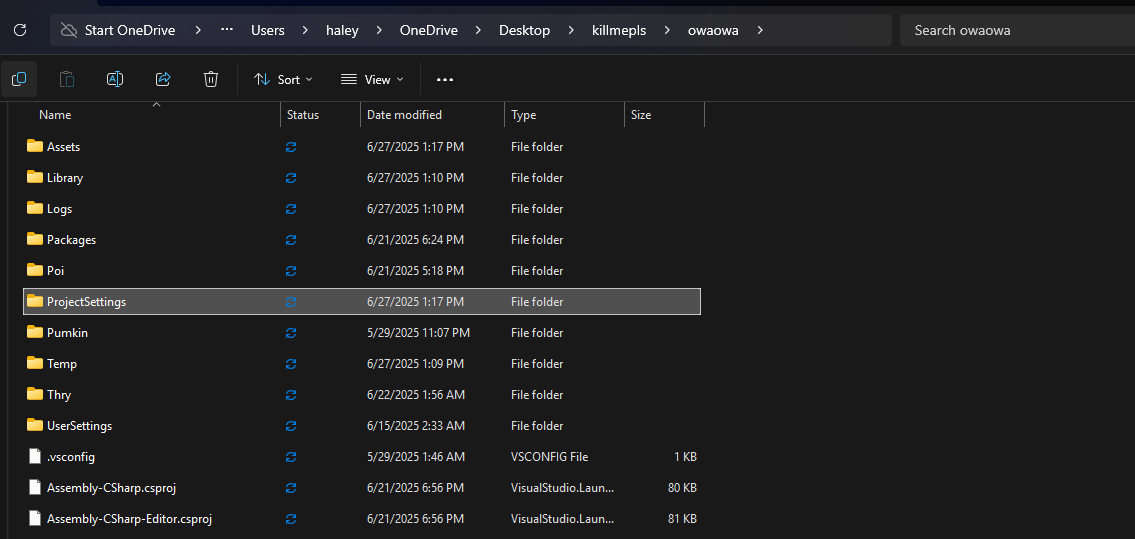
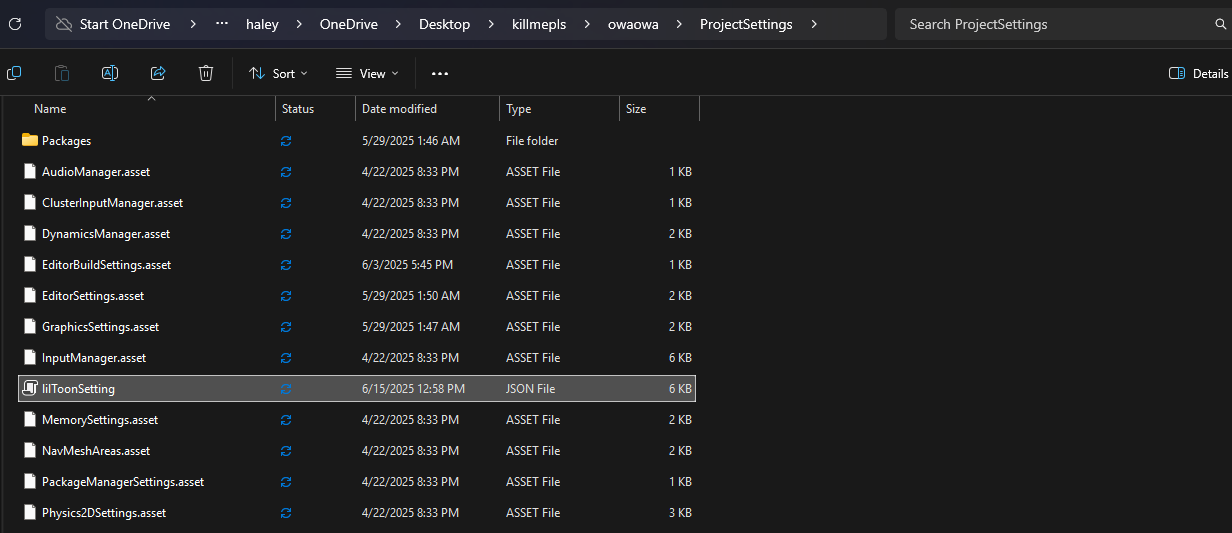
ignore my stupid file directory names but if you go to your unity project>projectsettings, there should be the liltoonsetting.json. i redownloaded the liltoonsetting.cs and liltoonsetting.cs.meta files from github and nothing really changed, so that .cs isnt the issue. its the json file seen above in the file explorer. heres all 3 files just in case.
the error isnt caused by the cs file, its the json.
System.Reflection.TargetInvocationException > System.ArgumentException: JSON parse error: The document is empty.
- liltoonsetting.cs is trying to read and parse the json file during startup, but the file its trying to read is either corrupt or empty. (for ref, my liltoonsetting.json is 5.02kb). essentially what liltoon does is use that json file as a basis for user settings and shader settings. if its either corrupt or empty, thats when liltoon panics and unity throws that parser error at u.
heres what its trying to do in that error:
1 . at UnityEngine.JsonUtility.FromJsonOverwrite (System.String json, System.Object objectToOverwrite [0x00059] in <87781e9b12134dbc9598174129a79531>:0 -- unity is trying to parse (examine, analyze) json data from a string and overrwrite its values.
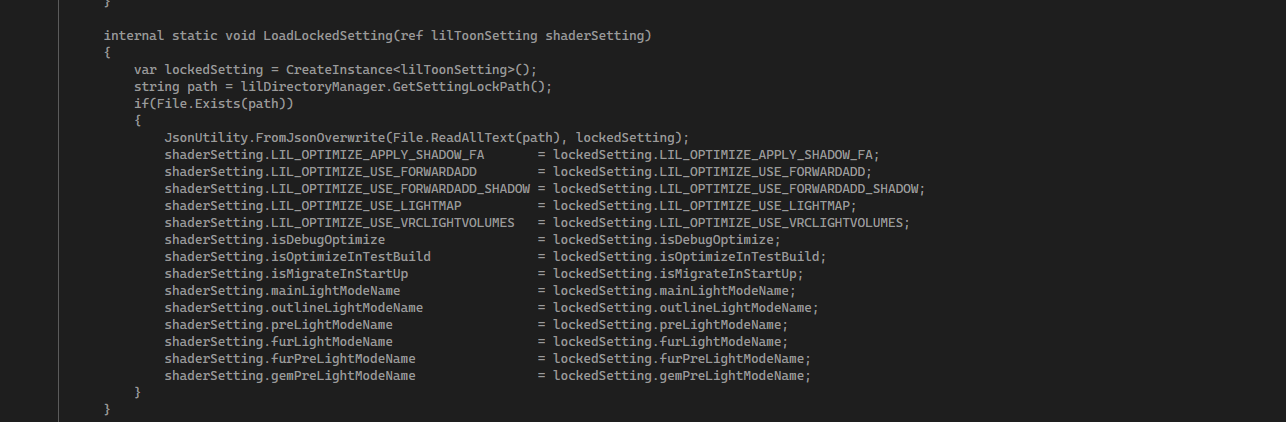
- at lilToonSetting.LoadShaderSetting (lilToonSetting& shaderSetting) [0x000ff] in .\Packages\jp.lilxyzw.liltoon\Editor\lilToonSetting.cs:219 -- inside that .cs file on ln219, the function LoadShaderSetting is calling for FromJsonOverwrite

- at lilToonSetting.InitializeShaderSetting (lilToonSetting& shaderSetting) [0x000f0] in .\Packages\jp.lilxyzw.liltoon\Editor\lilToonSetting.cs:226 -- on ln226, InitializeShaderSetting is calling for LoadShaderSetting.

- at lilToon.lilStartup.Initialize() [0x00062] in .\Packages\jp.lilxyzw.liltoon\Editor\lilStartup.cs:77 -- diff cs file, lilstartup.cs, on ln77, lilStartup.Initialize() is calling for InitializeShaderSetting
what this part is saying is essentially its base protocols, calling for certain files. but when the scripts try to read the json file, if its empty or corrupt, its not gonna read anything. "LoadShaderSetting" tries to read "LiltoonSetting.json", but if its fed a file that it doesnt like, it spits the yucky stuff at "JsonUtility.FromJsonOverwrite", and that file then spits the parse error at you, so essentially look at it like a mother and baby bird, mother tries to feed baby spoiled worm, baby throws a tantrum
 . if files from the previous install are left over, even remnants, it could cause the new install to read those files, or unity tries to overwrite the new files with the existing, and this ultimately could happen.
if you installed liltoon through the package manager, remove it through there. itll remove all of the packagemanager references and the packagecache. for certainty, check your file explorer for liltoon (should be (ur project)>assets>liltoon, or (ur project>library>packagecache>jp.lilxyzw.liltoon@(whatever numbers follow idk could be diff), you can remove that for good measure but if youre not comfortable w that, its completely optional. > try installing through github. i know this was a bunch of technical jargon and i hate to be that type of person bc my adhd peabrain would not read all of that, but i essentially wanted to give a rundown on whats going on, as unity wouldnt let me replicate that error without the .json file, so again, i sent all 3 known good files (.json, .cs, .cs.meta), so try replacing those in your files. im on liltoon ver. 1.10.3





Hello! It looks like you're interested in this conversation, but you don't have an account yet.
Getting fed up of having to scroll through the same posts each visit? When you register for an account, you'll always come back to exactly where you were before, and choose to be notified of new replies (either via email, or push notification). You'll also be able to save bookmarks and upvote posts to show your appreciation to other community members.
With your input, this post could be even better 💗
Register Login