Skip to content
  • Categories
  • Recent
  • Tags
  • Popular
Skins
  • Light
  • Brite
  • Cerulean
  • Cosmo
  • Flatly
  • Journal
  • Litera
  • Lumen
  • Lux
  • Materia
  • Minty
  • Morph
  • Pulse
  • Sandstone
  • Simplex
  • Sketchy
  • Spacelab
  • United
  • Yeti
  • Zephyr
  • Dark
  • Cyborg
  • Darkly
  • Quartz
  • Slate
  • Solar
  • Superhero
  • Vapor

  • Default (Zephyr)
  • No Skin
Collapse
RipperStore Logo
  1. Home
  2. Assets
  3. Looking for...
  4. Furry Avatars
  5. Furry Avatar Recovery Guide

Furry Avatar Recovery Guide

Scheduled Pinned Locked Moved Furry Avatars
furry
8 Posts 3 Posters 5.2k Views 10 Watching
  • Oldest to Newest
  • Newest to Oldest
  • Most Votes
Reply
  • Reply as topic
Log in to reply
This topic has been deleted. Only users with topic management privileges can see it.
  • CrystalDustC
    CrystalDustC
    CrystalDust
    wrote on last edited by
    #1

    Avatar Recovery Guide

    To recover your avatar model, you’ll need the following programs. Below are the details and download links:

    Another Guide here User this at own risk Risk One

    1.AssetRipper
    Version:1.1.9

    2.FACS Utilities
    Version:24.05.03

    3.Better Fbx Importer & Exporter
    Version:2.8.0

    The way to use Better Fbx Importer Guide Here https://forum.ripper.store/topic/20802/how-to-convert-a-unpacked-ripped-avatar-back-into-an-fbx/3

    4.Blender
    Version 2.8.0 (https://www.blender.org/download/releases/2-80/)

    Steps for Recovering Your Avatar:
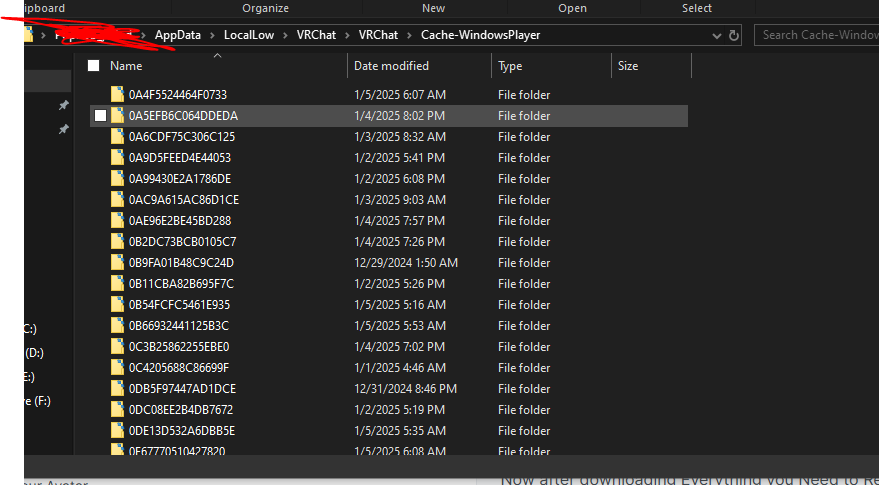
    Locate VRChat Cache Folders:

    1.Navigate to the cache folders for VRChat as shown in the screenshot below:Capture.PNG

    Important Warning:

    2.Do not attempt to access the _Data file while VRChat is open, as it may result in a ban.
    Always ensure VRChat is closed before proceeding.

    Backup the _Data File:

    3.After locating the _Data file, close VRChat and copy the file to a secure folder.
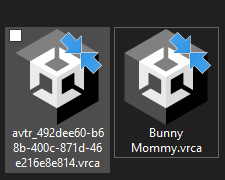
    Rename the file with a meaningful name. For example:
    Bunny Mommy.vrca
    Use the avatar name to help you identify the file later.
    Example of renamed file:dfgh.PNG
    Model Recovery Process:

    4.Follow the detailed steps provided in the included video tutorial to fix and recover your model.

    https://www.youtube.com/watch?v=y24NJfejPp0


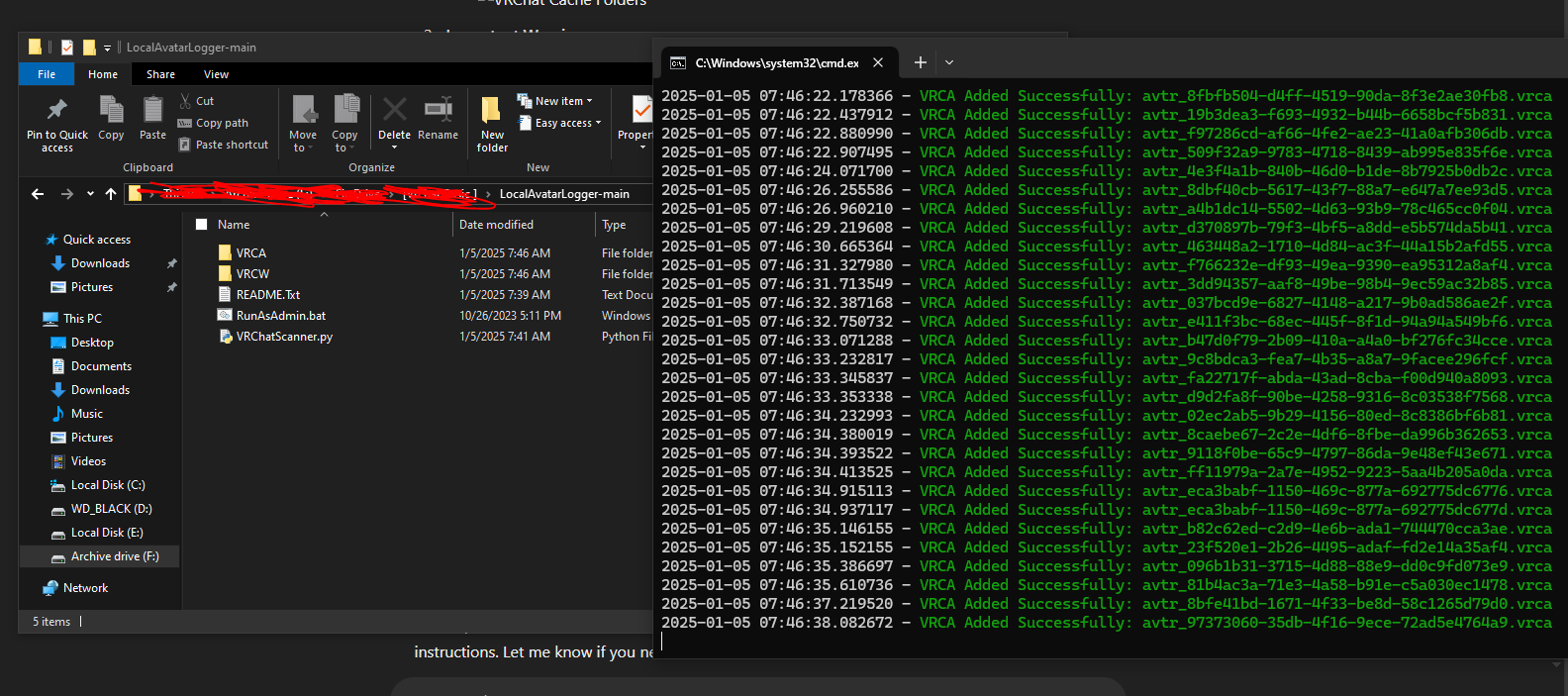
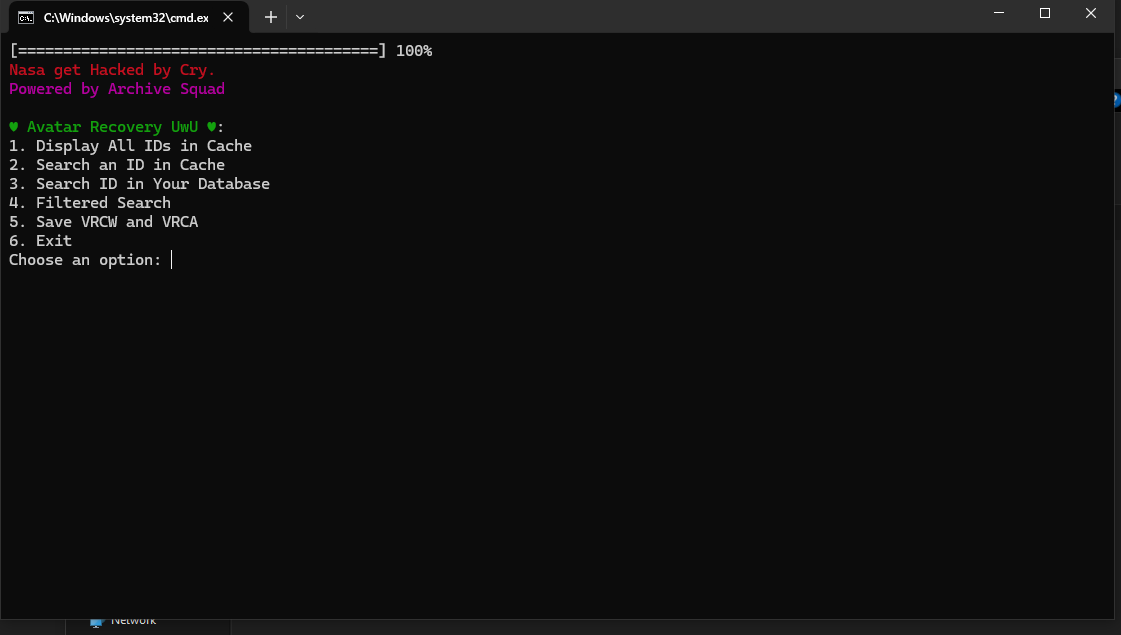
    Im Leave you with A Python script that do the following Renaming and Pulling of The Data File
    And Coverts it to the Correct Format to be recovered and Fixed

    Python Script _- [register or login to view this hidden content]

    You will Need to Have Python Installed for this to Work

    Python Version 3.11.0 Installed

    Image for Proof Script.PNG vrca.PNG working.PNG
    kiwikillerK 1 Reply Last reply
    0
    • CrystalDustC
      CrystalDustC
      CrystalDust
      wrote on last edited by
      #2

      https://forum.ripper.store/topic/306/how-to-apply-shaders-to-an-avatar-pc-quest

      1 Reply Last reply
      0
      • CrystalDustC
        CrystalDustC
        CrystalDust
        wrote on last edited by
        #3

        https://github.com/FACS01-01/FACS_Utilities/wiki

        1 Reply Last reply
        0
        • CrystalDustC
          CrystalDustC
          CrystalDust
          wrote on last edited by
          #4

          https://forum.ripper.store/topic/276/how-to-remove-missings-scripts-easily-tutorial

          1 Reply Last reply
          0
          • CrystalDustC
            CrystalDustC
            CrystalDust
            wrote on last edited by
            #5

            https://www.youtube.com/watch?v=qdHdNoq-rFs

            1 Reply Last reply
            0
            • CrystalDustC
              CrystalDustC
              CrystalDust
              wrote on last edited by
              #6

              im Retired from vrchat this just a Helpful Guide for those who want help

              1 Reply Last reply
              👍
              0
              • CrystalDustC CrystalDust referenced this topic on
              • CrystalDustC CrystalDust referenced this topic on
              • evil gayE
                evil gayE
                evil gay
                wrote on last edited by
                #7

                does this still works?

                1 Reply Last reply
                0
                • CrystalDustC CrystalDust

                  Avatar Recovery Guide

                  To recover your avatar model, you’ll need the following programs. Below are the details and download links:

                  Another Guide here User this at own risk Risk One

                  1.AssetRipper
                  Version:1.1.9

                  2.FACS Utilities
                  Version:24.05.03

                  3.Better Fbx Importer & Exporter
                  Version:2.8.0

                  The way to use Better Fbx Importer Guide Here https://forum.ripper.store/topic/20802/how-to-convert-a-unpacked-ripped-avatar-back-into-an-fbx/3

                  4.Blender
                  Version 2.8.0 (https://www.blender.org/download/releases/2-80/)

                  Steps for Recovering Your Avatar:
                  Locate VRChat Cache Folders:

                  1.Navigate to the cache folders for VRChat as shown in the screenshot below:Capture.PNG

                  Important Warning:

                  2.Do not attempt to access the _Data file while VRChat is open, as it may result in a ban.
                  Always ensure VRChat is closed before proceeding.

                  Backup the _Data File:

                  3.After locating the _Data file, close VRChat and copy the file to a secure folder.
                  Rename the file with a meaningful name. For example:
                  Bunny Mommy.vrca
                  Use the avatar name to help you identify the file later.
                  Example of renamed file:dfgh.PNG

                  Model Recovery Process:

                  4.Follow the detailed steps provided in the included video tutorial to fix and recover your model.

                  https://www.youtube.com/watch?v=y24NJfejPp0


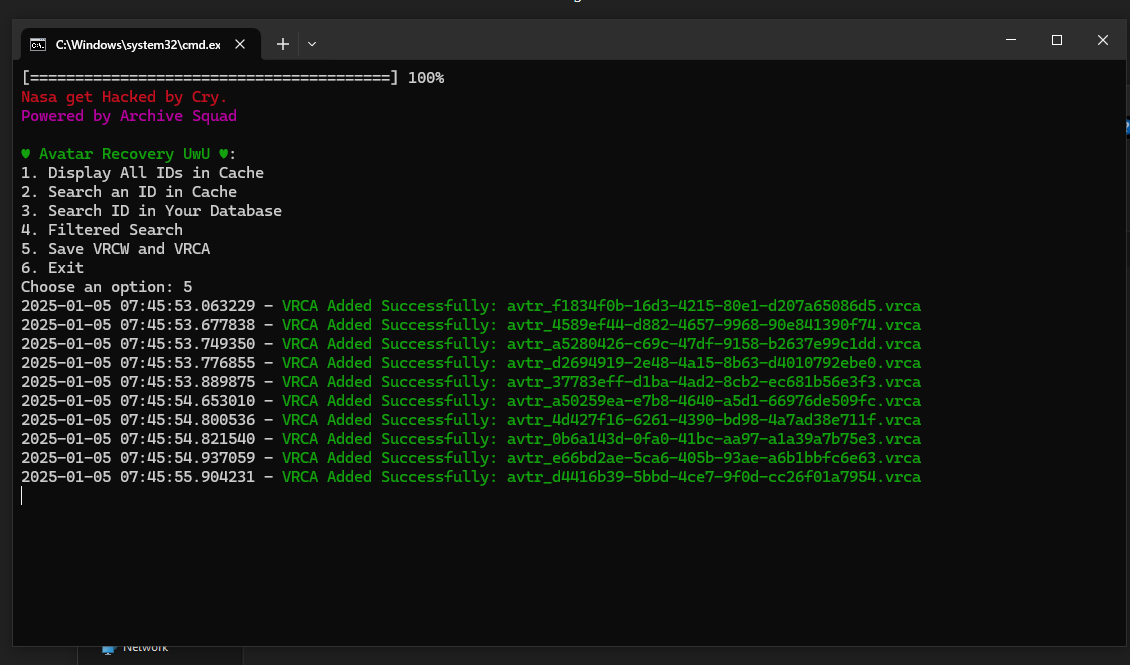
                  Im Leave you with A Python script that do the following Renaming and Pulling of The Data File
                  And Coverts it to the Correct Format to be recovered and Fixed

                  Python Script _- [register or login to view this hidden content]

                  You will Need to Have Python Installed for this to Work

                  Python Version 3.11.0 Installed

                  Image for Proof Script.PNG vrca.PNG working.PNG
                  kiwikillerK
                  kiwikillerK
                  kiwikiller
                  wrote on last edited by
                  #8

                  @CrystalDust does everything still work?
                  ⸜(。˃ ᵕ ˂ )⸝♡

                  1 Reply Last reply
                  0

                  Hello! It looks like you're interested in this conversation, but you don't have an account yet.

                  Getting fed up of having to scroll through the same posts each visit? When you register for an account, you'll always come back to exactly where you were before, and choose to be notified of new replies (either via email, or push notification). You'll also be able to save bookmarks and upvote posts to show your appreciation to other community members.

                  With your input, this post could be even better 💗

                  Register Login
                  Reply
                  • Reply as topic
                  Log in to reply
                  • Oldest to Newest
                  • Newest to Oldest
                  • Most Votes


                  • Login

                  • Login or register to search.
                  • First post
                    Last post
                  0
                  • Categories
                  • Recent
                  • Tags
                  • Popular