
Emissive Problem?
-
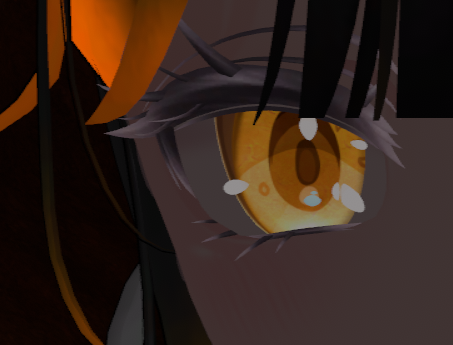
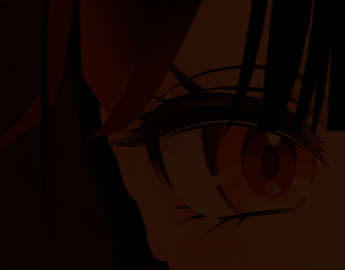
Hi, i recently ripped an avatar and have been working on restoring, but I'm not sure how to fix the emissiveness. I don't think I'm missing any shaders, maybes theres an option somewhere that needs changed that I dont know about? I've attached the comparison images to show how the original looks vs what I have now. any help would be great, as I'm fairly new to this.
-
make sure your emissions are toggled on in the shader menu in Unity! re-import the emission, and tweak it to your liking. ensure you check the toggle in the gesture manager, and change the lighting probes using the lightbulb to see if you have to set it the way you'd want.
-
make sure your emissions are toggled on in the shader menu in Unity! re-import the emission, and tweak it to your liking. ensure you check the toggle in the gesture manager, and change the lighting probes using the lightbulb to see if you have to set it the way you'd want.
-
of course! glad to help.

Hello! It looks like you're interested in this conversation, but you don't have an account yet.
Getting fed up of having to scroll through the same posts each visit? When you register for an account, you'll always come back to exactly where you were before, and choose to be notified of new replies (either via email, or push notification). You'll also be able to save bookmarks and upvote posts to show your appreciation to other community members.
With your input, this post could be even better 💗
Register Login