
How do I match the ears and tail to multiple colors of hair?
-
Hey,
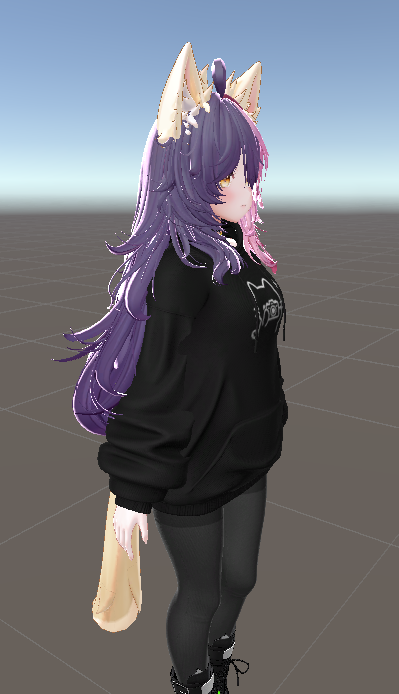
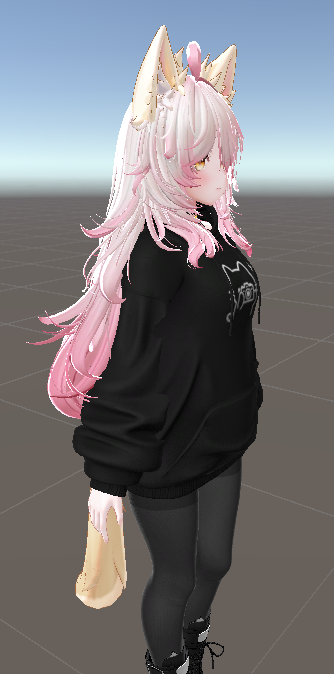
I'm making this avatar. This is MAYO base and I bought additional hair asset with a bunch of hair colors. I already added slider toggle to switch them but idk how to match the base ear and tail color to the hair. I tried hue shift but it doesn't look that good with darker colors. Do I have to manually bake them with shaders, work with some picture editing program? Or is there an easier solution?
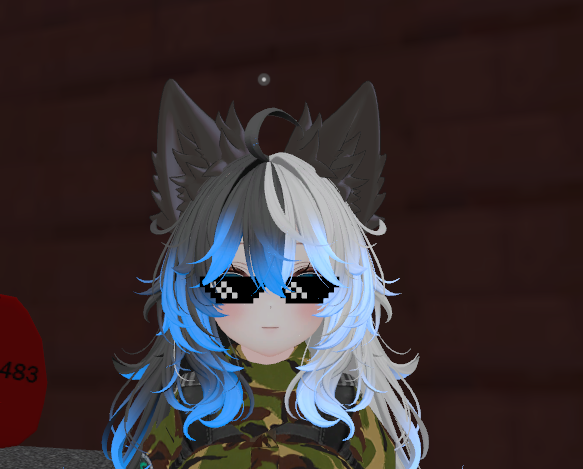
Also, while I'm at it, how to do the blueish gradient/emissions (idk what it is exactly) shown in the last photo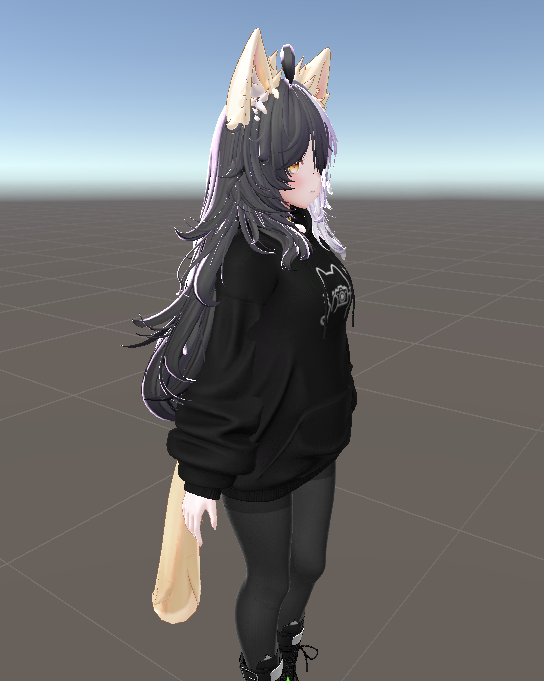
-
bump
-
You can actually edit the textures to get them to match and I don't mean the "Mats".
I mean the flat 2D textures that should be stored in the Unity folder (or in the folder that contains the model if it wasn't just a unity file).
You can do it a few ways.-
Go to Blender, grab a random box doesn't matter, go to texture paint and paint the color you want on the texture
-
Use photoshop and do the same thing.
-
Use anything that's like photo editing, painting, etc to change the color or find something you can use in Unity (Unsure what you can use besides Poi or any other shader)
I did the first option for my friend's model to make it match the same color scheme as a model he saw in a photo once. Turned out pretty well.
-
-
You can actually edit the textures to get them to match and I don't mean the "Mats".
I mean the flat 2D textures that should be stored in the Unity folder (or in the folder that contains the model if it wasn't just a unity file).
You can do it a few ways.-
Go to Blender, grab a random box doesn't matter, go to texture paint and paint the color you want on the texture
-
Use photoshop and do the same thing.
-
Use anything that's like photo editing, painting, etc to change the color or find something you can use in Unity (Unsure what you can use besides Poi or any other shader)
I did the first option for my friend's model to make it match the same color scheme as a model he saw in a photo once. Turned out pretty well.
@ALilRotten
Thanks man for your input. I guess I will have to figure out how to use blender or remember how to use photoshop...
Tbh I was too lazy to use any photo editing apps and was hoping to see another solution XD -

Hello! It looks like you're interested in this conversation, but you don't have an account yet.
Getting fed up of having to scroll through the same posts each visit? When you register for an account, you'll always come back to exactly where you were before, and choose to be notified of new replies (either via email, or push notification). You'll also be able to save bookmarks and upvote posts to show your appreciation to other community members.
With your input, this post could be even better 💗
Register Login