
SPS Problems
-
@SweetSangria
for some odd reason the configurator is just not fucking there@PTYBIIMA https://wholesomevr.github.io/SPS-Configurator/ Go here and click "Add to VCC"
Upvotes always appreciated! <3
-
@PTYBIIMA https://wholesomevr.github.io/SPS-Configurator/ Go here and click "Add to VCC"
-
@SweetSangria I fixed it dw
I had to re-open the project
And actually I'm wondering if you could help with some issues that I'm having with an avatar -
@PTYBIIMA What's the issue?
@SweetSangria
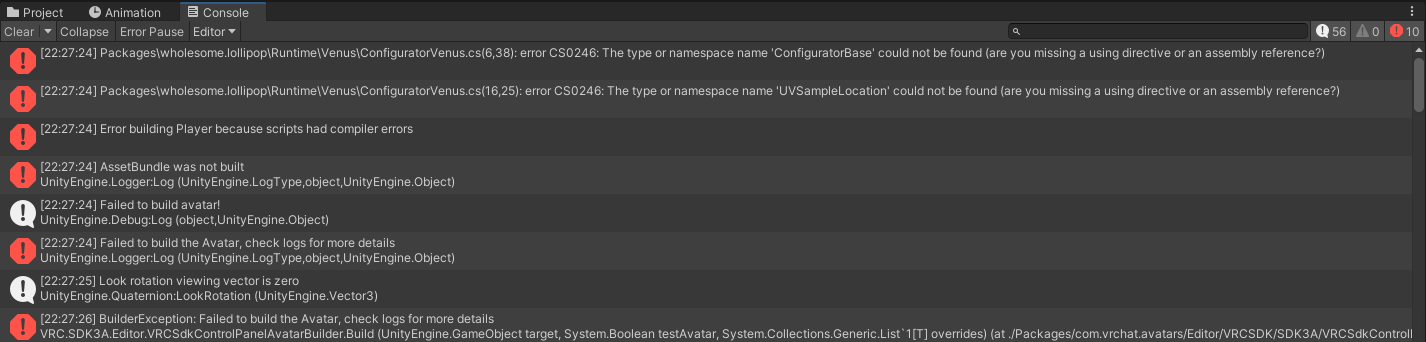
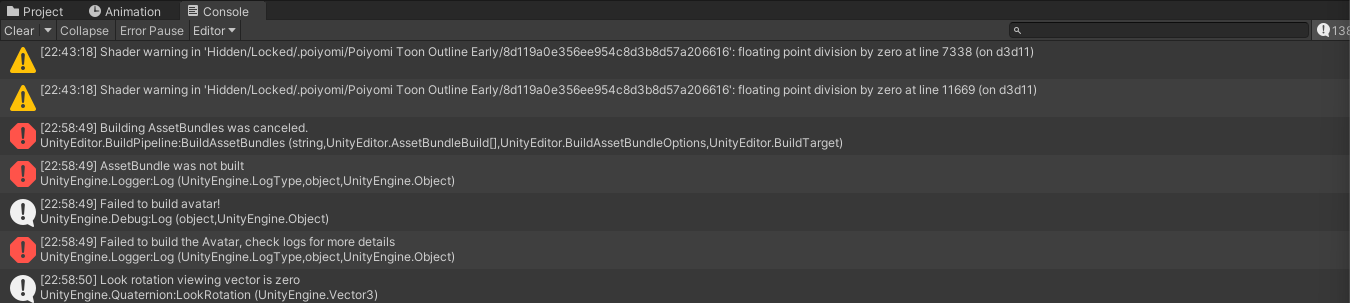
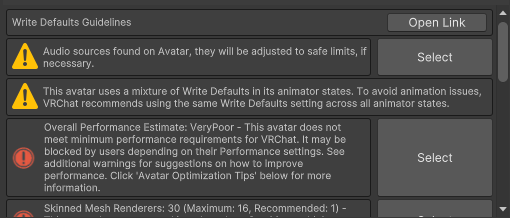
i honestly dont know cuz im honestly new-ish to unity and i cant read errors correctly I will send the screenshots of the errors and the avatar i used -
-
-
@PTYBIIMA It looks like the lollipop part of SPS / Wholesome that's messed up. The stuff we were talking about was for the receiving parts vs the lollipop part. I know less about that, but in your Creator Companion, try adding the Wholesome Dependencies and see if that helps.

Upvotes always appreciated! <3
-
@PTYBIIMA It looks like the lollipop part of SPS / Wholesome that's messed up. The stuff we were talking about was for the receiving parts vs the lollipop part. I know less about that, but in your Creator Companion, try adding the Wholesome Dependencies and see if that helps.
-
@SweetSangria
and just adding that would fix it...????? -
@PTYBIIMA Not necessarily, but I'd start with that to see if it gets rid of some of the errors.
@SweetSangria
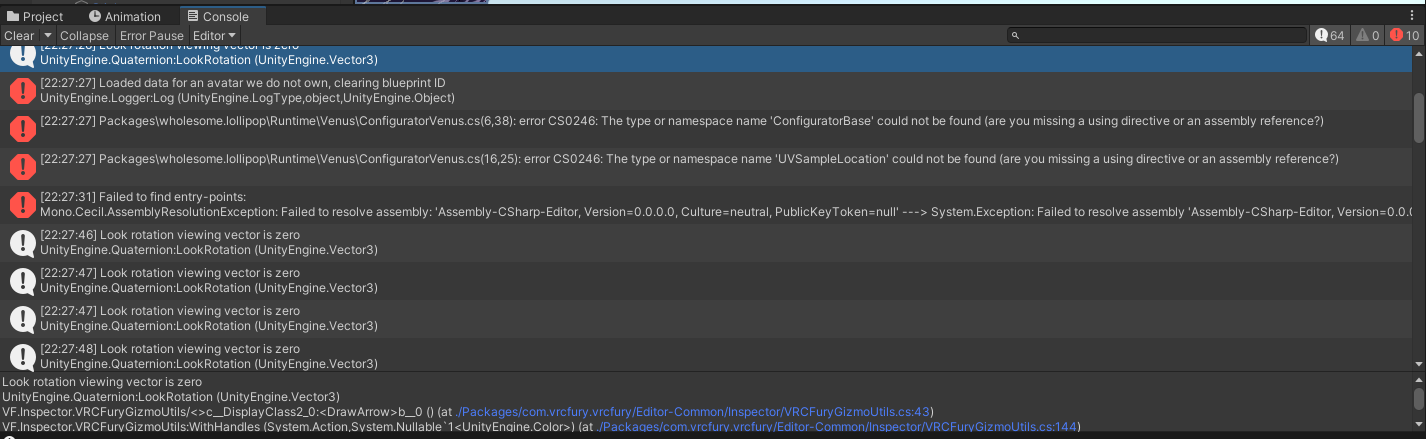
no i got more errors let me send them rq -
-
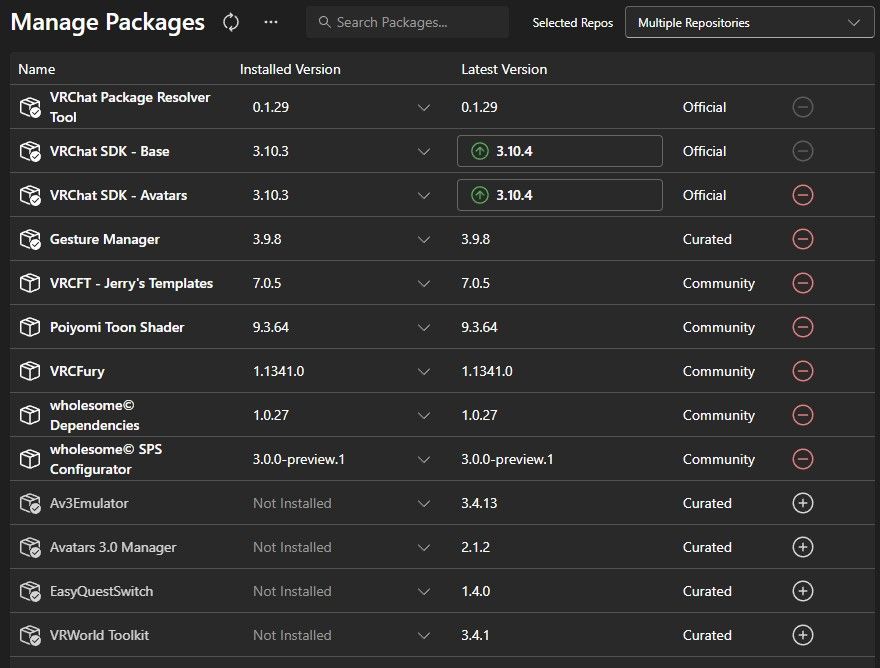
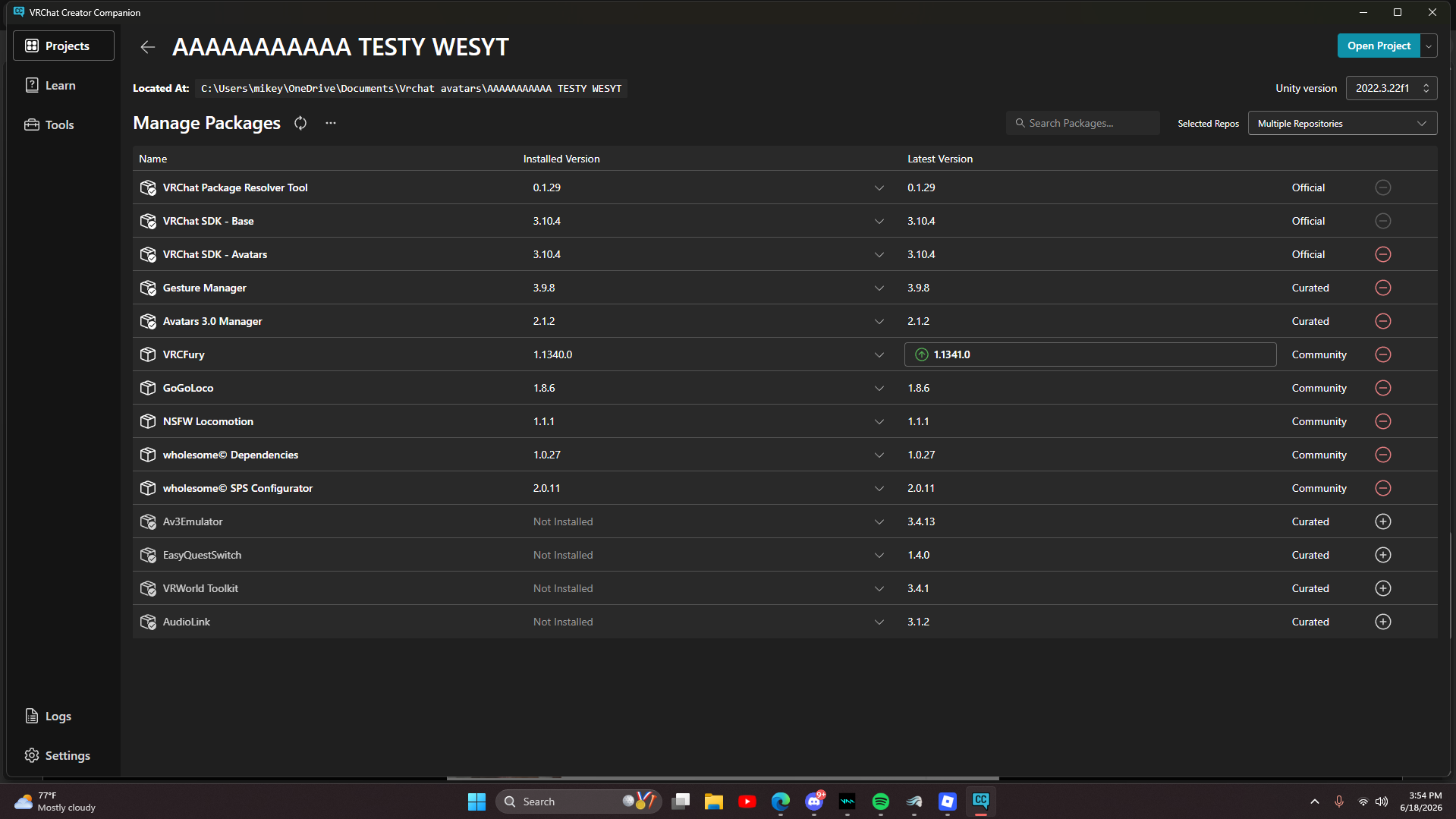
@PTYBIIMA But it looks like it did get rid of the SPS related errors you showed before. The last pic you showed isn't showing errors, I'm not worried about that. I can't tell what the other issues are based on what's showing in these pics. What's the actual avatar? Send me a store link so I can see what's required, and then show me your VCC packages that you have for the project. Like this:
Upvotes always appreciated! <3
-
@PTYBIIMA But it looks like it did get rid of the SPS related errors you showed before. The last pic you showed isn't showing errors, I'm not worried about that. I can't tell what the other issues are based on what's showing in these pics. What's the actual avatar? Send me a store link so I can see what's required, and then show me your VCC packages that you have for the project. Like this:
@SweetSangria
Heres the avatar that i used, and ill send the photo's of my plugins rq
-
-
@PTYBIIMA I don't want the download link, because that won't help me. I want to see the store listing for whatever the avatar is. What's the avatar name and creator name so I can look it up if you don't have that link? And have you tried uploading it since you added the Wholesome Dependencies?
Upvotes always appreciated! <3
-
@PTYBIIMA I don't want the download link, because that won't help me. I want to see the store listing for whatever the avatar is. What's the avatar name and creator name so I can look it up if you don't have that link? And have you tried uploading it since you added the Wholesome Dependencies?
@SweetSangria
I dont have a store link, because it was an nsfw edit made by someone, they also stated that the sps was fucked up, i asked in the forums for help, but i never got a reply
and yes ive tried uploading after adding the dependencies, thats how i got the new errors -
Ah, that makes it harder to troubleshoot. Try adding Modular Avatar in VCC.

-


Hello! It looks like you're interested in this conversation, but you don't have an account yet.
Getting fed up of having to scroll through the same posts each visit? When you register for an account, you'll always come back to exactly where you were before, and choose to be notified of new replies (either via email, or push notification). You'll also be able to save bookmarks and upvote posts to show your appreciation to other community members.
With your input, this post could be even better 💗
Register Login