Skip to content
  • Categories
  • Recent
  • Tags
  • Popular
Skins
  • Light
  • Brite
  • Cerulean
  • Cosmo
  • Flatly
  • Journal
  • Litera
  • Lumen
  • Lux
  • Materia
  • Minty
  • Morph
  • Pulse
  • Sandstone
  • Simplex
  • Sketchy
  • Spacelab
  • United
  • Yeti
  • Zephyr
  • Dark
  • Cyborg
  • Darkly
  • Quartz
  • Slate
  • Solar
  • Superhero
  • Vapor

  • Default (Zephyr)
  • No Skin
Collapse
RipperStore Logo
  1. Home
  2. Assets
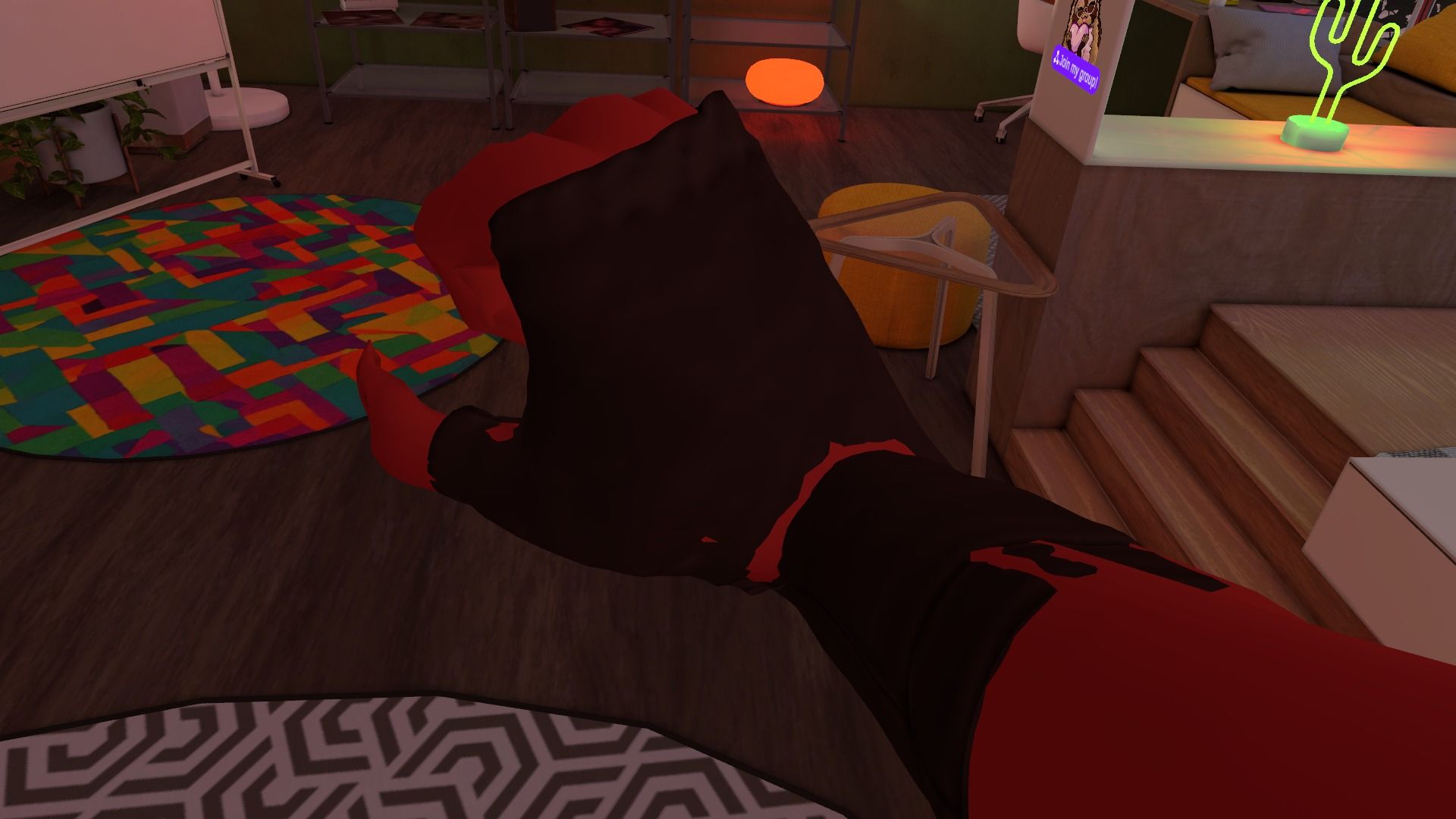
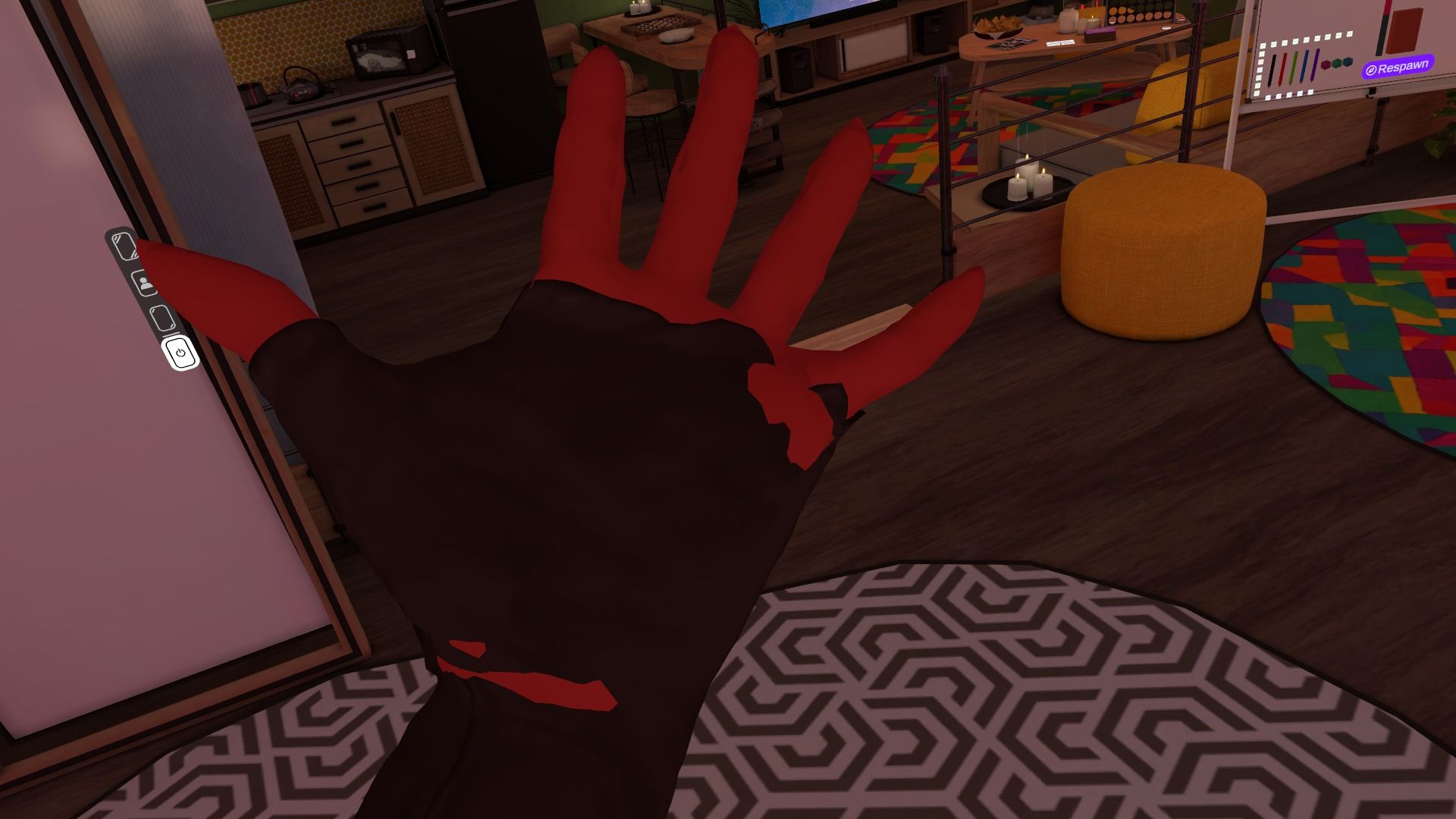
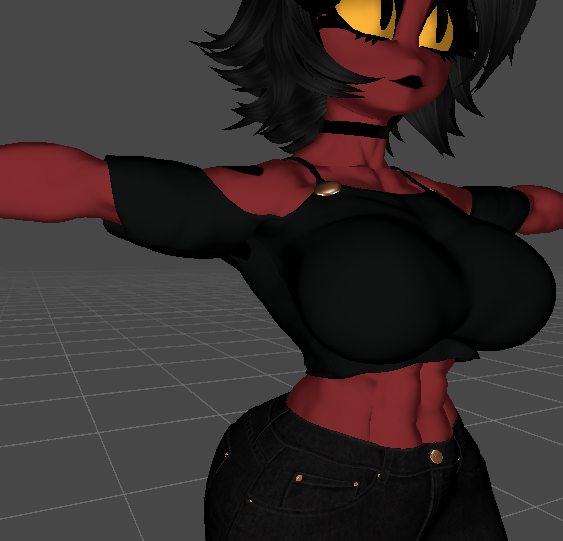
  3. Gifts / Downloads
  4. Attempt at VRC port for Samzan's Millie model.

Attempt at VRC port for Samzan's Millie model.

Scheduled Pinned Locked Moved Gifts / Downloads
vrc portnewbie
68 Posts 12 Posters 4.3k Views 55 Watching
  • Oldest to Newest
  • Newest to Oldest
  • Most Votes
Reply
  • Reply as topic
Log in to reply
This topic has been deleted. Only users with topic management privileges can see it.
  • E
    E
    ExpiredJewel
    wrote on last edited by ExpiredJewel
    #22

    everything seems fine to me, the breast physbones could use a lil work in unity. everything else is fine and the visemes are great

    we would just need emotions other than blink happy though, like angry, sad, excited- etc. how Millie always express herself. give out more personality to the avatar

    im adding some weapons while this is still being worked over

    1 Reply Last reply
    0
    • Toy chicaT
      Toy chicaT
      Toy chica
      wrote on last edited by
      #23

      Well it doesn't have psybones for hair and breasts and tail for me

      Looking for a person that knows rigging blender to unity only dont want vrca or ripped models i dont care for ripped avatars because im not a ripper

      1 Reply Last reply
      0
      • E
        E
        ExpiredJewel
        wrote on last edited by
        #24

        you sure you downloaded the right one? KYS has a better unity port and thats the one im using

        1 Reply Last reply
        0
        • Toy chicaT
          Toy chicaT
          Toy chica
          wrote on last edited by
          #25

          Yes

          Looking for a person that knows rigging blender to unity only dont want vrca or ripped models i dont care for ripped avatars because im not a ripper

          1 Reply Last reply
          0
          • kysK
            kysK
            kys
            wrote on last edited by
            #26

            i left the original avatar in there aswell as mine, make sure mine is toggled! also the tail is straight until in game where the physbones have gravity!

            1 Reply Last reply
            0
            • E
              E
              ExpiredJewel
              wrote on last edited by
              #27

              yeah it tends to not registure until you mess with it a lil bit and it works for me. happened only once when adding some assets but fixed itself the next time i play tested it

              all i really need is some emotion expressions and we're all set

              kysK 1 Reply Last reply
              1
              • E ExpiredJewel

                yeah it tends to not registure until you mess with it a lil bit and it works for me. happened only once when adding some assets but fixed itself the next time i play tested it

                all i really need is some emotion expressions and we're all set

                kysK
                kysK
                kys
                wrote on last edited by
                #28

                @ExpiredJewel ill def work on blendshapes for emotions sometime today, just gotta wake up a bit more first!

                1 Reply Last reply
                0
                • Toy chicaT
                  Toy chicaT
                  Toy chica
                  wrote on last edited by
                  #29

                  Not for me

                  Looking for a person that knows rigging blender to unity only dont want vrca or ripped models i dont care for ripped avatars because im not a ripper

                  1 Reply Last reply
                  0
                  • kysK
                    kysK
                    kys
                    wrote on last edited by
                    #30

                    Emotes for millie.png
                    I did some VERY simple emotes for her, they're all set up and ready for use! nothing else new added.
                    [register or login to view this hidden content]

                    1 Reply Last reply
                    4
                    • E
                      E
                      ExpiredJewel
                      wrote on last edited by ExpiredJewel
                      #31

                      awesome! Deffinutely making great progress. also i noticed that certain clothes like her gloves and her pants are clipping through from certain angles but thankefully her crotch area didnt clip through or that'd be embarrassing lol.

                      a lil more work on making sure the weigh painting on her clothes and that should do it.

                      until then take as much as time as you need

                      1 Reply Last reply
                      0
                      • E
                        E
                        ExpiredJewel
                        wrote on last edited by
                        #32

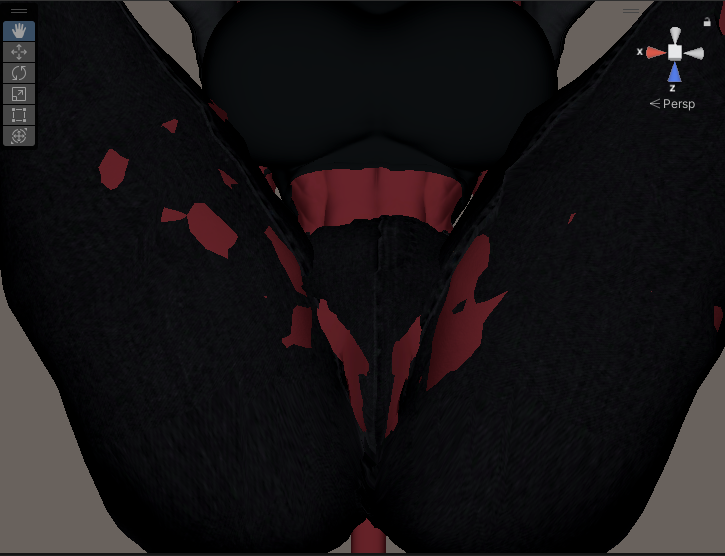
                        just for when you continue to make some adjustments here's some clipping of certain areas on Millie
                        Screenshot (176).png
                        Screenshot (175).png
                        Screenshot (174).png

                        more than likely the clothes needs some work but the body seems fine to my knowledge. the emotion expressions turned out amazing when checking them out

                        kysK 1 Reply Last reply
                        0
                        • B
                          B
                          blp20567
                          wrote on last edited by
                          #33

                          the nips are flat when the clothes are off

                          kysK 1 Reply Last reply
                          0
                          • B blp20567

                            the nips are flat when the clothes are off

                            kysK
                            kysK
                            kys
                            wrote on last edited by
                            #34

                            @blp20567 the og mesh from the orignal poster didnt come with any nipple deforms, i didnt plan on adding any as i thought they looked fine

                            1 Reply Last reply
                            0
                            • E ExpiredJewel

                              just for when you continue to make some adjustments here's some clipping of certain areas on Millie
                              Screenshot (176).png
                              Screenshot (175).png
                              Screenshot (174).png

                              more than likely the clothes needs some work but the body seems fine to my knowledge. the emotion expressions turned out amazing when checking them out

                              kysK
                              kysK
                              kys
                              wrote on last edited by
                              #35

                              @ExpiredJewel how do you have her posed cuz in my unity when i move her arms the clothing moves fine with them with no weird deformity's. i do plan on adding some sort of leg clipping for the jeans tho!

                              E 1 Reply Last reply
                              0
                              • kysK kys

                                @ExpiredJewel how do you have her posed cuz in my unity when i move her arms the clothing moves fine with them with no weird deformity's. i do plan on adding some sort of leg clipping for the jeans tho!

                                E
                                E
                                ExpiredJewel
                                wrote on last edited by ExpiredJewel
                                #36

                                @kys in gesture manager i had to use the gogoloco to go in T-Pose and other positions. thats how i was able to find clippings from her body mesh clipping through certain spots.

                                click once over the Gesture Manager and on the right side of the window there's Play Test, it would make the model active and you'll have the quick menue options like how you normally use it in vrchat

                                it could be the clothes' weigh paint if its connected slightly underneath her armpit, thats why its clipping badly when i texted it again. i also have other pictures i took and need to show her gloves clipping over her palm and wrists

                                1 Reply Last reply
                                0
                                • E
                                  E
                                  ExpiredJewel
                                  wrote on last edited by ExpiredJewel
                                  #37

                                  ed2398190f891849fccc03598f74783c.png
                                  1f6d7f1b51da52031c9a83e1d5c8fe97.png

                                  Heres the rest to look over. Now I'mma go to bed lmao

                                  Protagonist.P 1 Reply Last reply
                                  2
                                  • E
                                    E
                                    ExpiredJewel
                                    wrote on last edited by
                                    #38

                                    bumpin for progress

                                    1 Reply Last reply
                                    0
                                    • E ExpiredJewel

                                      ed2398190f891849fccc03598f74783c.png
                                      1f6d7f1b51da52031c9a83e1d5c8fe97.png

                                      Heres the rest to look over. Now I'mma go to bed lmao

                                      Protagonist.P
                                      Protagonist.P
                                      Protagonist.
                                      Banned
                                      wrote on last edited by
                                      #39

                                      @ExpiredJewel bumping for progress

                                      1 Reply Last reply
                                      0
                                      • kysK
                                        kysK
                                        kys
                                        wrote on last edited by
                                        #40

                                        noooo clippin.PNG noooo clippin arms.PNG

                                        the clipping and weird deformity on the shirt has never appeared for me when posing it any sort of way, so i only worked on the gloves and the legs clipping. ill drop the main fbx as well as the unity package so you guys can reimport the fbx because thats what i believe the issue mighttt be for the shirt clipping(im not 100% sure). [register or login to view this hidden content]

                                        1 Reply Last reply
                                        2
                                        • kysK
                                          kysK
                                          kys
                                          wrote on last edited by
                                          #41

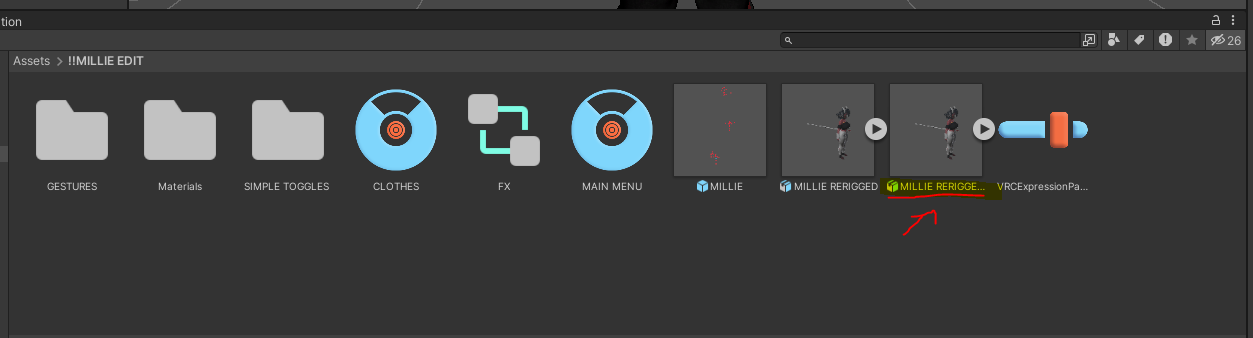
                                          JUST INCASE you don't know how to reimport properly:
                                          delete this.PNG
                                          first delete the original mesh (this will make the avatar model disappear from the hierarchy but don't worry after you reimport the fbx it'll come back)
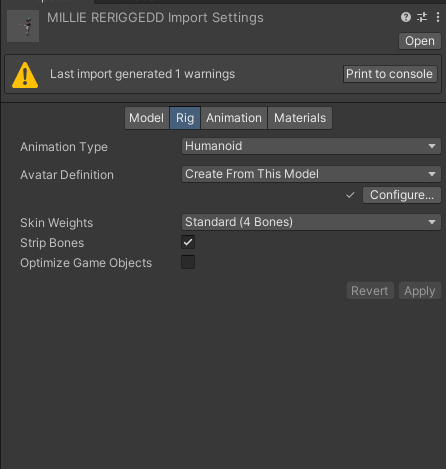
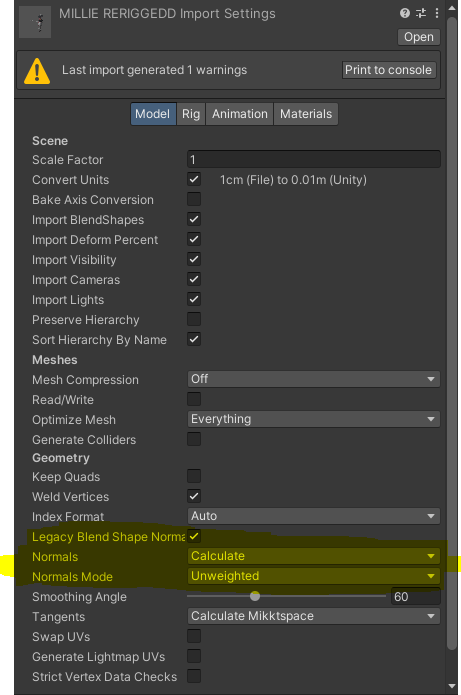
                                          import settings for rig.PNG import settings in model.PNG
                                          after importing click on the fbx and go to the inspector and make the settings match then apply them
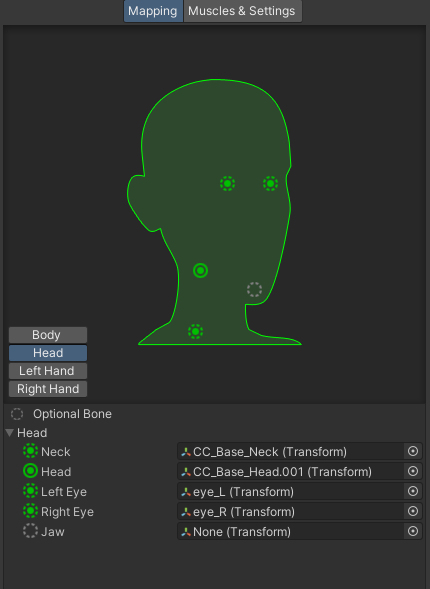
                                          take jaw bone out.PNG
                                          then click configure in the rig import settings and go to head and remove the jaw bone (don't need it, it just breaks the mesh), and then apply those settings aswell! then you're all done with reimporting!
                                          Please let me know if the issues persist with the clipping!

                                          1 Reply Last reply
                                          1

                                          Hello! It looks like you're interested in this conversation, but you don't have an account yet.

                                          Getting fed up of having to scroll through the same posts each visit? When you register for an account, you'll always come back to exactly where you were before, and choose to be notified of new replies (either via email, or push notification). You'll also be able to save bookmarks and upvote posts to show your appreciation to other community members.

                                          With your input, this post could be even better 💗

                                          Register Login
                                          Reply
                                          • Reply as topic
                                          Log in to reply
                                          • Oldest to Newest
                                          • Newest to Oldest
                                          • Most Votes


                                          • Login

                                          • Login or register to search.
                                          • First post
                                            Last post
                                          0
                                          • Categories
                                          • Recent
                                          • Tags
                                          • Popular