Skip to content
  • Categories
  • Recent
  • Tags
  • Popular
Skins
  • Light
  • Brite
  • Cerulean
  • Cosmo
  • Flatly
  • Journal
  • Litera
  • Lumen
  • Lux
  • Materia
  • Minty
  • Morph
  • Pulse
  • Sandstone
  • Simplex
  • Sketchy
  • Spacelab
  • United
  • Yeti
  • Zephyr
  • Dark
  • Cyborg
  • Darkly
  • Quartz
  • Slate
  • Solar
  • Superhero
  • Vapor

  • Default (Zephyr)
  • No Skin
Collapse
RipperStore Logo
  1. Home
  2. Support
  3. Mod Help
  4. How to place tattoos across the back of model textures like this?

How to place tattoos across the back of model textures like this?

Scheduled Pinned Locked Moved Mod Help
3 Posts 3 Posters 1.6k Views 2 Watching
  • Oldest to Newest
  • Newest to Oldest
  • Most Votes
Reply
  • Reply as topic
Log in to reply
This topic has been deleted. Only users with topic management privileges can see it.
  • A
    A
    Akisan
    wrote on last edited by
    #1

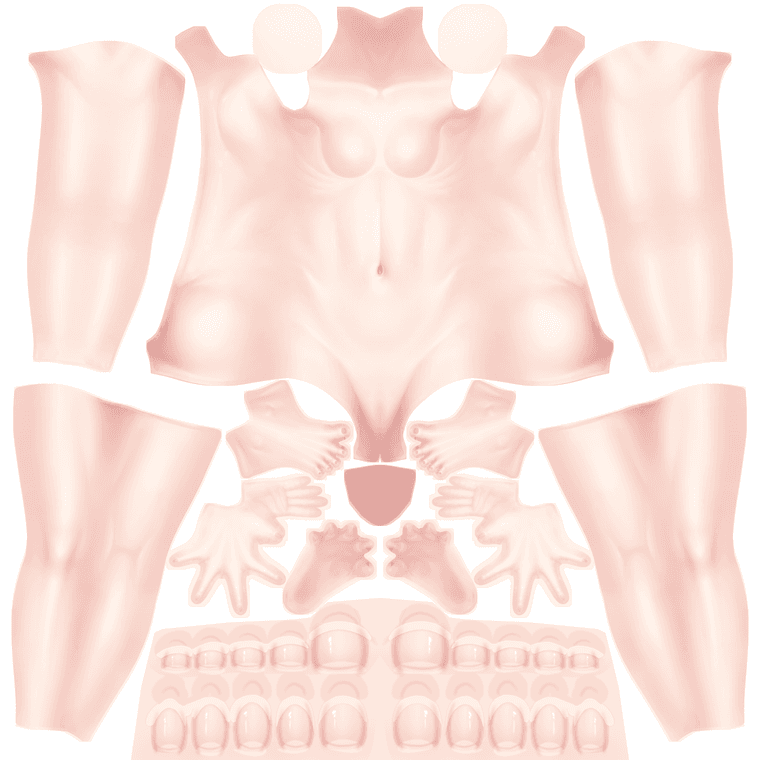
    Title says it all. Not looking for inside-unity fixes, wanting to put this on the PSD for the textures itself. I am not super skilled in photoshop or anything like that.

    Manuka_body.png

    1 Reply Last reply
    0
    • eironE
      eironE
      eiron
      wrote on last edited by eiron
      #2

      There was an asset on booth that allowed you to place images directly on the body, can't remember the store page though
      the other option would be putting the model in blender and adding the image to it that way, not that i know how i just know it's possible

      found the tool i was talking about, shared here: https://forum.ripper.store/topic/8804/intuitive-texture-mapping-tool-found-by-neru/10

      doing it in photoshop on the raw texture isn't a great way to do it. though depending on how complicated your tattoo is it's still possible, but you'll likely have to experiment to get it right. The middle of the back is each side (edge) of the main body. so you may have to split your tattoo in two and put them at each side, and at the same angle(and same level)

      1 Reply Last reply
      1
      • ikirutoastI
        ikirutoastI
        ikirutoast
        wrote on last edited by ikirutoast
        #3

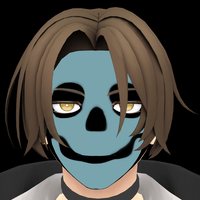
        Something like this?
        l.png
        Probably better to use the tool @eiron mentioned if it gets you similar results, because Manuka is UV unwrapped in such an odd way, im not sure you could accurately make edits in photoshop on the back without trial and error.
        1 Reply Last reply
        1

        Hello! It looks like you're interested in this conversation, but you don't have an account yet.

        Getting fed up of having to scroll through the same posts each visit? When you register for an account, you'll always come back to exactly where you were before, and choose to be notified of new replies (either via email, or push notification). You'll also be able to save bookmarks and upvote posts to show your appreciation to other community members.

        With your input, this post could be even better 💗

        Register Login
        Reply
        • Reply as topic
        Log in to reply
        • Oldest to Newest
        • Newest to Oldest
        • Most Votes


        • Login

        • Login or register to search.
        • First post
          Last post
        0
        • Categories
        • Recent
        • Tags
        • Popular