
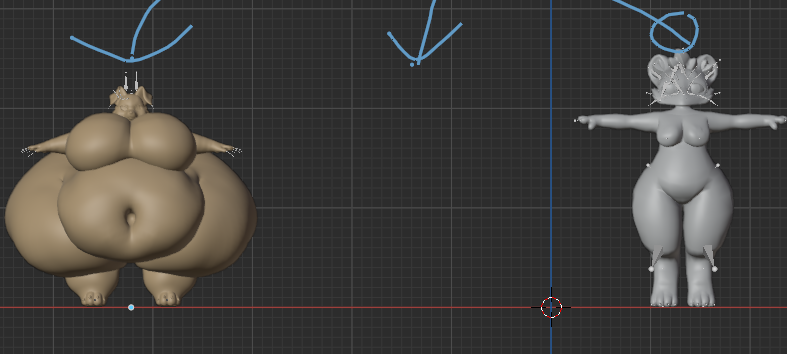
how do i turn a non thicc avatar to a thick model shown
-
-
mostly you learn blender and do it that way to make anything good looking. You would open up/import the fbx/blend file in blender, in sculpt mode mostly using the inflate/smooth/other tools to make a fatter blendshape the way you want it to look, and then export it back out again.
In this SPECIFIC case, that's the Regulus avatar model, and the thicc Regulus avatar model is a popular mod for it that you can find here: https://forum.ripper.store/topic/48549/gift-fat-regulus-2.0
-
Thanks for the info @stealthphoenix
-
mostly you learn blender and do it that way to make anything good looking. You would open up/import the fbx/blend file in blender, in sculpt mode mostly using the inflate/smooth/other tools to make a fatter blendshape the way you want it to look, and then export it back out again.
In this SPECIFIC case, that's the Regulus avatar model, and the thicc Regulus avatar model is a popular mod for it that you can find here: https://forum.ripper.store/topic/48549/gift-fat-regulus-2.0
@stealthphoenix thank u so much for that info

Hello! It looks like you're interested in this conversation, but you don't have an account yet.
Getting fed up of having to scroll through the same posts each visit? When you register for an account, you'll always come back to exactly where you were before, and choose to be notified of new replies (either via email, or push notification). You'll also be able to save bookmarks and upvote posts to show your appreciation to other community members.
With your input, this post could be even better 💗
Register Login