
LF: Pepsi Pupper (PREORDERS)
-
@bunubunn go into the blond version nswf material and remove the matcap it fixed it for me so far
-
[[topic:post-is-deleted]]
@OnlyOneBuzz Thank you! I reuped mine too LOL
-
is there any way to turn the unity package into an fbx or blend file? i wanna modify her ;((
-
is there any way to turn the unity package into an fbx or blend file? i wanna modify her ;((
@RawrBaby in unity, install the fbx exporter in windows then package manager. once its installed, left click the avatar in the hierarchy and there should be an option labeled "Export to FBX...", select that then switch the export format from ASCII to Binary, also select a folder you would like it to go in otherwise it'll just export to your project folder. From there, open blender and add something called Better FBX Importer and import it through that ,DONT import through the cats addon (it breaks the bones/mesh and messes up materials). After all that you can remove all un-needed bones, like hair bones if you aren't wanting to keep any hair and wish to replace it, then go ahead and modify away. When it is time to bring her back to unity, id recommend using pumpkins avatar tools to move the fx layer and all the parameters from the original model to your new version! Hope this is of any help!
-
@RawrBaby in unity, install the fbx exporter in windows then package manager. once its installed, left click the avatar in the hierarchy and there should be an option labeled "Export to FBX...", select that then switch the export format from ASCII to Binary, also select a folder you would like it to go in otherwise it'll just export to your project folder. From there, open blender and add something called Better FBX Importer and import it through that ,DONT import through the cats addon (it breaks the bones/mesh and messes up materials). After all that you can remove all un-needed bones, like hair bones if you aren't wanting to keep any hair and wish to replace it, then go ahead and modify away. When it is time to bring her back to unity, id recommend using pumpkins avatar tools to move the fx layer and all the parameters from the original model to your new version! Hope this is of any help!
@kys this is way too confusing for me, where in windows is the fbx exporter, and where is package manager??? like im not understanding where to actually find it, am i supposed to be in unity HUB or the unity project with the avatar in it?????
edited: sorry i found a tutorial! thank you for helping me! my brain really fried itself lol
-
@kys this is way too confusing for me, where in windows is the fbx exporter, and where is package manager??? like im not understanding where to actually find it, am i supposed to be in unity HUB or the unity project with the avatar in it?????
edited: sorry i found a tutorial! thank you for helping me! my brain really fried itself lol
-
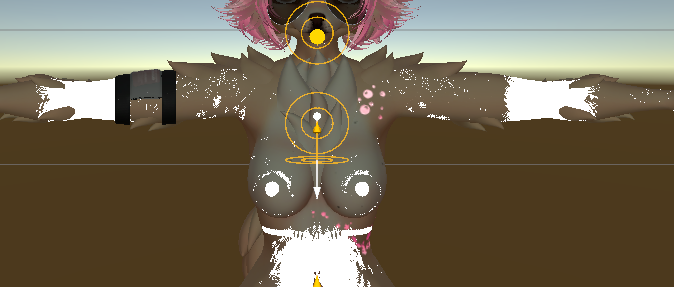
i really dont want to be a bother but im having trouble with the doberman dlc thing it looks perfectly fine but when i got into play mode it switches back to the main texture

Hugs and Kisses ALWAYS <3
-
i really dont want to be a bother but im having trouble with the doberman dlc thing it looks perfectly fine but when i got into play mode it switches back to the main texture








Hello! It looks like you're interested in this conversation, but you don't have an account yet.
Getting fed up of having to scroll through the same posts each visit? When you register for an account, you'll always come back to exactly where you were before, and choose to be notified of new replies (either via email, or push notification). You'll also be able to save bookmarks and upvote posts to show your appreciation to other community members.
With your input, this post could be even better 💗
Register Login