
TUTORIAL [Repairing VRCA's In Unity]
-
Hello! I've come here with a somewhat manual way to recover avatars
Im assuming you already have unity and the version required but if not please visit the vrchat download page to get the version of unity or you can use their creator companion!
For starters you need to get the avatar ripped!
Please use below the method below if you don't know how to rip said avatar
For examples i will be using something i ripped as a base to show what to do!
Before continuing i will not be covering toggles the rip will provide the animation for it to be implemented but their are very many videos on to make toggles an you can repair what was broken!
I will also not provide links for shaders and such in here as everything i will use will be public shaders only for the purpose of this!
1st thing is making the project
I recommend using these within your project

2nd Step Before you import your model please delete these 2 folders so it doesn't throw a fit with the VRC SDK
Delete the things i have highlighted when opening the folder!

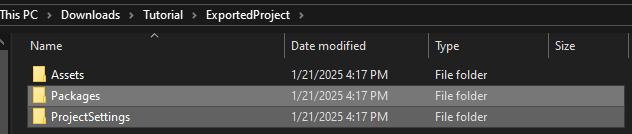
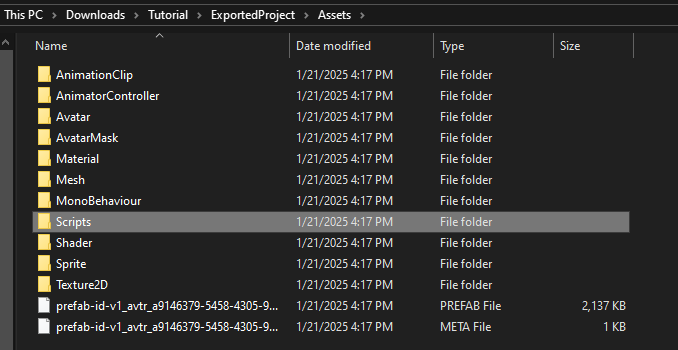
This keeps the folder organized aswell as removes all not needed things!
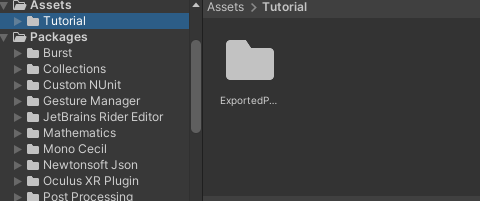
3rd thing i would do is drag this folder within UNITY's Asset Section!
it should show up like so
4th thing is putting the model in the scene!
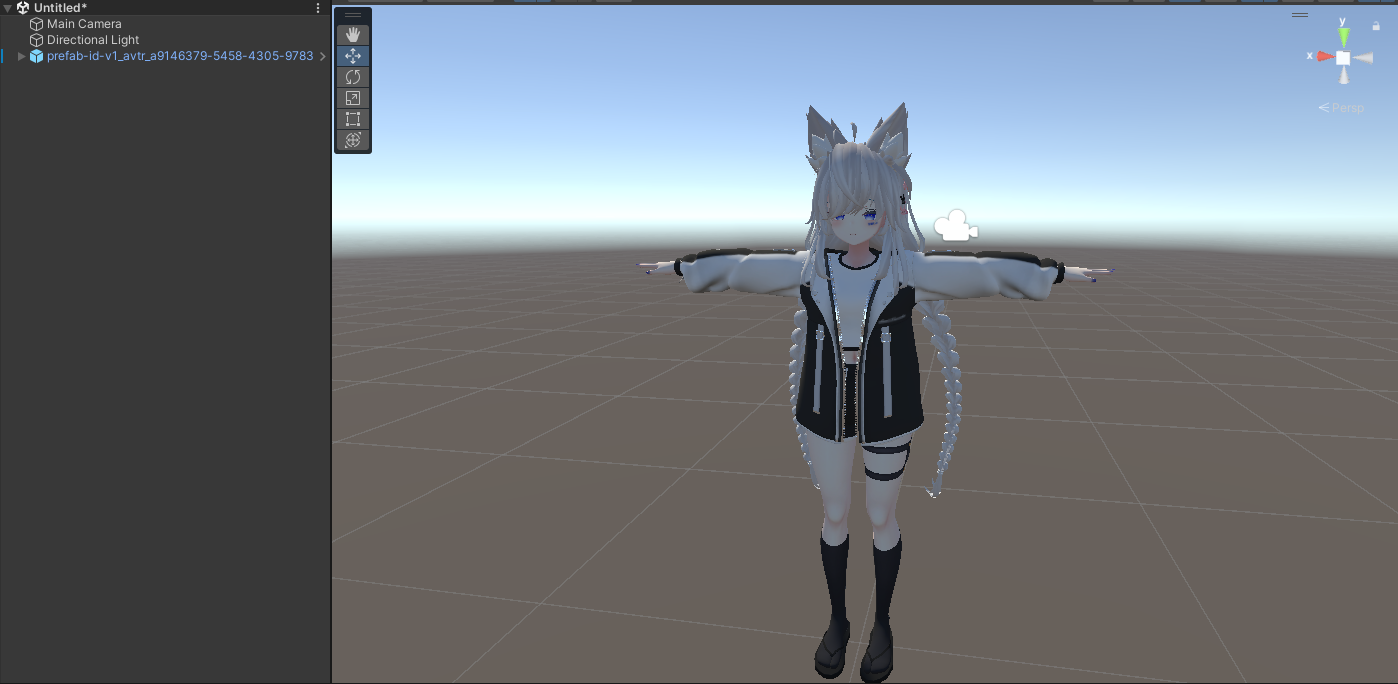
Now that the model is now inside there are a few thing i would do from this point forwardThere will be errors but first you need to clear the avatars scripts that includes these 3

Make sure to right click and click remove component
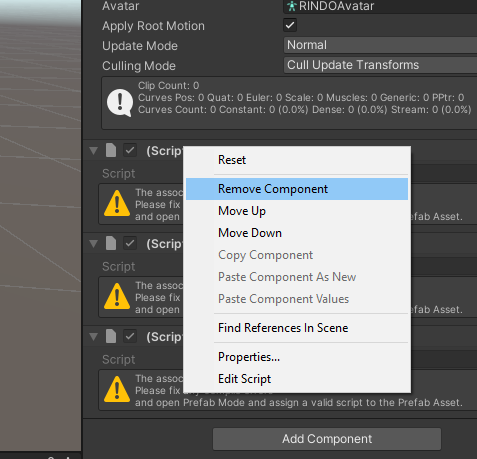
There will be a lot of scripts inside of the avatar but don't worry they aren't hard to find most of them are typically used for phys bones or world props on a avatar
Here is a simple way to find them
on the top left there is hierarchy search bar inside the search bar search for "script"In my project it would look something like this
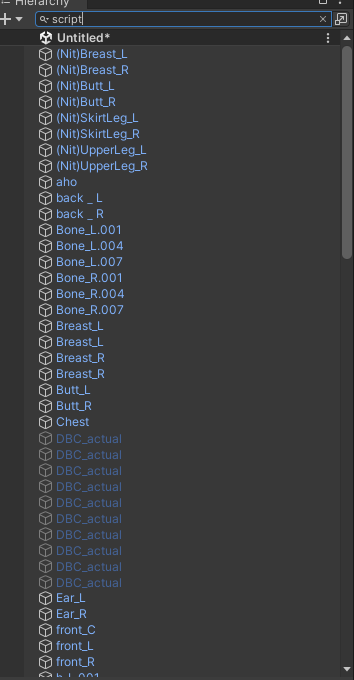
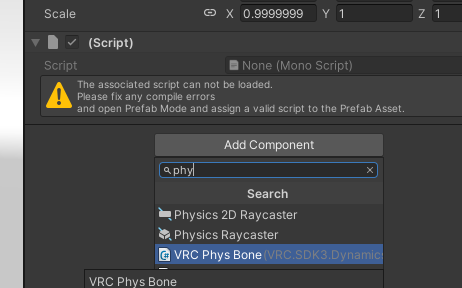
When clicked on in the inspector it will show the Script that needs to be replaced. 9 times out of 10 its physbones
Click add to component if you are sure its physbones
When putting the physbones on the model you might notice something called "Root Transform" in the Inspector make sure to drag the body part for example im using "butt_L" and im rooting that script to that part of the body
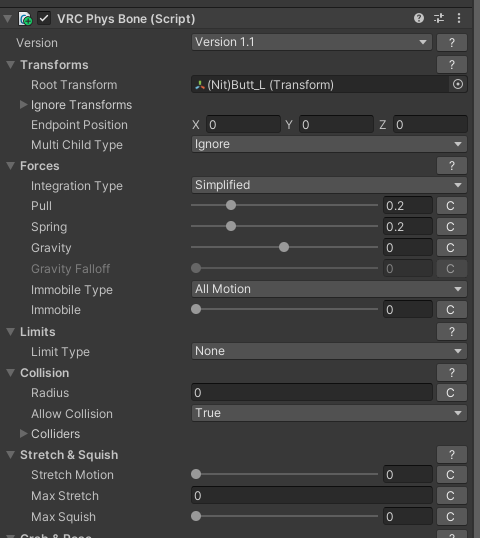
There are videos on Physbones and more in depth this is gonna be a long post and im not trying to sit here for hours typing this!
Next thing is i would do is fixing your materials!
Alot of people use different shaders (Ex. Poiyomi Liltoon Arktoon Ect.) i will be using vrchat unlit shader and also showing you where the shaders for the original model are stored. please note they dont work!. when ripping shaders it can only pull the properties logic but not the sub logic of a shader so IT WONT WORK!1st is fixing the materials
In this package im using as reference i've highlighted all my materials

At the top of the inspector should show the shader

Swap it to the desired shader or the original shader if you have it
all the original shaders that are on this model are located here!
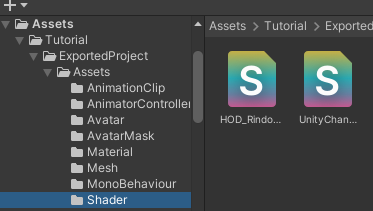
Ok so i pretty much summed up what i would do to repair an avatar the last thing i would go for is repairing toggles but like i stated in the start there many videos out there that show to to create toggles, its just up to you to implement it on the avatar
Last thing is adding the avatar descriptor
Click your avatar in the hierarchy and look at the inspector

It should be emptyNow add the avatar descriptor
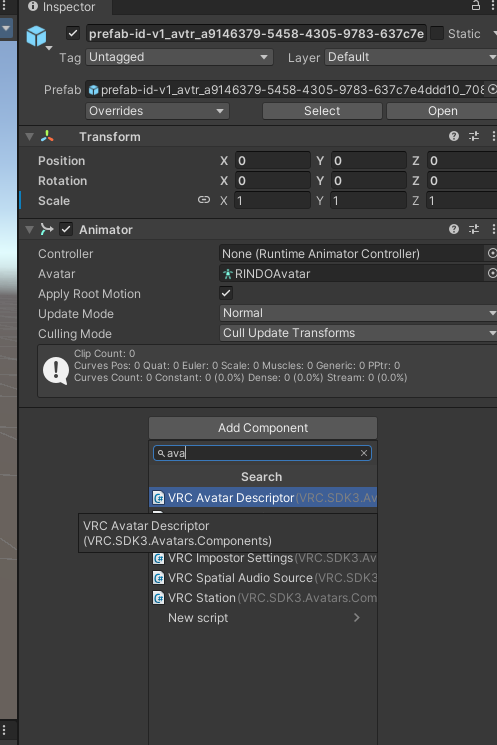
Log into the control panel after fixing the view point to in between the eyes
Something like this
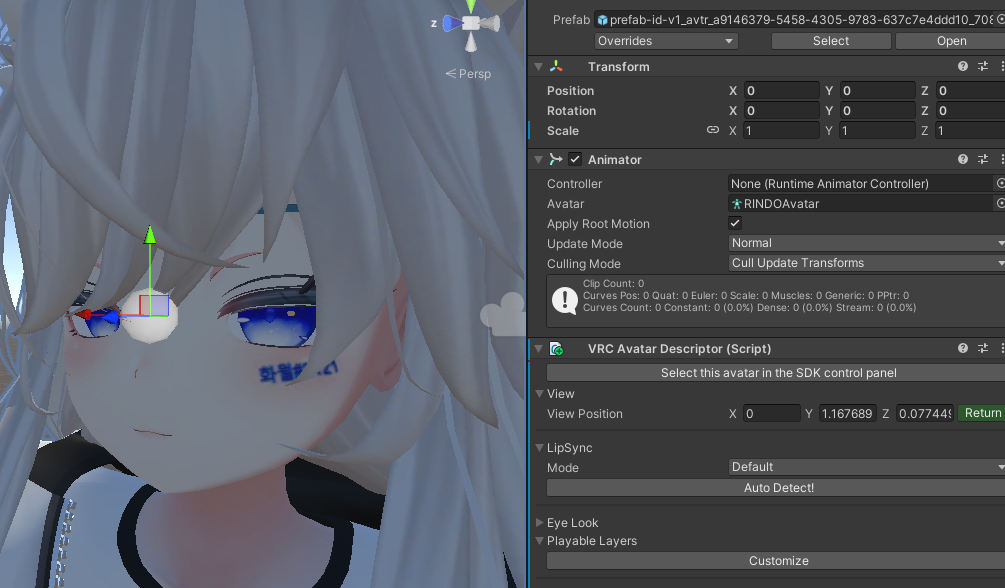
Theres is so much more to explain but its hard to explain in words! good luck ripping and hopefully this help some of yall!
Retired Leaker and Ripper!
-
 L Literal referenced this topic on
-
please note if there is an error in the console of unity when trying to upload it. just read it it will tell you what you missed! if you have any questions or problems please message me here on Ripperstore!
-
@Literal Hello, I'm missing meterial as well as the script folder when exporting with AssetRipper, what's the problem? Thank you
@IMAXwPC It depends on what it grabs. if the material is a multiple textured material you need to remake the material swap.
I would run through the toggles in VRC an see what is there an compare it to your model
I would also check your Textures. See if you have the one your missing!
The script folder doesn't need to be there it will just shoot errors inside unity
-
@IMAXwPC It depends on what it grabs. if the material is a multiple textured material you need to remake the material swap.
I would run through the toggles in VRC an see what is there an compare it to your model
I would also check your Textures. See if you have the one your missing!
The script folder doesn't need to be there it will just shoot errors inside unity
-
@IMAXwPC Literally just drag the Folder with the Chinese characters within your assets in unity! Look for the prefab that pops up within Unity! if it doesn't happen then there is a possibility that the creator has added an Anti Ripping Package (Typically involves compressing the avatar and completely breaking it when ripped)
-
hi why is there a two minute wait everytime i click something in the heirarchy? I added vrcfury, modular avatar, gogoloco, and wholesome. idk enough to fix this.

-
 M Myong referenced this topic on
-
hey just wanted to ask,is there a way i can also get the fbx file of the avatar?i need it to add face tracking
-
I failed. After exporting, there was no ‘assets’ file. I just wanted to retrieve the model that I accidentally deleted from the project file I created in VRCHAT take it out. (A profound sense of sadness overwhelmed me).
-
 E ex referenced this topic on
-
just a reminder (not ads) theres somebody doing the rip with pay money..
i actually more prefer make one myself.. -
@Puddlelol if the _data is after* encryption, there is basically no use for it.
before you would simply change it to a ".vrca" file.
(doing this now does nothing, encryption ruined that all >;/)
thoughh, old _data's which i assume you're talking about VRChat cache, that should work. -
@Puddlelol around the end of march this year, if you need me to test anything i can, but if you got it then that works too.
if it was before march 2025, you should be good. -
Do I got to manually set the menu and parameters the avi originally had back up?
-
Do I got to manually set the menu and parameters the avi originally had back up?
@TheShepard from what ive been seeing yes, though the animation clips (FX,action,, etc) has parameters in it already that you can just essentially copy to the param list youre making
-
ik this post is kinda old but i lost the files to my asset ripper and I HATE the GUI one with a passion - can someone end me the link to the one this guys using??

࣪ ۫𓂅 Trading is for Chuds, leak dont gatekeep <3 . ⟢
. ⟢
Gooner﹔Horder 𝄞݂۫ 𓈒
꒰ ᩧ 𓈒 ⁄⁄͈ . ᴗ͈)
NSFW wishlist/SFW wishlist/Avatar Stash (Includes New FNIA's)
-
ik this post is kinda old but i lost the files to my asset ripper and I HATE the GUI one with a passion - can someone end me the link to the one this guys using??
@BunBun_Bitch https://github.com/AssetRipper/AssetRipper it seem they use this or they use SARS (ARC) to extract the vrca file, to be honest both program does the same and the new one they defaulted back to browser instead of a window pop up
I'm bad at understanding english word
I fix .vrca/.vrcw stuff for free and for fun! Depending on file, every outcome and vary might be different than the original avatar has due to the toggles and much more, send me a pm if you need an avi that need to fix or cracking a password locked avatar or send me .vrca file or through my pms and i will extract/fix them for you!
request is semi-open, only on unencrypted __data file aka .vrca or .vrcw







Hello! It looks like you're interested in this conversation, but you don't have an account yet.
Getting fed up of having to scroll through the same posts each visit? When you register for an account, you'll always come back to exactly where you were before, and choose to be notified of new replies (either via email, or push notification). You'll also be able to save bookmarks and upvote posts to show your appreciation to other community members.
With your input, this post could be even better 💗
Register Login