Skip to content
  • Categories
  • Recent
  • Tags
  • Popular
Skins
  • Light
  • Brite
  • Cerulean
  • Cosmo
  • Flatly
  • Journal
  • Litera
  • Lumen
  • Lux
  • Materia
  • Minty
  • Morph
  • Pulse
  • Sandstone
  • Simplex
  • Sketchy
  • Spacelab
  • United
  • Yeti
  • Zephyr
  • Dark
  • Cyborg
  • Darkly
  • Quartz
  • Slate
  • Solar
  • Superhero
  • Vapor

  • Default (Zephyr)
  • No Skin
Collapse
RipperStore Logo
  1. Home
  2. Assets
  3. Looking for...
  4. Furry Avatars
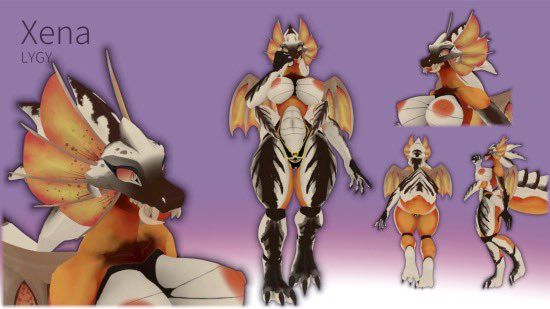
  5. LF: Xena by LizzyGlizzy

LF: Xena by LizzyGlizzy

Scheduled Pinned Locked Moved Furry Avatars
furryvrchathelldiverslooking for
23 Posts 14 Posters 4.8k Views 15 Watching
  • Oldest to Newest
  • Newest to Oldest
  • Most Votes
Reply
  • Reply as topic
Log in to reply
This topic has been deleted. Only users with topic management privileges can see it.
  • Nommable catN
    Nommable catN
    Nommable cat
    wrote on last edited by
    #4

    btw dose it come with outfits or will that be planed later on?

    binkymawzB 1 Reply Last reply
    0
    • Nommable catN Nommable cat

      btw dose it come with outfits or will that be planed later on?

      binkymawzB
      binkymawzB
      binkymawz
      wrote on last edited by
      #5

      @Nommable-cat the outfits come included already!! :3

      1 Reply Last reply
      0
      • Nommable catN
        Nommable catN
        Nommable cat
        wrote on last edited by
        #6

        ah thanks :3

        1 Reply Last reply
        0
        • rabbitfangiesR
          rabbitfangiesR
          rabbitfangies
          wrote on last edited by
          #7

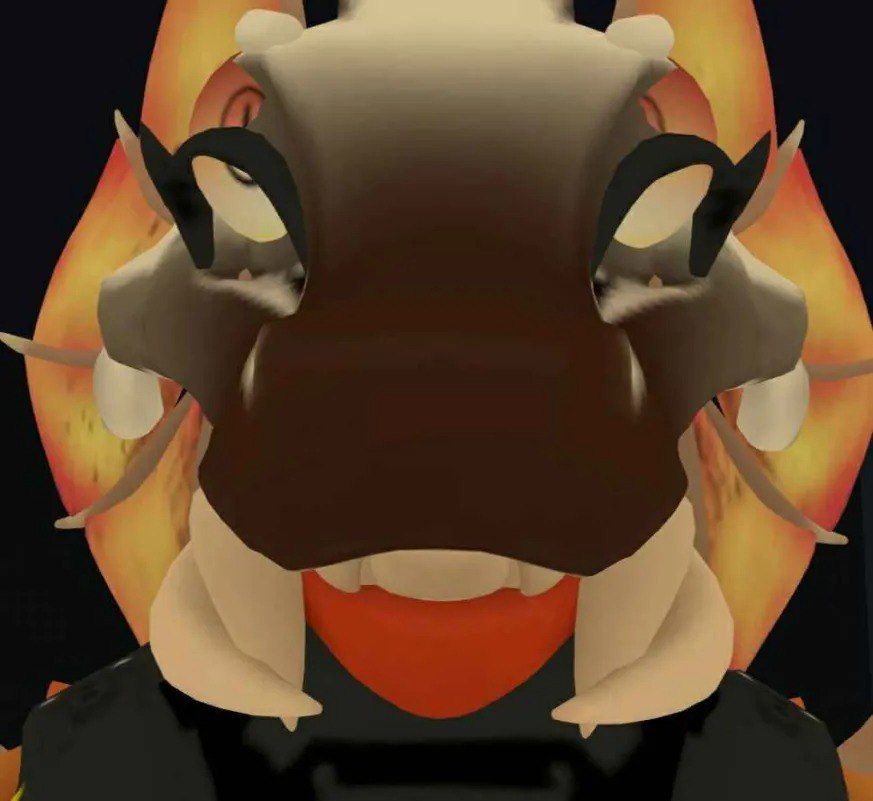
          do any of y'all know what the fuck I did wrong? its broken for both PC/Quest LMAOOO5019356781247310967.jpg

          sharing is caring

          Katie_foxK 1 Reply Last reply
          0
          • rabbitfangiesR rabbitfangies

            do any of y'all know what the fuck I did wrong? its broken for both PC/Quest LMAOOO5019356781247310967.jpg

            Katie_foxK
            Katie_foxK
            Katie_fox
            wrote on last edited by
            #8

            @rabbitfangies constrain position the eyes individually to empty game objects in the same position worked for me~

            1 Reply Last reply
            0
            • X
              X
              XmanX
              wrote on last edited by
              #9

              @rabbitfangies So I did a different method with editing the rig itself, saw the positions of the eyes changed for some reason in play mode in unity. With play mode off I checked the numbers on the left and right eyes positions and made screen shots of both. Then went into the XENA folder then Prefab and clicked the rig right arrow to check all prefabs in the avatar. The human shaped one thats blue named XENA LYGY VR Chat v 1.0 Avatar (Avatar) and in the inspector I went to configure Avatar which opens the bones. From there I located the eyes on the avatar and saw the position numbers were the ones while it was in play mode, so changed them to the position numbers I took a screen shot of outside of play mode and when I went into play mode they were in the spots they were suppose to. Hope that helps πŸ™‚

              R cralitaC E 3 Replies Last reply
              0
              • A
                A
                Alucard0117
                Banned
                wrote on last edited by
                #10

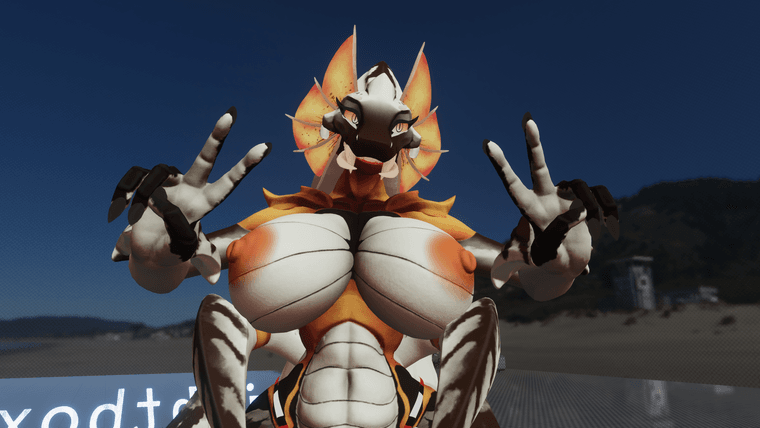
                I see someone was probably on Lizzy server/Twitter and got the pic of Xena doing the Peace sign

                1 Reply Last reply
                -2
                • X XmanX

                  @rabbitfangies So I did a different method with editing the rig itself, saw the positions of the eyes changed for some reason in play mode in unity. With play mode off I checked the numbers on the left and right eyes positions and made screen shots of both. Then went into the XENA folder then Prefab and clicked the rig right arrow to check all prefabs in the avatar. The human shaped one thats blue named XENA LYGY VR Chat v 1.0 Avatar (Avatar) and in the inspector I went to configure Avatar which opens the bones. From there I located the eyes on the avatar and saw the position numbers were the ones while it was in play mode, so changed them to the position numbers I took a screen shot of outside of play mode and when I went into play mode they were in the spots they were suppose to. Hope that helps πŸ™‚

                  R
                  R
                  roodboi
                  wrote on last edited by
                  #11

                  @Xrannos Thank you! Took a minute to find it and fix it, but it worked!

                  1 Reply Last reply
                  0
                  • X
                    X
                    XmanX
                    wrote on last edited by
                    #12

                    @roodboi No problem :3 I try to explain stuff on here if I figure out fixes lol I just know the constrain method would not work if you wanted to make a quest version of the avatar so was able to find another fix.

                    1 Reply Last reply
                    0
                    • X XmanX

                      @rabbitfangies So I did a different method with editing the rig itself, saw the positions of the eyes changed for some reason in play mode in unity. With play mode off I checked the numbers on the left and right eyes positions and made screen shots of both. Then went into the XENA folder then Prefab and clicked the rig right arrow to check all prefabs in the avatar. The human shaped one thats blue named XENA LYGY VR Chat v 1.0 Avatar (Avatar) and in the inspector I went to configure Avatar which opens the bones. From there I located the eyes on the avatar and saw the position numbers were the ones while it was in play mode, so changed them to the position numbers I took a screen shot of outside of play mode and when I went into play mode they were in the spots they were suppose to. Hope that helps πŸ™‚

                      cralitaC
                      cralitaC
                      cralita
                      wrote on last edited by
                      #13

                      @Xrannos hey, whenever i go into playmode the values are reset, how do i prevent this?

                      1 Reply Last reply
                      0
                      • X
                        X
                        XmanX
                        wrote on last edited by
                        #14

                        @cralita I mean as long as you are not in play mode and mess with those rig numbers like I posted before and make sure you hit apply or done on it, it should be set in the correct place in play mode.

                        cralitaC 1 Reply Last reply
                        0
                        • X XmanX

                          @cralita I mean as long as you are not in play mode and mess with those rig numbers like I posted before and make sure you hit apply or done on it, it should be set in the correct place in play mode.

                          cralitaC
                          cralitaC
                          cralita
                          wrote on last edited by
                          #15

                          @Xrannos oh I don’t think I pressed apply, where is that? I tried looking for it. Im new to editing rigs

                          1 Reply Last reply
                          0
                          • X
                            X
                            XmanX
                            wrote on last edited by
                            #16

                            @cralita Should be in the bottom right of unity, around the area where you can type in the numbers to edit position of bones.

                            cralitaC 1 Reply Last reply
                            0
                            • X XmanX

                              @cralita Should be in the bottom right of unity, around the area where you can type in the numbers to edit position of bones.

                              cralitaC
                              cralitaC
                              cralita
                              wrote on last edited by
                              #17

                              @Xrannos got it, perfect help, thanks!

                              1 Reply Last reply
                              0
                              • X
                                X
                                XmanX
                                wrote on last edited by
                                #18

                                @cralita No problem :3

                                1 Reply Last reply
                                0
                                • bassboostedbitB
                                  bassboostedbitB
                                  bassboostedbit
                                  wrote on last edited by
                                  #19

                                  can someone message me how to fix the eyes, im literally stupid

                                  This gooner wants unity files so she can add them to vrc.
                                  Please be patient, this person is a fucking idiot

                                  Also, I can give PC avatars Quest compatibility. Just ask nicely

                                  1 Reply Last reply
                                  0
                                  • W
                                    W
                                    wolfysnake
                                    wrote on last edited by
                                    #20

                                    Does anyone have the blend file for this model?

                                    1 Reply Last reply
                                    0
                                    • R
                                      R
                                      realalatoss
                                      wrote on last edited by
                                      #21

                                      bump for blend files

                                      1 Reply Last reply
                                      0
                                      • MysticWolf10M MysticWolf10

                                        cdfc6bd0-7551-40e9-a5ff-8d8ff1fc8238-image.png10339ada-efe1-4ea0-9457-61dde1928cf5-GZ3VcvzbcAANkNR.jpg

                                        Looking for this Avi, hope y'all can help

                                        R
                                        R
                                        realalatoss
                                        wrote on last edited by
                                        #22

                                        @MysticWolf10 https://forum.ripper.store/post/776272

                                        1 Reply Last reply
                                        0
                                        • X XmanX

                                          @rabbitfangies So I did a different method with editing the rig itself, saw the positions of the eyes changed for some reason in play mode in unity. With play mode off I checked the numbers on the left and right eyes positions and made screen shots of both. Then went into the XENA folder then Prefab and clicked the rig right arrow to check all prefabs in the avatar. The human shaped one thats blue named XENA LYGY VR Chat v 1.0 Avatar (Avatar) and in the inspector I went to configure Avatar which opens the bones. From there I located the eyes on the avatar and saw the position numbers were the ones while it was in play mode, so changed them to the position numbers I took a screen shot of outside of play mode and when I went into play mode they were in the spots they were suppose to. Hope that helps πŸ™‚

                                          E
                                          E
                                          ExileusInfernum
                                          wrote on last edited by
                                          #23

                                          @Xrannos I been trying to fix the eyes but I have no idea to do the stuff that your talking about and I really just want to upload it


                                          1 Reply Last reply
                                          0

                                          Hello! It looks like you're interested in this conversation, but you don't have an account yet.

                                          Getting fed up of having to scroll through the same posts each visit? When you register for an account, you'll always come back to exactly where you were before, and choose to be notified of new replies (either via email, or push notification). You'll also be able to save bookmarks and upvote posts to show your appreciation to other community members.

                                          With your input, this post could be even better πŸ’—

                                          Register Login
                                          Reply
                                          • Reply as topic
                                          Log in to reply
                                          • Oldest to Newest
                                          • Newest to Oldest
                                          • Most Votes


                                          • Login

                                          • Login or register to search.
                                          • First post
                                            Last post
                                          0
                                          • Categories
                                          • Recent
                                          • Tags
                                          • Popular