
TUTORIAL [Exporting A VRCA to Unity]
-
Hello Everyone!!
i do have an easier way of explaining the process and explanations on how to extract VRCA's
Aquire your Ripper/Extractor
Below is a list of free rippers with my personal opinion on the ripper
SARS
https://github.com/Dean2k/SARS
Sars has pretty much everything needed minus some caveats that I found- Material animation changing isnt a thing i dont think.
- I dont believe this is still actively worked on
ASSETRIPPER
https://github.com/AssetRipper/AssetRipper
The basic tool for extraction CAB files from a VRCA (all a vrca's are, is a bundled CAB file)- Doesn't give fixed prefab with scripts (Unless you use FACS)
- Material exporting has different color than original model
- Still being updated
WPFMA SDK
https://whypayformodels.com
Ripper Store Post: https://forum.ripper.store/topic/138774/who-pays-for-models-anyways-open-requests-modded-sdk
Yes im putting this in here as its something I created- Still being updated
- Built in VRCA Exporter (Not External) (Find in settings tab)
- atm pulling avatar .anim from files is being stubborn!
Find your VRCA or Decrypt it on your own!
From my knowledge and exploring the Ripper.store space!
- You can find servers that store VRCA files
- Find a service (I know some servers have automated bots that pull the file for you)
- Some Ripper store users offer services that you can request on!
- For Decrypting on your own you need a client sadly!
Have Unity Hub, VCC or ALCOM
Version 2022.3.22f1 or 2022.3.6f1 if your using WPFMA SDK
Version 2022.3.22f1, 2022.3.6f1, or 2019.4.31f1 works for SARS an AssetRipper!Now comes the extractor portion
Open your choice of extractor I'll be giving a basic guide into each extractor
SARS
Make sure you have the VRCA file! before opening this
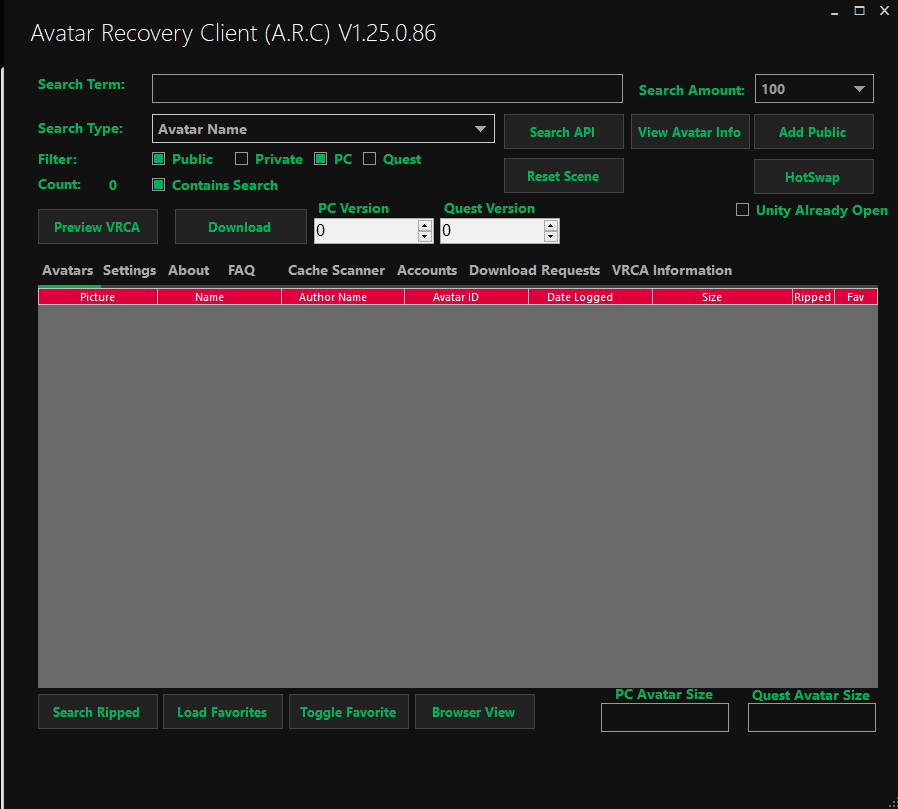
This is SARS to extract a file please follow the steps
- Click
VRCA Informationafter spamming cancel a few times

- Click
load VRCA/VRCWand find the file needed

- Set your settings if you want! and click
extract VRCA/VRCWto start Extracting
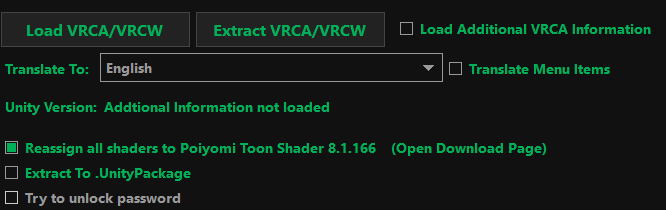
Once you have extracted drag your new folder into your unity scene! and you will have the model in the form that sars gives it to you!
ASSET RIPPER
- Download the asset ripper and run the .exe that is stored in it, should pop up a console that opens a browser tab
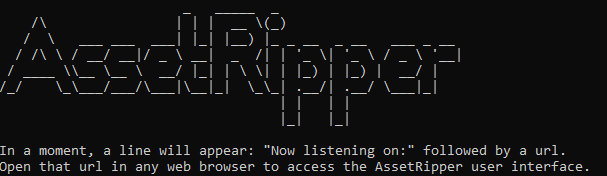
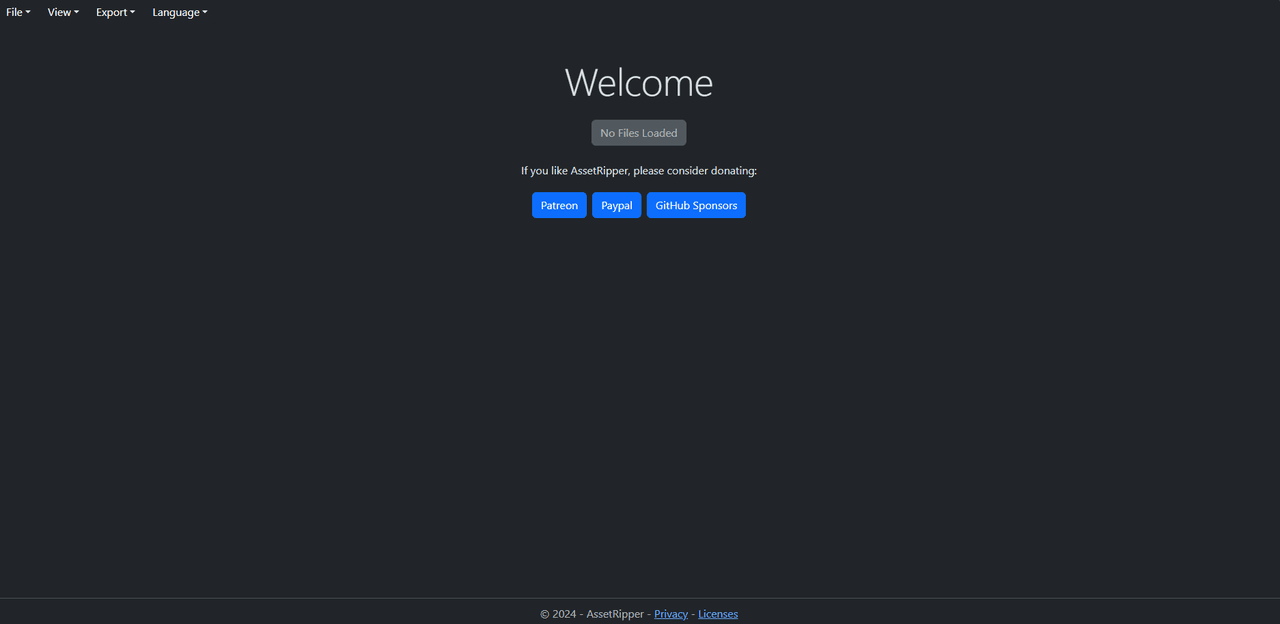
- To start extracting with this! Click
Fileandopen filethen select the VRCA, after selecting it please clickView Loaded Filed

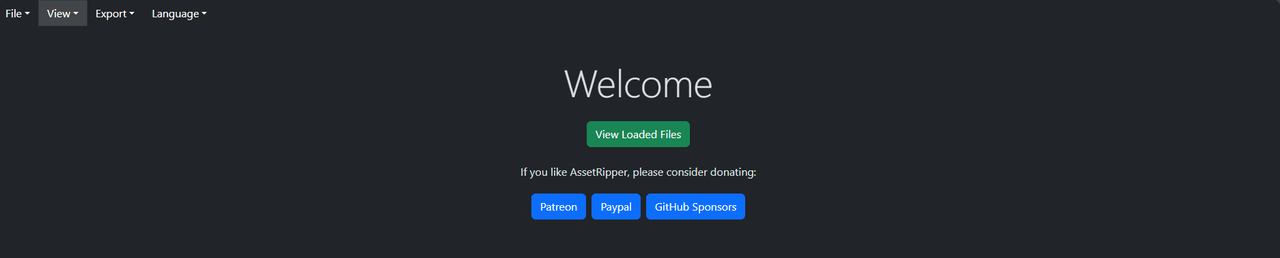
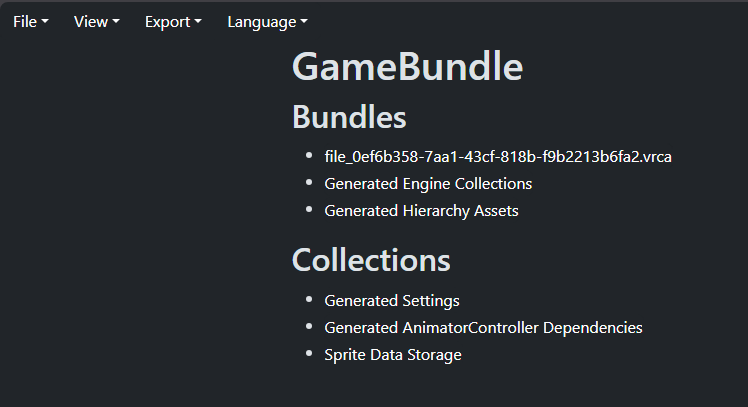
- After clicking
view loaded filesIt should look something like this
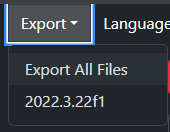
- Click
Exportand follow the rest from there! drag it into your unity an you should have the prefab
WPFMA SDK
Yes this is my personal free ripper so i do know alot more on how this functions!
- Set up the SDK in unity (I would recommend a Unity hub project) same principle as opening a unity package to import a model into your unity!
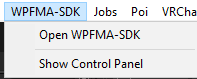
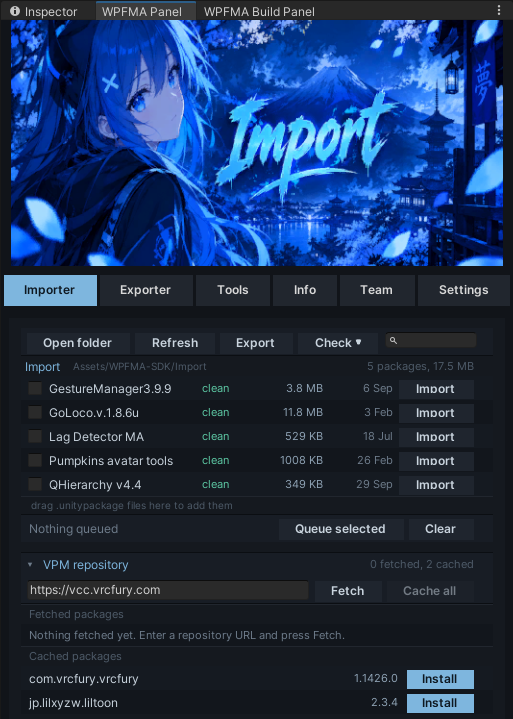
- Once You have installed the package please click
Open WPFMA SDKit should open a panel that looks like this!
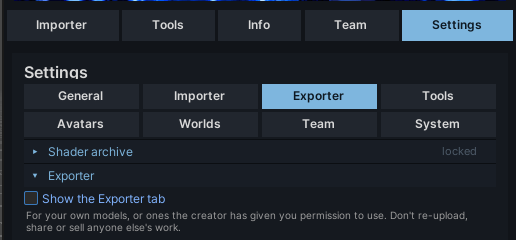
- Click
Settingsthenexporterand turn on exporter
- Inside the Exporter tab drag or select the VRCA that you want and drag it in!
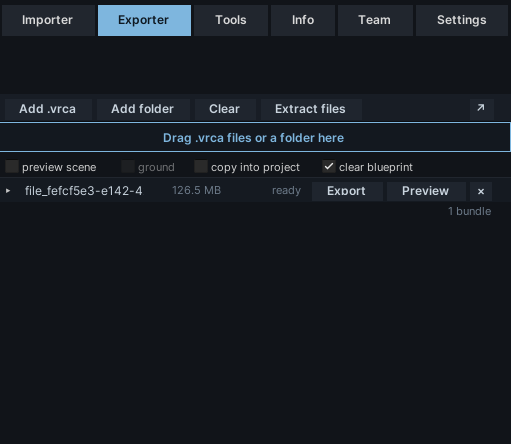
- Click
Previewthis should put a preview of the model within your scene
- After the model is previewed you can do either 2 things! Extract without any shaders an it defaults to a standard shader, or Drop down on the VRCA and this SDK shows what shaders are required for a 1 to 1 rip with material changes
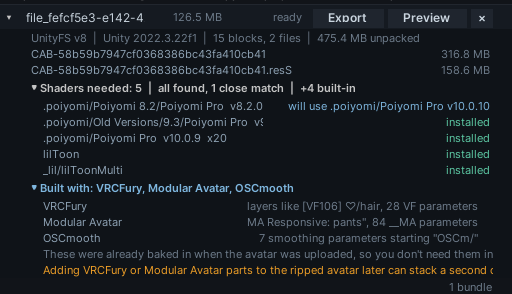
Or Extract!

Now that you have the files!
These have been life saving to be honest
- Pumpkin Avatar Tools
- FACs Utils
Some questions that people have that i can answer
- Why isnt the shader material changing in gesture manger?
Answer: its because that shader you applied isnt the exact shader the animation file is calling!
- Why isn't the menu or parameters there when I rip the model?
Answer: It depends on what Ripper you use! AssetRipper doesnt resolve those conflicts when exporting like ARC( Aka SARS) or WPFMA SDK does! (Both use logic from facs utils automatically in the rip)
- Will i get banned for ripping?
Answer: Technically speaking, reverse engineering an reuploading someone else's model is against TOS! so there is a risk, how ever i rarely ever hear people getting banned over ripping models!
HAPPY RIPPING OR WHAT EVER YOU DO!
Poster Note: Honestly made this for everyone who is struggling to rip, and to give people an exact way! now with asset ripper, its a gamble because i havn't used them in a while

Hello! It looks like you're interested in this conversation, but you don't have an account yet.
Getting fed up of having to scroll through the same posts each visit? When you register for an account, you'll always come back to exactly where you were before, and choose to be notified of new replies (either via email, or push notification). You'll also be able to save bookmarks and upvote posts to show your appreciation to other community members.
With your input, this post could be even better 💗
Register Login