
Tutuorial for how I make my femboy edits!!
-
Hello all! I often get dms asking me how I make my femboy edits, so I figured I would make a step-by-step tutorial on how I make mine. Please keep in mind, I am not super well versed in blender and know very basic things. There may be better ways to do this, however this is how I do it, and it works!
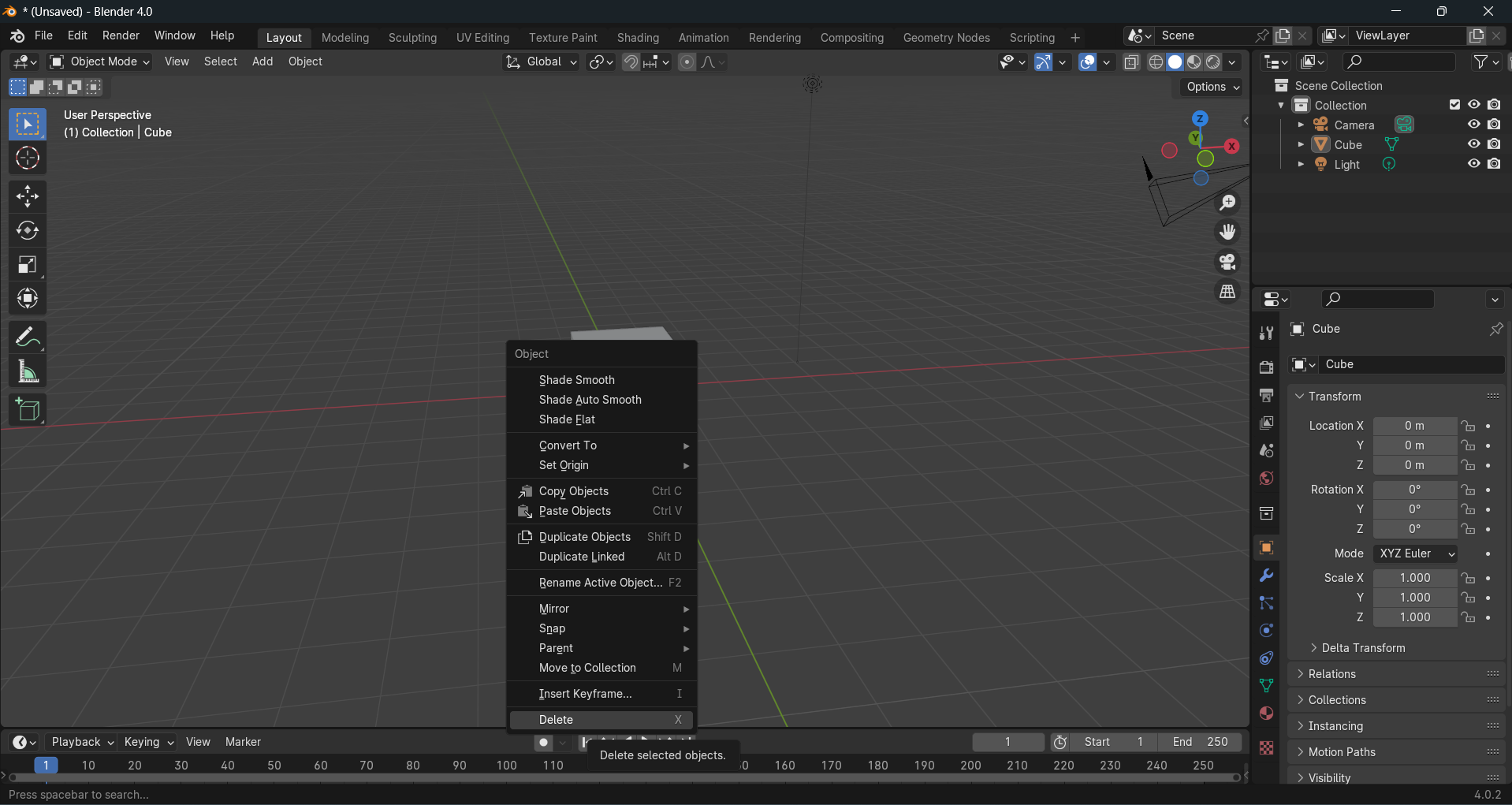
First things first, when you open blender, you can just delete this box lol.
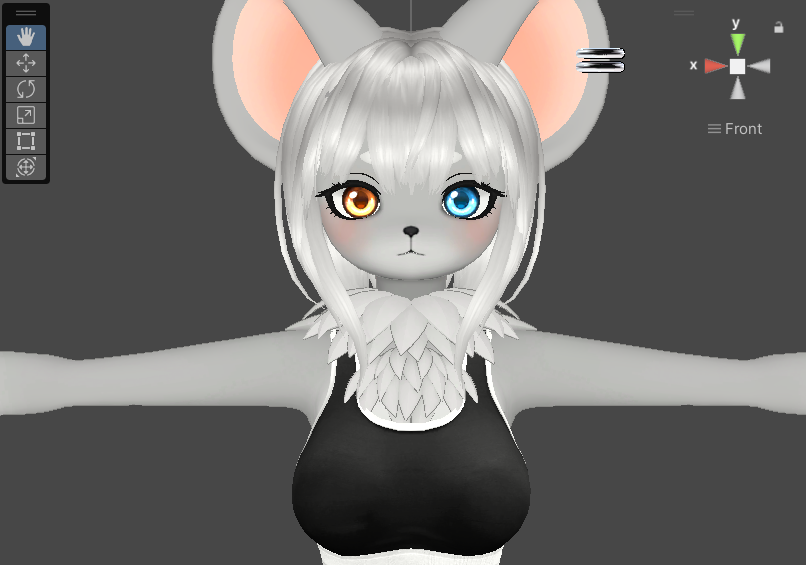
Secondly, load your avatar into unity. Today's victim will be Tina, by kuuderekitten
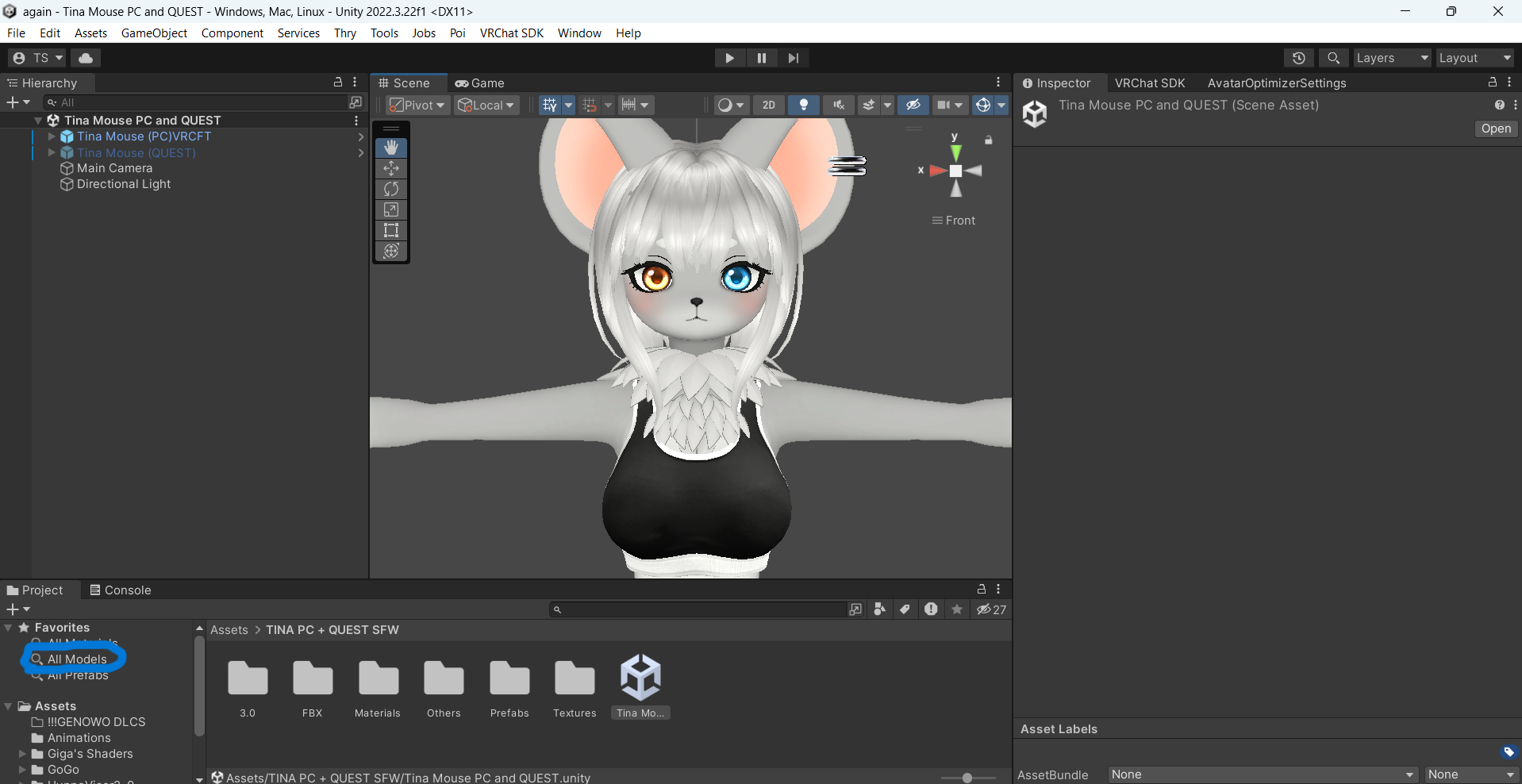
Your avatar will have an fbx in unity. You can find it in "all models".
Click this, and find your avatars FBX, you might have to dig for it but it should be in there! Once you find it, right click it, and select "show in explorer."
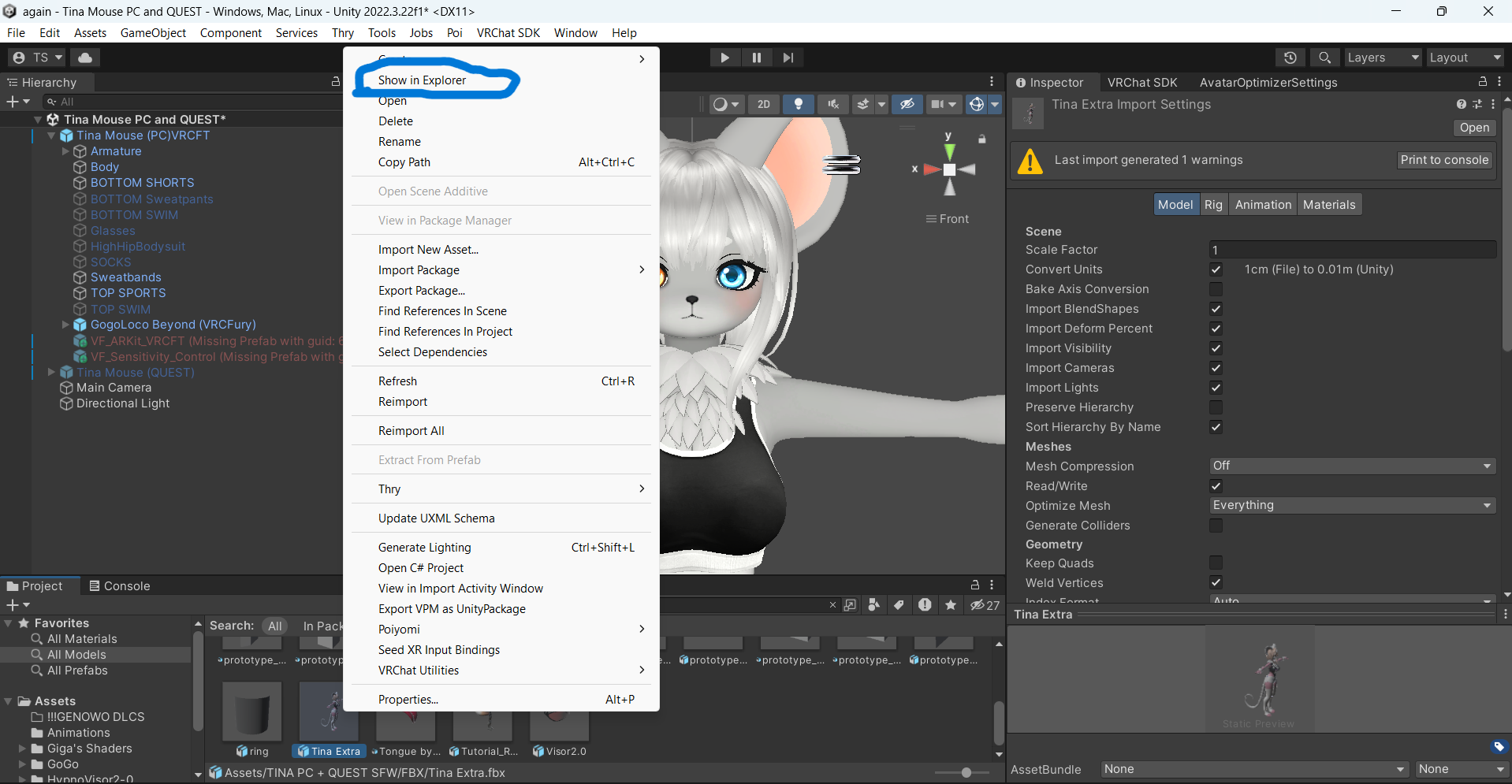
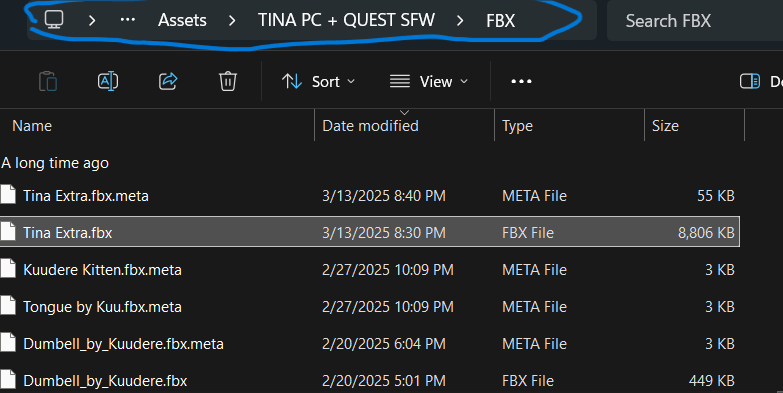
Once in file explorer, click what is circled in blue, and copy it. Then, head back over to blender.
In blender go to the top and select "file", then "import" and then "fbx"

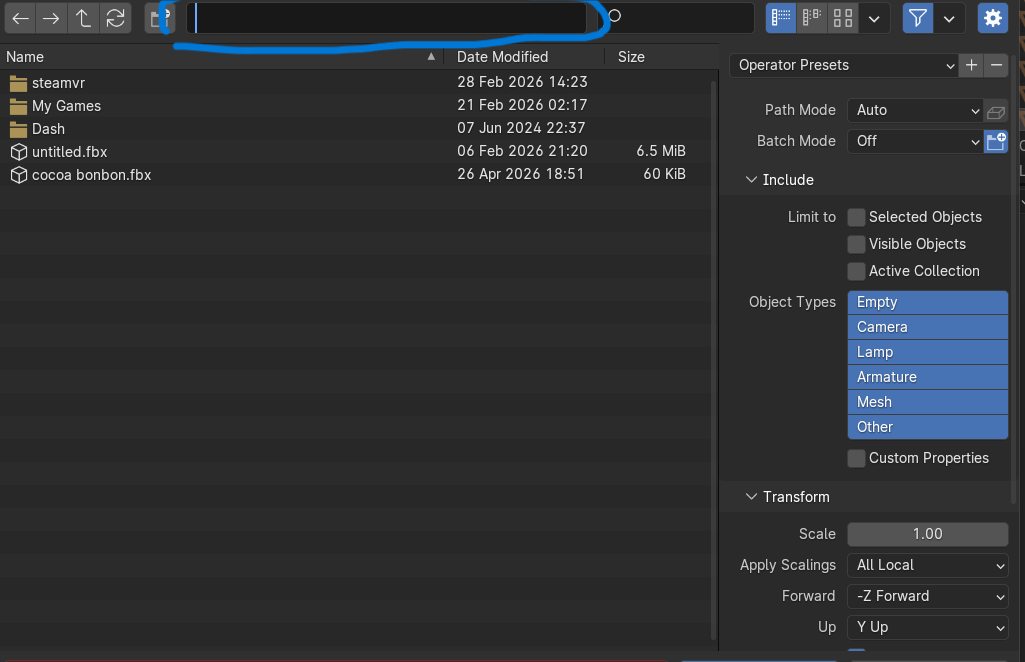
It will open up this page. Paste what you copied earlier into this bar and click enter.

Once you do you should be able to find your fbx's name, click it, and then select "import". Your fbx will now be in blender!

Now, zoom in! Select each piece of clothing your avatar has (or hair, accessories, etc, just whatever gets in the way) using the eye icon circled in blue.
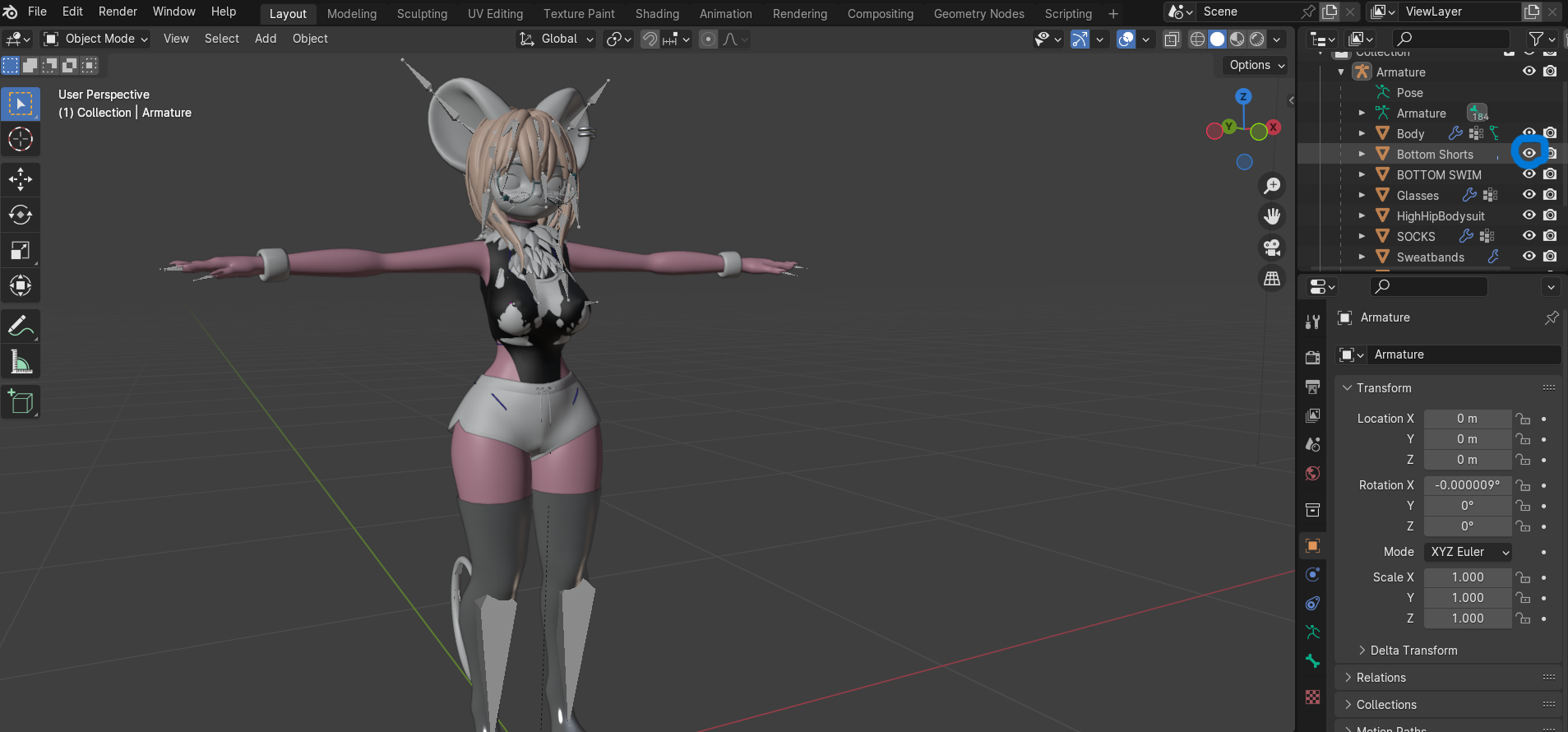
Once all of that is invisible, select object mode, and switch to sculpt mode.
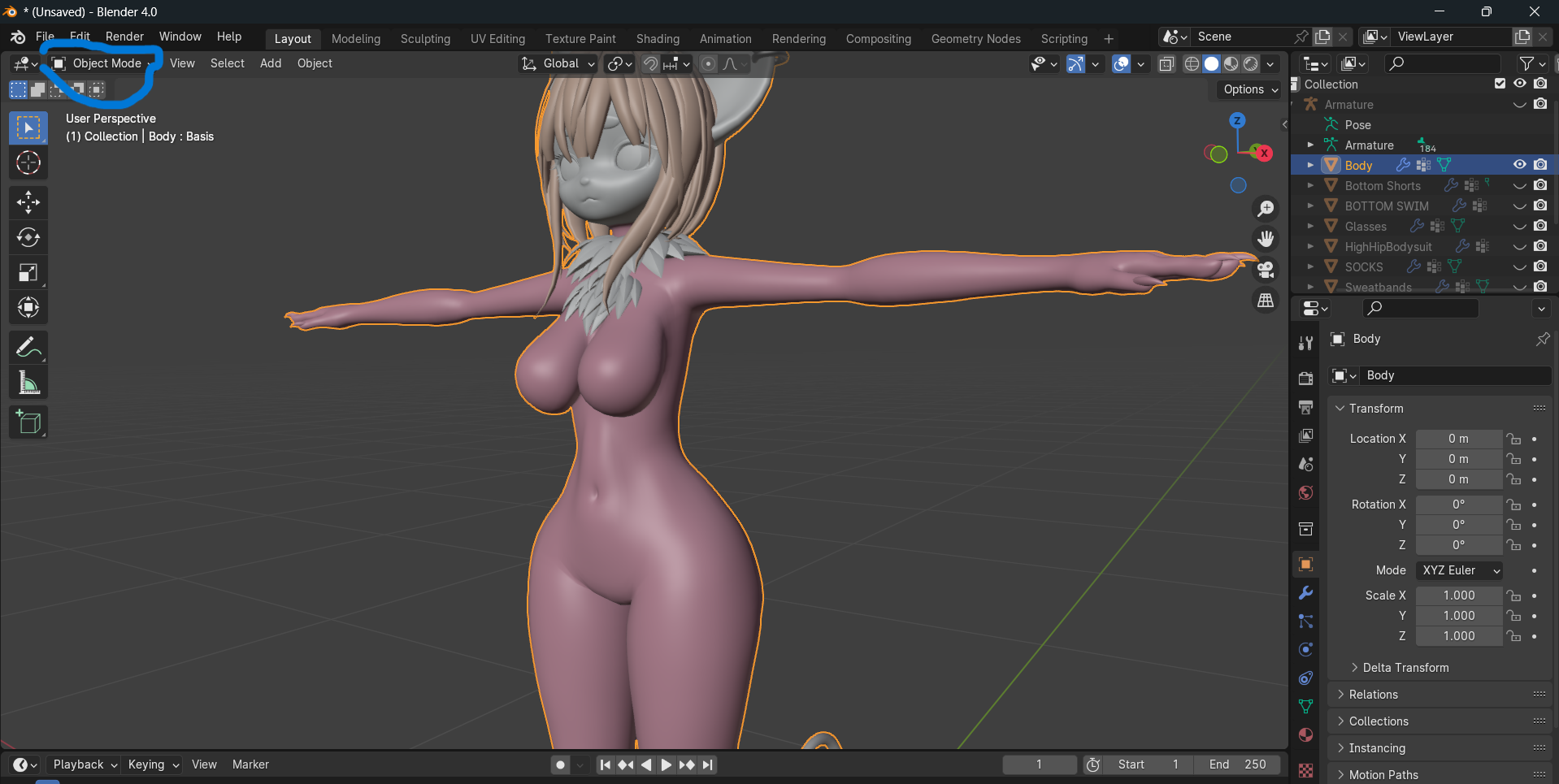
This is where the tutorial gets a little bit tricky. In sculpt mode, I manually sculpt the chest to be flat. Use any tool and hold down your shift key, it will start flattening the chest. I also click the 'X' option which is circled in blue, this makes it to where both sides look the same, basically a symmetry tool!
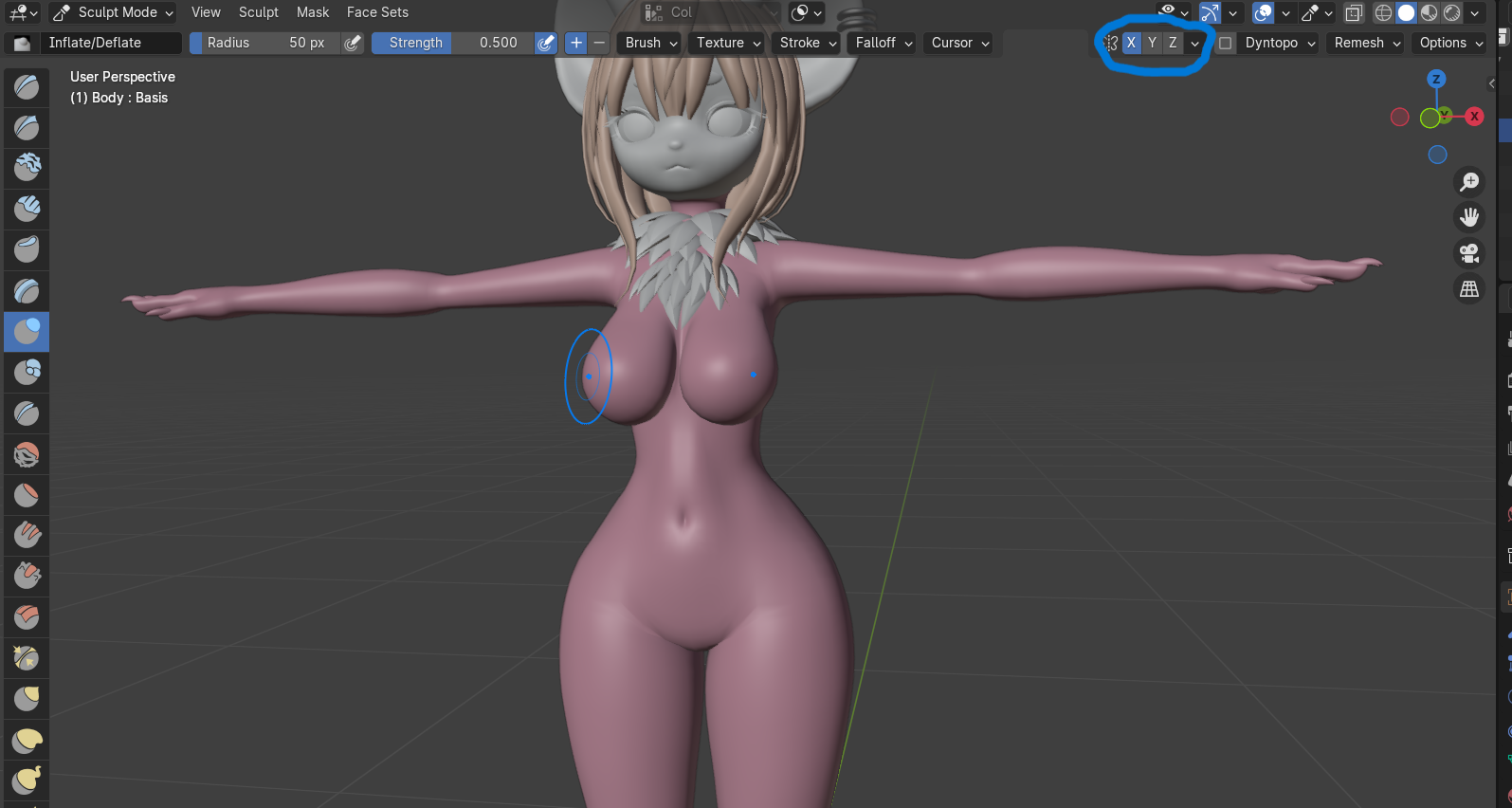
Boom! Flat chest!
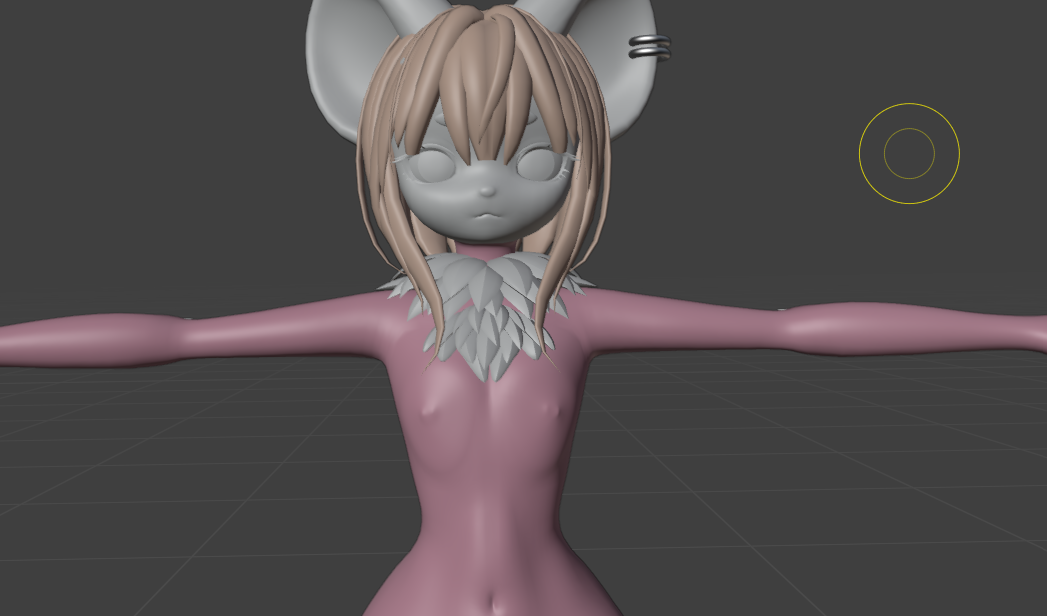
Now, go back into object mode. Select a piece of clothing and make it visible again, go into sculpt mode and repeat these steps, sculpting the clothes to match the chest. I like to do one at a time, then go back and adjust if certain pieces are meant to layer over eachother.
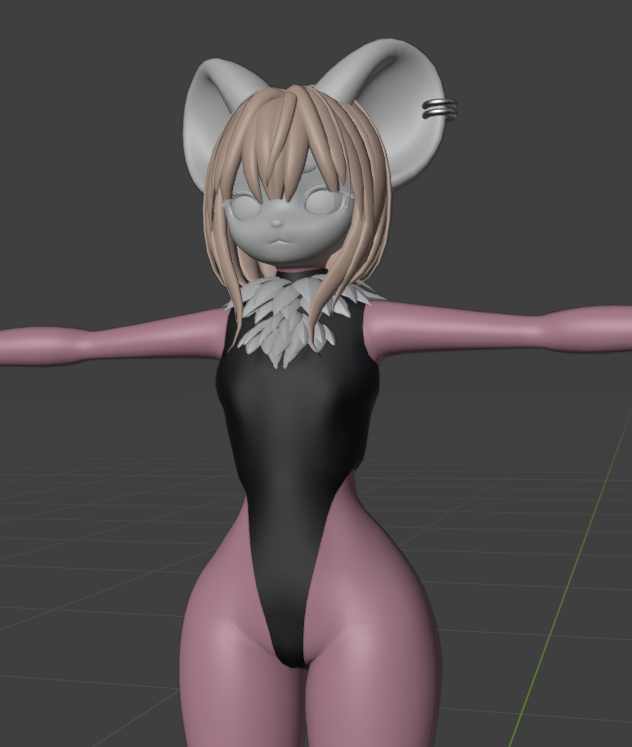
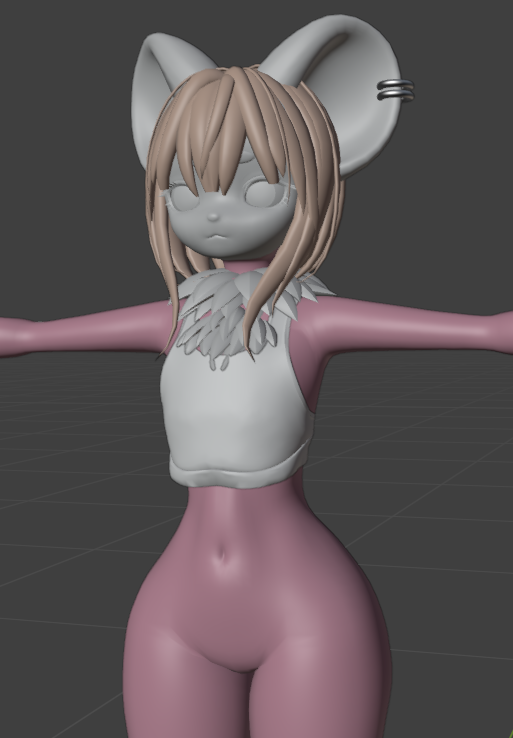
Boom! Your avatar has a flat chest, but now we need to get it back into unity!
Go back up to file, this time select "export", and then "fbx".
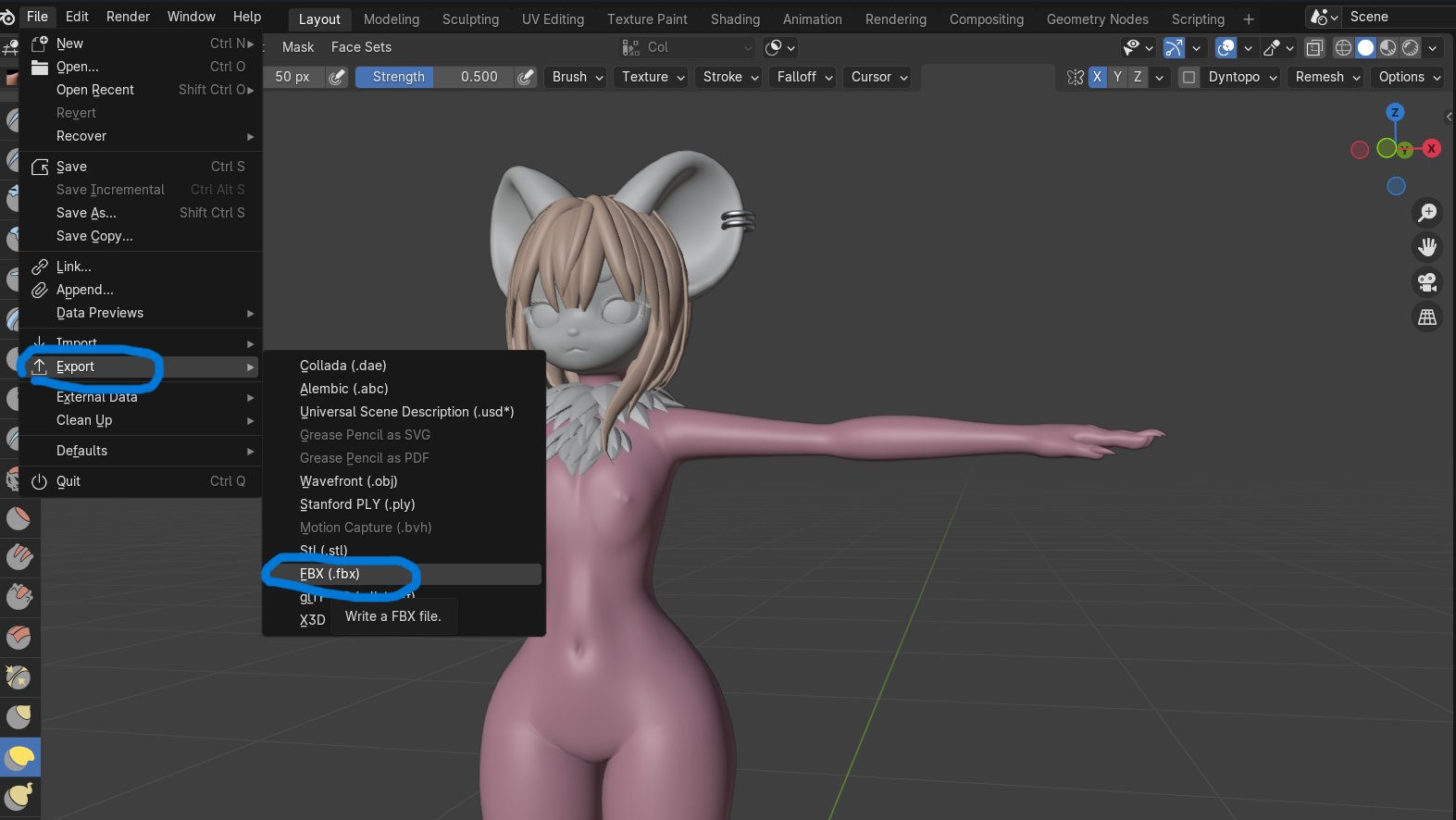
Paste the same exact link that you pasted to find your fbx, and select your fbx name again.
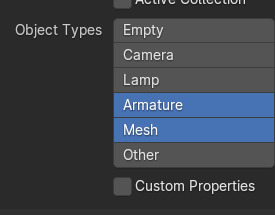
Now, in this menu, make sure these settings are true. Make sure the only object types that are enabled are 'armature' and 'mesh'
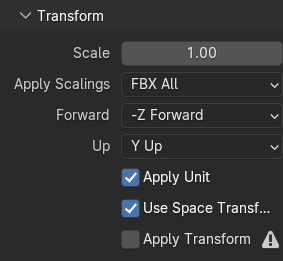
Make sure apply scalings is set to "fbx all"
(Note, sometimes this does break the avi. If it does, just switch to either unit scale or custom scale, fixes it sometimes. Fbx all is your best bet tho)
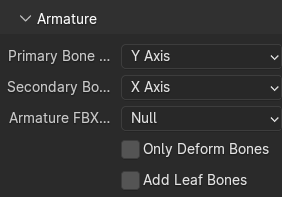
And then under armature, make sure "add leaf bones" is checked OFF!
Now you can select export and boom! Femboy! Avatar! In unity! Wow!
If anyone is interested I can add a tutorial for adding dick assets or sps, but baseline this is how I flatten the chest. Please note each avatar is case by case with its issues. I hope this was helpful nonetheless!
ʰᵃᵖᵖʸ ᵗʰᵒᵘᵍʰᵗˢ!
ɪ ᴅᴏ ᴄᴏᴍᴍɪꜱꜱɪᴏɴꜱ ꜰᴏʀ ʙᴏᴜɢʜᴛ ᴀᴠᴀᴛᴀʀꜱ.
ᴅᴍ ᴍᴇ ꜰᴏʀ ᴇxᴀᴍᴘʟᴇꜱ<3
ᴡɪʟʟ ᴅʀᴀᴡ ᴀʟᴍᴏꜱᴛ ᴀɴʏᴛʜɪɴɢ :3 -
for BOOTH bases at least, when reimporting into unity, the boob "crease" still appears even when the chest is fully flattened, i believe this is a normalmap or normals issue? no idea how to go about that, and would like to know if you know how to work around that?
-
for BOOTH bases at least, when reimporting into unity, the boob "crease" still appears even when the chest is fully flattened, i believe this is a normalmap or normals issue? no idea how to go about that, and would like to know if you know how to work around that?
@epicmuffin Sounds like the chest was shaded in the texture! You can export the texture into an art program (something like krita, its free!) and color pick the skin, then cover up the breast shading.
-
for BOOTH bases at least, when reimporting into unity, the boob "crease" still appears even when the chest is fully flattened, i believe this is a normalmap or normals issue? no idea how to go about that, and would like to know if you know how to work around that?
@epicmuffin
The other person replying is correct as well, but additionally, if you are referring to the fact that the normals of the model itself seem off, the reason for this is it is calculating them based on the default rather than the blendshapes. When using a "flat chest" blendshape, it still considers the normals that it is defaulted to.
The way that this can be solved very easily is by taking the model into blender, and changing the "flat chest" blendshape to the default.
If you have the Cats Plugin installed I believe, when you click on the small down arrow next to a blendshape listed under "Shape Keys" an option called "Apply Selected Shapekey to Basis" will appear. This will make the blendshape invert and become default. Then you can just import this new FBX into Unity and it should hopefully be the solution to what you are asking about.
If you would like more details or don't understand, please let me know. -
i have never really felt the need to use blender or wanted to use it but this is making me reconsider lol, thank you for the tutorial
-
when you reimport the avatar into unity do you need to just manually redo all the materials or should it automatically do it
-
when you reimport the avatar into unity do you need to just manually redo all the materials or should it automatically do it
@Samlsham
When you import a new FBX into Unity, you will need to re-add every component. This includes everything like physbones, colliders, constraints, and yes your materials. This is something that you will have to do each time you bring things into blender if you plan on editing them heavily.
You can try replacing the original FBX with the one you edited and sometimes it will replace it with no difficulty, but I find often that it ends up breaking so it isn't something that I bother with.
Re-adding the materials is very simple, but if you are disheartened by the idea of having to add everything else back (physbones, etc), using a tool like Pumpkins Avatar Tools can allow you to copy multiple things over without having to copy and paste each part individually. -

I'm sculpting the chest and for some reason there's these two black masses that wont sculpt correctly -
I love you..





Hello! It looks like you're interested in this conversation, but you don't have an account yet.
Getting fed up of having to scroll through the same posts each visit? When you register for an account, you'll always come back to exactly where you were before, and choose to be notified of new replies (either via email, or push notification). You'll also be able to save bookmarks and upvote posts to show your appreciation to other community members.
With your input, this post could be even better 💗
Register Login