
Asset w/ Animation to another Avatar
-
Anyone knows how you do if you get an asset with animation and transfer it to another avatar?
The asset in specific has bones and its part of an armature. W/o the animations it doesn't animate properly like if you walk left/right, it always point to the same direction independently.
-
did you retarget all the bones?
-
animations work by specific directories, and naming is really important. if you want to transfer the animation, you'd need to make sure the path to the armatures is the exact same.
for example, if i had a dance for avatar X, and their hierarchy looked like "Avatar X > Armature > Hips > Spine" and then a keyframe, and you wanted the same dance to happen for avatar Y, you would make sure that their hierarchy had the exact same naming and spelling.I'm not very good at explaining. I hope that was useful to you, however. I was able to retarget a headpat animation from Binaco to Leefa easily by renaming the bones to the same ones required in the animation.
-
animations work by specific directories, and naming is really important. if you want to transfer the animation, you'd need to make sure the path to the armatures is the exact same.
for example, if i had a dance for avatar X, and their hierarchy looked like "Avatar X > Armature > Hips > Spine" and then a keyframe, and you wanted the same dance to happen for avatar Y, you would make sure that their hierarchy had the exact same naming and spelling.I'm not very good at explaining. I hope that was useful to you, however. I was able to retarget a headpat animation from Binaco to Leefa easily by renaming the bones to the same ones required in the animation.
@pompon Yes, I got the wings assets from the Sol model, and the problem I've is that when I walk be left/right they always go to the same direction. I thought that perhaps it was because the model has animations. I put correctly in the hierarchy but is not working at all
-
did you retarget all the bones?
@TheReGodfather You mean correctly assigning to the armature? Above I explain a bit more the situation
-
@pompon Yes, I got the wings assets from the Sol model, and the problem I've is that when I walk be left/right they always go to the same direction. I thought that perhaps it was because the model has animations. I put correctly in the hierarchy but is not working at all
@orealboleiro Hmm. Are these locomotion animations you're talking about? Maybe physbones could be fucking with it. Could you provide some pictures/gifs to help explain your problem?
-
@TheReGodfather You mean correctly assigning to the armature? Above I explain a bit more the situation
@orealboleiro like going to the armature and renaming the targets.
-
@orealboleiro Hmm. Are these locomotion animations you're talking about? Maybe physbones could be fucking with it. Could you provide some pictures/gifs to help explain your problem?
@pompon @TheReGodfather No, they're a FX from another character. My problem is that when I transfer the object its animations don't work. I can't play them be with Gesture Manager nor the Animation console - its grayed out - and not sure why. The steps I did so far:
1 - Got animationsclip, materials, mesh, shaders, parameters and made a Prefab.
/- imported & unpacked -/
2 - Organized the bones as close to the source, merged the source FX with target as well as its parametersThings that a manually had to do was assign a root bone for object, and change to "update off-screen" since it was disappearing up close.
Default:
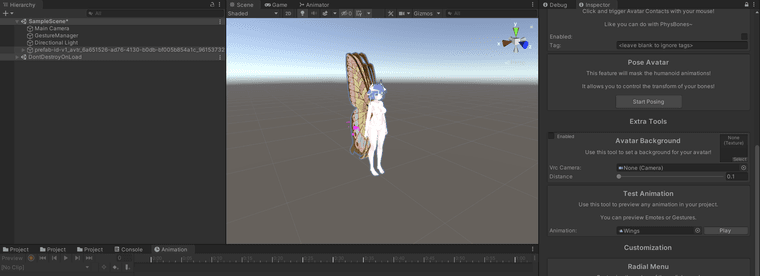
Disappear when I test:
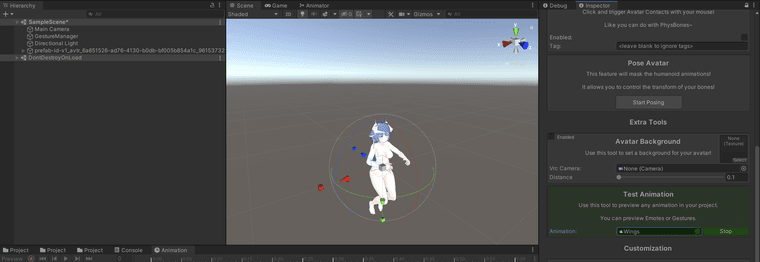
Can't play in animation console:
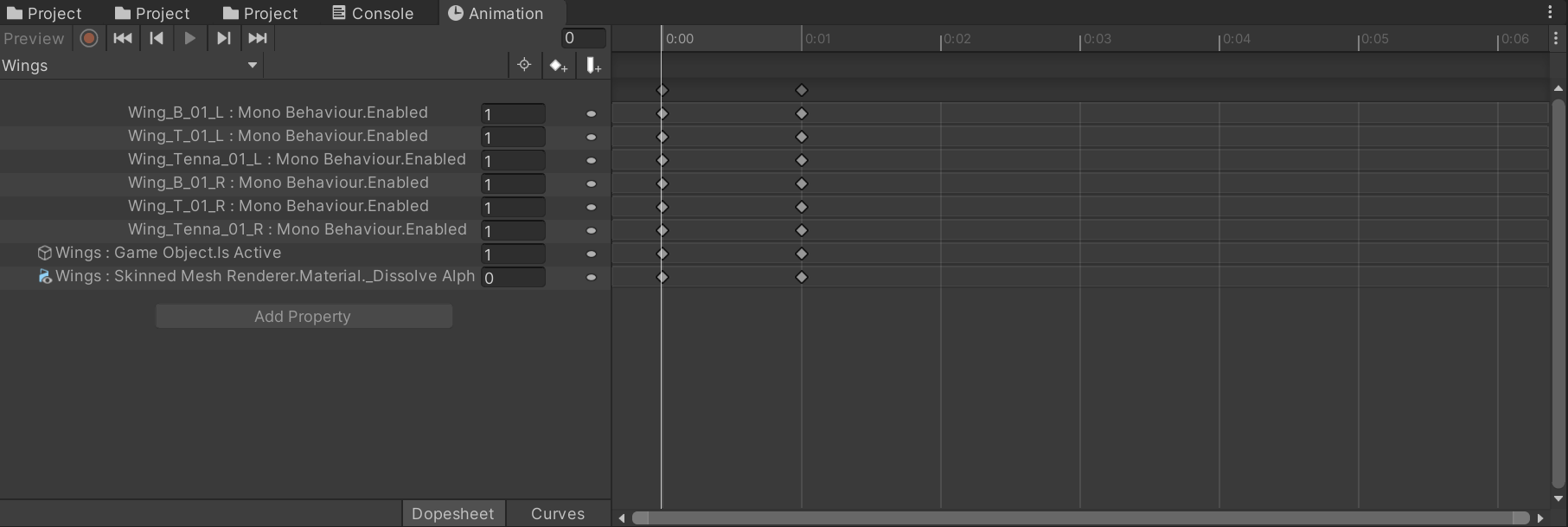
-
@orealboleiro like going to the armature and renaming the targets.
-
no you have everything right there, so your good for that. Have you added the animation to your layer that you are using to run and/or toggle the animation?
also what you want to do is move whatever layer you are using to control the animation to the animator and then controller slot to test the animation in your preview screen. If its functioning, then there is something overriding the animation. If its not functioning in the preview something is not attached properly. I dont know what without having the actual avatar to poke around in
-
no you have everything right there, so your good for that. Have you added the animation to your layer that you are using to run and/or toggle the animation?
also what you want to do is move whatever layer you are using to control the animation to the animator and then controller slot to test the animation in your preview screen. If its functioning, then there is something overriding the animation. If its not functioning in the preview something is not attached properly. I dont know what without having the actual avatar to poke around in
@TheReGodfather I managed to fix it, if you ever need to fix yours, the issue of mine was the animation path that was different from the source avatar, and yes it's caps sensitive. However, now for some odd reason when I add it to the FX controller - only when it has a weight of 1 - all my other menus doesn't work properly. I can't toggle on but not toggle off.


Hello! It looks like you're interested in this conversation, but you don't have an account yet.
Getting fed up of having to scroll through the same posts each visit? When you register for an account, you'll always come back to exactly where you were before, and choose to be notified of new replies (either via email, or push notification). You'll also be able to save bookmarks and upvote posts to show your appreciation to other community members.
With your input, this post could be even better 💗
Register Login