
LF this persons personal avatar By mulk?
-
-
If anyone is able to get this fixed it would help me greatly so I can get everything else done because without this the avatar will not be able to be used with full body and currently a few parts of the body aren't able to move! I have no clue on how to get this fixed!
Mulk Pass: Mulky
Upload instructions reminder:
- Open VCC
- Go to top right corner to "create new project" and click the arrow besides it not the blue button!
- Select the folder and import! (Make sure to extract folder first)
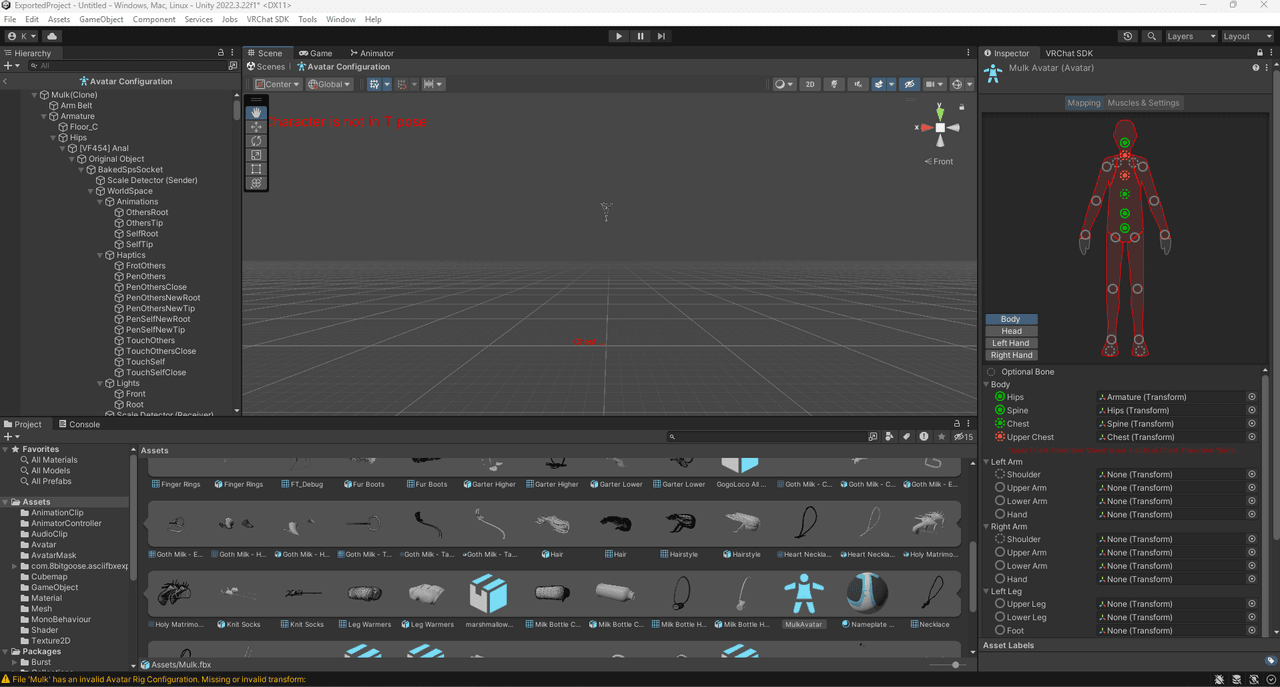
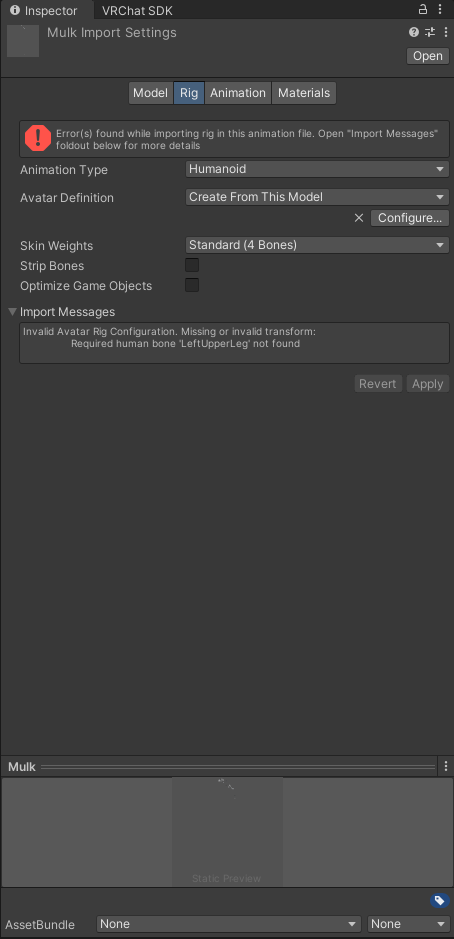
@unknownnnn u can try to watch these and see if they help https://www.youtube.com/watch?v=pbaOGZzth6g
https://www.youtube.com/watch?v=-w42ICW8qcE&t=28s -
If anyone is able to get this fixed it would help me greatly so I can get everything else done because without this the avatar will not be able to be used with full body and currently a few parts of the body aren't able to move! I have no clue on how to get this fixed!
Mulk Pass: Mulky
Upload instructions reminder:
- Open VCC
- Go to top right corner to "create new project" and click the arrow besides it not the blue button!
- Select the folder and import! (Make sure to extract folder first)
@unknownnnn when u have it fixed please keep me updated on it
-
-
If anyone is able to get this fixed it would help me greatly so I can get everything else done because without this the avatar will not be able to be used with full body and currently a few parts of the body aren't able to move! I have no clue on how to get this fixed!
Mulk Pass: Mulky
Upload instructions reminder:
- Open VCC
- Go to top right corner to "create new project" and click the arrow besides it not the blue button!
- Select the folder and import! (Make sure to extract folder first)
@unknownnnn this is a simple match and plug it in the right spot, give me a bit and i'll do it
I don't trade.
-
@unknownnnn this is a simple match and plug it in the right spot, give me a bit and i'll do it
@Lemon thanks hero!
-
@unknownnnn this is a simple match and plug it in the right spot, give me a bit and i'll do it
-
@unknownnnn this is a simple match and plug it in the right spot, give me a bit and i'll do it
@Lemon I am aware of this, but it seems like all the armatures are messed up and even when i tried to locate them correctly it would immediately break again but if you were able to fix this then that makes it easier! If not, then she will need a new armature to work with and I don't specialize much with blender for that.
-
bump finished! pls dm when it’s done <33
-
-
-
okay so i have tried downloading this ten times and it is just not working for me. is there any other way to pass the file along?
@Lemon Try exporting the VRCA package with this tool and make sure to export the package first before using it or it wont work! And with the help of this video How to extract VRCA.
Make sure to remove the files that are highlighted in the images, so the SDK and Control Panel show up in the project! (Don't forget to remove the Scripts folder as indicated in the video)
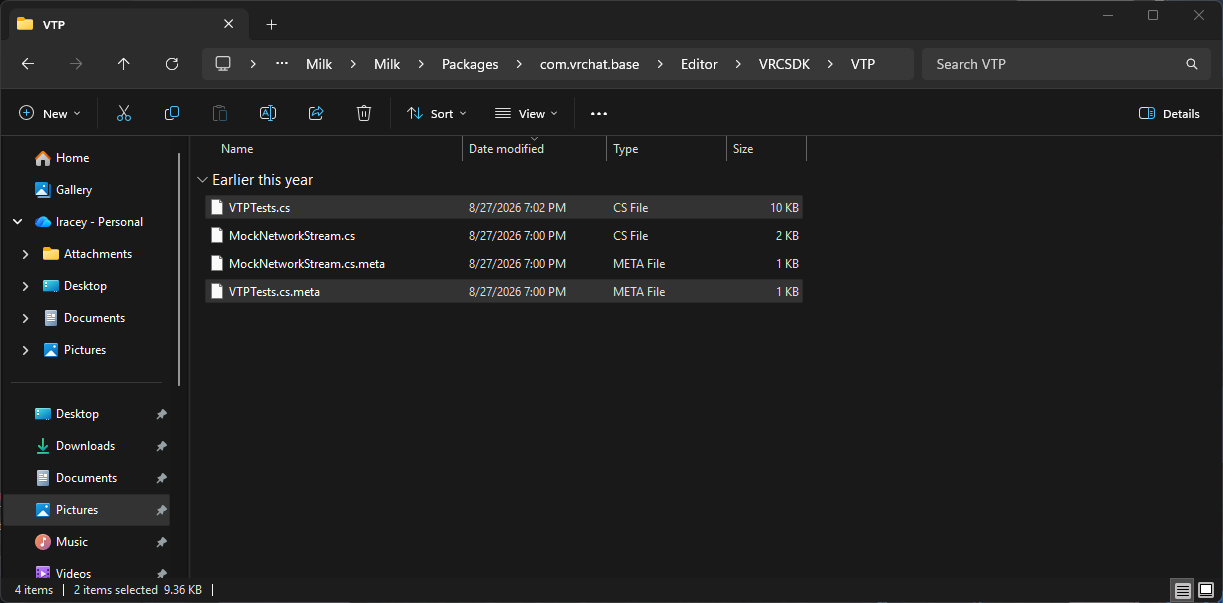
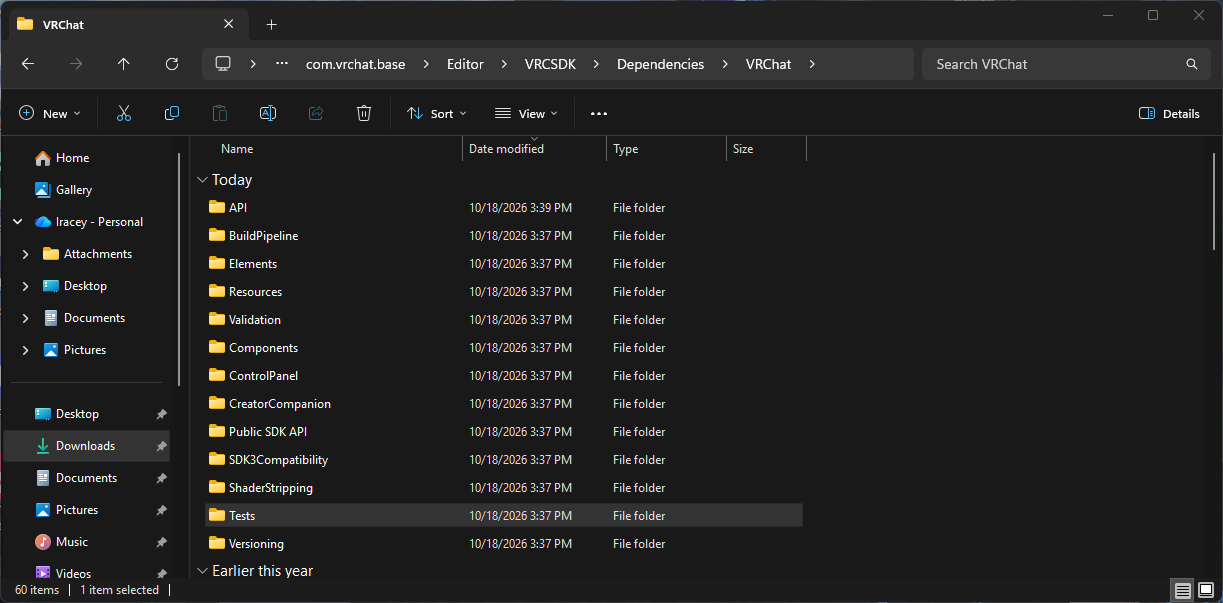
-
Bumpppp



Hello! It looks like you're interested in this conversation, but you don't have an account yet.
Getting fed up of having to scroll through the same posts each visit? When you register for an account, you'll always come back to exactly where you were before, and choose to be notified of new replies (either via email, or push notification). You'll also be able to save bookmarks and upvote posts to show your appreciation to other community members.
With your input, this post could be even better 💗
Register Login