Skip to content
  • Categories
  • Recent
  • Tags
  • Popular
Skins
  • Light
  • Brite
  • Cerulean
  • Cosmo
  • Flatly
  • Journal
  • Litera
  • Lumen
  • Lux
  • Materia
  • Minty
  • Morph
  • Pulse
  • Sandstone
  • Simplex
  • Sketchy
  • Spacelab
  • United
  • Yeti
  • Zephyr
  • Dark
  • Cyborg
  • Darkly
  • Quartz
  • Slate
  • Solar
  • Superhero
  • Vapor

  • Default (Zephyr)
  • No Skin
Collapse
RipperStore Logo
  1. Home
  2. Assets
  3. Looking for...
  4. Gumroad/Payhip Avatars
  5. LF this persons personal avatar By mulk?

LF this persons personal avatar By mulk?

Scheduled Pinned Locked Moved Unsolved Gumroad/Payhip Avatars
looking forripping avatrpayhipjinxxy
54 Posts 17 Posters 1.3k Views 15 Watching
  • Oldest to Newest
  • Newest to Oldest
  • Most Votes
Reply
  • Reply as topic
Log in to reply
This topic has been deleted. Only users with topic management privileges can see it.
  • twixkboyT twixkboy

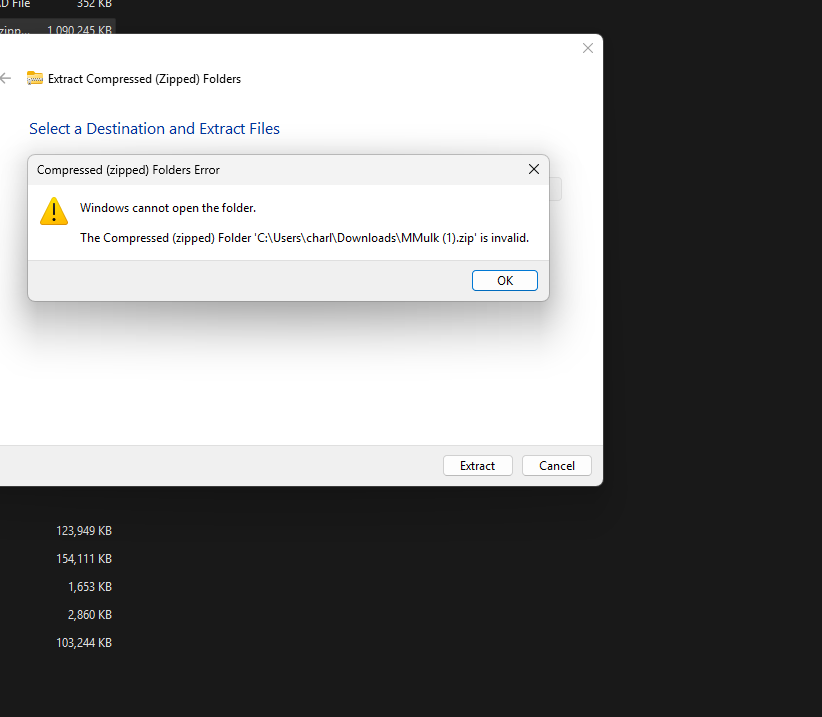
    @unknownnnn you know how to fix this?
    Screenshot 2026-10-15 114609.png

    U
    U
    unknownnnn
    wrote last edited by unknownnnn
    #40

    @twixkboy Not at the moment but I am in the process of getting it fixed since the SDK was missing which is now resolved atm I am re-doing the toggles and assets since a lot of things had gone missing in the process as well. But if you are wishing to help with the process, I can try to reupload from what I was able to salvage so far!

    Small update got a few things resolved so far had to fix the viewpoint since the fullbody didn't work correctly. Now I just need to get all the toggles/phys and items in place! Thank you guys for being patient with me as I learn to get this done for you all! Reminder I'm not a professional!

    If you wish to help out here is the file as to what I had gotten done so far I wont be working on this until I get home from work! [register or login to view this hidden content] (Its as a 7z file could not get it to be a Zip file) Pass: Mulked

    Upload instructions:

    1. Open VCC
    2. Go to top right corner to "create new project" and click the arrow besides it not the blue button!
    3. Select the folder and import! (Make sure to extract folder first)
    twixkboyT SoulGhost420S 2 Replies Last reply
    4
    • U unknownnnn

      @twixkboy Not at the moment but I am in the process of getting it fixed since the SDK was missing which is now resolved atm I am re-doing the toggles and assets since a lot of things had gone missing in the process as well. But if you are wishing to help with the process, I can try to reupload from what I was able to salvage so far!

      Small update got a few things resolved so far had to fix the viewpoint since the fullbody didn't work correctly. Now I just need to get all the toggles/phys and items in place! Thank you guys for being patient with me as I learn to get this done for you all! Reminder I'm not a professional!

      If you wish to help out here is the file as to what I had gotten done so far I wont be working on this until I get home from work! [register or login to view this hidden content] (Its as a 7z file could not get it to be a Zip file) Pass: Mulked

      Upload instructions:

      1. Open VCC
      2. Go to top right corner to "create new project" and click the arrow besides it not the blue button!
      3. Select the folder and import! (Make sure to extract folder first)
      twixkboyT
      twixkboyT
      twixkboy
      wrote last edited by twixkboy
      #41

      @unknownnnn she looks awesome as of rn im excited for u to finish her!
      theres a problem with her not being able to turn her head.

      U 1 Reply Last reply
      0
      • U unknownnnn

        @twixkboy Not at the moment but I am in the process of getting it fixed since the SDK was missing which is now resolved atm I am re-doing the toggles and assets since a lot of things had gone missing in the process as well. But if you are wishing to help with the process, I can try to reupload from what I was able to salvage so far!

        Small update got a few things resolved so far had to fix the viewpoint since the fullbody didn't work correctly. Now I just need to get all the toggles/phys and items in place! Thank you guys for being patient with me as I learn to get this done for you all! Reminder I'm not a professional!

        If you wish to help out here is the file as to what I had gotten done so far I wont be working on this until I get home from work! [register or login to view this hidden content] (Its as a 7z file could not get it to be a Zip file) Pass: Mulked

        Upload instructions:

        1. Open VCC
        2. Go to top right corner to "create new project" and click the arrow besides it not the blue button!
        3. Select the folder and import! (Make sure to extract folder first)
        SoulGhost420S
        SoulGhost420S
        SoulGhost420
        wrote last edited by
        #42

        @unknownnnn i can't wait please let me know when you have it done

        1 Reply Last reply
        0
        • AwakenSpirtA
          AwakenSpirtA
          AwakenSpirt
          wrote last edited by
          #43

          BUMP NEED

          1 Reply Last reply
          0
          • QpernikissQ
            QpernikissQ
            Qpernikiss
            wrote last edited by
            #44

            bumppp

            1 Reply Last reply
            0
            • SweetFangS
              SweetFangS
              SweetFang
              wrote last edited by
              #45

              up

              1 Reply Last reply
              0
              • twixkboyT twixkboy

                @unknownnnn she looks awesome as of rn im excited for u to finish her!
                theres a problem with her not being able to turn her head.

                U
                U
                unknownnnn
                wrote last edited by
                #46

                @twixkboy Ok thank you! Just got home so Imma see whats up with that and try to resolve it!

                1 Reply Last reply
                0
                • U
                  U
                  unknownnnn
                  wrote last edited by
                  #47

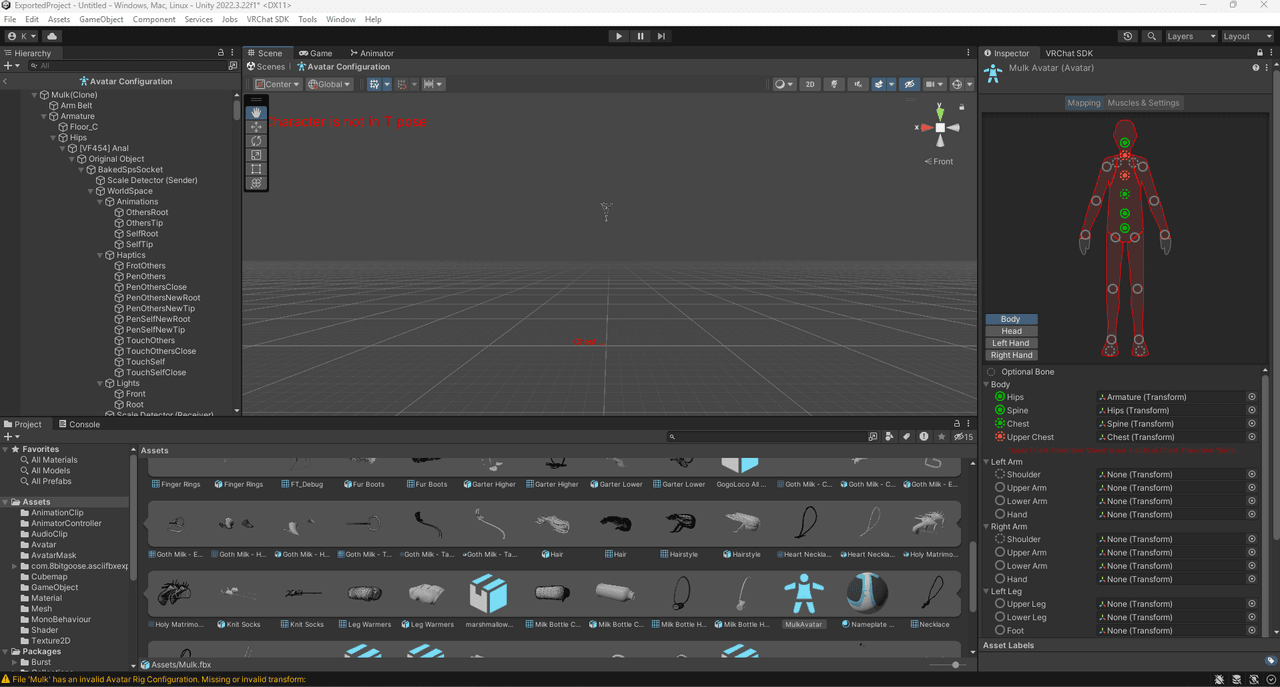
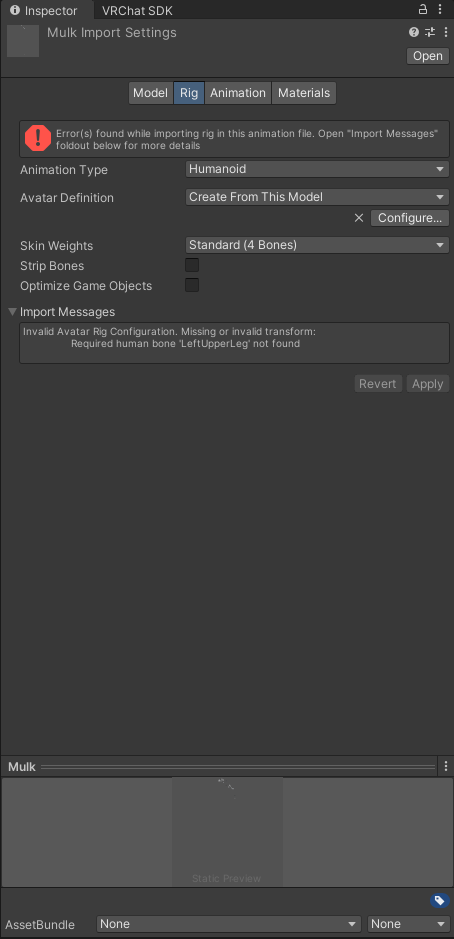
                  If anyone is able to get this fixed it would help me greatly so I can get everything else done because without this the avatar will not be able to be used with full body and currently a few parts of the body aren't able to move! I have no clue on how to get this fixed!

                  [register or login to view this hidden content] Pass: Mulky

                  Upload instructions reminder:

                  1. Open VCC
                  2. Go to top right corner to "create new project" and click the arrow besides it not the blue button!
                  3. Select the folder and import! (Make sure to extract folder first)

                  Humanoid.PNG ewrft.PNG

                  twixkboyT SoulGhost420S LemonL 3 Replies Last reply
                  0
                  • twixkboyT
                    twixkboyT
                    twixkboy
                    wrote last edited by
                    #48

                    Bump

                    1 Reply Last reply
                    0
                    • U unknownnnn

                      If anyone is able to get this fixed it would help me greatly so I can get everything else done because without this the avatar will not be able to be used with full body and currently a few parts of the body aren't able to move! I have no clue on how to get this fixed!

                      [register or login to view this hidden content] Pass: Mulky

                      Upload instructions reminder:

                      1. Open VCC
                      2. Go to top right corner to "create new project" and click the arrow besides it not the blue button!
                      3. Select the folder and import! (Make sure to extract folder first)

                      Humanoid.PNG ewrft.PNG

                      twixkboyT
                      twixkboyT
                      twixkboy
                      wrote last edited by
                      #49

                      @unknownnnn u can try to watch these and see if they help https://www.youtube.com/watch?v=pbaOGZzth6g
                      https://www.youtube.com/watch?v=-w42ICW8qcE&t=28s

                      1 Reply Last reply
                      0
                      • U unknownnnn

                        If anyone is able to get this fixed it would help me greatly so I can get everything else done because without this the avatar will not be able to be used with full body and currently a few parts of the body aren't able to move! I have no clue on how to get this fixed!

                        [register or login to view this hidden content] Pass: Mulky

                        Upload instructions reminder:

                        1. Open VCC
                        2. Go to top right corner to "create new project" and click the arrow besides it not the blue button!
                        3. Select the folder and import! (Make sure to extract folder first)

                        Humanoid.PNG ewrft.PNG

                        SoulGhost420S
                        SoulGhost420S
                        SoulGhost420
                        wrote last edited by
                        #50

                        @unknownnnn when u have it fixed please keep me updated on it

                        1 Reply Last reply
                        0
                        • twixkboyT
                          twixkboyT
                          twixkboy
                          wrote last edited by
                          #51

                          Bump

                          1 Reply Last reply
                          0
                          • U unknownnnn

                            If anyone is able to get this fixed it would help me greatly so I can get everything else done because without this the avatar will not be able to be used with full body and currently a few parts of the body aren't able to move! I have no clue on how to get this fixed!

                            [register or login to view this hidden content] Pass: Mulky

                            Upload instructions reminder:

                            1. Open VCC
                            2. Go to top right corner to "create new project" and click the arrow besides it not the blue button!
                            3. Select the folder and import! (Make sure to extract folder first)

                            Humanoid.PNG ewrft.PNG

                            LemonL
                            LemonL
                            Lemon
                            wrote last edited by
                            #52

                            @unknownnnn this is a simple match and plug it in the right spot, give me a bit and i'll do it
                            I don't trade.

                            D twixkboyT 2 Replies Last reply
                            2
                            • LemonL Lemon

                              @unknownnnn this is a simple match and plug it in the right spot, give me a bit and i'll do it

                              D
                              D
                              DAEDRICswat
                              wrote last edited by
                              #53

                              @Lemon thanks hero!

                              1 Reply Last reply
                              1
                              • LemonL Lemon

                                @unknownnnn this is a simple match and plug it in the right spot, give me a bit and i'll do it

                                twixkboyT
                                twixkboyT
                                twixkboy
                                wrote last edited by
                                #54

                                @Lemon awesomeee

                                1 Reply Last reply
                                0

                                Hello! It looks like you're interested in this conversation, but you don't have an account yet.

                                Getting fed up of having to scroll through the same posts each visit? When you register for an account, you'll always come back to exactly where you were before, and choose to be notified of new replies (either via email, or push notification). You'll also be able to save bookmarks and upvote posts to show your appreciation to other community members.

                                With your input, this post could be even better 💗

                                Register Login
                                Reply
                                • Reply as topic
                                Log in to reply
                                • Oldest to Newest
                                • Newest to Oldest
                                • Most Votes


                                • Login

                                • Login or register to search.
                                • First post
                                  Last post
                                0
                                • Categories
                                • Recent
                                • Tags
                                • Popular