
BONFIE EDIT (RELEASED!)
-
@nihil.rar I just get this?
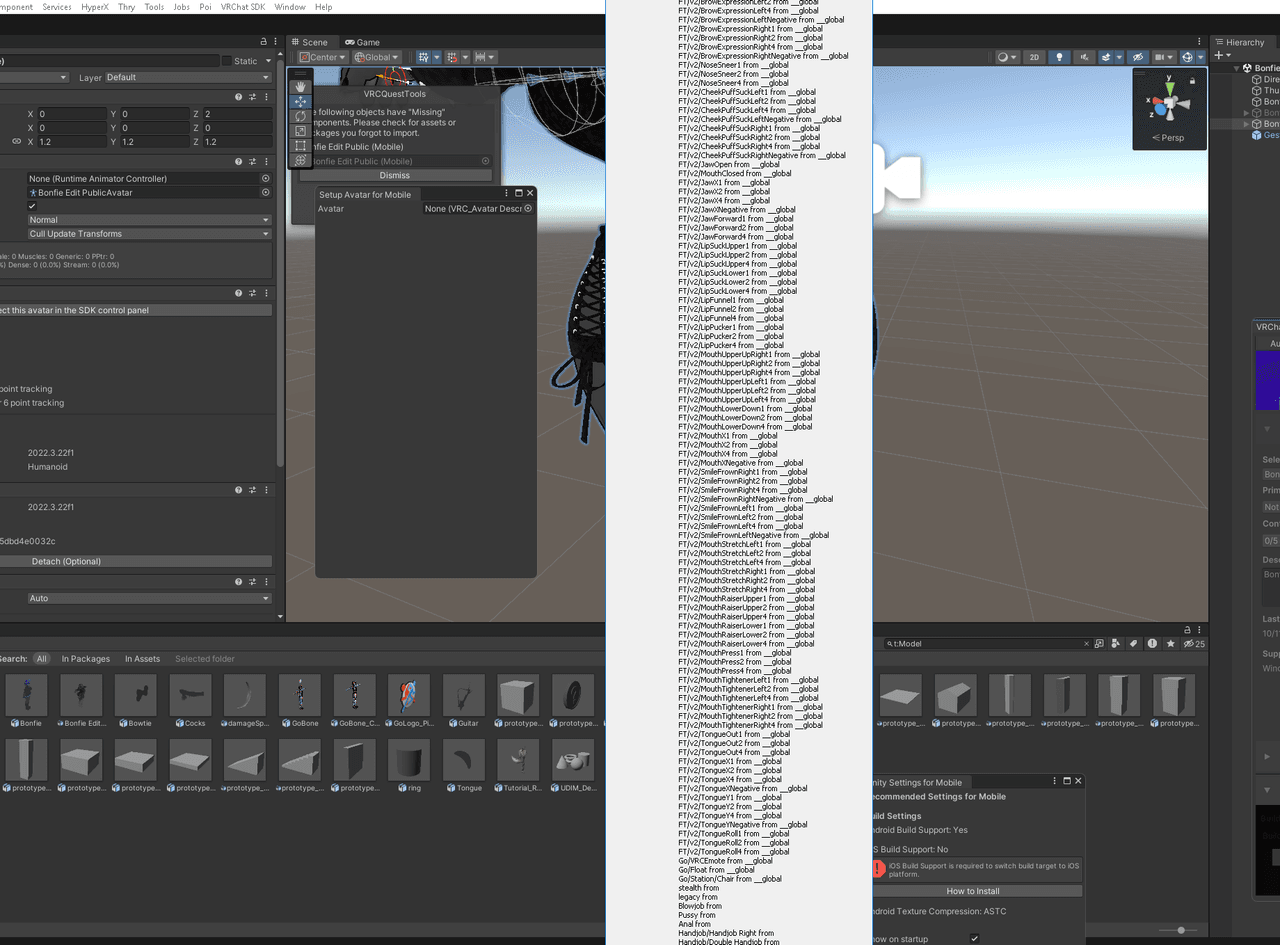
@stella_loona appears to be a face tracking error. i don't work with that so I don't know
-
i hate to ask this but is their anyway i can get step by step on uploading avatar.
I started uploading avatars about a month ago but usually theirs a prefab with a everything rigged like physbones and such but i noticed when i drag the model in to the hiearchy theirs noting their but the model and clothes. I figured that I drag to get the clothes on the bonfie prefab but I also have no idea how to do that. -
 Download Link (gofile.io) Here you guys go!
Toggles added:
Necklace,
Individual wrist cuffs (Left, Right),
Cigarette,
Spike collar,
Horns (Had to be deleted for quest ),
),
NSFW (Turns off the default virgin killer outfit, so make sure all other clothes besides that one are also off).
I also added wholesome sps (with proper socket locations) and gogoloco beyond.There's also a quest version including EVERYTHING besides the horns (sorry if you really wanted that for quest).
@nihil.rar the quest version wont upload. its forever stuck over 10.50 MB regardless of what i do with vrc quest tools can i get a hand on potential solutions?
-
-
Download Link (gofile.io)
Here it is! Same deal as before, horns aren't on quest, but ONE difference
Upload the pc version as you normally would; don't worry about anything
BUT, when you switch to QUEST, go to "All Models" near the top left of your bottom window (I use the default layout for unity), click on it, find the bonfie EDIT (not the normal bonfie) and the "cocks" model. select both at once (ctrl + click) or do them individually, scroll down until you find "normals". set it to "None" or if you want to add some cool material effects feel free to set it to "Calculate" (just shrinks the size of the avatar a small amount compared to "Import" but still allows for specular and rim lighting and such things), and THEN upload the quest version. This just gets rid of the normals for the models which shrinks the avatar's size drastically without changing much visually. if it really gets on your nerves, feel free to try and optimise it another way, you can always set the normals back to "Import" whenever you like@tntfn2187 lookie here
-
@tntfn2187 no problem! we all make mistakes
-
-
Did some custom work to the Bonfie edit, honestly it's such a clean edit already the main thing was doing custom texture, upvoted you also nihil.rar, you did sick with the fixes!
-
i hate to ask this but is their anyway i can get step by step on uploading avatar.
I started uploading avatars about a month ago but usually theirs a prefab with a everything rigged like physbones and such but i noticed when i drag the model in to the hiearchy theirs noting their but the model and clothes. I figured that I drag to get the clothes on the bonfie prefab but I also have no idea how to do that.@ISKYI That's just one of the more bare bones avatars dude. It does get more complicated with those ones, but just look up youtube tutorials on like how to add your own physbones, how to do vrcfury toggles, stuff like that. it takes time, don't feel too bad about it
-


Hello! It looks like you're interested in this conversation, but you don't have an account yet.
Getting fed up of having to scroll through the same posts each visit? When you register for an account, you'll always come back to exactly where you were before, and choose to be notified of new replies (either via email, or push notification). You'll also be able to save bookmarks and upvote posts to show your appreciation to other community members.
With your input, this post could be even better 💗
Register Login