Skip to content
  • Categories
  • Recent
  • Tags
  • Popular
Skins
  • Light
  • Brite
  • Cerulean
  • Cosmo
  • Flatly
  • Journal
  • Litera
  • Lumen
  • Lux
  • Materia
  • Minty
  • Morph
  • Pulse
  • Sandstone
  • Simplex
  • Sketchy
  • Spacelab
  • United
  • Yeti
  • Zephyr
  • Dark
  • Cyborg
  • Darkly
  • Quartz
  • Slate
  • Solar
  • Superhero
  • Vapor

  • Default (Zephyr)
  • No Skin
Collapse
RipperStore Logo
  1. Home
  2. Assets
  3. Gifts / Downloads
  4. Gift: MMD VIP CODES + Requests (Mostly monthly updates)

Gift: MMD VIP CODES + Requests (Mostly monthly updates)

Scheduled Pinned Locked Moved Gifts / Downloads
mmdpasswordvrchatgiftgift-booth
1.3k Posts 308 Posters 472.6k Views 506 Watching
  • Oldest to Newest
  • Newest to Oldest
  • Most Votes
Reply
  • Reply as topic
Log in to reply
This topic has been deleted. Only users with topic management privileges can see it.
  • SymphoniaLoudS SymphoniaLoud

    @average-addict

    Its pretty easy:

    1. Open your notepad or any other texteditor and save this code as a .bat file (for example: RunVRCWorlds.bat):
    @echo off
    
    set GameDir="C:\Program Files (x86)\Steam\steamapps\common\VRChat"
    set GameExe="C:\Program Files (x86)\Steam\steamapps\common\VRChat\VRChat.exe"
    
    if "%~1"=="" (
        echo Please drag and drop a VRCW file onto this batch file.
        pause
        exit /b
    )
    
    set "path=%~1"
    set /a "randomid_a=10000+%random%"
    set /a "randomid_b=10000+%random%"
    set "randomid=%randomid_a%%randomid_b%"
    
    start "" /D %GameDir% %GameExe% "--url=create?roomId=%randomid%&hidden=true&name=BuildAndRun&url=file:///%path%" --watch-worlds --watch-avatars
    
    1. Put your all your .vrcw world files and the .bat in the same folder and drag the .vrcw on the .bat to run your your world in local test mode.

    2. Have fun!

    average addictA
    average addictA
    average addict
    wrote last edited by
    #1105

    @SymphoniaLoud
    dunno if im missing something, but I drag a vrcw onto it and it the command box just disappears and nothing happens.

    SymphoniaLoudS 1 Reply Last reply
    1
    • average addictA average addict

      @SymphoniaLoud
      dunno if im missing something, but I drag a vrcw onto it and it the command box just disappears and nothing happens.

      SymphoniaLoudS
      SymphoniaLoudS
      SymphoniaLoud
      wrote last edited by
      #1106

      @average-addict Make sure the path to your VRChat installation is correct.
      You may need to enter it correctly.

      If you want, you can send me a DM, and I'll help you via DC.

      Please dont forget to upvote :)

      average addictA 1 Reply Last reply
      0
      • T
        T
        Tum
        wrote last edited by
        #1107

        Is there a risk of getting banned if I open a world locally like that?

        SymphoniaLoudS average addictA 2 Replies Last reply
        1
        • RoseVelvetteR RoseVelvette

          @SymphoniaLoud does that world have a passcode to enter to see the dance stage to dance in the world?

          SymphoniaLoudS
          SymphoniaLoudS
          SymphoniaLoud
          wrote last edited by
          #1108

          @RoseVelvette There is no passcode, the world is using a whitelist.

          Anyways, the link for Room4Dancing Side .B hast been changed:
          https://vrchat.com/home/world/wrld_34e1b084-8530-4fb3-90e3-e5718416b476/info

          Please dont forget to upvote :)

          RoseVelvetteR 1 Reply Last reply
          0
          • SymphoniaLoudS SymphoniaLoud

            @average-addict Make sure the path to your VRChat installation is correct.
            You may need to enter it correctly.

            If you want, you can send me a DM, and I'll help you via DC.

            average addictA
            average addictA
            average addict
            wrote last edited by
            #1109

            @SymphoniaLoud
            path is correct, just doesn't seem to be doing anything.

            J 1 Reply Last reply
            1
            • T Tum

              Is there a risk of getting banned if I open a world locally like that?

              SymphoniaLoudS
              SymphoniaLoudS
              SymphoniaLoud
              wrote last edited by
              #1110

              @Tum said:

              Is there a risk of getting banned if I open a world locally like that?

              No, you just starting a local session that no one else can join.

              it is like testing a world youre working on 😉

              Please dont forget to upvote :)

              1 Reply Last reply
              0
              • T Tum

                Is there a risk of getting banned if I open a world locally like that?

                average addictA
                average addictA
                average addict
                wrote last edited by
                #1111

                @Tum
                by the looks of the code it only opens the offline version of vrchat, so you shouldn't be at risk at all.

                1 Reply Last reply
                1
                • SymphoniaLoudS SymphoniaLoud

                  @RoseVelvette There is no passcode, the world is using a whitelist.

                  Anyways, the link for Room4Dancing Side .B hast been changed:
                  https://vrchat.com/home/world/wrld_34e1b084-8530-4fb3-90e3-e5718416b476/info

                  RoseVelvetteR
                  RoseVelvetteR
                  RoseVelvette
                  wrote last edited by
                  #1112

                  @SymphoniaLoud if the world using a whitelist how do we get on the list to dance in the world? Also is it part of patreon type of thing to be on the whitelist or No?

                  1 Reply Last reply
                  0
                  • RoseVelvetteR
                    RoseVelvetteR
                    RoseVelvette
                    wrote last edited by
                    #1113

                    Is the VRMODELS.STORE page is it down cause it says gateway time out

                    1 Reply Last reply
                    -1
                    • T
                      T
                      Tum
                      wrote last edited by
                      #1114

                      I see. Thank you for letting me know.

                      1 Reply Last reply
                      0
                      • average addictA average addict

                        @SymphoniaLoud
                        path is correct, just doesn't seem to be doing anything.

                        J
                        J
                        jon117c
                        wrote last edited by
                        #1115

                        @average-addict Try this code. this is what i use. it also has a set of errors that will tell you whats wrong if it doesnt load.

                        What i do is i make a folder for each vrcw put this bat in there and launch the bat. it will find ur game and load. if you have more than 1 vrcw it will load the newest one.

                        @echo off
                        setlocal
                        
                        set "GameDir=C:\Program Files (x86)\Steam\steamapps\common\VRChat"
                        set "GameExe=%GameDir%\VRChat.exe"
                        
                        echo.
                        
                        REM If a file was dragged onto the BAT, use it.
                        if not "%~1"=="" (
                            set "WorldPath=%~f1"
                        ) else (
                            REM Otherwise find the newest VRCW in the same folder as this BAT.
                            for /f "delims=" %%F in ('dir /b /a-d /o-d "%~dp0*.vrcw" 2^>nul') do (
                                set "WorldPath=%~dp0%%F"
                                goto :foundworld
                            )
                        
                            echo ERROR: No VRCW file was found in:
                            echo "%~dp0"
                            goto :error
                        )
                        
                        :foundworld
                        
                        if not exist "%WorldPath%" (
                            echo ERROR: VRCW file does not exist:
                            echo "%WorldPath%"
                            goto :error
                        )
                        
                        if not exist "%GameExe%" (
                            echo ERROR: VRChat.exe was not found:
                            echo "%GameExe%"
                            goto :error
                        )
                        
                        set /a "randomid_a=10000+%random%"
                        set /a "randomid_b=10000+%random%"
                        set "randomid=%randomid_a%%randomid_b%"
                        
                        echo Game:
                        echo "%GameExe%"
                        echo.
                        echo World:
                        echo "%WorldPath%"
                        echo.
                        echo Room ID:
                        echo %randomid%
                        echo.
                        echo Launching VRChat...
                        echo.
                        
                        cd /d "%GameDir%"
                        if errorlevel 1 (
                            echo ERROR: Could not change to the VRChat directory.
                            goto :error
                        )
                        
                        "%GameExe%" "--url=create?roomId=%randomid%&hidden=true&name=BuildAndRun&url=file:///%WorldPath%" --watch-worlds --watch-avatars
                        
                        set "ExitCode=%errorlevel%"
                        
                        echo.
                        echo VRChat exited.
                        echo Exit code: %ExitCode%
                        echo.
                        pause
                        exit /b %ExitCode%
                        
                        :error
                        echo.
                        echo Launch failed.
                        echo.
                        pause
                        exit /b 1
                        
                        1 Reply Last reply
                        0
                        • RoseVelvetteR
                          RoseVelvetteR
                          RoseVelvette
                          wrote last edited by
                          #1116

                          SmartSelect_20260906_180827_Chrome.jpg

                          1 Reply Last reply
                          0
                          • D
                            D
                            dragonash2023
                            wrote last edited by
                            #1117

                            I think JHD got nuked

                            RoseVelvetteR 1 Reply Last reply
                            0
                            • R
                              R
                              registerme
                              wrote last edited by
                              #1118

                              Yes it seems so

                              1 Reply Last reply
                              0
                              • D dragonash2023

                                I think JHD got nuked

                                RoseVelvetteR
                                RoseVelvetteR
                                RoseVelvette
                                wrote last edited by
                                #1119

                                @dragonash2023 how did that happen? Did someone ban the creator or report them?

                                1 Reply Last reply
                                0
                                • RoseVelvetteR
                                  RoseVelvetteR
                                  RoseVelvette
                                  wrote last edited by
                                  #1120

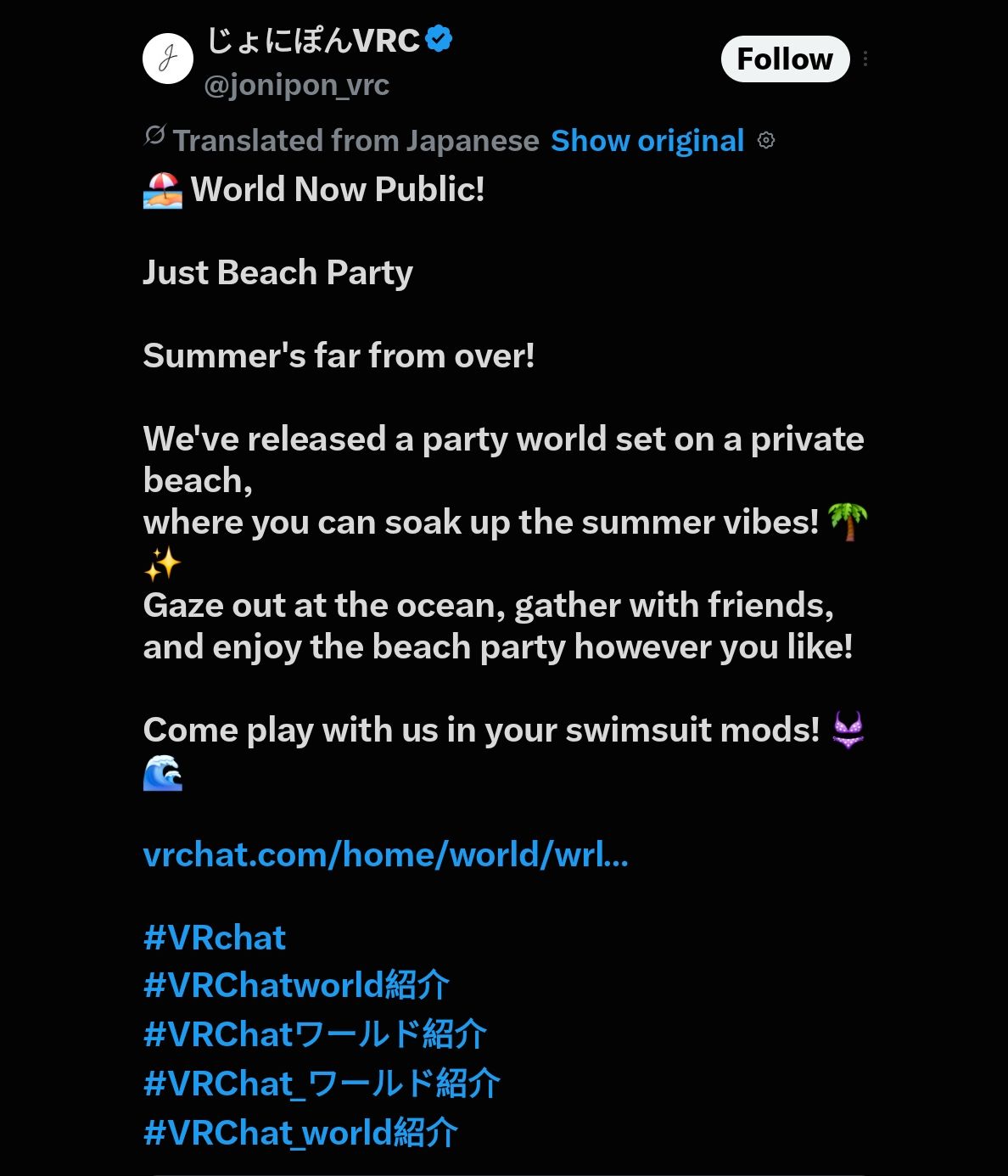
                                  https://x.com/jonipon_vrc/status/2096584203425153242

                                  SmartSelect_20260907_013013_X.jpg

                                  grok_imagine_1096980662844970.jpg

                                  1 Reply Last reply
                                  0
                                  • iradicated7I
                                    iradicated7I
                                    iradicated7
                                    wrote last edited by
                                    #1121

                                    When i try to use the local test script, it just shows a pop up twice saying im offline then loads into a something went wrong world.
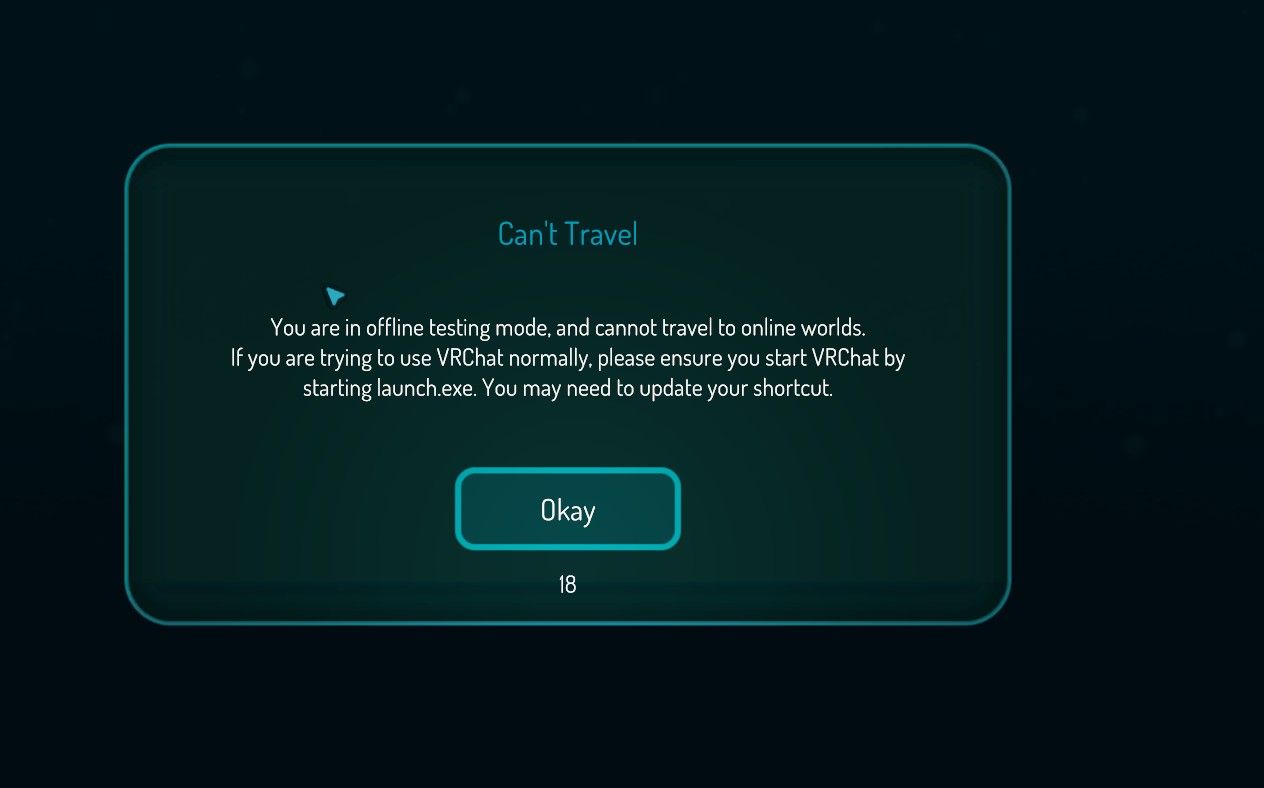
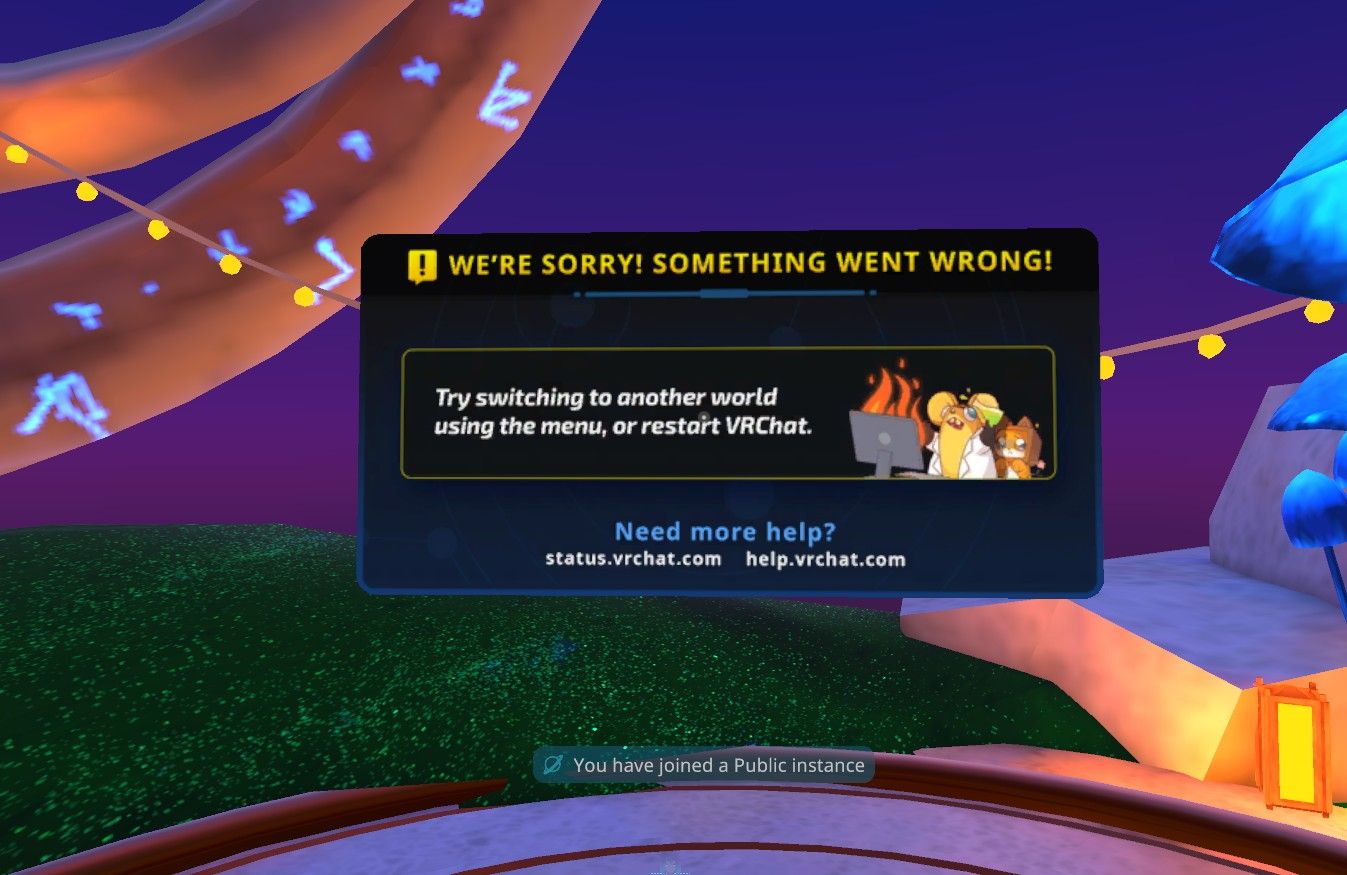
                                    image.jpeg

                                    image.jpeg

                                    1 Reply Last reply
                                    0
                                    • D
                                      D
                                      dragonash2023
                                      wrote last edited by dragonash2023
                                      #1122

                                      cant you just make use of the quick launcher vrchat gives you?
                                      Place the vrcw in C:\Users\ yourusername \AppData\LocalLow\VRChat\VRChat\Worlds

                                      Launch quick launcher and select the world
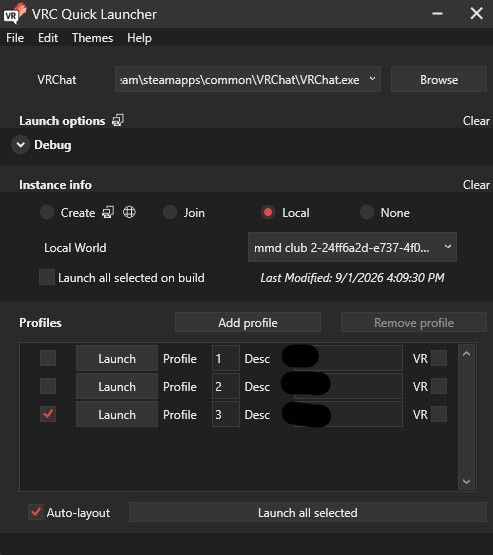
                                      image.jpeg

                                      Sem1zS 1 Reply Last reply
                                      0
                                      • D dragonash2023

                                        cant you just make use of the quick launcher vrchat gives you?
                                        Place the vrcw in C:\Users\ yourusername \AppData\LocalLow\VRChat\VRChat\Worlds

                                        Launch quick launcher and select the world

                                        image.jpeg

                                        Sem1zS
                                        Sem1zS
                                        Sem1z
                                        wrote last edited by Sem1z
                                        #1123

                                        @dragonash2023 it's still pop up like itradicated7 said, even I use vrc quick launcher btw

                                        (Edit got it now, it's working fine for me for no reason)

                                        1 Reply Last reply
                                        0
                                        • iradicated7I
                                          iradicated7I
                                          iradicated7
                                          wrote last edited by
                                          #1124

                                          Just spitballing because I dont know shit, but could it be encryption or a copyright string that that they spot on their servers?
                                          At some point it DID work for me like a month ago, but now any worlds that I try just errors...

                                          J 1 Reply Last reply
                                          0

                                          Hello! It looks like you're interested in this conversation, but you don't have an account yet.

                                          Getting fed up of having to scroll through the same posts each visit? When you register for an account, you'll always come back to exactly where you were before, and choose to be notified of new replies (either via email, or push notification). You'll also be able to save bookmarks and upvote posts to show your appreciation to other community members.

                                          With your input, this post could be even better 💗

                                          Register Login
                                          Reply
                                          • Reply as topic
                                          Log in to reply
                                          • Oldest to Newest
                                          • Newest to Oldest
                                          • Most Votes


                                          • Login

                                          • Login or register to search.
                                          • First post
                                            Last post
                                          0
                                          • Categories
                                          • Recent
                                          • Tags
                                          • Popular