Skip to content
  • Categories
  • Recent
  • Tags
  • Popular
Skins
  • Light
  • Brite
  • Cerulean
  • Cosmo
  • Flatly
  • Journal
  • Litera
  • Lumen
  • Lux
  • Materia
  • Minty
  • Morph
  • Pulse
  • Sandstone
  • Simplex
  • Sketchy
  • Spacelab
  • United
  • Yeti
  • Zephyr
  • Dark
  • Cyborg
  • Darkly
  • Quartz
  • Slate
  • Solar
  • Superhero
  • Vapor

  • Default (Zephyr)
  • No Skin
Collapse
RipperStore Logo
  1. Home
  2. Assets
  3. Looking for...
  4. Booth Avatars
  5. BAN MEGATHREAD NEW

BAN MEGATHREAD NEW

Scheduled Pinned Locked Moved Unsolved Booth Avatars
tori-nyanbanrobot
577 Posts 152 Posters 69.9k Views 274 Watching
  • Oldest to Newest
  • Newest to Oldest
  • Most Votes
Reply
  • Reply as topic
Log in to reply
This topic has been deleted. Only users with topic management privileges can see it.
  • YoraY Yora

    @BoyfuWithan8 Wolfcut? is there a link so i can see

    B
    B
    BoyfuWithan8
    wrote on last edited by
    #395

    @Yora I tried finding the person who originally posted it but I couldn't. BUT https://mayham.booth.pm/items/8496161 here is the link to the hair It's called short Wolf hair not really wolfcut.

    AradiaWalpurgisA 1 Reply Last reply
    0
    • B BoyfuWithan8

      @Yora I tried finding the person who originally posted it but I couldn't. BUT https://mayham.booth.pm/items/8496161 here is the link to the hair It's called short Wolf hair not really wolfcut.

      AradiaWalpurgisA
      AradiaWalpurgisA
      AradiaWalpurgis
      wrote on last edited by
      #396

      @BoyfuWithan8 You don't need this wolfcut specifically! If you can find any wolfcut hair you like, you can import it into the project, and then drag it into the "head" armature on Ban to attach it. The only advantage of the one you linked is that it's a simpler drag-and-drop method, as you'll need to scale the hair of your choosing to Ban's head size, as well as disable the existing hair. You can do this for just about any hair you like, and if you add a toggle with fury, you can even switch them!

      TimteeT 1 Reply Last reply
      0
      • AradiaWalpurgisA AradiaWalpurgis

        @BoyfuWithan8 You don't need this wolfcut specifically! If you can find any wolfcut hair you like, you can import it into the project, and then drag it into the "head" armature on Ban to attach it. The only advantage of the one you linked is that it's a simpler drag-and-drop method, as you'll need to scale the hair of your choosing to Ban's head size, as well as disable the existing hair. You can do this for just about any hair you like, and if you add a toggle with fury, you can even switch them!

        TimteeT
        TimteeT
        Timtee
        wrote on last edited by
        #397

        @AradiaWalpurgis Alternatively for attaching it: Using Blender instead to properly attach it such that you don't have a bajillion different FBXs for one single model(it helps, genuinely.) and also alternatively for toggles: Learning that actually making the toggles by hand is only like a few minutes at most, and much more likely to yield a better functioning result than VRCFury.(I'd know cause I've seen how poorly VRCFury avis look by comparison to ones that are done properly without automated tools.)

        1 Reply Last reply
        -1
        • B
          B
          BoyfuWithan8
          wrote on last edited by
          #398

          That's a lot of info. I just got into vr like 2 weeks ago. BUT noted will try to learn those.

          lovenightskyL 1 Reply Last reply
          0
          • B BoyfuWithan8

            That's a lot of info. I just got into vr like 2 weeks ago. BUT noted will try to learn those.

            lovenightskyL
            lovenightskyL
            lovenightsky
            wrote on last edited by lovenightsky
            #399

            @BoyfuWithan8 if you just recently started, just worry about basics first and DO use vrcfury as a crutch to understand unity and how it works first then move on to regular toggles. its okay for your model to be a little unoptimized when you first start making models. get the easy stuff done first then worry about optimizing when you get more extensive models and you feel confident! 🙂 booth models are a great start since the clothing already perfectly fits the compatible models and doesnt require blender!

            1 Reply Last reply
            1
            • lovenightskyL
              lovenightskyL
              lovenightsky
              wrote on last edited by
              #400

              youtube will also be your best friend!

              1 Reply Last reply
              0
              • diresD
                diresD
                dires
                wrote on last edited by dires
                #401

                UMI BAN bmp !

                it’s just gonna get worse for me

                1 Reply Last reply
                0
                • M
                  M
                  Motte_Lapka
                  Banned
                  wrote on last edited by Motte_Lapka
                  #402

                  https://jinxxy.com/Kiojin/BAN-SHIRT
                  Bump

                  1 Reply Last reply
                  0
                  • E Epicscreename

                    idk what im doing wrong but when i import the fbx it has no materials attached to it and is blank and grey, am i dumb or missing something?

                    randoblamboR
                    randoblamboR
                    randoblambo
                    wrote on last edited by
                    #403

                    @Epicscreename an FBX always comes material-less, Fbx is really only for if you wish to do EVERYTHING by hand, it has no menu, no descriptor, no toggles. But uses same material LAYOUT. 🫶🏾

                    1 Reply Last reply
                    0
                    • randoblamboR
                      randoblamboR
                      randoblambo
                      wrote on last edited by
                      #404
                      This post is deleted!
                      1 Reply Last reply
                      0
                      • randoblamboR
                        randoblamboR
                        randoblambo
                        wrote on last edited by
                        #405

                        I need help, I don’t know how to make it so the arms and legs are OFF when disassemble is toggled. I have modular avatar and vrcfury, but it’s not simply working for me.

                        TimteeT lovenightskyL 2 Replies Last reply
                        0
                        • randoblamboR randoblambo

                          I need help, I don’t know how to make it so the arms and legs are OFF when disassemble is toggled. I have modular avatar and vrcfury, but it’s not simply working for me.

                          TimteeT
                          TimteeT
                          Timtee
                          wrote on last edited by
                          #406

                          @randoblambo Both tools sometimes just fail to do the job you give them- in which case you have to set it up manually(which is the actual correct way anyways to do avatar building, is the manual method of doing things, even if slower. Which also for clarification, tools like VRCFury are the lazy man's way of doing things, not completely incorrect, but will break things guaranteed.)

                          If anything though, it's possible that the toggle anims for the arms and legs are either: missing, pointing to a game object that got renamed/is at a different spot in the hierarchy than expected by default, or otherwise.
                          Though to be honest such is not that difficult of a fix if your doing it all manually to begin with anyways.

                          1 Reply Last reply
                          0
                          • Y
                            Y
                            yeamorb
                            wrote on last edited by
                            #407
                            This post is deleted!
                            1 Reply Last reply
                            0
                            • randoblamboR randoblambo

                              I need help, I don’t know how to make it so the arms and legs are OFF when disassemble is toggled. I have modular avatar and vrcfury, but it’s not simply working for me.

                              lovenightskyL
                              lovenightskyL
                              lovenightsky
                              wrote on last edited by
                              #408

                              @randoblambo if you are using the ban prefab that came in the scene if i remember correctly check for UV tile discards in the material for the body, i believe thats how the arms and legs can be removed in unity

                              1 Reply Last reply
                              0
                              • C3137141_34613C
                                C3137141_34613C
                                C3137141_34613
                                wrote on last edited by
                                #409

                                [register or login to view this hidden content]
                                cable tail

                                1 Reply Last reply
                                👍
                                3
                                • lkjnonsL
                                  lkjnonsL
                                  lkjnons
                                  wrote on last edited by
                                  #410

                                  I tried adding ne3-pe foot addon but the original boot is still visible and clips through the feet but theres no way for me to remove them cuz theyre apart of the whole body mesh, theyre not a seperate mesh that i can turn off, and the body doesnt have any blendshapes where i can remove the boots

                                  BeanyyB 1 Reply Last reply
                                  0
                                  • lkjnonsL lkjnons

                                    I tried adding ne3-pe foot addon but the original boot is still visible and clips through the feet but theres no way for me to remove them cuz theyre apart of the whole body mesh, theyre not a seperate mesh that i can turn off, and the body doesnt have any blendshapes where i can remove the boots

                                    BeanyyB
                                    BeanyyB
                                    Beanyy
                                    wrote on last edited by
                                    #411

                                    @bilimbi It was explained a few comment up ❤

                                    1 Reply Last reply
                                    0
                                    • captaingeneraIC
                                      captaingeneraIC
                                      captaingeneraI
                                      wrote on last edited by
                                      #412

                                      the blendshape addon

                                      [register or login to view this hidden content]

                                      AradiaWalpurgisA 1 Reply Last reply
                                      4
                                      • C
                                        C
                                        CatInYourWalls19
                                        wrote on last edited by
                                        #413

                                        bump for shark tail
                                        https://jinxxy.com/Maknamorr/bansharktail

                                        1 Reply Last reply
                                        0
                                        • captaingeneraIC captaingeneraI

                                          the blendshape addon

                                          [register or login to view this hidden content]

                                          AradiaWalpurgisA
                                          AradiaWalpurgisA
                                          AradiaWalpurgis
                                          wrote on last edited by
                                          #414

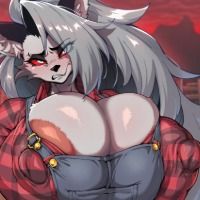
                                          @captaingeneraI Thank you! May I know which blendshape addon this is?
                                          captaingeneraIC 1 Reply Last reply
                                          0

                                          Hello! It looks like you're interested in this conversation, but you don't have an account yet.

                                          Getting fed up of having to scroll through the same posts each visit? When you register for an account, you'll always come back to exactly where you were before, and choose to be notified of new replies (either via email, or push notification). You'll also be able to save bookmarks and upvote posts to show your appreciation to other community members.

                                          With your input, this post could be even better 💗

                                          Register Login
                                          Reply
                                          • Reply as topic
                                          Log in to reply
                                          • Oldest to Newest
                                          • Newest to Oldest
                                          • Most Votes


                                          • Login

                                          • Login or register to search.
                                          • First post
                                            Last post
                                          0
                                          • Categories
                                          • Recent
                                          • Tags
                                          • Popular