Skip to content
  • Categories
  • Recent
  • Tags
  • Popular
Skins
  • Light
  • Brite
  • Cerulean
  • Cosmo
  • Flatly
  • Journal
  • Litera
  • Lumen
  • Lux
  • Materia
  • Minty
  • Morph
  • Pulse
  • Sandstone
  • Simplex
  • Sketchy
  • Spacelab
  • United
  • Yeti
  • Zephyr
  • Dark
  • Cyborg
  • Darkly
  • Quartz
  • Slate
  • Solar
  • Superhero
  • Vapor

  • Default (Zephyr)
  • No Skin
Collapse
RipperStore Logo
  1. Home
  2. Guides
  3. Tutorials
  4. World help please (Trying to make worlds like Minako ୨୧)

World help please (Trying to make worlds like Minako ୨୧)

Scheduled Pinned Locked Moved Tutorials
minakoworldanime2000
11 Posts 8 Posters 2.1k Views 5 Watching
  • Oldest to Newest
  • Newest to Oldest
  • Most Votes
Reply
  • Reply as topic
Log in to reply
This topic has been deleted. Only users with topic management privileges can see it.
  • Kawaiiboy.K
    Kawaiiboy.K
    Kawaiiboy.
    wrote on last edited by
    #1

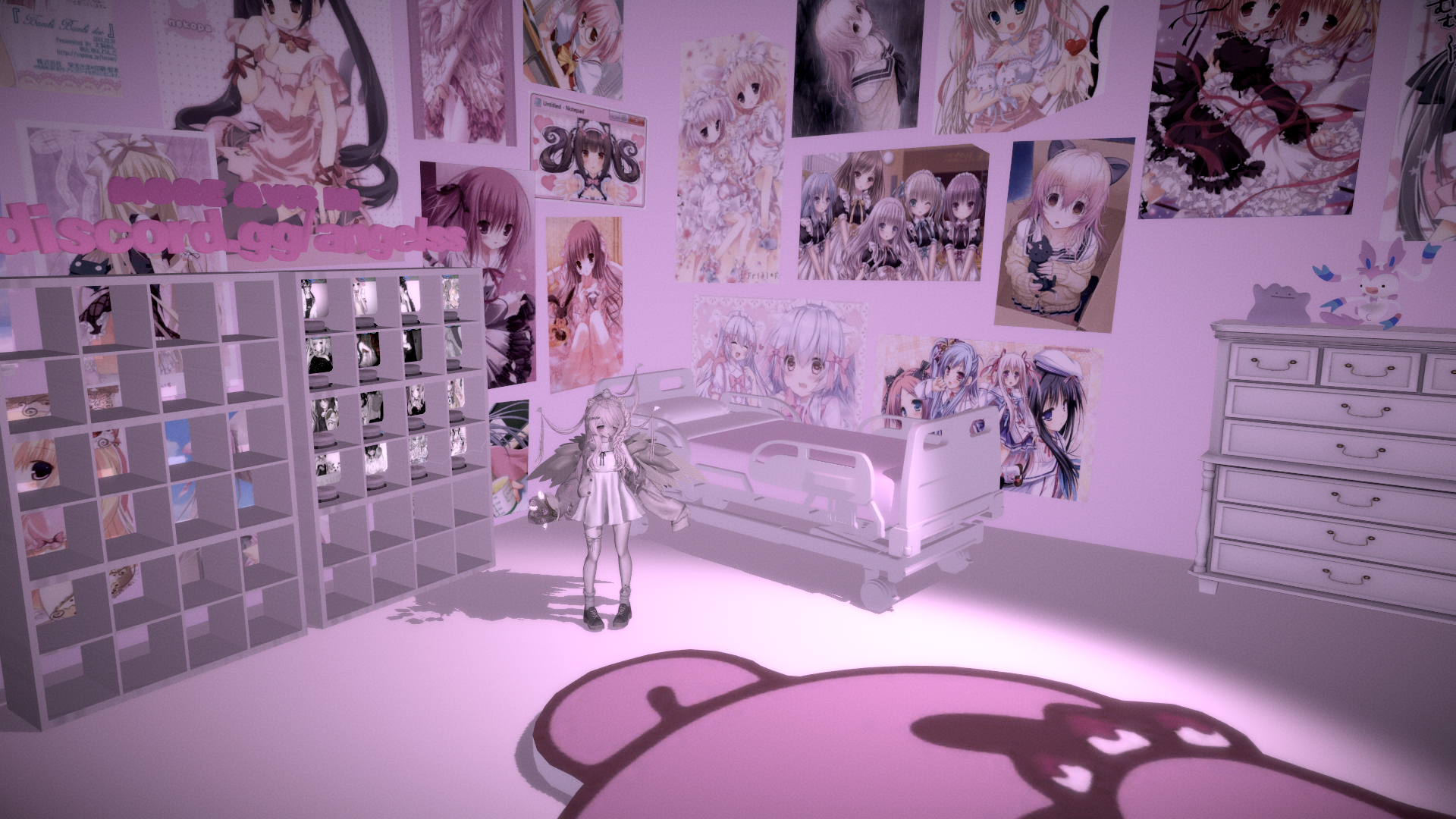
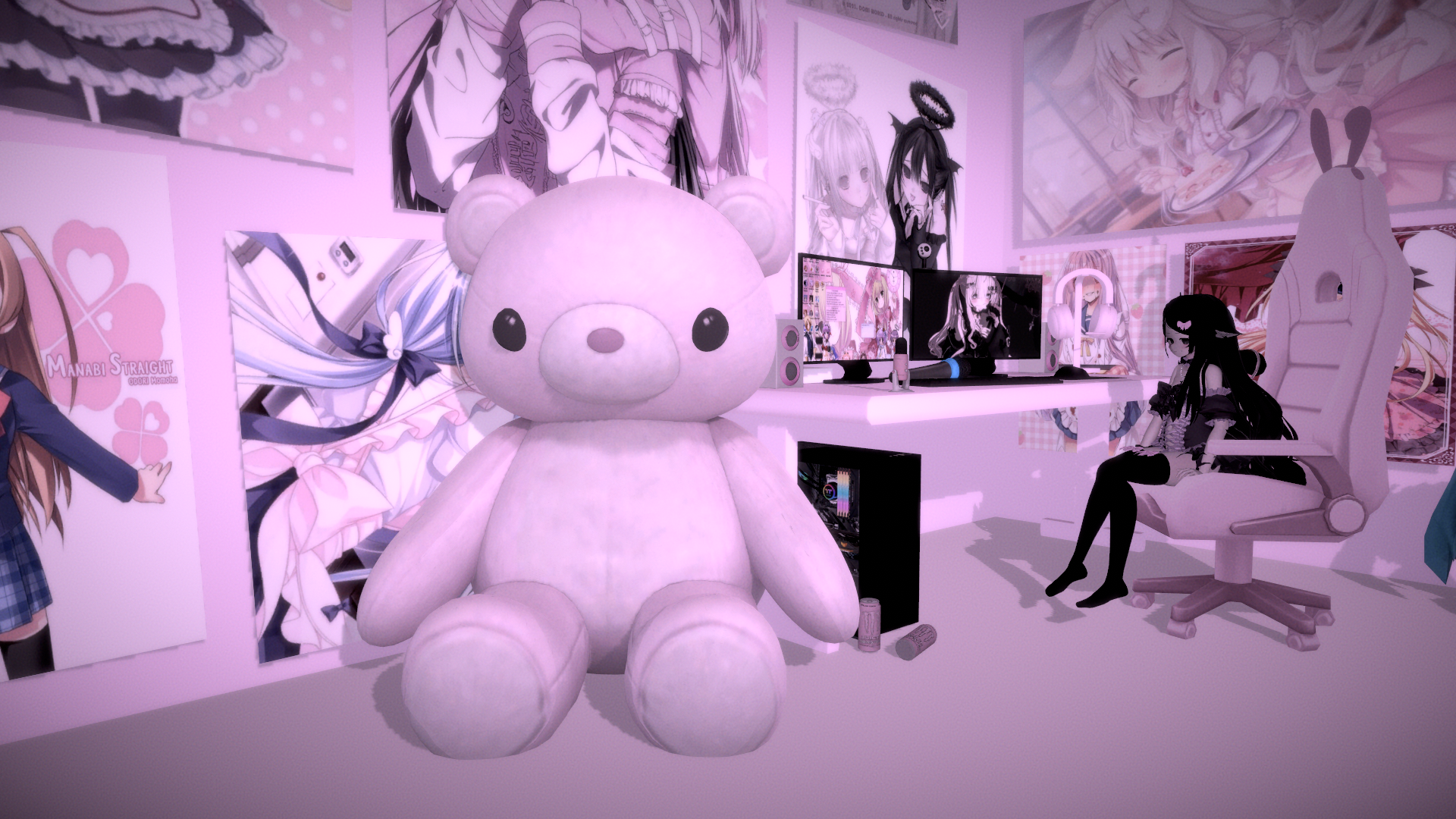
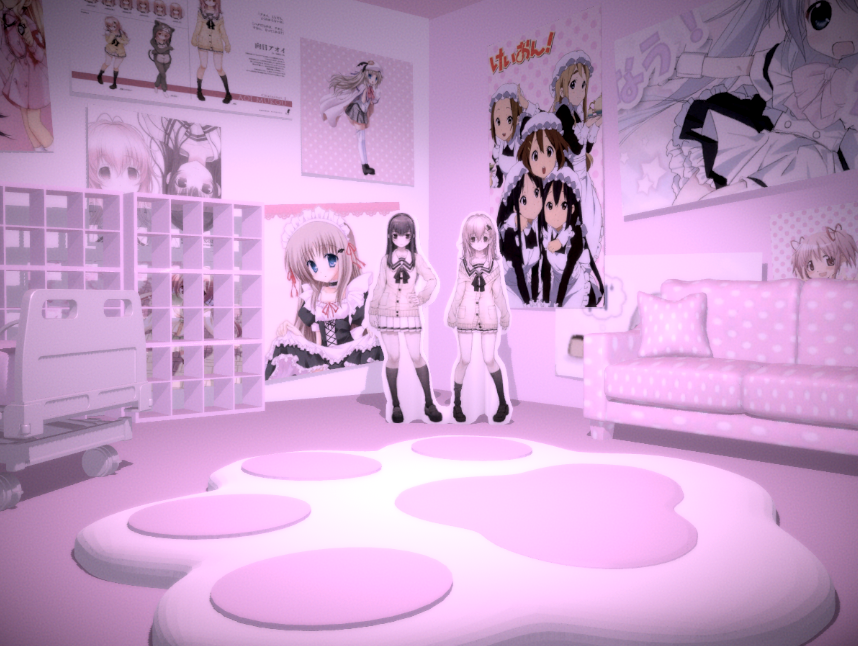
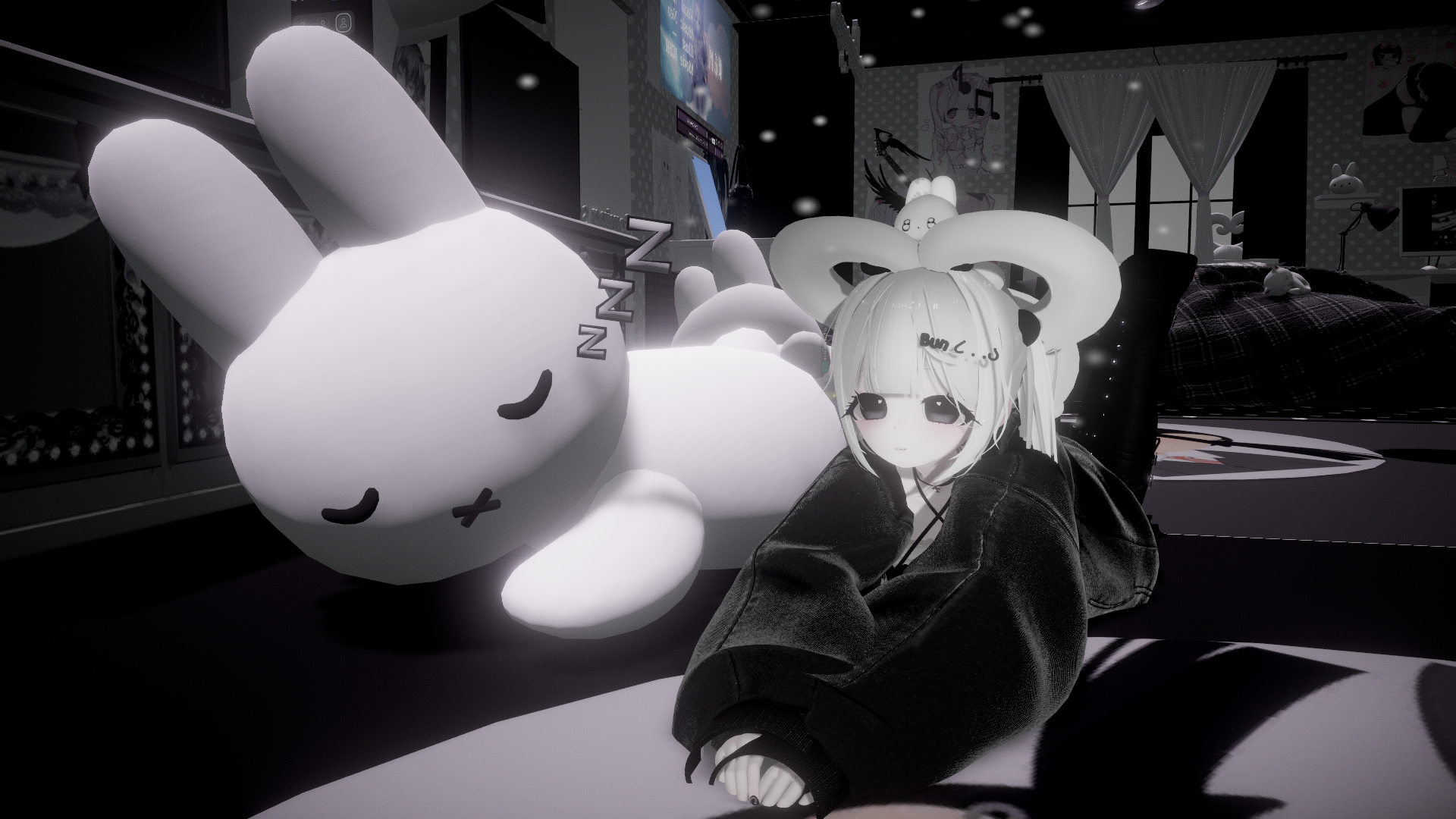
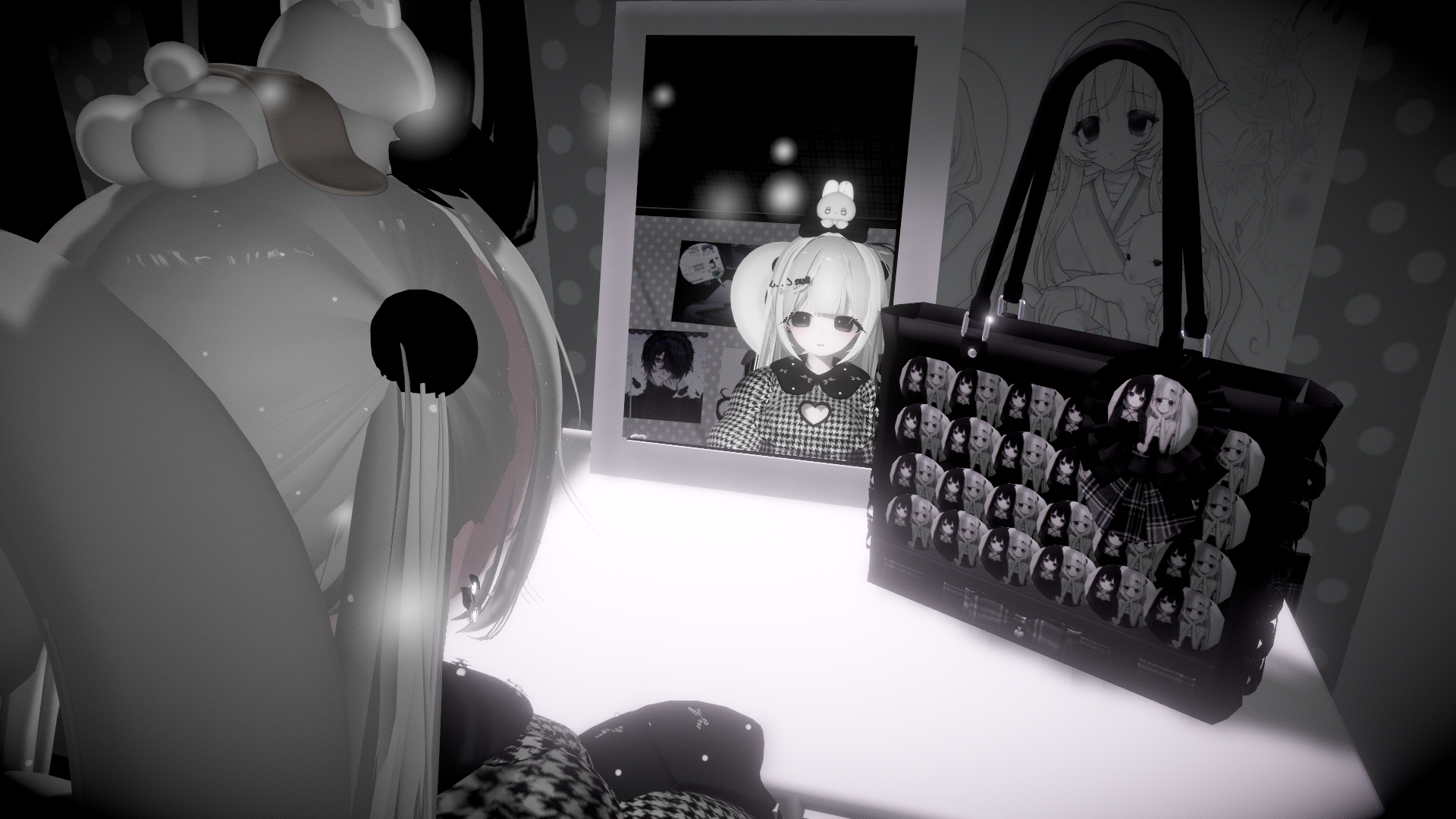
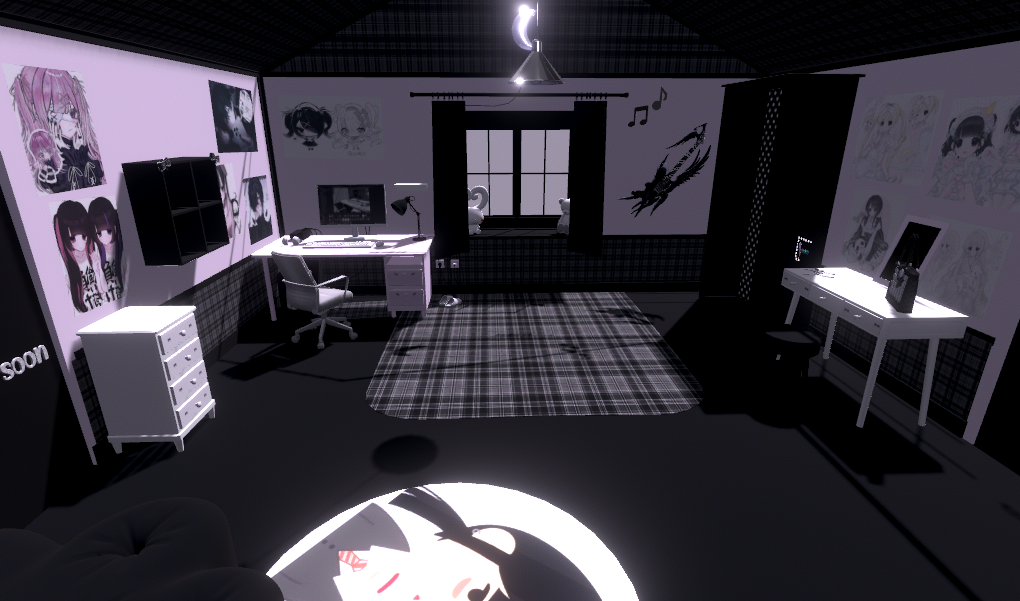
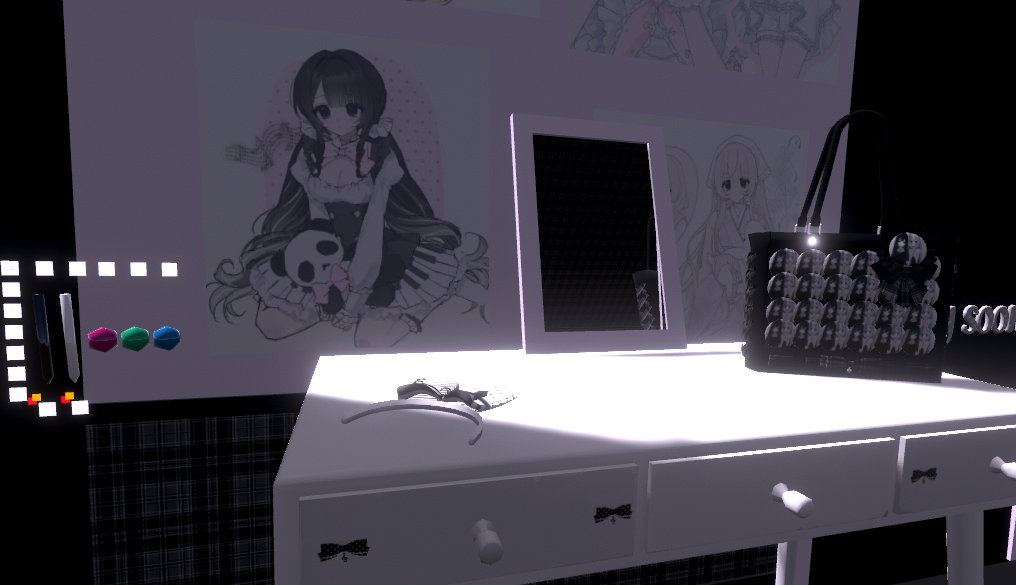
    Just a disclaimer before I get into this I do not want this world ripped I just want to learn how to make a world that looks like this aesthetic. Also because I don't want to bother the creator about this silly request.
    (ノ◕ヮ◕)ノ*:・゚✧

    Worlds they've made. Along with picture references.

    World Links

    -Datenshi's Avatar world 1

    -Datenshi's Avatar world 2

    Image References

    Captura.PNG
    VRChat_2025-08-02_14-22-59.535_1920x1080.png
    VRChat_2025-08-02_14-22-44.500_1920x1080.png
    Captura2.PNG
    VRChat_2025-10-02_17-22-04.758_1920x1080.png
    VRChat_2025-10-02_14-48-12.665_1920x1080.png
    image.png
    image2.png
    image3.png

    1 Reply Last reply
    2
    • T
      T
      TerraAclassi
      wrote on last edited by
      #2

      are you trying to build from scratch? Or doing a mix of premade assets and wanting to know how to do things like add posters?

      Kawaiiboy.K 1 Reply Last reply
      0
      • T TerraAclassi

        are you trying to build from scratch? Or doing a mix of premade assets and wanting to know how to do things like add posters?

        Kawaiiboy.K
        Kawaiiboy.K
        Kawaiiboy.
        wrote on last edited by
        #3

        @KaeOtaki Build from scratch along with the shaders the usually use for their worlds

        1 Reply Last reply
        0
        • PRAWCINP
          PRAWCINP
          PRAWCIN
          wrote on last edited by
          #4

          just use postprocessing and up the grain/noise LOL
          i'm pretty sure almost if not all assets are premade and can be found on booth and such too
          i'm interested in seeing if anyone knows the flesh room asset in the avi world though

          1 Reply Last reply
          🖤 ❤
          0
          • killerbunnyK
            killerbunnyK
            killerbunny
            wrote on last edited by
            #5

            does anyone have bases to make worlds like these?

            Thank you all for everything you share! :3

            1 Reply Last reply
            0
            • ClickC
              ClickC
              Click
              wrote on last edited by
              #6

              bump

              1 Reply Last reply
              0
              • killerbunnyK
                killerbunnyK
                killerbunny
                wrote on last edited by
                #7

                bump

                Thank you all for everything you share! :3

                1 Reply Last reply
                0
                • cutiemonC
                  cutiemonC
                  cutiemon
                  wrote on last edited by
                  #8

                  I think you'll just have to trial and error learn unity on your own- What I did basically was when I got a world prefab I sort of went through it as I went along to see how they did certain things, and if I didn't know how an effect was achieved I'd look up tutorials. My suggestion would be to start out making the base world in Blender, learn how things work there, then export the FBX and put that into Unity. You can find all sorts of free models and resources online on places like Sketchfab, cgtrader, polyhaven, and blenderkit. The unity store itself also has a lot of resources, many free ones as well.
                  I dunno if any of this is at all helpful but hopefully it was!


                  alt text

                  1 Reply Last reply
                  2
                  • cake-yumC
                    cake-yumC
                    cake-yum
                    wrote on last edited by
                    #9

                    the second world minako made is actually a 1 to 1 replica of mita's room from MiSide (with a few tweaks of course). Only reason I know this is because my first day ever touching blender, I came across this model online haha! Here's the link to the download in case you want it! Also you can download other assets from this site, I use it quite a bit for avatar props!
                    https://sketchfab.com/3d-models/pink-bedroom-miside-a912fef978f34d15bb2ff6f832444390

                    shall we sit on call while working on avis? :)

                    1 Reply Last reply
                    1
                    • ayamekajouA
                      ayamekajouA
                      ayamekajou
                      wrote on last edited by ayamekajou
                      #10

                      I might be late but if you want a cutecore aesthetic i would heavly recommend converting sims 4cc to fbx. I Have made a few world in the pass using those and is very easy and you dont need the sims for this

                      Install sims 4studio
                      click on new project and put your package export the texture and the mesh
                      open the blender project and export to fbx and voila !

                      Hydra senshi etc do a lot of cute stuff

                      Dirty jokes are my civil right !

                      1 Reply Last reply
                      1
                      • ayamekajouA
                        ayamekajouA
                        ayamekajou
                        wrote on last edited by
                        #11

                        Most of minako world are free prefab from booth , the hospital bed is from a room and you can search on sketch up, deviant art or even the unity store


                        Dirty jokes are my civil right !

                        1 Reply Last reply
                        1

                        Hello! It looks like you're interested in this conversation, but you don't have an account yet.

                        Getting fed up of having to scroll through the same posts each visit? When you register for an account, you'll always come back to exactly where you were before, and choose to be notified of new replies (either via email, or push notification). You'll also be able to save bookmarks and upvote posts to show your appreciation to other community members.

                        With your input, this post could be even better 💗

                        Register Login
                        Reply
                        • Reply as topic
                        Log in to reply
                        • Oldest to Newest
                        • Newest to Oldest
                        • Most Votes


                        • Login

                        • Login or register to search.
                        • First post
                          Last post
                        0
                        • Categories
                        • Recent
                        • Tags
                        • Popular