
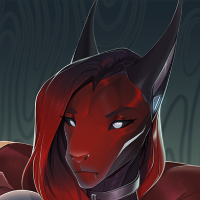
LF: Révia (VRChat Avatar Base) by Arankay
-
DL; Révia (VRChat Avatar Base) (v2)
Originally found by @Hartley

Dependencies This is what this asset will require for use. Import these before the Révia's unity package! ALCOM (https://vrc-get.anatawa12.com/en/alcom/) This is an open-source community-driven version of VCC that has a lot more control over package management, this isn't required, but I highly recommend it! Gesture Manager (https://github.com/BlackStartx/VRC-Gesture-Manager) Used for testing your avatar in editor. Optional. USE LATEST POIYOMI PLEASE. https://forum.ripper.store/topic/17276/poiyomi-shaders-dump-35-gb/576 VRCFury (https://vrcfury.com/) d4rkAvatarOptimizer (https://github.com/d4rkc0d3r/d4rkAvatarOptimizer) Furality Somna Shader (https://github.com/furality/vcc-furality-somna-shader) This shader is only needed if you plan to use the Furality Somna skins! Jerry's Face Tracking (https://github.com/Adjerry91/VRCFaceTracking-Templates) Full face tracking using ARKit GoGo Loco (https://github.com/Spokeek/goloco) This uses a custom version of GoGo Loco to gut some of the features that wouldn't be supported by this type of rig, so be sure to use the GoGo Loco version already in the prefab! This still required the actual GoGo Loco files. AudioLink (https://github.com/llealloo/audiolink) Don't install this if you have epilepsy, as this creates strobe effects. Makes your avatar reactive to audio for skins that have glow effects! -
-
-
-
is there a tutorial on how to set it up or is it just as simple as just uploading it to unity and that's it?
@Rascal24 if you scroll up you'll see exactly what you need and the store page has installation instructions, please do your due diligence ESPECIALLY when all the resources are right in front of you


Ask me about "free" creative software
No trades
DMs open -
@Rascal24 if you scroll up you'll see exactly what you need and the store page has installation instructions, please do your due diligence ESPECIALLY when all the resources are right in front of you
@xXAlphaWolfXx said in LF: Révia (VRChat Avatar Base) by Arankay:
@Rascal24 if you scroll up you'll see exactly what you need and the store page has installation instructions, please do your due diligence ESPECIALLY when all the resources are right in front of you
despite being 'diligent' with instructions it becomes stiff as a board when i upload it to vrchat. care to explain what i did wrong?
-
@xXAlphaWolfXx said in LF: Révia (VRChat Avatar Base) by Arankay:
@Rascal24 if you scroll up you'll see exactly what you need and the store page has installation instructions, please do your due diligence ESPECIALLY when all the resources are right in front of you
despite being 'diligent' with instructions it becomes stiff as a board when i upload it to vrchat. care to explain what i did wrong?
@Rascal24 i had no problems uploading it in a fresh unity project. not sure if you think i can see your screen through your eyes but more information would be helpful
-
-
-
-
bump for latest version with the protogen dlc
-
-
-
-
-
-
-
-
-





Hello! It looks like you're interested in this conversation, but you don't have an account yet.
Getting fed up of having to scroll through the same posts each visit? When you register for an account, you'll always come back to exactly where you were before, and choose to be notified of new replies (either via email, or push notification). You'll also be able to save bookmarks and upvote posts to show your appreciation to other community members.
With your input, this post could be even better 💗
Register Login