Skip to content
  • Categories
  • Recent
  • Tags
  • Popular
Skins
  • Light
  • Brite
  • Cerulean
  • Cosmo
  • Flatly
  • Journal
  • Litera
  • Lumen
  • Lux
  • Materia
  • Minty
  • Morph
  • Pulse
  • Sandstone
  • Simplex
  • Sketchy
  • Spacelab
  • United
  • Yeti
  • Zephyr
  • Dark
  • Cyborg
  • Darkly
  • Quartz
  • Slate
  • Solar
  • Superhero
  • Vapor

  • Default (Zephyr)
  • No Skin
Collapse
RipperStore Logo
  1. Home
  2. Assets
  3. Looking for...
  4. Gumroad/Payhip Avatars
  5. LF: Abbess | The Fallen Grace by Jinny (Found)

LF: Abbess | The Fallen Grace by Jinny (Found)

Scheduled Pinned Locked Moved Solved Gumroad/Payhip Avatars
femalehumanavatarpayhip
163 Posts 63 Posters 12.4k Views 68 Watching
  • Oldest to Newest
  • Newest to Oldest
  • Most Votes
Reply
  • Reply as topic
Log in to reply
This topic has been deleted. Only users with topic management privileges can see it.
  • A
    A
    Alkedrick
    wrote on last edited by Alkedrick
    #138

    I haven't uploaded it yet as I'm still messing with the stuff of the new outfit I added and some different body textures I used but yeah that's the default look it will have. If you want her to not be bald you would need to modify the hair toggles so the main/starting state is the hair style you want and have an animation to turn it off since it's mostly relying write defaults to turn stuff off again and then turing it on in unity before uploading again. It's similar if you want a different outfit to be the one in the preview.

    1 Reply Last reply
    1
    • KanamoriK Kanamori

      Oh, okay. That makes sense. Does your preview in VRchat of her have clothes and hair enabled? Mine just has some of the nun outfit and a bald head, even though I didn't make any edits.

      SteelDuckS
      SteelDuckS
      SteelDuck
      wrote on last edited by
      #139

      @Kanamori mine did the same thing aswell, i dont know why buts its only the preview, when you wear it, it auto has hair...

      1 Reply Last reply
      0
      • SteelDuckS
        SteelDuckS
        SteelDuck
        wrote on last edited by
        #140

        mine only had like base nun outfit and the nipples were poking through...

        1 Reply Last reply
        0
        • A
          A
          Alkedrick
          wrote on last edited by
          #141

          Bald nun with poking nips is the default state of the avatar without the FX layer activating, they also rely on write defaults to turn off a lot of things so in order to have a diferent look be the preview you would need to mess with a lot of the animations and layers on the controller.

          1 Reply Last reply
          1
          • peepP peep

            NEWEST UPDATE 🔗 Download Link (mediafire.com)

            TabiT
            TabiT
            Tabi
            wrote on last edited by
            #142

            @peep hey the link is down for me, can you reupload somewhere other then mediafire?

            Axalara79A peepP 2 Replies Last reply
            0
            • TabiT Tabi

              @peep hey the link is down for me, can you reupload somewhere other then mediafire?

              Axalara79A
              Axalara79A
              Axalara79
              wrote on last edited by
              #143

              @Tabi Still works for me. Must be your end

              1 Reply Last reply
              0
              • K
                K
                kwispy
                wrote on last edited by
                #144

                cant upload becaise too many parameters. how can i fix that?

                1 Reply Last reply
                0
                • A
                  A
                  Alkedrick
                  wrote on last edited by
                  #145

                  Do you have the latest vrcfury installed? Vrcfury jas a parameter compressor that is automatically applied when it detects that you have too many parameters.

                  1 Reply Last reply
                  0
                  • TabiT Tabi

                    @peep hey the link is down for me, can you reupload somewhere other then mediafire?

                    peepP
                    peepP
                    peep
                    wrote on last edited by
                    #146

                    @Tabi It says "Not found" for me when I first click the link but refreshing the page should do it :3 lmk if that works for u too

                    Just floatin' around!
                    Plz upvote <3 gives cookie

                    1 Reply Last reply
                    0
                    • RittsuuR Rittsuu

                      If yall haven't made edits to the avi, replacing the avi is very simple without redoing any toggles!


                      Delete old avi files in Assets! (Except POIYOMI!)-> Import updated avi files (If it asks if you want to keep the changes you made, hit NO! That way all the updated changes are made! -> Go to the content manager tab under your VRChat SDK -> Find Abbess upload and copy blueprint ID! -> Find and go to the Abbess Avi you just imported and want to upload and scroll down until you find "Pipeline Manager" with an empty Blueprint ID. -> Paste and attatch -> Go back to the SDK and it should load all the info just fine!^^ Just build and upload like normal and your toggles would have been saved and you don't have to redo everything~!

                      For those that want MMD to work with her, simply just add the "MMD Compatibility" Component from VRCFury and voila~! I hope I helped! 🥹

                      FearTheOldBloodF
                      FearTheOldBloodF
                      FearTheOldBlood
                      wrote on last edited by
                      #147

                      @Rittsuu MMD is in Vrcfury prefab folder?

                      RittsuuR 1 Reply Last reply
                      0
                      • FearTheOldBloodF FearTheOldBlood

                        @Rittsuu MMD is in Vrcfury prefab folder?

                        RittsuuR
                        RittsuuR
                        Rittsuu
                        wrote on last edited by
                        #148

                        @FearTheOldBlood Nope, If you click "Add Component" All the way at the bottom of the selected avatar object, search "MMD" and you'll see "MMD Compatibility". Add it and that's it^^

                        💕Any requests? Let me know! If i love it too, I'll buy it and share!💕
                        💕I never trade, just gift💕
                        💕 Please feel free to upvote as it motivates me to buy and post more unique assets! 💕

                        1 Reply Last reply
                        0
                        • K
                          K
                          Kornaks
                          wrote on last edited by
                          #149
                          This post is deleted!
                          1 Reply Last reply
                          0
                          • Jikk MainJ
                            Jikk MainJ
                            Jikk Main
                            wrote on last edited by
                            #150

                            Screenshot 2026-04-12 133602.png
                            VRChat_2026-04-12_13-36-29.294_3840x2160.png
                            VRChat_2026-04-12_13-36-33.814_3840x2160.png

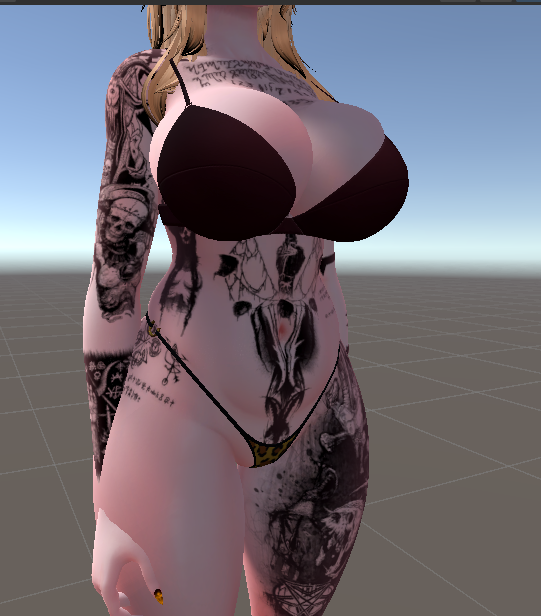
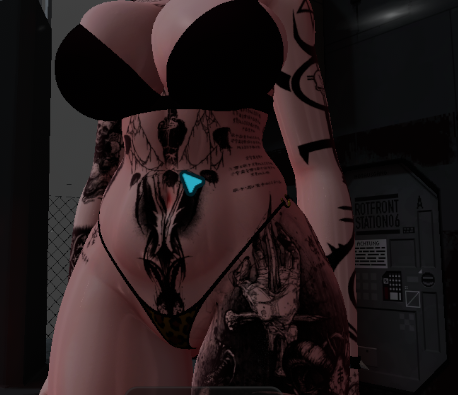
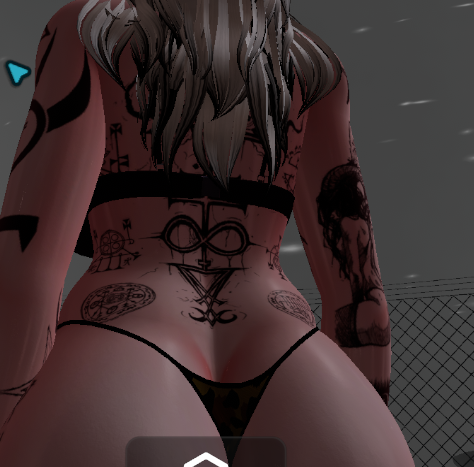
                            Hiya everyone i need a bit of help with this one. Im trying to add my own tattoo and when i apply it on the main texture and use gesture manger in unity it shows working completely fine. However when i get into VRC the front and back are completely missing, i have a feeling it may be due to the ruler toggle but im not sure how to turn this off to check. could anyone mind lending me some help with this one please.

                            C 1 Reply Last reply
                            0
                            • Jikk MainJ Jikk Main

                              Screenshot 2026-04-12 133602.png
                              VRChat_2026-04-12_13-36-29.294_3840x2160.png
                              VRChat_2026-04-12_13-36-33.814_3840x2160.png

                              Hiya everyone i need a bit of help with this one. Im trying to add my own tattoo and when i apply it on the main texture and use gesture manger in unity it shows working completely fine. However when i get into VRC the front and back are completely missing, i have a feeling it may be due to the ruler toggle but im not sure how to turn this off to check. could anyone mind lending me some help with this one please.

                              C
                              C
                              Clowns
                              wrote on last edited by
                              #151

                              @Jikk-Main

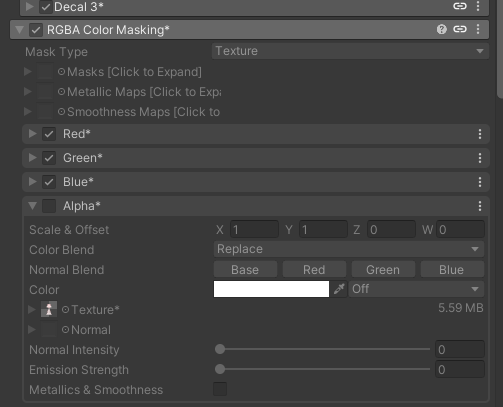
                              There is a belly texture you will have to add the tattoo to as well. That might be it? Its in the RGBS Color Masking, using the Alpha box.

                              Jikk MainJ 1 Reply Last reply
                              1
                              • C Clowns

                                @Jikk-Main

                                There is a belly texture you will have to add the tattoo to as well. That might be it? Its in the RGBS Color Masking, using the Alpha box.

                                Jikk MainJ
                                Jikk MainJ
                                Jikk Main
                                wrote on last edited by
                                #152

                                @Clowns YES THAT WAS IT THANK YOU SO MUCH!Screenshot 2026-04-13 213902.png Screenshot 2026-04-13 213907.png Screenshot 2026-04-13 213929.png

                                1 Reply Last reply
                                1
                                • H
                                  H
                                  highwayman
                                  wrote on last edited by
                                  #153

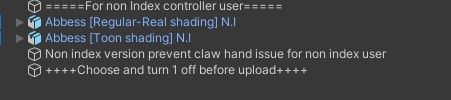
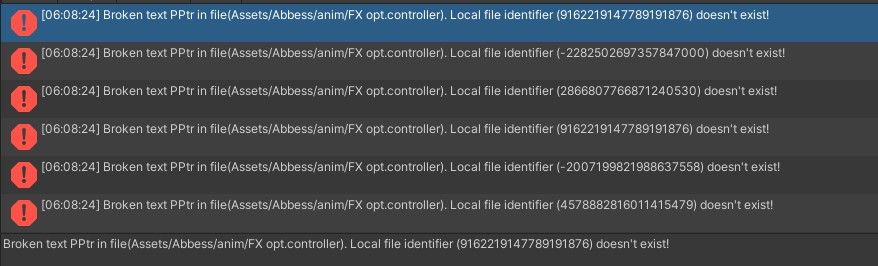
                                  Bit of a silly question but what does it want me to do when it says to choose one and turn off here?
                                  9abe7bf7-3f9f-4035-9bf2-b19c99e33e22-image.jpeg

                                  another thing I'm unaware how to work with would be these (all 67 of them are that)

                                  78903386-2505-4df1-bb08-cf7646a19cbb-image.jpeg

                                  peepP 1 Reply Last reply
                                  0
                                  • lovenightskyL
                                    lovenightskyL
                                    lovenightsky
                                    wrote on last edited by
                                    #154

                                    it wont load to the mediafire page, could someone upload using workupload or something?
                                    peepP 2 Replies Last reply
                                    0
                                    • lovenightskyL lovenightsky

                                      it wont load to the mediafire page, could someone upload using workupload or something?

                                      peepP
                                      peepP
                                      peep
                                      wrote on last edited by
                                      #155

                                      @lovenightsky I got you! I'll be back with a workupload link soon ^^

                                      Just floatin' around!
                                      Plz upvote <3 gives cookie

                                      1 Reply Last reply
                                      1
                                      • lovenightskyL lovenightsky

                                        it wont load to the mediafire page, could someone upload using workupload or something?

                                        peepP
                                        peepP
                                        peep
                                        wrote on last edited by
                                        #156

                                        @lovenightsky [register or login to view this hidden content]

                                        Just floatin' around!
                                        Plz upvote <3 gives cookie

                                        lovenightskyL 1 Reply Last reply
                                        1
                                        • peepP peep

                                          @lovenightsky [register or login to view this hidden content]

                                          lovenightskyL
                                          lovenightskyL
                                          lovenightsky
                                          wrote on last edited by
                                          #157

                                          @peep tsym!!!! ❤

                                          peepP 1 Reply Last reply
                                          0

                                          Hello! It looks like you're interested in this conversation, but you don't have an account yet.

                                          Getting fed up of having to scroll through the same posts each visit? When you register for an account, you'll always come back to exactly where you were before, and choose to be notified of new replies (either via email, or push notification). You'll also be able to save bookmarks and upvote posts to show your appreciation to other community members.

                                          With your input, this post could be even better 💗

                                          Register Login
                                          Reply
                                          • Reply as topic
                                          Log in to reply
                                          • Oldest to Newest
                                          • Newest to Oldest
                                          • Most Votes


                                          • Login

                                          • Login or register to search.
                                          • First post
                                            Last post
                                          0
                                          • Categories
                                          • Recent
                                          • Tags
                                          • Popular