
TUTORIAL [Repairing VRCA's In Unity]
-
@Reym It's all the bones for the hair and outfits for the avatar, they've all been put into one place and it's really annoying to pull apart without everything breaking, was just wondering if anyone knew of a tool that can get an assets full armature even when it's been moved around like this
@LocalPuppyBoi try Cooki's Cloth Separator
It's a tool I use to mix and match clothing on avatars, it separates meshes and duplicates the bones that it uses, so nothing should break.
I once made an avatar which every piece on it was made from different assets.
Hat from one clothing asset, top from another, pants from yet another, shoes from an even another asset.
Might work in this scenario. -
@kleiner Omg thank you sm, I'll be sure to check this out, if it works for what I need then you're a life saver. Big thanks regardless!
-
okay so how do you do it when there's a hidden liltoon version ? like "Hidden/lilToonOutline" ? I tried just putting lilToonMulti but it didn't help.
-
please note if there is an error in the console of unity when trying to upload it. just read it it will tell you what you missed! if you have any questions or problems please message me here on Ripperstore!
@Literal said in TUTORIAL [Repairing VRCA's In Unity]:
please note if there is an error in the console of unity when trying to upload it. just read it it will tell you what you missed! if you have any questions or problems please message me here on Ripperstore!
Hello, while I was fixing a VRCA file, I found that when the model is uploaded to VRChat, its colors are not rendered correctly and appear very dark, but it looks fine in Unity.
-
-
-
-
-
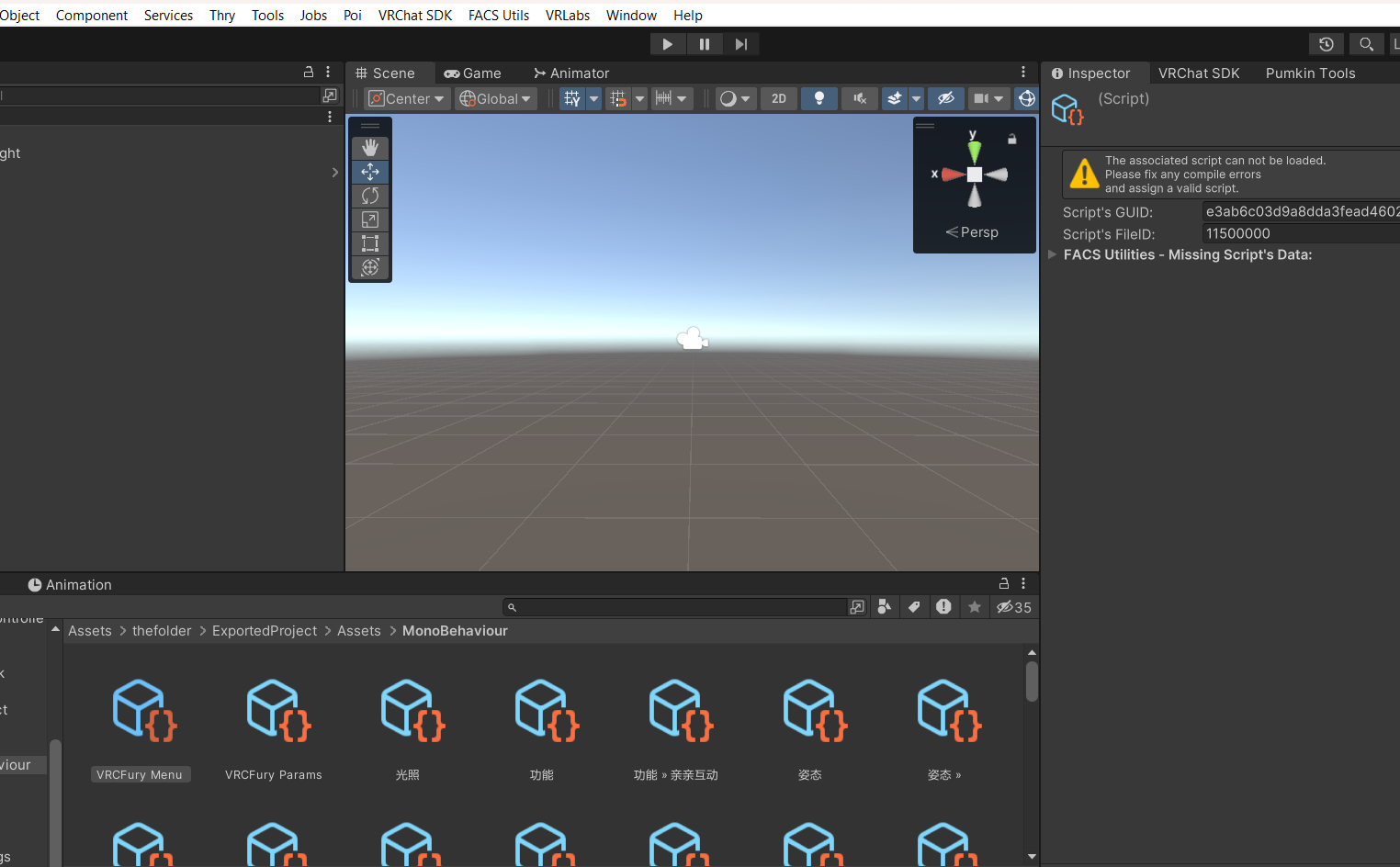
Yeah great u can use the avi now but it has no animations scripts that work/physbones/dynamic bones and or working menus..
-
@TheShepard from what ive been seeing yes, though the animation clips (FX,action,, etc) has parameters in it already that you can just essentially copy to the param list youre making
@Chiibayupp Issue is it says the params are missing scripts for some avis sadly..
-
okay so how do you do it when there's a hidden liltoon version ? like "Hidden/lilToonOutline" ? I tried just putting lilToonMulti but it didn't help.
-
-
@VRCAmazing same looking for answer
@bbqhkg Got my answer:
You need to put lilToon as a shader, then change the "Rendering Mode" to the one that was written. For outline, you need to enable Outline at the bottom. -
just about all the photos are gone is there another way that i can view them?
-
@BunBun_Bitch https://github.com/AssetRipper/AssetRipper it seem they use this or they use SARS (ARC) to extract the vrca file, to be honest both program does the same and the new one they defaulted back to browser instead of a window pop up
-
@Velvel i can assist you with how to use the AssetRipper, there some tutorial on how to use them
I'm bad at understanding english word
I fix .vrca/.vrcw stuff for free and for fun! Depending on file, every outcome and vary might be different than the original avatar has due to the toggles and much more, send me a pm if you need an avi that need to fix or cracking a password locked avatar or send me .vrca file or through my pms and i will extract/fix them for you!
request is CLOSED, only on unencrypted __data file aka .vrca or .vrcw
-
@Velvel i can assist you with how to use the AssetRipper, there some tutorial on how to use them
-
@Velvel that platform works too, you can give me your tags and i will send a request when i have time
I'm bad at understanding english word
I fix .vrca/.vrcw stuff for free and for fun! Depending on file, every outcome and vary might be different than the original avatar has due to the toggles and much more, send me a pm if you need an avi that need to fix or cracking a password locked avatar or send me .vrca file or through my pms and i will extract/fix them for you!
request is CLOSED, only on unencrypted __data file aka .vrca or .vrcw
-
@Velvel that platform works too, you can give me your tags and i will send a request when i have time
-








Hello! It looks like you're interested in this conversation, but you don't have an account yet.
Getting fed up of having to scroll through the same posts each visit? When you register for an account, you'll always come back to exactly where you were before, and choose to be notified of new replies (either via email, or push notification). You'll also be able to save bookmarks and upvote posts to show your appreciation to other community members.
With your input, this post could be even better 💗
Register Login