
[FOUND] LF: Furry Roblox Avatars By Mallow's Workshop
-
On his Bio on FA, he says that all assets can be found online. So all I can guess is like he searched online or on some discord servers for the assets, like smutbase or somehting?
@aexotin213 Update: FOUND
I dug into it. Apparently, there's a script you use in studio to spawn them via their ID's in the sandbox and for the modded NSFW Bodies that he has, you get those with the modded version of roblox (Voidstrap) so you load in with the body types (R63 and this one is different from the smutbase one, same one willie has called Mewtwobuild and it has variations) . I did both and i have acquired those 3 above a then some! :3
Hoops to jump through, Furryblox community/enjoyer isn't very big, let alone NSFW so a lot of info was vague, but i got them. Will be sharing them later. NO rig tho, as you can only export .obj (Which is what i can work with for my needs/wants), but if anyone already has a basic roblox avatar rig that's ported to unity to attach those parts onto, that would be lovely.
-
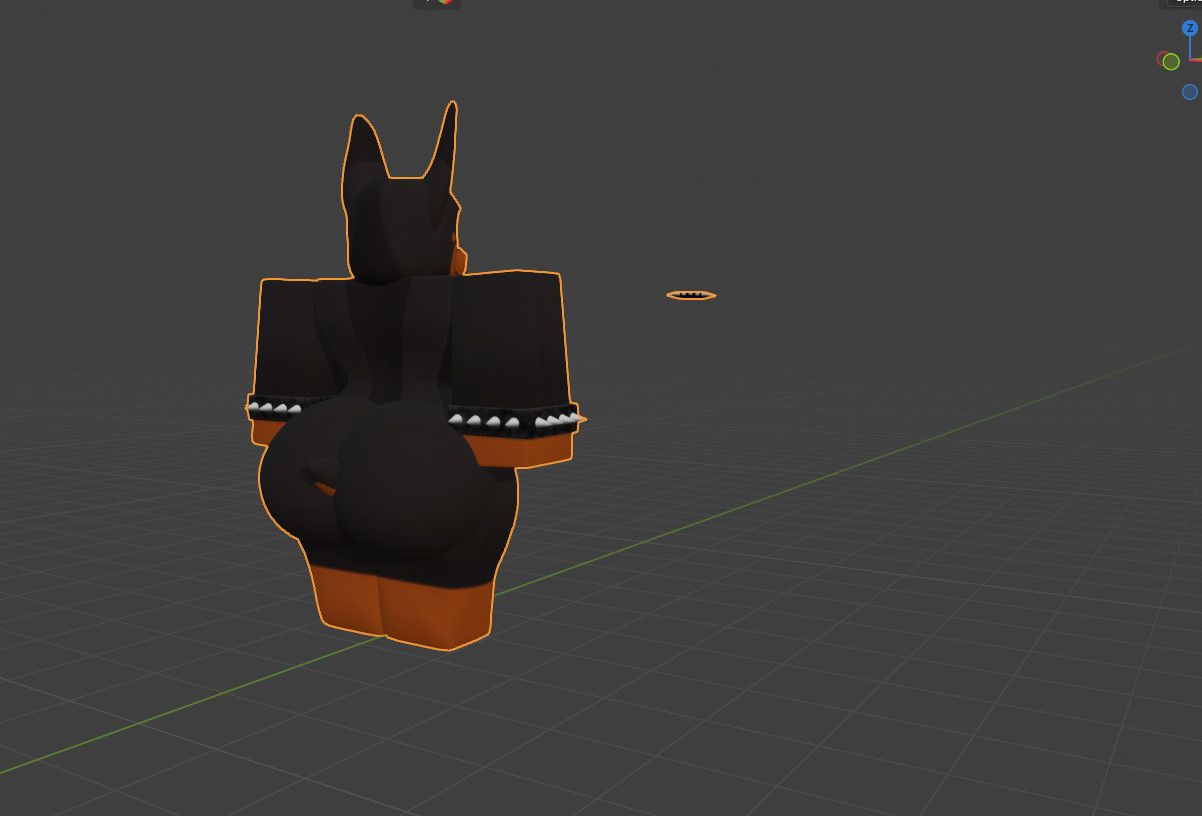
Here yall go :3, a handul, all uv maps are the same besides heads/tail. The ass won't have an accent pattern, but it's all flat colors, the way willie did his, was he just separated it and painted them as a new material :3 (I asked xP) Note tho, you'll have to separate the mesh and group parts back together for limbs, but it's like 4 faces or so per limb, hella EZ.

-
@aexotin213 Update: FOUND
I dug into it. Apparently, there's a script you use in studio to spawn them via their ID's in the sandbox and for the modded NSFW Bodies that he has, you get those with the modded version of roblox (Voidstrap) so you load in with the body types (R63 and this one is different from the smutbase one, same one willie has called Mewtwobuild and it has variations) . I did both and i have acquired those 3 above a then some! :3
Hoops to jump through, Furryblox community/enjoyer isn't very big, let alone NSFW so a lot of info was vague, but i got them. Will be sharing them later. NO rig tho, as you can only export .obj (Which is what i can work with for my needs/wants), but if anyone already has a basic roblox avatar rig that's ported to unity to attach those parts onto, that would be lovely.
@Werewolp Tutorial? I want to make and export some roblox avatars like this to use pls!
-
This post is deleted!
-
@Werewolp Tutorial? I want to make and export some roblox avatars like this to use pls!
-
And also how do I rig the models for usage in blender or other softwares?
I made a rig for it :3 I think it's pretty solid!
Here:
bandicam 2026-01-06 20-14-29-504.jpg
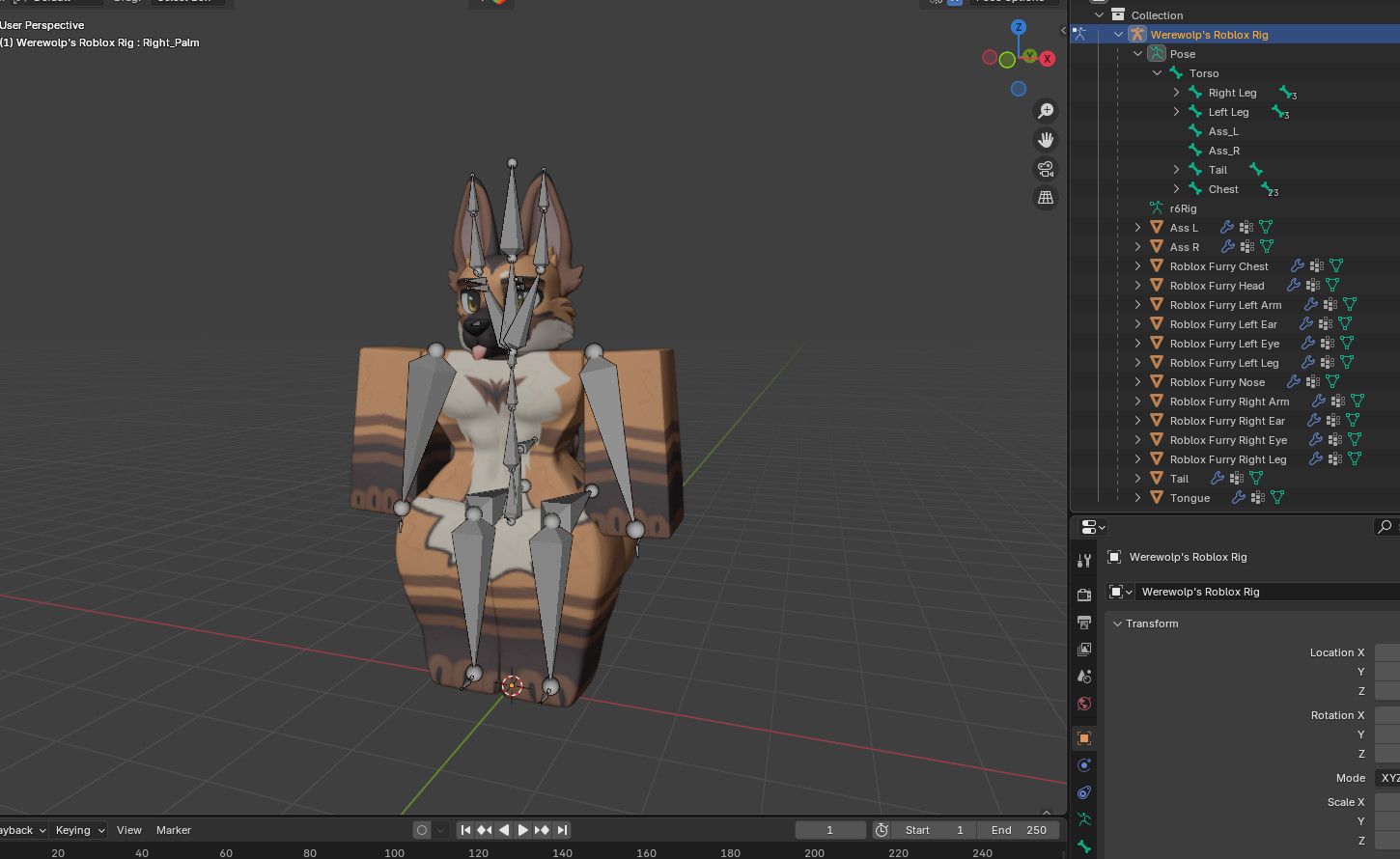
As i mentioned body and texture maps are the same and interchangeable. So say you wanted to use like Dobie skin or Cat skin, replace the lower and upper body texture and just swap the heads and tail, that's it. They are flat textured, so attaching NSFW parts on them and matching the colors is really EZ.
-
@Werewolp Tutorial? I want to make and export some roblox avatars like this to use pls!
@aexotin213 As for getting models and items i followed these tutorials here:
https://www.youtube.com/watch?v=xQ4r5vzAATo&list=LL&index=4
https://www.youtube.com/watch?v=wrriXnIL6ls&list=LL&index=3Get Voidstrap (I prefereable use over Bloxtrap, more stuff) for the modded bodys, they'll automatically load on your avatar when you open studio with it. Duplicate your character in studio and use and copy/paste the script in the vid in studio to get desired assets on the dupe and exports. It's that EZ, although some matching parts for body and head textures come from different workshops when looking for id numbers, like one will have a certain cat head and tail assets, but someone else's workshop will have it's body or lower body textures etc.
-
it'd be nice if there were more bloxstrap/voidstrap mods
-
so likeeee we getting mods orrr?
fih (lowkey need steam money hook me up fr)
-
so likeeee we getting mods orrr?
-
@aexotin213 As for getting models and items i followed these tutorials here:
https://www.youtube.com/watch?v=xQ4r5vzAATo&list=LL&index=4
https://www.youtube.com/watch?v=wrriXnIL6ls&list=LL&index=3Get Voidstrap (I prefereable use over Bloxtrap, more stuff) for the modded bodys, they'll automatically load on your avatar when you open studio with it. Duplicate your character in studio and use and copy/paste the script in the vid in studio to get desired assets on the dupe and exports. It's that EZ, although some matching parts for body and head textures come from different workshops when looking for id numbers, like one will have a certain cat head and tail assets, but someone else's workshop will have it's body or lower body textures etc.
-
@Werewolp I do ask, is Voidstrap safe to use? and could there be a possible visual representation of how this tutorial works?


Hello! It looks like you're interested in this conversation, but you don't have an account yet.
Getting fed up of having to scroll through the same posts each visit? When you register for an account, you'll always come back to exactly where you were before, and choose to be notified of new replies (either via email, or push notification). You'll also be able to save bookmarks and upvote posts to show your appreciation to other community members.
With your input, this post could be even better 💗
Register Login