
LF: Tsubasa's chibi customizable model (FOUND)
-
@Mysmileisweak I can't use it at all because it says the file name is too long...
@Columbinaaa oh no! thats the first time ive seen that, so weird. opened up the files on my pc and the only long ones are the .json files and the folder with the textures, not the textures themselves.
-
 Download Link (workupload.com)
there we go! enjoy! -
@WixTeal Hi! is it possible to get a link to the file using gdrive? TT for some reason, I cannot access the workupload website. Would greatly appreciate it if you can, and if not, it's totally okay too! thank you

-
-
-
@BlebBlub Hi hi!
There is still no update! Creator said it would be released in 2 months or so. I will update yall, once we get the update( ^ω^ ) -
-
-
@Wixie do you have the update
@Sabrinaa18, the update isn't out yet.
-
looks like they're working on the multi eye options. seems it'll be released soon >3>
-
model update will be out june 8th according to model artist
-
Update has dropped
-
bump
-
-
bump
-
-
-
-
@yakisalad Are you using a graphics tablet?
if so, you need to go to the settings, scroll down to the mouse input settings, then place the cursor on the sides of the screen. The app will show you the coordinates, and you need to enter them in the x field. If you want, you can leave the minimum value at zero, but keep in mind that the model's cursor will be centered when you use a tablet. You don't need to change the y coordinates.
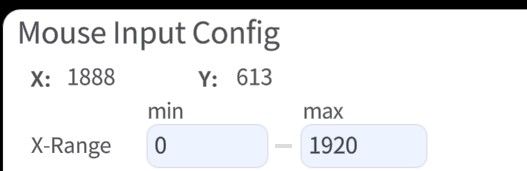
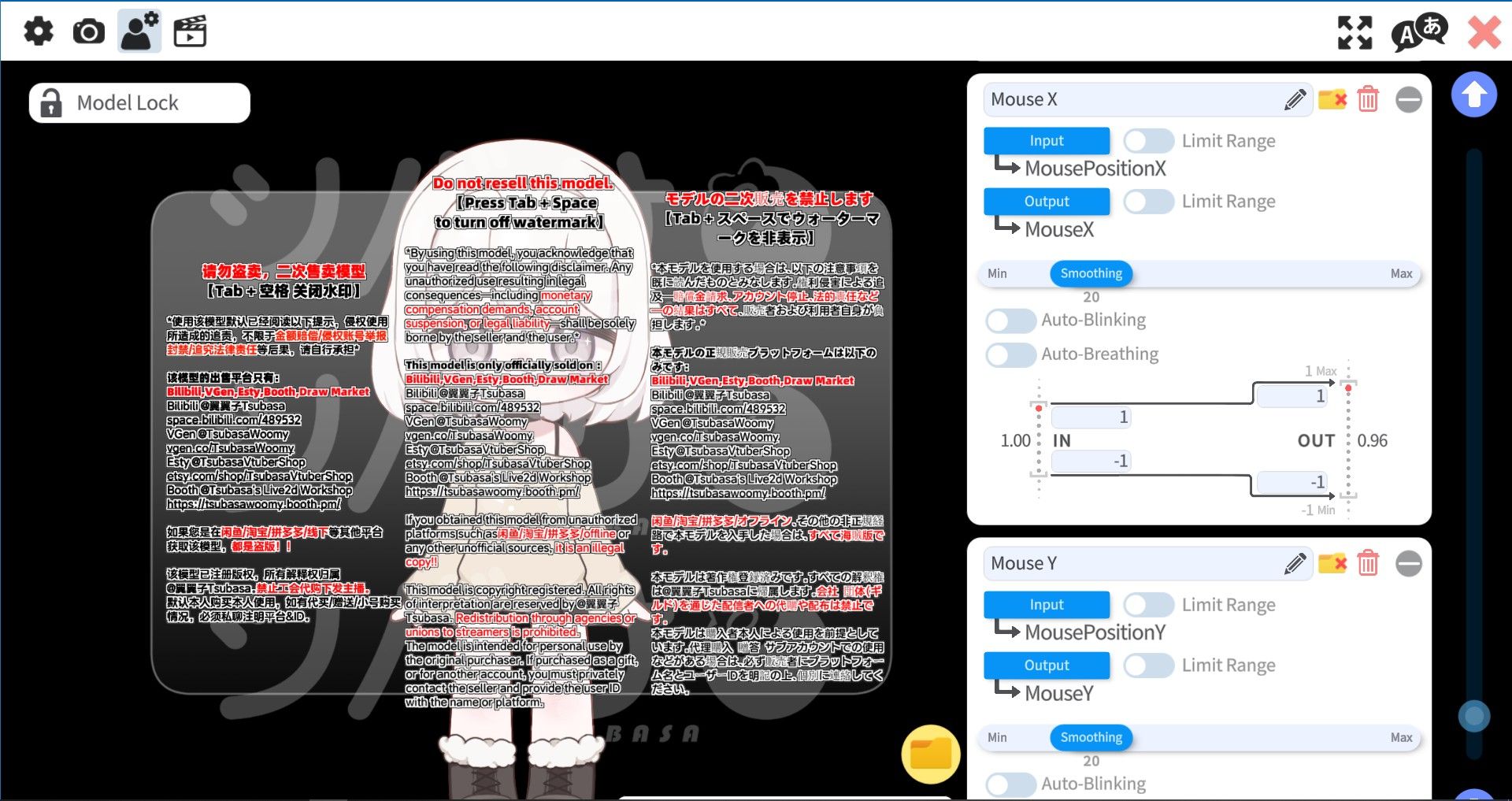
If the above advice doesn't work, then there's a problem with the parameters, and you need to go to the model settings and scroll down to the parameters as shown in the screenshot. If it looks different on your device, follow the steps I've outlined, and everything should work properly.
-
@yakisalad Are you using a graphics tablet?
if so, you need to go to the settings, scroll down to the mouse input settings, then place the cursor on the sides of the screen. The app will show you the coordinates, and you need to enter them in the x field. If you want, you can leave the minimum value at zero, but keep in mind that the model's cursor will be centered when you use a tablet. You don't need to change the y coordinates.
If the above advice doesn't work, then there's a problem with the parameters, and you need to go to the model settings and scroll down to the parameters as shown in the screenshot. If it looks different on your device, follow the steps I've outlined, and everything should work properly.
@blackiroy911 The V2.0 update file we got here doesn't have the expressions for the animations and nothing is set up so it's nearly impossible if you don't do that completely from scratch. I don't know how to go about the update because the filenames are different so it's not just a drag and drop and replace, everything breaks after, so if anyone knows how that would be a great help...









Hello! It looks like you're interested in this conversation, but you don't have an account yet.
Getting fed up of having to scroll through the same posts each visit? When you register for an account, you'll always come back to exactly where you were before, and choose to be notified of new replies (either via email, or push notification). You'll also be able to save bookmarks and upvote posts to show your appreciation to other community members.
With your input, this post could be even better 💗
Register Login