
LF: 【VRC想定】プライベートドーム / Private Dome
-
-
bump
-
bump
-
This one is really easy to recreate.
Spawn a sphere, bring the Position Transform to 0, 0.5, 0. Scale it to 4 unless you're big then probably 5, anything is adjustable for preference though.
Slap Liltoon on it, in Base Setting turn off Cull Mode, for the Main Color image use any Skybox, I got mine for free off itch.io, a bunch of nice panoramic packs are there for free.
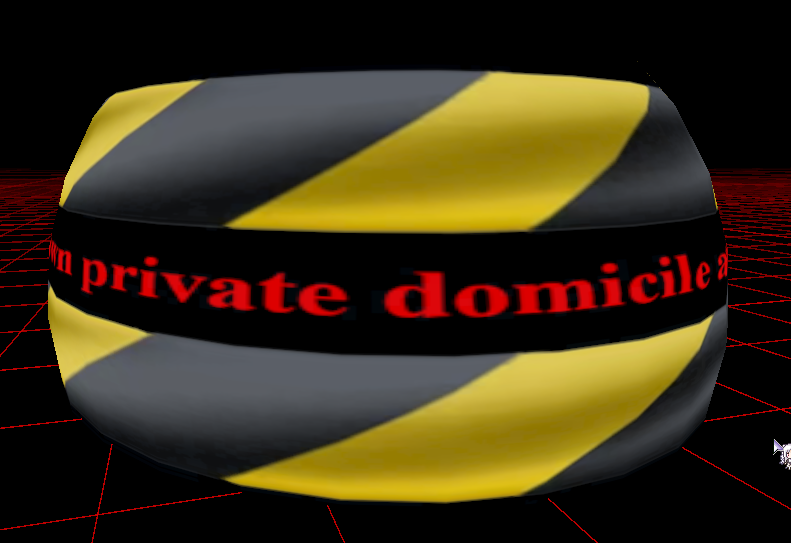
Main Color Second can be anything, just set the Cull Mode to Back and it will have whatever you want displayed on the outside, you can even write wholesome messages in any paint program.
Make an animation rotating the Y axis by having the sphere selected in the Hierarchy, going to the animation tab/window and clicking "Create". All you have to do is press the record button, move the transform in the Inspector and it will pop right up then stop recording. First key point will be 0, set both tangents to Linear by right clicking on the little key, and then scroll out on the animation timeline until you're at like 20:00(Or type 1200 in the bar) then plot your next key and set the Y Rotation to 360.
Then you're finished, aside from the toggle which you can just use VRCFury or Modular Avatar to quickly make a zero hassle object toggle.

-
This one is really easy to recreate.
Spawn a sphere, bring the Position Transform to 0, 0.5, 0. Scale it to 4 unless you're big then probably 5, anything is adjustable for preference though.
Slap Liltoon on it, in Base Setting turn off Cull Mode, for the Main Color image use any Skybox, I got mine for free off itch.io, a bunch of nice panoramic packs are there for free.
Main Color Second can be anything, just set the Cull Mode to Back and it will have whatever you want displayed on the outside, you can even write wholesome messages in any paint program.
Make an animation rotating the Y axis by having the sphere selected in the Hierarchy, going to the animation tab/window and clicking "Create". All you have to do is press the record button, move the transform in the Inspector and it will pop right up then stop recording. First key point will be 0, set both tangents to Linear by right clicking on the little key, and then scroll out on the animation timeline until you're at like 20:00(Or type 1200 in the bar) then plot your next key and set the Y Rotation to 360.
Then you're finished, aside from the toggle which you can just use VRCFury or Modular Avatar to quickly make a zero hassle object toggle.
@HeartStar thats crazy easy! i seen a few of these and i was kinda confused how it works but this makes so much sense thanks for great tutorial





Hello! It looks like you're interested in this conversation, but you don't have an account yet.
Getting fed up of having to scroll through the same posts each visit? When you register for an account, you'll always come back to exactly where you were before, and choose to be notified of new replies (either via email, or push notification). You'll also be able to save bookmarks and upvote posts to show your appreciation to other community members.
With your input, this post could be even better 💗
Register Login