
GIFT: 🎄【MMD Blendshape Preset for Seer! 】🎄
-
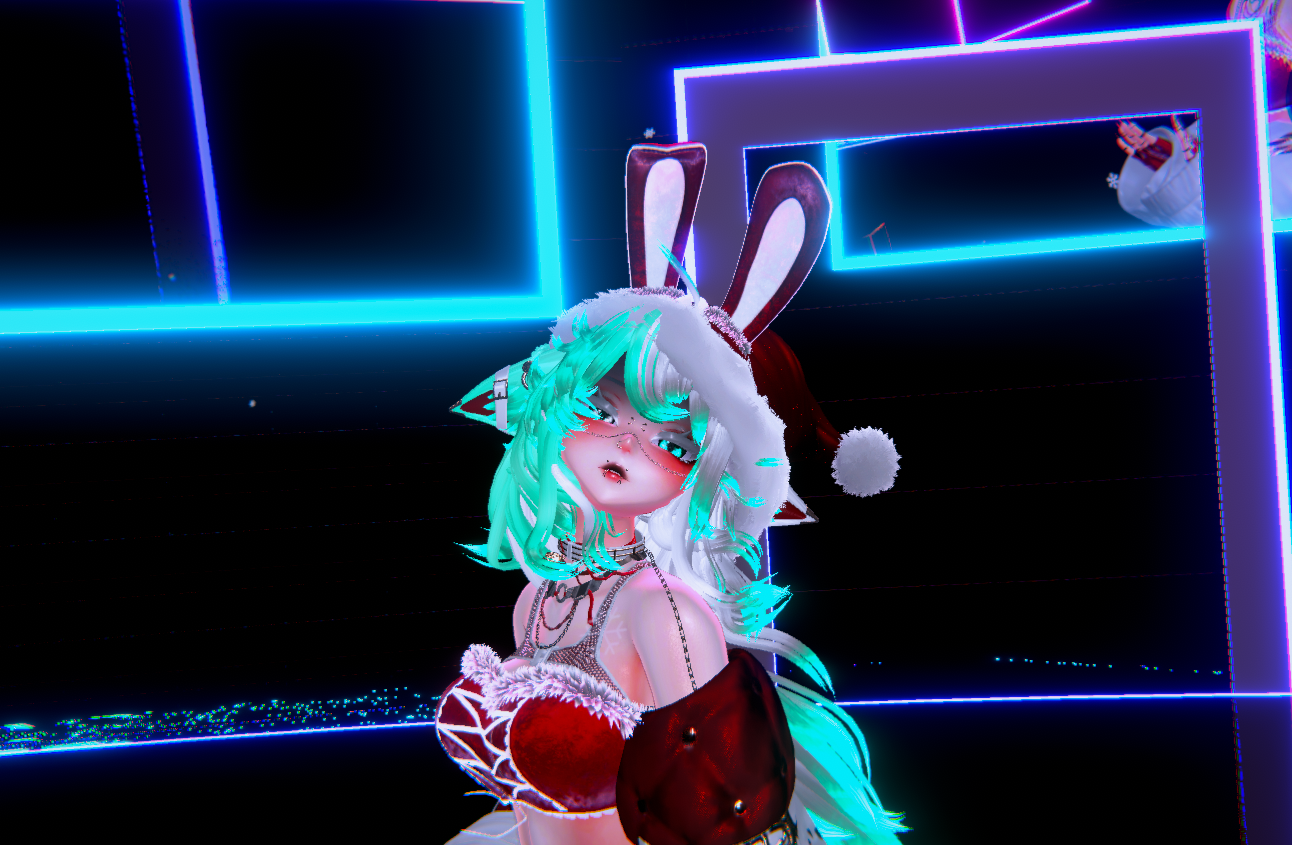

 MERRY CHRISTMAS EVERYONE!
Me again! I wanted to give the gift of enabling the use of MMD for Seer, as she's a HUGE favorite of mine and honestly a big reason why I love working on unity and posting what i can for her here!
Below I'll post the preset but also show you how you can use this preset and get MMD to work on your Seer!
Okay so I'm still newish to guides so bear with me but here we go
What you'll need:
- VCC or ALCOM
-Then Install into project-- MakeItMMD
- Modular Avatar
- NDMF (Non-Destructive Modular Framework installs with MakeItMMD)
- *Preferably VRCFury but not needed!
Step by Step Install and Usage:
Open the project and right click your avi like so:
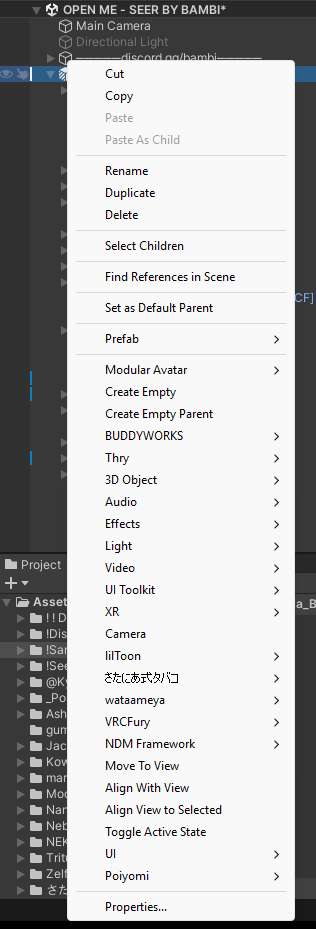
Next, you're gonna click Create Empty->Rename it to whatever your MMD Component will be. I like to name it MIM (MakeItMMD) or MMD - you pick!
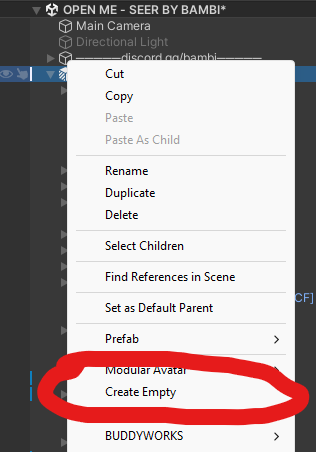
Then:
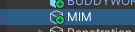
Once you create the object, go the the right under inspector and click add component.
->Search "MMD"->Click MIM Make MMD BlendShapes->Share...->Import from .json
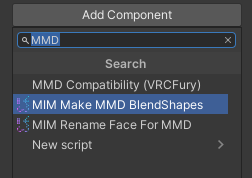
Then:
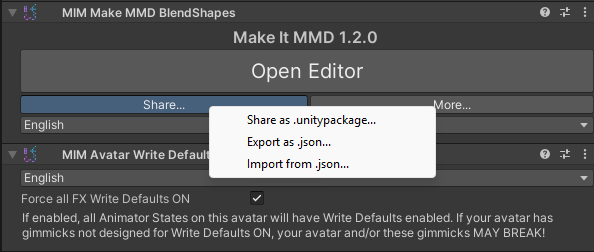
Click Import from .json...->Select and open the Seer.json file you downloaded and done!- Note: Some surefire ways to make sure MMD work is adding VRCFury to your avi and adding the "MMD Compatibility" Component. It tricks VRChat into thinking there's a separate animation layer on your avi so it doesn't mess with your toggles or facial animations! This is great if you have outfit toggles on only one main FX layer) The proper way to add this, is on the main avatar component!
 ->
->  ->
-> 
Her MMD Preset will be applied and you'll be able to enjoy seeing her dance with full facial animations! Not all MMD blendshapes are available as a lot of gumroad avis don't contain specific blendshapes like some booth counterparts however she's got the full package (Out of 59 MMD Blendshapes, 13 are unable to be added) and I'm sure you'll enjoy her dancing full of emotion as much as I do!
The preset was carefully fine-tuned and created by me so I do hope you love it! If there's any other avis you'd like presets made of please let me know here or via DM! I'm almost always here! Enjoy!
 Please feel free to upvote as it motivates me to buy and post more unique assets!
Hello! It looks like you're interested in this conversation, but you don't have an account yet.
Getting fed up of having to scroll through the same posts each visit? When you register for an account, you'll always come back to exactly where you were before, and choose to be notified of new replies (either via email, or push notification). You'll also be able to save bookmarks and upvote posts to show your appreciation to other community members.
With your input, this post could be even better 💗
Register Login