
LF: Ass Clap System by Luna-The-Fox
-
@User2345 thanks! also is there a tutorial for it? I cant figure out how to set it up lol
@ilovegiyuunsabi let me make it simple and quick for everyone, there's 2 contacts, so in one of them (idk what contact-) you have to put the butt bone (any of both) and then the other one that should be attached to the hips. So you could also if needed move any of both and them and and then when you try it it should clap if at least u make the avatar move up and down and if it dosen't clap then maybe you have it set it up wrong. Any more questions needed I might will also do a vid tutorial if only needed
-
-
@ilovegiyuunsabi let me make it simple and quick for everyone, there's 2 contacts, so in one of them (idk what contact-) you have to put the butt bone (any of both) and then the other one that should be attached to the hips. So you could also if needed move any of both and them and and then when you try it it should clap if at least u make the avatar move up and down and if it dosen't clap then maybe you have it set it up wrong. Any more questions needed I might will also do a vid tutorial if only needed
@User2345 I feel like I'm too lost or stoopid for this</3 I keep getting errors and I can't even load the avatar into the scene ;-;
-
-
i dont understand can you do tutorial?
-
-
-
@User2345 that would be great if you could >-< all the help is very appreciated!
-
-
-
@User2345 yes please!
-
-
-
-
-
@nunulol just drag and drop, drag an ass bone into object field and that's it
@Gothic-Kibby That's not it lol
-
heres a quick tut for ppl who are confused
- Drag then drop onto your avi.
- Right click then unpack the prefab package.
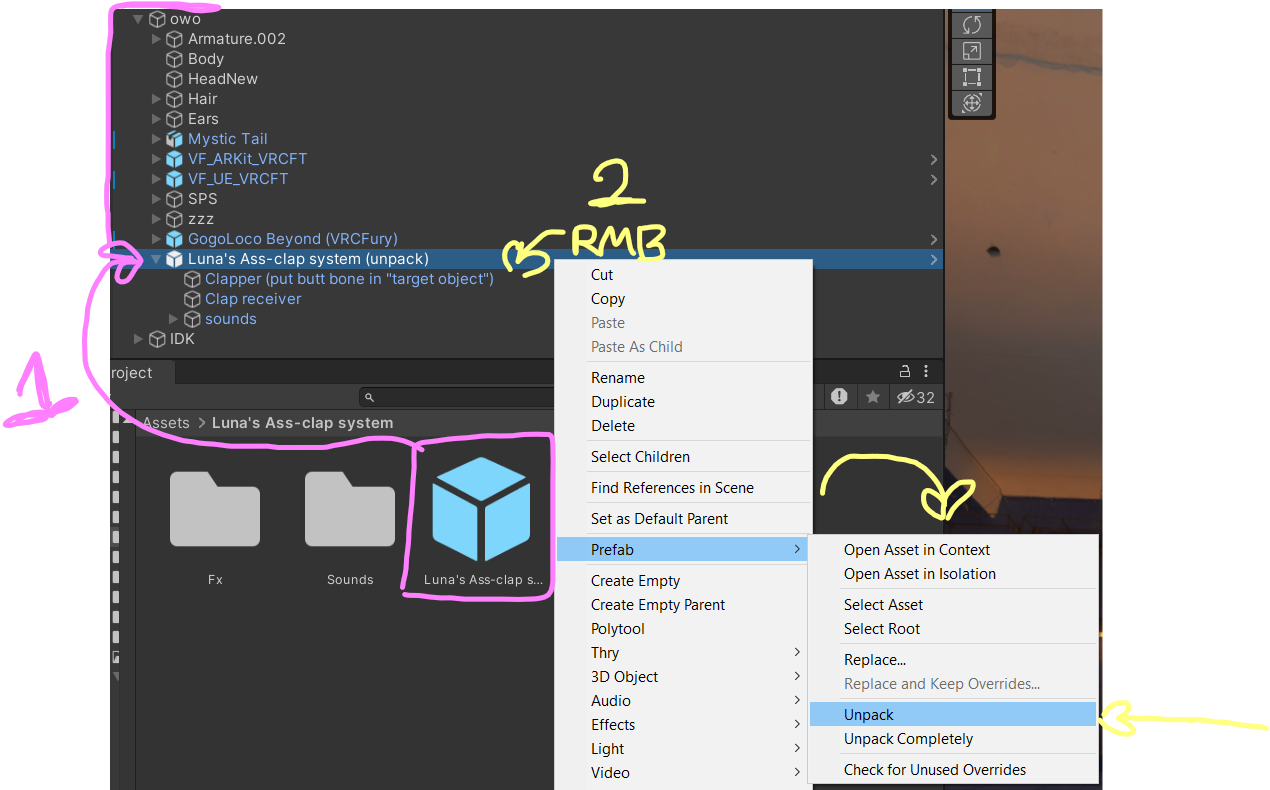
- Next you want to select the "clapper" object.

- Once you have the clapper selected you need to add an object to the Armature Link under your Inspector window.

- You need to find your own butt bones that work best for you, I'm using the last of my butt bones, and drag and drop the left and then the right one into the slots, order does not matter.
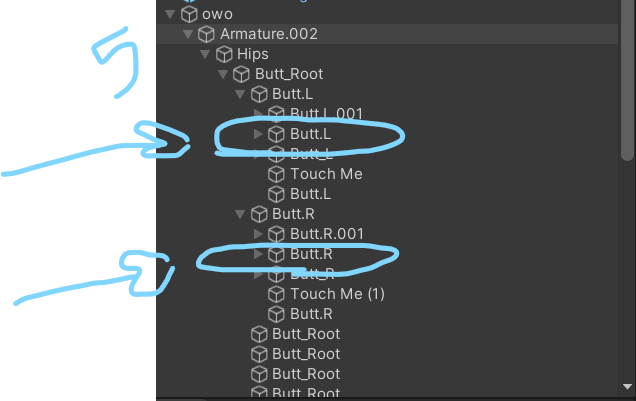
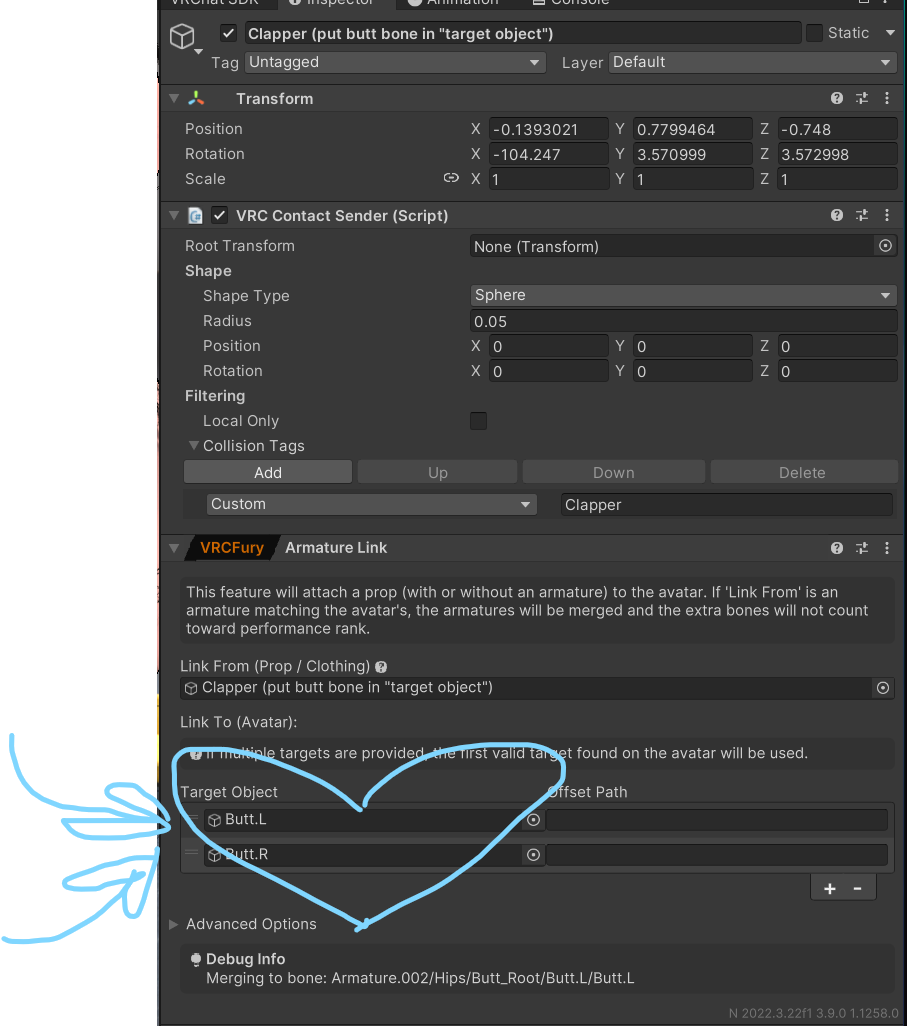
ermm and then i think ur guud lmk if yall have problems
shhh
plz bmp!
-
heres a quick tut for ppl who are confused
- Drag then drop onto your avi.
- Right click then unpack the prefab package.
- Next you want to select the "clapper" object.
- Once you have the clapper selected you need to add an object to the Armature Link under your Inspector window.
- You need to find your own butt bones that work best for you, I'm using the last of my butt bones, and drag and drop the left and then the right one into the slots, order does not matter.
ermm and then i think ur guud lmk if yall have problems
-
-
Man I must be dense, cause I'm following instructions to the letter and can't get clappin'.
Oh well. Ass smack system that actually works it is then!









Hello! It looks like you're interested in this conversation, but you don't have an account yet.
Getting fed up of having to scroll through the same posts each visit? When you register for an account, you'll always come back to exactly where you were before, and choose to be notified of new replies (either via email, or push notification). You'll also be able to save bookmarks and upvote posts to show your appreciation to other community members.
With your input, this post could be even better 💗
Register Login