
Skinnier Stylized Tasque Manager
-
 K KronosK referenced this topic on
-
@Randpay Could you maybe look at adding a slider to adjust her face/snout? I kind of prefer the original face that this model has vs the upturned snout, or is it already a slider?
-
bump!!! bro ur doing great!!!

࣪ ۫𓂅 Trading is for Chuds, leak dont gatekeep <3 . ⟢
. ⟢
Gooner﹔Horder 𝄞݂۫ 𓈒
꒰ ᩧ 𓈒 ⁄⁄͈ . ᴗ͈)
NSFW wishlist/SFW wishlist/Avatar Stash (Includes New FNIA's)
-
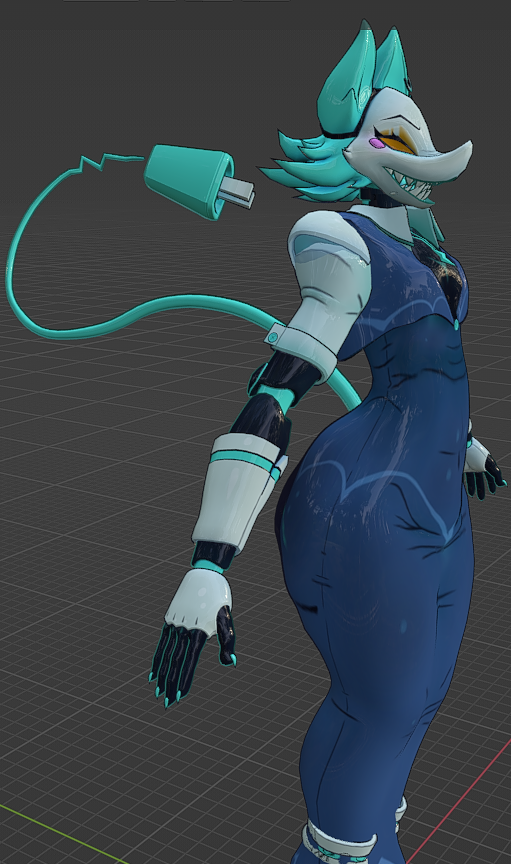
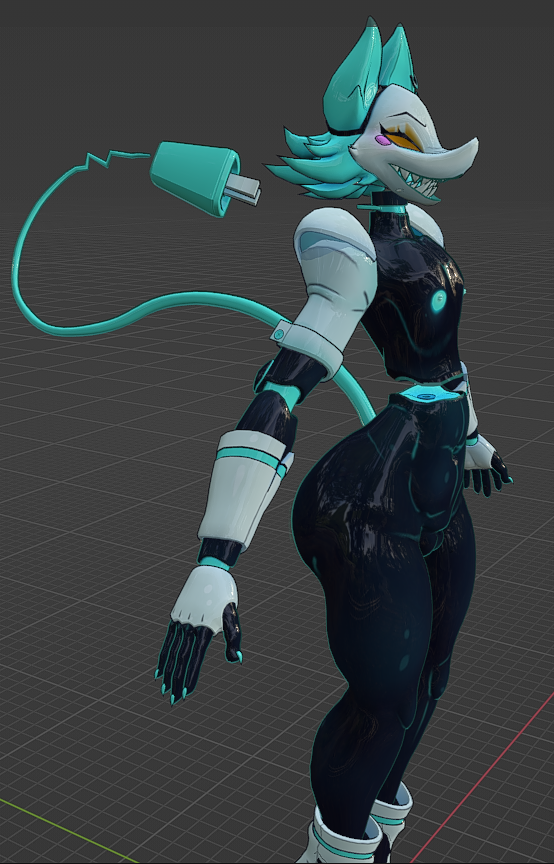
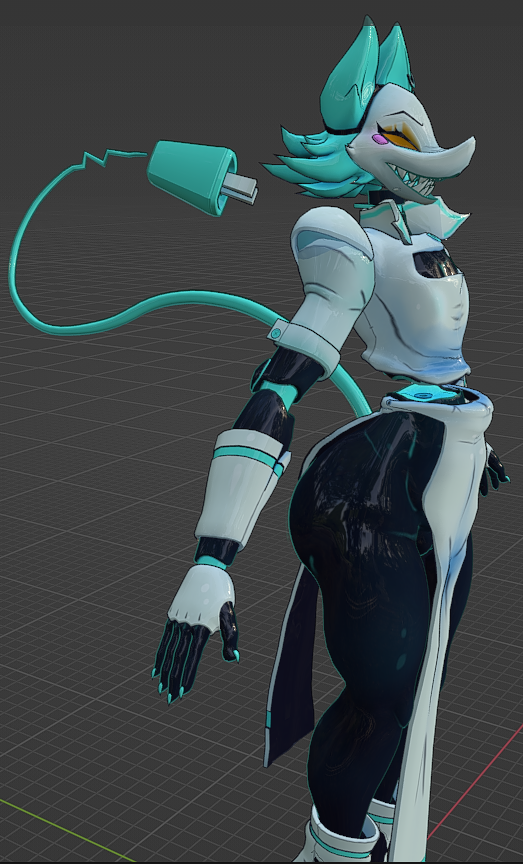
Okay so. I think I did okay making the chest flat enough. It might be a little inconsistent but I think it looks alright.
-
this is actually so cool !!
࣪ ۫𓂅 Trading is for Chuds, leak dont gatekeep <3 . ⟢
Gooner﹔Horder 𝄞݂۫ 𓈒
꒰ ᩧ 𓈒 ⁄⁄͈ . ᴗ͈)
NSFW wishlist/SFW wishlist/Avatar Stash (Includes New FNIA's)
-
This is seriously amazing work! I saw from another post that there was some painting issues with the panties when slim, were you able to solve that riddle?
-
So. I think it looks great! there isn't any weird clipping on the chest. As for the pantie issues, its mostly fixed, there is some little thing there, but it has to do with how the ass bones are set up rather than the weight painting itself. Im a bit dumb to fix it/I fear what may happen to it so i might just post it and let peeps figure it out on their own.


-
For the most part there is no major problems. I was able to get her set up, added some gogo, she looks good, but there is some weight painting issues on her ass regarding the panties.


-
Looks amazing! I have tried to match up with Old Tasque Manager thickness but it didn't go well.. I used Draw on sculpt to reduce the thickness and that's the result i got, Hope it goes well for you! @Randpay
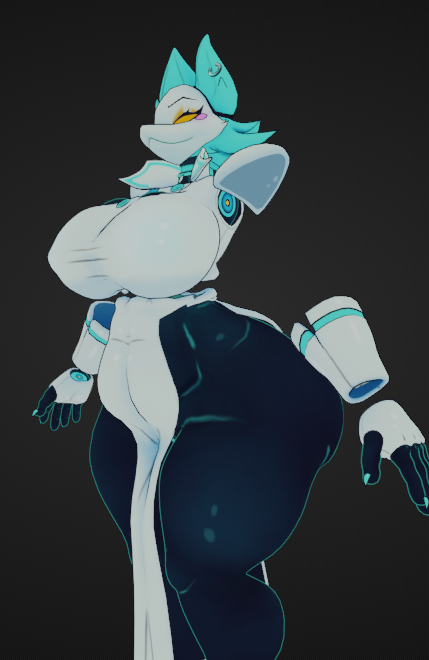
@Archie_ I tried the same thing too. What I found worked was instead of matching it, to freehand it. And using the pose mode in order to shrink down and shape her body in a more uniform manner. especially since she's asymmetrical. Which makes sculpt mode act weird at times.
-
@Archie_ I tried the same thing too. What I found worked was instead of matching it, to freehand it. And using the pose mode in order to shrink down and shape her body in a more uniform manner. especially since she's asymmetrical. Which makes sculpt mode act weird at times.
@Randpay That's interesting, Got any advices how i can shrink some of models thickness down? I have Roxy for example and Cryptia which i want to shrink their thickness so bad and make them have somewhat slim body, That's ok if you don't wanna share! but just to let you know, i have a good experience when it comes messing with models on Unity and Blender as right now i am working on my edited version of Roxy
-
Its perfectly fine. As I was saying, using pose mode is what I did. So By clickin on the armature, going into pose mode. You can edit the x and z so that way their smaller. You don't mess with the y or the axis thats going along with the general length. Then you can use cats to set that as a shapekey. once set you can edit the shapekey in sculpt mode. I took it one limb at a time. As then its a bunch of smaller edits that i can keep uniform than one large one where you can mess up and make it too skinny.




 ️
️

Hello! It looks like you're interested in this conversation, but you don't have an account yet.
Getting fed up of having to scroll through the same posts each visit? When you register for an account, you'll always come back to exactly where you were before, and choose to be notified of new replies (either via email, or push notification). You'll also be able to save bookmarks and upvote posts to show your appreciation to other community members.
With your input, this post could be even better 💗
Register Login