Skip to content
  • Categories
  • Recent
  • Tags
  • Popular
Skins
  • Light
  • Brite
  • Cerulean
  • Cosmo
  • Flatly
  • Journal
  • Litera
  • Lumen
  • Lux
  • Materia
  • Minty
  • Morph
  • Pulse
  • Sandstone
  • Simplex
  • Sketchy
  • Spacelab
  • United
  • Yeti
  • Zephyr
  • Dark
  • Cyborg
  • Darkly
  • Quartz
  • Slate
  • Solar
  • Superhero
  • Vapor

  • Default (Zephyr)
  • No Skin
Collapse
RipperStore Logo
  1. Home
  2. Assets
  3. Looking for...
  4. NSFW
  5. Jae and Vee [VRC + Blender Rig] (Made by Reivene3D)

Jae and Vee [VRC + Blender Rig] (Made by Reivene3D)

Scheduled Pinned Locked Moved Unsolved NSFW
murderdronesnsfwvrchatblenderblender3dmurder drones
114 Posts 34 Posters 4.0k Views 51 Watching
  • Oldest to Newest
  • Newest to Oldest
  • Most Votes
Reply
  • Reply as topic
Log in to reply
This topic has been deleted. Only users with topic management privileges can see it.
  • The BlankT The Blank

    @nalza69 not in my end - just the hue shift for the v was not added and idk how to re add it

    PhantomPhoenixP
    PhantomPhoenixP
    PhantomPhoenix
    wrote last edited by
    #103

    @The-Blank

    Already mentioned it, you just have to add the animations for it in the COLORS folder back into the FX, and BOOM, though for some reason, it does not include the color of the tip of either dicks, so you'll have to find a way or someone else to do it. (I have no idea on how to do it, and I do not want to break the model again like I did at one point).

    Though I am not sure if copying and pasting it and doing the same thing into the Shared folder of the Quest suddenly makes it quest compatible or not (most likely not, but it's there)

    https://forum.ripper.store/post/2315057

    The BlankT 2 Replies Last reply
    0
    • PhantomPhoenixP PhantomPhoenix

      @The-Blank

      Already mentioned it, you just have to add the animations for it in the COLORS folder back into the FX, and BOOM, though for some reason, it does not include the color of the tip of either dicks, so you'll have to find a way or someone else to do it. (I have no idea on how to do it, and I do not want to break the model again like I did at one point).

      Though I am not sure if copying and pasting it and doing the same thing into the Shared folder of the Quest suddenly makes it quest compatible or not (most likely not, but it's there)

      https://forum.ripper.store/post/2315057

      The BlankT
      The BlankT
      The Blank
      wrote last edited by
      #104

      @PhantomPhoenix yes i understood that i need to do it my self how ever idk how and in fear of messing up the model

      1 Reply Last reply
      0
      • JunovaJ
        JunovaJ
        Junova
        wrote last edited by
        #105

        Hope anyone got the original blender files 💛

        Me like upvote

        Checking the website daily, if i got something the community wants. I'll give it to them! (づ ̄ 3 ̄)づ

        1 Reply Last reply
        0
        • G
          G
          Gilbert18
          wrote last edited by
          #106

          give me the blend file with full texture please?!!!!!!!!

          1 Reply Last reply
          0
          • PhantomPhoenixP PhantomPhoenix

            @The-Blank

            Already mentioned it, you just have to add the animations for it in the COLORS folder back into the FX, and BOOM, though for some reason, it does not include the color of the tip of either dicks, so you'll have to find a way or someone else to do it. (I have no idea on how to do it, and I do not want to break the model again like I did at one point).

            Though I am not sure if copying and pasting it and doing the same thing into the Shared folder of the Quest suddenly makes it quest compatible or not (most likely not, but it's there)

            https://forum.ripper.store/post/2315057

            The BlankT
            The BlankT
            The Blank
            wrote last edited by The Blank
            #107

            @PhantomPhoenix Do you Have a vid i can look over to re add it cus i dont know how to readd it could anyone fix it plz

            1 Reply Last reply
            0
            • S Shadowmonarch95

              @RustFox if you dont want the original blend files just open unity, make a project, import the pc or quest version, open file location, then copy and paste the Materials (Textures) and finally paste it on the folder which you have the fbx exported blender file

              G
              G
              grandsi
              wrote last edited by
              #108

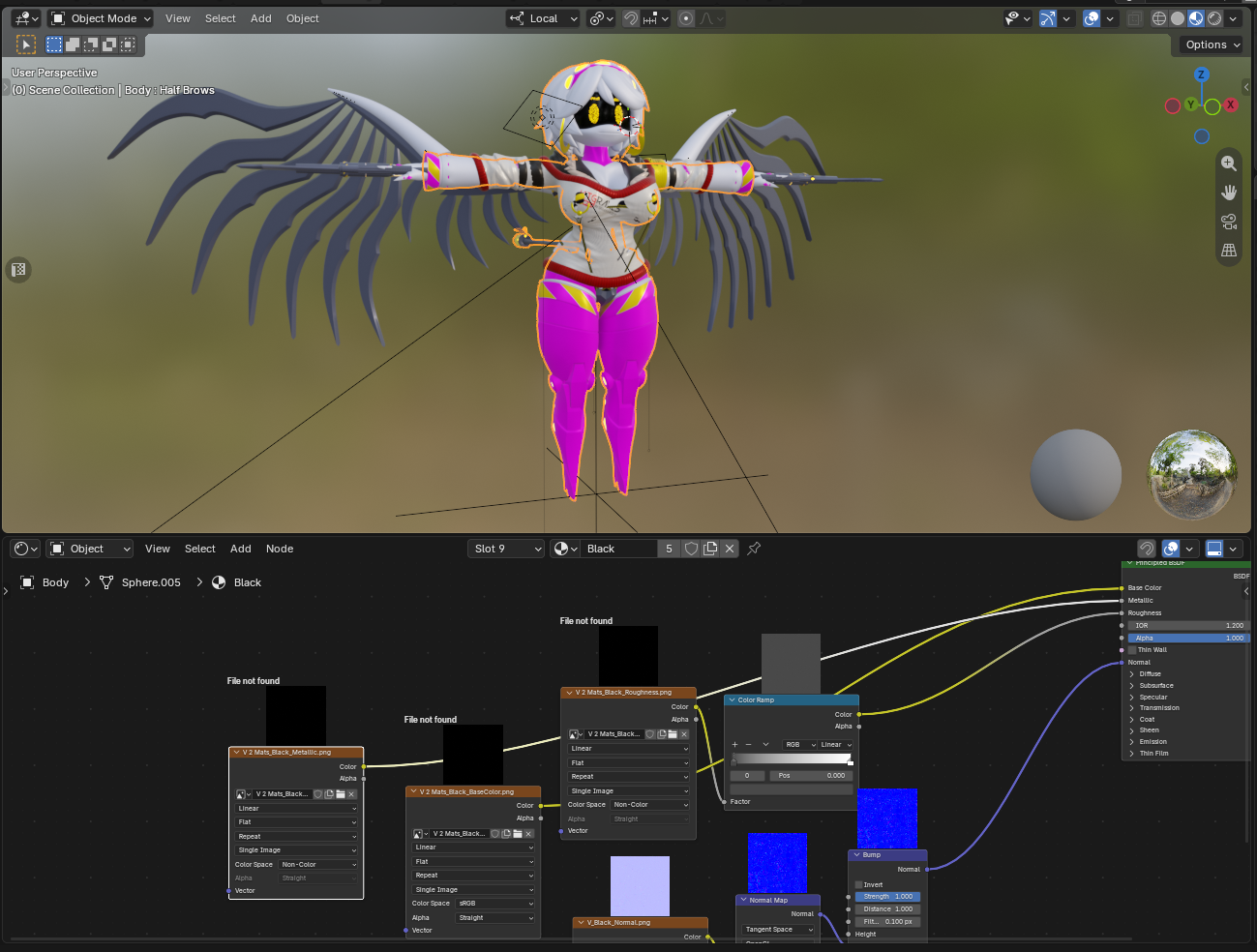
              @Shadowmonarch95 The thing is that even when you extract VRC content into the folder and then use "Find Missing Files", some textures are still absent. As you can see here, there is no roughness or metallic texture not to mention the color one. So we still need the original .blend file with all textures present12313.png

              S 1 Reply Last reply
              0
              • G grandsi

                @Shadowmonarch95 The thing is that even when you extract VRC content into the folder and then use "Find Missing Files", some textures are still absent. As you can see here, there is no roughness or metallic texture not to mention the color one. So we still need the original .blend file with all textures present12313.png

                S
                S
                Shadowmonarch95
                wrote last edited by
                #109

                @grandsi did you link the textures on the folder thats on the exported fbx?

                G 1 Reply Last reply
                0
                • S Shadowmonarch95

                  @grandsi did you link the textures on the folder thats on the exported fbx?

                  G
                  G
                  grandsi
                  wrote last edited by
                  #110

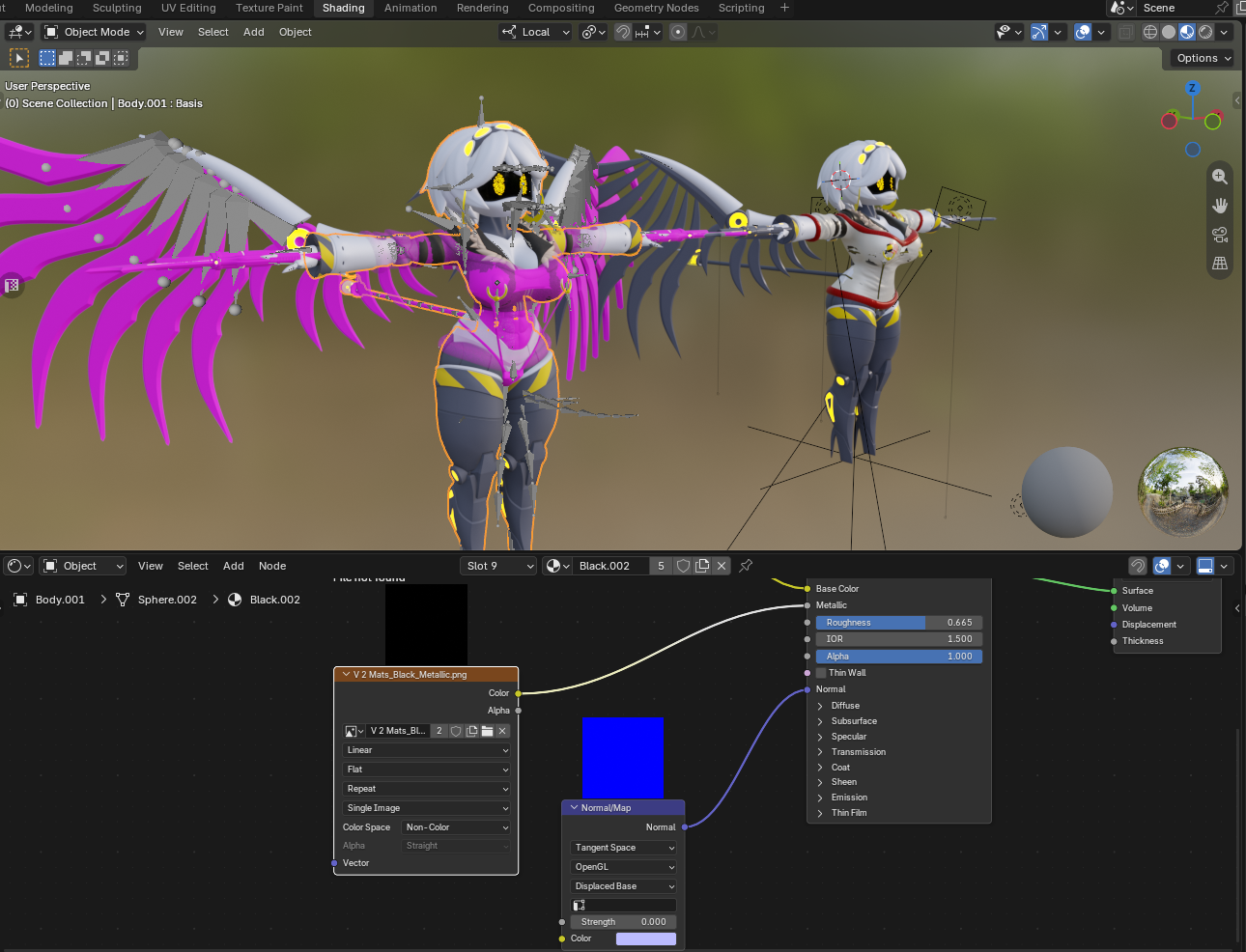
                  @Shadowmonarch95 I linked the whole VRC project folder and imported an FBX mesh into Blender to compare one to the other. Both refer to the metallic texture, which is still absent 13231.png
                  1 Reply Last reply
                  0
                  • S
                    S
                    Shadowmonarch95
                    wrote last edited by
                    #111

                    blender file pls

                    1 Reply Last reply
                    0
                    • D
                      D
                      DARK_Vigilane234
                      wrote last edited by
                      #112

                      quest files when?

                      1 Reply Last reply
                      0
                      • SimpForRabbits20S
                        SimpForRabbits20S
                        SimpForRabbits20
                        wrote last edited by
                        #113

                        Screenshot_20261012_181502_X.jpg

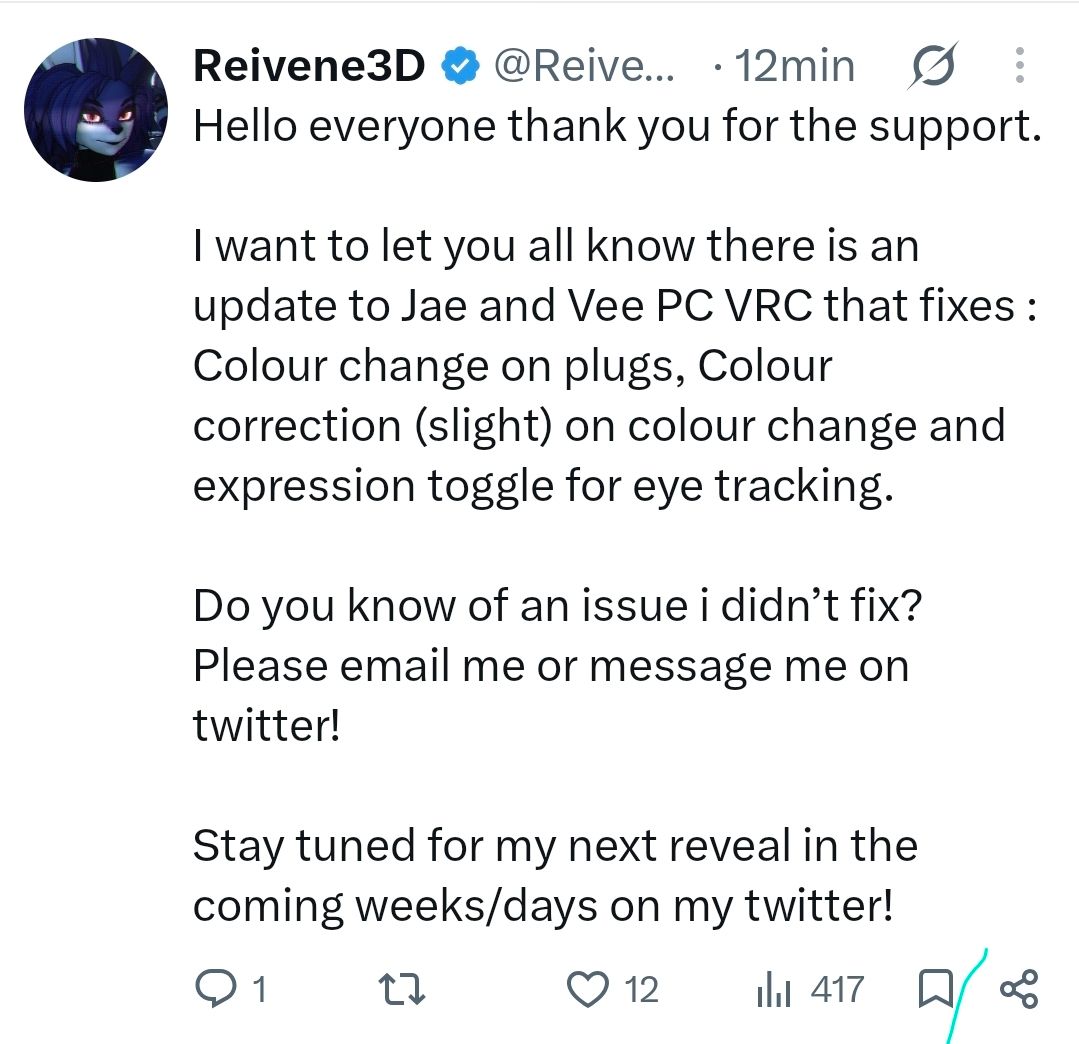
                        There's a new update, bump ☺️

                        1 Reply Last reply
                        2
                        • SillyRandomWomanS
                          SillyRandomWomanS
                          SillyRandomWoman
                          wrote last edited by
                          #114

                          hey is anyone having trouble uploading the quest J and it not having phys bones?

                          1 Reply Last reply
                          0

                          Hello! It looks like you're interested in this conversation, but you don't have an account yet.

                          Getting fed up of having to scroll through the same posts each visit? When you register for an account, you'll always come back to exactly where you were before, and choose to be notified of new replies (either via email, or push notification). You'll also be able to save bookmarks and upvote posts to show your appreciation to other community members.

                          With your input, this post could be even better 💗

                          Register Login
                          Reply
                          • Reply as topic
                          Log in to reply
                          • Oldest to Newest
                          • Newest to Oldest
                          • Most Votes


                          • Login

                          • Login or register to search.
                          • First post
                            Last post
                          0
                          • Categories
                          • Recent
                          • Tags
                          • Popular