Skip to content
  • Categories
  • Recent
  • Tags
  • Popular
Skins
  • Light
  • Brite
  • Cerulean
  • Cosmo
  • Flatly
  • Journal
  • Litera
  • Lumen
  • Lux
  • Materia
  • Minty
  • Morph
  • Pulse
  • Sandstone
  • Simplex
  • Sketchy
  • Spacelab
  • United
  • Yeti
  • Zephyr
  • Dark
  • Cyborg
  • Darkly
  • Quartz
  • Slate
  • Solar
  • Superhero
  • Vapor

  • Default (Zephyr)
  • No Skin
Collapse
RipperStore Logo
  1. Home
  2. Assets
  3. Looking for...
  4. Furry Avatars
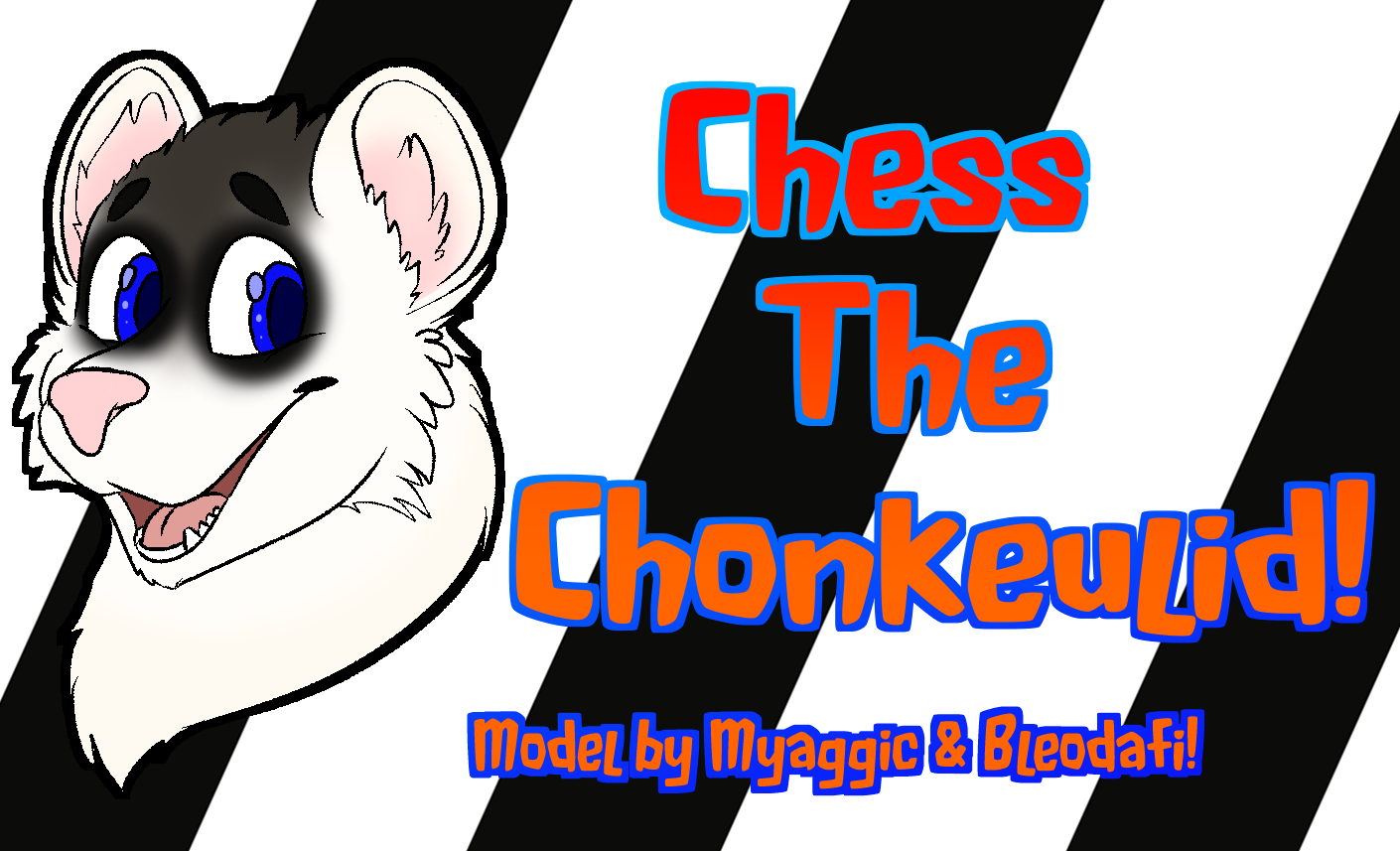
  5. Chess the Big Tailed Chonkeulid by Myaggic and Bleodafi

Chess the Big Tailed Chonkeulid by Myaggic and Bleodafi

Scheduled Pinned Locked Moved Unsolved Furry Avatars
furryferretvrchatfat
9 Posts 1 Posters 339 Views 5 Watching
  • Oldest to Newest
  • Newest to Oldest
  • Most Votes
Reply
  • Reply as topic
Log in to reply
This topic has been deleted. Only users with topic management privileges can see it.
  • Z
    Z
    ZAQ12wsx
    wrote on last edited by ZAQ12wsx
    #1

    thumbnail

    https://jinxxy.com/Myaggic/big-tailed-chonkeulid

    A chonky mustelid base for VRChat, designed and created in collaboration with Bleodafi
    PC ONLY!!

    Features:

    • Medium Avatar Rating
    • 62,200 polygons
    • 8 Material Slots (5 without extras)
    • Body Sliders
    • 6 Hair Styles, MANY optional fluffy styles
    • Hand-tracked expressions
    • VRCFT Face and Eye tracking compatible via Unified Shapekeys

    Includes:

    • Unity packages, for PC VRChat ONLY
    • Blender Sources (5.2 or newer)
    • Basic Substance Painter project (2026 / 12.1.2 or newer)
    • Photoshop Texture Sources

    Dependencies (not included)

    • VRChat SDK 3.10.4 or newer
    • Unity 2022.3.22f1 or newer
    • Poiyomi Toon Shader 9.3.64 or newer
    • VRCFury 1.1408.0 or newer (non-vrcfury versions included)

    Installation:

    Ensure you have a VRChat Avatar project set up (I recommend using the VCC or ALCOM).
    Install the Dependencies via VCC (poiyomi, vrcfury, listed above)
    Import the included .unitypackage file into that project.
    Open the included scene, which should appear in a folder in the root of your assets, with a Unity logo as its icon.
    Open the VRChat SDK control panel, navigate to the Builder tab, then press Build & Publish for Windows. After setting some info, your new avatar will be uploaded!

    EVERYONE, GET IN THE CAR! WE'RE LEAVING THIS TOWN NOW!

    1 Reply Last reply
    1
    • Z
      Z
      ZAQ12wsx
      wrote on last edited by
      #2

      bump

      EVERYONE, GET IN THE CAR! WE'RE LEAVING THIS TOWN NOW!

      1 Reply Last reply
      0
      • Z
        Z
        ZAQ12wsx
        wrote on last edited by
        #3

        bump

        EVERYONE, GET IN THE CAR! WE'RE LEAVING THIS TOWN NOW!

        1 Reply Last reply
        0
        • Z
          Z
          ZAQ12wsx
          wrote on last edited by
          #4

          bump

          EVERYONE, GET IN THE CAR! WE'RE LEAVING THIS TOWN NOW!

          1 Reply Last reply
          0
          • Z
            Z
            ZAQ12wsx
            wrote on last edited by
            #5

            bump

            EVERYONE, GET IN THE CAR! WE'RE LEAVING THIS TOWN NOW!

            1 Reply Last reply
            0
            • Z
              Z
              ZAQ12wsx
              wrote on last edited by
              #6

              bump

              EVERYONE, GET IN THE CAR! WE'RE LEAVING THIS TOWN NOW!

              1 Reply Last reply
              0
              • Z
                Z
                ZAQ12wsx
                wrote on last edited by
                #7

                bump

                EVERYONE, GET IN THE CAR! WE'RE LEAVING THIS TOWN NOW!

                1 Reply Last reply
                0
                • Z
                  Z
                  ZAQ12wsx
                  wrote last edited by
                  #8

                  bump

                  EVERYONE, GET IN THE CAR! WE'RE LEAVING THIS TOWN NOW!

                  1 Reply Last reply
                  0
                  • Z
                    Z
                    ZAQ12wsx
                    wrote last edited by
                    #9

                    bump

                    EVERYONE, GET IN THE CAR! WE'RE LEAVING THIS TOWN NOW!

                    1 Reply Last reply
                    0

                    Hello! It looks like you're interested in this conversation, but you don't have an account yet.

                    Getting fed up of having to scroll through the same posts each visit? When you register for an account, you'll always come back to exactly where you were before, and choose to be notified of new replies (either via email, or push notification). You'll also be able to save bookmarks and upvote posts to show your appreciation to other community members.

                    With your input, this post could be even better 💗

                    Register Login
                    Reply
                    • Reply as topic
                    Log in to reply
                    • Oldest to Newest
                    • Newest to Oldest
                    • Most Votes


                    • Login

                    • Login or register to search.
                    • First post
                      Last post
                    0
                    • Categories
                    • Recent
                    • Tags
                    • Popular