
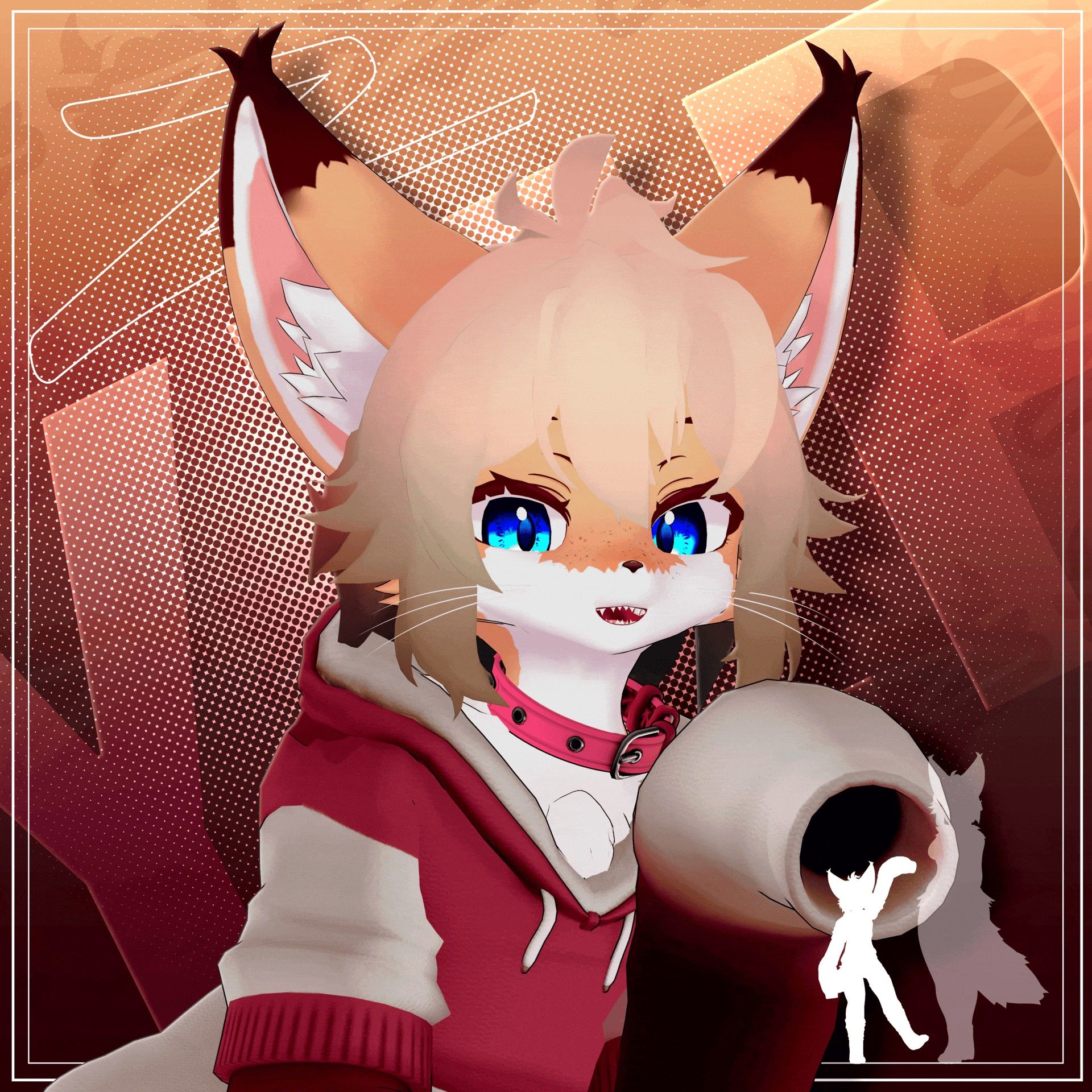
Yip [ VRChat Avatar ]
-
-
bump
-
-
-
Found here!: https://forum.ripper.store/post/2093033 go and upvote them :3
-
Found here!: https://forum.ripper.store/post/2093033 go and upvote them :3
-
-
@LoonaFrien removed because somebody shared a nsfw edit of the chibi

-
@StaticVox i have the unitypackage still here u go
-
Bump Spp file
-
since the unitypackage is here already, i have the other files
SPP files for variants 1 and 2:
SPP files for variants 3 and 4:
Blender files: -
since the unitypackage is here already, i have the other files
SPP files for variants 1 and 2:
SPP files for variants 3 and 4:
Blender files:@overhaul68 variant 2 has some tampered spots and places, not sure about 3 and 4 yet as I haven't used but only 1 and 2 so far
-
-
@overhaul68 variant 2 has some tampered spots and places, not sure about 3 and 4 yet as I haven't used but only 1 and 2 so far
@funnybunny77 huh... what spots are you looking at? i went through the files and i'm not seeing anything out of the ordinary (could just be blind)
-
@overhaul68 the face patch misses a fill spot and the eyes miss texturing and the ears I think also had a patch but it doesn't seem to be noticeable and knowing my brain that is nice to know and it doesn't seem to be your fault as it is just in the original SPP provided so no worries
however I will share a fix for those wondering so if you do happen to come across this with the cheetah texture you want to find the corresponding layer for dots and ear inside and fill dots with the face base color in substance painter by applying it to the dots layer as a "base color" and then right click and add a filter then click on the filter that was adding and right click in your viewport area and add gradient and it should be the first one resulting of an orange icon in the filters to be selected and make sure it's above your added png of the face texture in the dots dropdown and then you can recolor as you see fit to make it match your recolor or reskin as you see fit to no longer visibly seeing the patch that exist there and this should resolve the issue with that patch and as for a noticeable dot that may be there at the bottom of the spp on the neck or around that region you can find the right layer in the SPP and just erase that for the fill layer mask and as for the ear inside layer you shouldn't worry or care much for that as it isn't really noticeable
-
why do i not have the import version for the avatar? can someone help? @overhaul68







Hello! It looks like you're interested in this conversation, but you don't have an account yet.
Getting fed up of having to scroll through the same posts each visit? When you register for an account, you'll always come back to exactly where you were before, and choose to be notified of new replies (either via email, or push notification). You'll also be able to save bookmarks and upvote posts to show your appreciation to other community members.
With your input, this post could be even better 💗
Register Login