Skip to content
  • Categories
  • Recent
  • Tags
  • Popular
Skins
  • Light
  • Brite
  • Cerulean
  • Cosmo
  • Flatly
  • Journal
  • Litera
  • Lumen
  • Lux
  • Materia
  • Minty
  • Morph
  • Pulse
  • Sandstone
  • Simplex
  • Sketchy
  • Spacelab
  • United
  • Yeti
  • Zephyr
  • Dark
  • Cyborg
  • Darkly
  • Quartz
  • Slate
  • Solar
  • Superhero
  • Vapor

  • Default (Zephyr)
  • No Skin
Collapse
RipperStore Logo
  1. Home
  2. Assets
  3. Gifts / Downloads
  4. [Gift] Miami Vice City🩷

[Gift] Miami Vice City🩷

Scheduled Pinned Locked Moved Gifts / Downloads
worldassetgiftworld assetsworld asset
10 Posts 3 Posters 1.3k Views 4 Watching
  • Oldest to Newest
  • Newest to Oldest
  • Most Votes
Reply
  • Reply as topic
Log in to reply
This topic has been deleted. Only users with topic management privileges can see it.
  • shertmateS
    shertmateS
    shertmate
    wrote on last edited by shertmate
    #1

    6f7b6d97-0f54-4c70-b893-0acffe8111b9-image.jpeg
    Screenshot 2026-05-24 152109.png

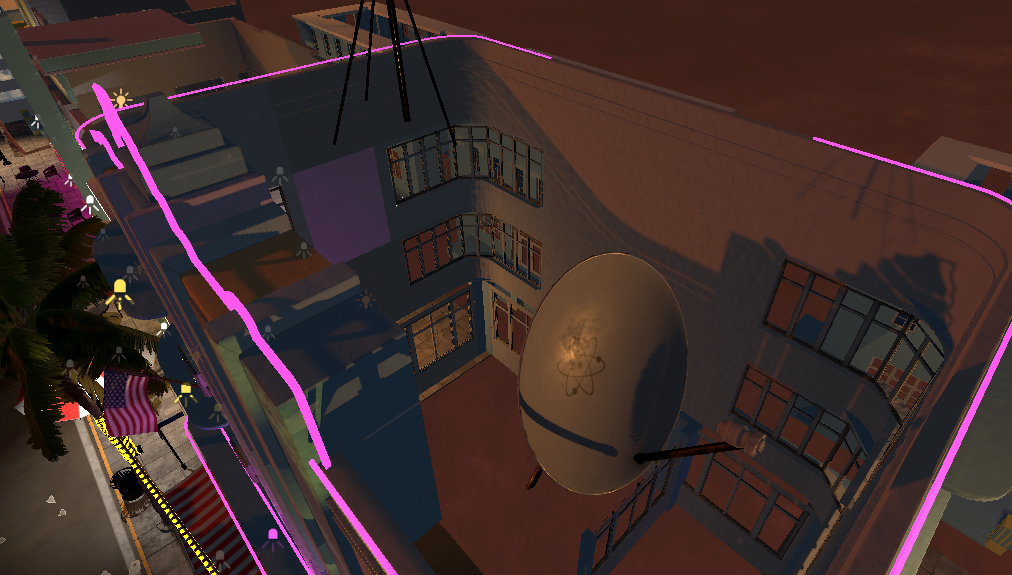
    It looks good on the outside, but there are a lot of loose parts, so it needs some modification rather than using it as is.

    [Store Link]
    [register or login to view this hidden content]
    [register or login to view this hidden content] (Contains material patch)

    I realized there's a big trouble in this asset. If you connect in PC mode, you won't see any problems, but if you connect in VR mode, your eyes may be torn out by the shader. So I fixed all materials to standard. I couldn't do anything about the fake interior windows, so I attached a shader that doesn't have any VR problems.
    And, some objects could not use standard shaders, so they were replaced with Liltoon.
    Therefore, you must first import the Liltoon shader into your project to use this fix.
    [register or login to view this hidden content]

    1 Reply Last reply
    3
    • CarlosElLobo13C
      CarlosElLobo13C
      CarlosElLobo13
      wrote on last edited by
      #2

      One question: what shader does it use?

      shertmateS 1 Reply Last reply
      0
      • CarlosElLobo13C CarlosElLobo13

        One question: what shader does it use?

        shertmateS
        shertmateS
        shertmate
        wrote on last edited by
        #3

        @CarlosElLobo13 If the material's shader is not selected when you import the asset, select Unity Registry in the Package Manager, search for Shader Graph, and install it.

        1 Reply Last reply
        0
        • shertmateS
          shertmateS
          shertmate
          wrote on last edited by
          #4

          I realized there's a big trouble in this asset. If you connect in PC mode, you won't see any problems, but if you connect in VR mode, your eyes may be torn out by the shader. So I fixed all materials to standard. I couldn't do anything about the fake interior windows, so I attached a shader that doesn't have any VR problems.
          And, some objects could not use standard shaders, so they were replaced with Liltoon.
          Therefore, you must first import the Liltoon shader into your project to use this fix.
          [register or login to view this hidden content]

          1 Reply Last reply
          1
          • TheWanderingOneT
            TheWanderingOneT
            TheWanderingOne
            wrote on last edited by
            #5

            Link dead

            shertmateS 1 Reply Last reply
            0
            • TheWanderingOneT TheWanderingOne

              Link dead

              shertmateS
              shertmateS
              shertmate
              wrote on last edited by
              #6

              @RubenGravesVR I just tried the link and it works fine.
              Is anyone else having trouble accessing it?

              TheWanderingOneT 1 Reply Last reply
              0
              • shertmateS shertmate

                @RubenGravesVR I just tried the link and it works fine.
                Is anyone else having trouble accessing it?

                TheWanderingOneT
                TheWanderingOneT
                TheWanderingOne
                wrote on last edited by
                #7

                @shertmate for me it saids 404 file not found

                shertmateS 1 Reply Last reply
                0
                • TheWanderingOneT
                  TheWanderingOneT
                  TheWanderingOne
                  wrote on last edited by
                  #8

                  All of them say that

                  1 Reply Last reply
                  0
                  • TheWanderingOneT TheWanderingOne

                    @shertmate for me it saids 404 file not found

                    shertmateS
                    shertmateS
                    shertmate
                    wrote last edited by
                    #9

                    @RubenGravesVR okay then try this [register or login to view this hidden content] if it work correctly you need to import the Built-In~~ file first and the material patch later

                    TheWanderingOneT 1 Reply Last reply
                    0
                    • shertmateS shertmate

                      @RubenGravesVR okay then try this [register or login to view this hidden content] if it work correctly you need to import the Built-In~~ file first and the material patch later

                      TheWanderingOneT
                      TheWanderingOneT
                      TheWanderingOne
                      wrote last edited by
                      #10

                      @shertmate alr, thank you so much. I'll lwt you know if I encounter any more errors

                      1 Reply Last reply
                      0

                      Hello! It looks like you're interested in this conversation, but you don't have an account yet.

                      Getting fed up of having to scroll through the same posts each visit? When you register for an account, you'll always come back to exactly where you were before, and choose to be notified of new replies (either via email, or push notification). You'll also be able to save bookmarks and upvote posts to show your appreciation to other community members.

                      With your input, this post could be even better 💗

                      Register Login
                      Reply
                      • Reply as topic
                      Log in to reply
                      • Oldest to Newest
                      • Newest to Oldest
                      • Most Votes


                      • Login

                      • Login or register to search.
                      • First post
                        Last post
                      0
                      • Categories
                      • Recent
                      • Tags
                      • Popular