Skip to content
  • Categories
  • Recent
  • Tags
  • Popular
Skins
  • Light
  • Brite
  • Cerulean
  • Cosmo
  • Flatly
  • Journal
  • Litera
  • Lumen
  • Lux
  • Materia
  • Minty
  • Morph
  • Pulse
  • Sandstone
  • Simplex
  • Sketchy
  • Spacelab
  • United
  • Yeti
  • Zephyr
  • Dark
  • Cyborg
  • Darkly
  • Quartz
  • Slate
  • Solar
  • Superhero
  • Vapor

  • Default (Zephyr)
  • No Skin
Collapse
RipperStore Logo
  1. Home
  2. Assets
  3. Gifts / Downloads
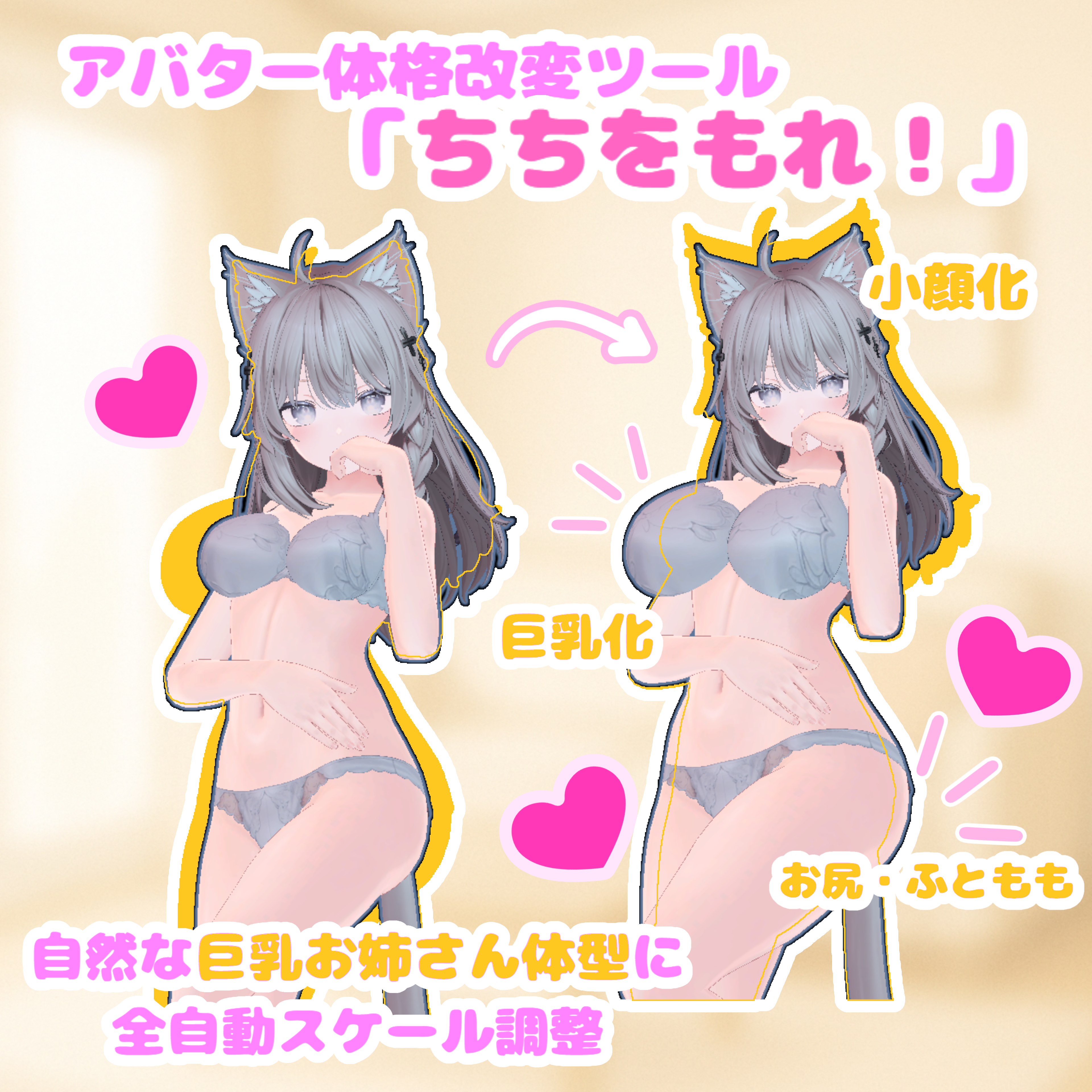
  4. GIFT~ Avatar Body Modification Tool

GIFT~ Avatar Body Modification Tool

Scheduled Pinned Locked Moved Gifts / Downloads
giftbooth assetbooth
41 Posts 22 Posters 4.7k Views 26 Watching
  • Oldest to Newest
  • Newest to Oldest
  • Most Votes
Reply
  • Reply as topic
Log in to reply
This topic has been deleted. Only users with topic management privileges can see it.
  • AccountA Account

    @cupid_bow That's what this second page on the tool is for, it shows what outfits are already on the avatar, click "copy the scale to the selected costume" and it will scale to your changes.

    Cupid_BowC
    Cupid_BowC
    Cupid_Bow
    wrote on last edited by
    #27

    @Account OHHHHHHHHHHHHHHHHHHHHHHHHHHHHH okayyyy thanks so much!

    1 Reply Last reply
    ๐Ÿ˜Š
    1
    • S
      S
      Seekerofmemes
      wrote on last edited by
      #28

      Okay is there a way to make a slider with it?

      AccountA BluuuuB 2 Replies Last reply
      0
      • S Seekerofmemes

        Okay is there a way to make a slider with it?

        AccountA
        AccountA
        Account
        wrote on last edited by
        #29

        @Seekerofmemes Like make it into blendshapes? Not with this tool, not that I know of. It adds a scaling component to each armature bone

        หšโ‚Šโ€ง๊’ฐแƒ โ˜† เป’๊’ฑ โ€งโ‚Šหš

        1 Reply Last reply
        0
        • S Seekerofmemes

          Okay is there a way to make a slider with it?

          BluuuuB
          BluuuuB
          Bluuuu
          wrote on last edited by
          #30

          @Seekerofmemes You'd have to record the scaling components in an animation.

          I don't have much, but I share what I can <3
          I don't do trading, don't bother!

          1 Reply Last reply
          0
          • BluuuuB Bluuuu

            @bubbilym Did you check to see if any blendshapes or FX animations are overwriting it? What happens if you remove FX and use playmode? You might have something conflicting with the shape

            bubbilymB
            bubbilymB
            bubbilym
            wrote on last edited by
            #31

            @Bluuuu i tried removing the fx, unless i pressed the wrong thing, all i did was put the leg scale on this add on all the way down. im quite uncertain on the issue.

            1 Reply Last reply
            0
            • BluuuuB Bluuuu referenced this topic on
            • R
              R
              reisaku
              wrote on last edited by
              #32

              v6 plz?

              1 Reply Last reply
              0
              • UnknownGU
                UnknownGU
                UnknownG
                wrote on last edited by
                #33

                I have an avatar that I'm trying to slightly alter the chest of, but for some reason reverts to how it was before every time. It will even show the change in the avatar preview but when I select the avatar it's how it was before. Anyone know what might cause this? It reverts in gesture manager/play mode too if it helps. DM me if preferable if there's anyone that might know.

                1 Reply Last reply
                0
                • loveybunbunL
                  loveybunbunL
                  loveybunbun
                  wrote on last edited by loveybunbun
                  #34

                  man, and i can't even get the thing to appear under tools even though i reimported it a good few times already (๏ผ›ยดโˆ€๏ฝ€) the things i go through to try and make my avatar a little pudgier... do i need to close and reopen the entire project again???
                  edit: it is working perfectly now :3 ty!!!!

                  D 1 Reply Last reply
                  0
                  • loveybunbunL loveybunbun

                    man, and i can't even get the thing to appear under tools even though i reimported it a good few times already (๏ผ›ยดโˆ€๏ฝ€) the things i go through to try and make my avatar a little pudgier... do i need to close and reopen the entire project again???
                    edit: it is working perfectly now :3 ty!!!!

                    D
                    D
                    didyhedothi
                    wrote on last edited by
                    #35

                    @loveybunbun how did you get it to work?

                    1 Reply Last reply
                    0
                    • X
                      X
                      xiaoemohan7
                      wrote last edited by
                      #36

                      v7 please

                      1 Reply Last reply
                      0
                      • YoruSoraTsukiY
                        YoruSoraTsukiY
                        YoruSoraTsuki
                        wrote last edited by
                        #37

                        v7 please

                        1 Reply Last reply
                        0
                        • VRCavi21xV
                          VRCavi21xV
                          VRCavi21x
                          wrote last edited by
                          #38

                          v7 Drop

                          [register or login to view this hidden content]

                          1 Reply Last reply
                          3
                          • vrc_repoV
                            vrc_repoV
                            vrc_repo
                            wrote last edited by
                            #39

                            bump for v8

                            1 Reply Last reply
                            0
                            • VimmyV
                              VimmyV
                              Vimmy
                              wrote last edited by
                              #40

                              bump

                              Futanari Is best~

                              1 Reply Last reply
                              0
                              • manumanukaM
                                manumanukaM
                                manumanuka
                                wrote last edited by
                                #41

                                bump

                                1 Reply Last reply
                                0

                                Hello! It looks like you're interested in this conversation, but you don't have an account yet.

                                Getting fed up of having to scroll through the same posts each visit? When you register for an account, you'll always come back to exactly where you were before, and choose to be notified of new replies (either via email, or push notification). You'll also be able to save bookmarks and upvote posts to show your appreciation to other community members.

                                With your input, this post could be even better ๐Ÿ’—

                                Register Login
                                Reply
                                • Reply as topic
                                Log in to reply
                                • Oldest to Newest
                                • Newest to Oldest
                                • Most Votes


                                • Login

                                • Login or register to search.
                                • First post
                                  Last post
                                0
                                • Categories
                                • Recent
                                • Tags
                                • Popular