
-
hi i have problem every time i'm trying to upload the avatar i got an erorr "Loaded data for an avatar we do not own, clearing blueprint ID"
and there is no ID on the inspectorif any one know how to fix it please tell me and thank you
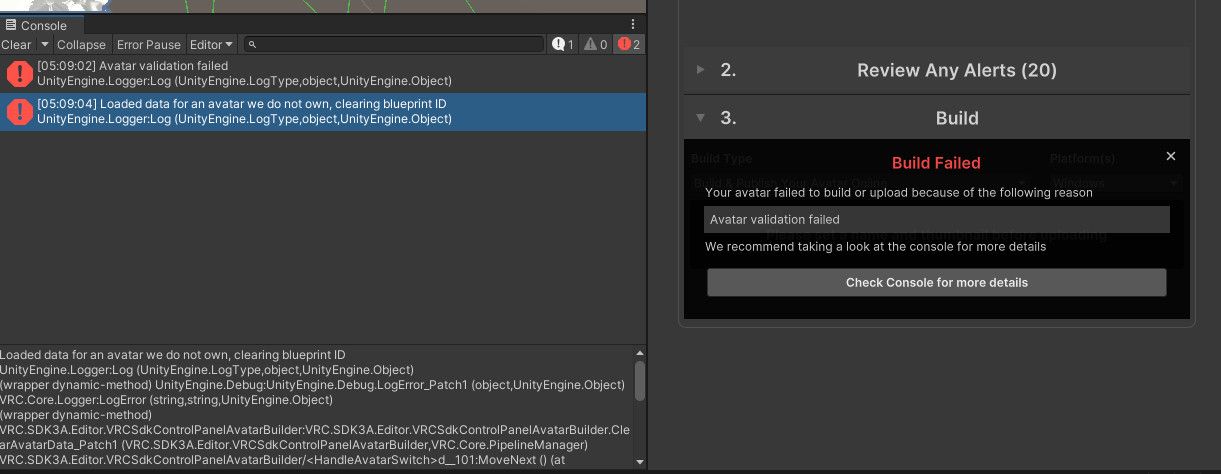
update: when i upload with 2022.3.22f1 it gave me this error
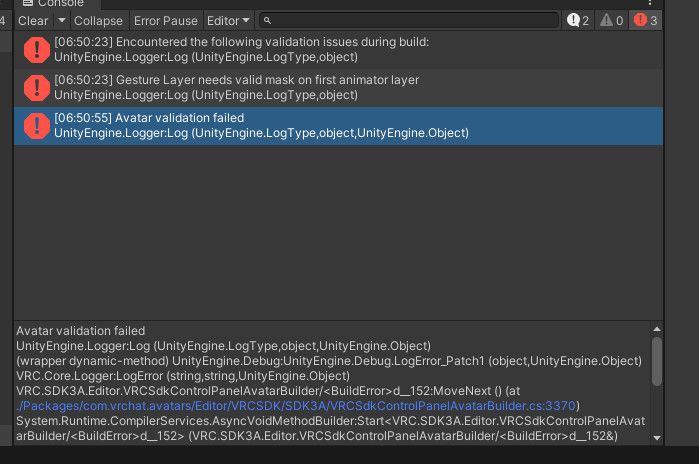
-
-
-
-
[[topic:post-is-deleted]]
-
-
-
-
-
-
-
-
[[topic:post-is-deleted]]
-
-
M1zuki Could you double check this world you fixed, I've tried to open the fixed version but the scripts are broken ;-;
@MaoMao_0w0 could you send screenshots?
-
I need this avatar extracted, I hope its not too much work for you. -
I need this avatar extracted, I hope its not too much work for you. -
@sumdumbass you'd have to export from unity back into blender, I'd suggest watching a tutorial
-
@M1zuki i've tried to look for one but came up with nothing
@sumdumbass You cannot natively open a .unity3d file in Blender, as it is a proprietary archive used for Unity packages. Instead, you need to export the 3D model from your Unity project into a Blender-compatible format like .fbx using the FBX Exporter.
Try this
-
im too dumb for this





![[NONE]](/assets/uploads/profile/uid-14475/14475-profileavatar-1782911594345.png "[NONE]")


Hello! It looks like you're interested in this conversation, but you don't have an account yet.
Getting fed up of having to scroll through the same posts each visit? When you register for an account, you'll always come back to exactly where you were before, and choose to be notified of new replies (either via email, or push notification). You'll also be able to save bookmarks and upvote posts to show your appreciation to other community members.
With your input, this post could be even better 💗
Register Login