
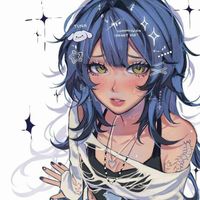
Gift: Aiko by aii0 (Fixed!)
-
@JadenCross we tried but the package completely crashes everyone's pc creator has to fix it herself
@ᴋᴏʀɪ thats so odd
-
Reuping the post here soon with pc files but idk if they work
-
Post now has been fixed and includes pc/quest files
-
 P potatobunny referenced this topic on
-
@ᴋᴏʀɪ idk im waiting to see if anyone says they work someone told me they worked but im not 100% sure
-
@ᴋᴏʀɪ loaded it into unity and was able to upload it so it should be good
-
bump having issues uplaoding as well, what do i need to import for it? @potatobunny
@sunnyDD idk the stuff i had in mine worked but i dont make new projects everytime i upload
-
make sure the vrchat sdk for BOTH sides is 3.81. it uploads just fine
-
@npnsd bump cause I still can't upload her no matter what

-
I can't seem to upload the quest version. It took an arm and a leg to upload the PC version. The avatar completely breaks SDK, and I'm not even sure how I managed to get the PC working. Now, as I'm trying to upload the quest version, I seem to be completely unable to. I tried using the PC blueprint and adding it to the quest avatar, but ultimately, it does not allow me to check off the box, agreeing to VRchats' terms. When adding the blueprint to the avatar, it doesn't change the name nor use the picture of the PC version, as though no blueprint was added at all. What's more, I cannot view any alerts in SDK, it's just blank. I also found, on their Discord server, what the creator used to upload the avi without PCSS.

-
I can't seem to upload the quest version. It took an arm and a leg to upload the PC version. The avatar completely breaks SDK, and I'm not even sure how I managed to get the PC working. Now, as I'm trying to upload the quest version, I seem to be completely unable to. I tried using the PC blueprint and adding it to the quest avatar, but ultimately, it does not allow me to check off the box, agreeing to VRchats' terms. When adding the blueprint to the avatar, it doesn't change the name nor use the picture of the PC version, as though no blueprint was added at all. What's more, I cannot view any alerts in SDK, it's just blank. I also found, on their Discord server, what the creator used to upload the avi without PCSS.
All in all, even following the creator's instructions, the avatar is completely broken and hard to upload. I used everything they did in hopes of getting a successful result, and it didn't work. My SDK is the latest version, and I have no issues uploading any other avatars. Just this one. It's a shame because it's a very cute avatar, and I would've loved to have the quest version attached to the PC one. From what I understand, these files also don't require PCSS.
Did anyone successfully upload both the quest and PC side of this avatar, and if so, how?
-
@npnsd i dont have it, i just added the basics and it uploaded fine
-
@npnsd i dont have it, i just added the basics and it uploaded fine
@potatobunny I will see if i can upload it.



Hello! It looks like you're interested in this conversation, but you don't have an account yet.
Getting fed up of having to scroll through the same posts each visit? When you register for an account, you'll always come back to exactly where you were before, and choose to be notified of new replies (either via email, or push notification). You'll also be able to save bookmarks and upvote posts to show your appreciation to other community members.
With your input, this post could be even better 💗
Register Login