
1.01 FULLPACK【販売ワールド】Luminous Hotel【PCVR/Quest】
-
how to get in the rooms ???
@Coolcat2023 There should be a key card somewhere. Or some sort of key card that can allow access to the rooms.
-
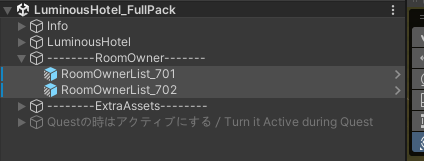
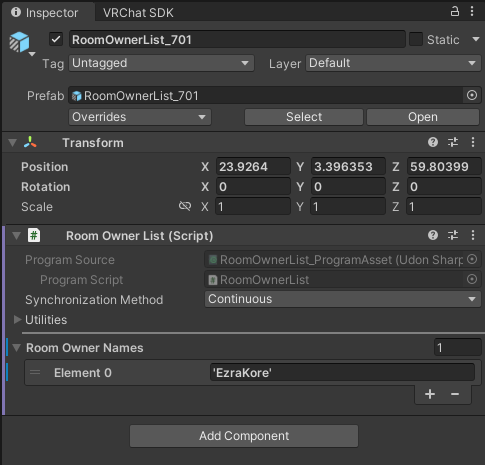
For those who don't know where are the key cards, they're next to the room entrance


But you have to add in the VRChat username (who allow to access the key card) in the prefab under RoomOwner
-
ah thanks

-
-
Please stop bumping this post I would recommend making your own or joining this post linked below as this might help the asset get shared faster and to not flood this gift post. Thank you
Looking for post: 1.10 FULLPACK【販売ワールド】Luminous Hotel【PCVR/Quest】
Download
Booth
I had it for awhile from a friend and they said they don't mind what I do with it so I decided to share it all with you after seeing this post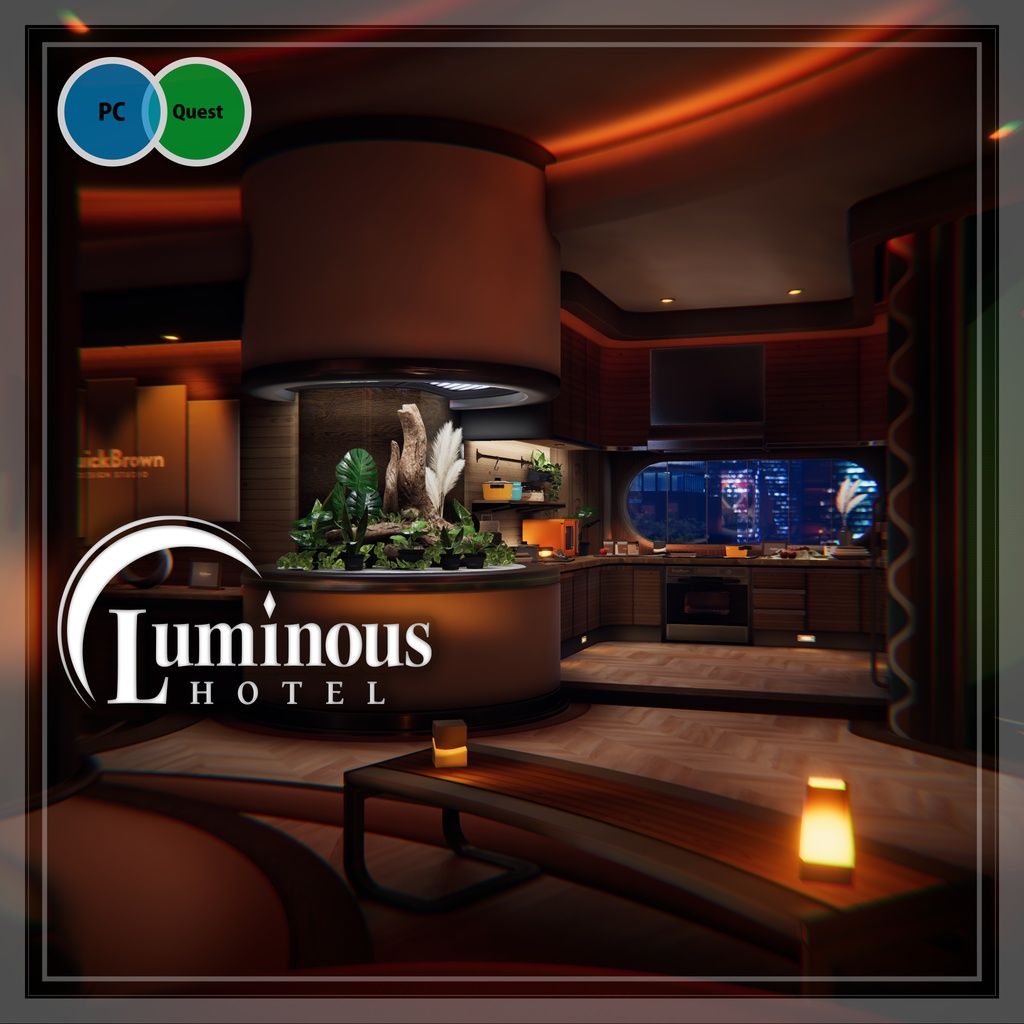
Since I received it from a friend I will ask if they can provide ver 1.10. Please be paitent.
Just sharing what I can.
If you can give me Tolass/Kuuta/Mamehinata assets that would make me very happy!
Gift Repository/wishlist Things I've shared + things I'm looking for. If you can help I would greatly appreciate it.For trade requests please contact/request me through DM as I do not use Discord. Thank you. Feel free to ask me if I have a certain asset there is many I haven't listed yet.
Hirokuu's Trading List -
this world is awesome

-
Please stop bumping this post I would recommend making your own or joining this post linked below as this might help the asset get shared faster and to not flood this gift post. Thank you
Looking for post: 1.10 FULLPACK【販売ワールド】Luminous Hotel【PCVR/Quest】
Download
Booth
I had it for awhile from a friend and they said they don't mind what I do with it so I decided to share it all with you after seeing this postMy friend got back to me and they unfortunately do not have the latest. They got it from someone else then shared it with me. I'm really sorry everyone

Just sharing what I can.
If you can give me Tolass/Kuuta/Mamehinata assets that would make me very happy!
Gift Repository/wishlist Things I've shared + things I'm looking for. If you can help I would greatly appreciate it.For trade requests please contact/request me through DM as I do not use Discord. Thank you. Feel free to ask me if I have a certain asset there is many I haven't listed yet.
Hirokuu's Trading List -
-
is there a way to just have the keycards out without the whole whitelist thing so anyone can access?
@wompwomp I just tried out these methods but none of them works sadly
1)Delete ownerlist prefab
2)Delete ownerlist script
3)Change the Synchronization Method
4)Change Room Owner Names to 0 -
@wompwomp I just tried out these methods but none of them works sadly
1)Delete ownerlist prefab
2)Delete ownerlist script
3)Change the Synchronization Method
4)Change Room Owner Names to 0@shadowwolver2500 not currently at my pc to try, but what about either removing the owner prefab and i guess duplicating the card to just be out? Or just duplicating the card to just be out in the open
-
@shadowwolver2500 not currently at my pc to try, but what about either removing the owner prefab and i guess duplicating the card to just be out? Or just duplicating the card to just be out in the open
@wompwomp That is simple way to solve that, if you don't mind it laying around
-
You best!
-
-
-
-
-
Bump for 1.10

Thank you so much for sharing!
I'm still kinda new to uploading worlds. I think I messed up when trying to upload this one, the builder menu just did not want to appear for me Any suggestions?
Edit: I managed to upload it, just created a new project and tried again but now I'm struggling with the "owner" access thing. I changed it to my name and nothing. Changed the number to 0 and still the same. :c
If anyone can help that'd be very appreciated! ;n;Final edit: My stubbornness somehow figured it out, I just kept figgiting with the box and put my name exactly as it is (maybe it was the special characters throwing it off) and taadaa, finally working ;u;
Thank you again so so much for this gift!~
-
-
I have the latest of course as I'm probably the original purchaser anyway but everyone i traded with i guess decided to distribute this and after being told f*ck traders theres not much I can do now
-
I also rewrote the script so you dont have to do whitelist and can bypass the whole thing too but the disrespect went too far






Hello! It looks like you're interested in this conversation, but you don't have an account yet.
Getting fed up of having to scroll through the same posts each visit? When you register for an account, you'll always come back to exactly where you were before, and choose to be notified of new replies (either via email, or push notification). You'll also be able to save bookmarks and upvote posts to show your appreciation to other community members.
With your input, this post could be even better 💗
Register Login