
LF Sio Pussy - SIOBo
-
@anon12343219 That was fast, many thanks!
@pinkcookie2777 @Pastel Y'all are very welcome, I would've posted it sooner if I wasn't having trouble with trying to get Booth to accept my card lol
-
tysm, has anyone successfully used it though? Quoting the author "Adjusting the cutout value of the Seo Body Material will solve hole problem!" i've done this in multiple ways with no success.
@JorJor
Select Sio Body 2 to cutout, go to alpha mask, select replace, then insert "mask" or "outline" mask from the Sio file textures you shared, put transparency to 0.49. My settings will look different probably since I'm using a Sio skin texture/mat and I wanted both meshes to match as much as possible.Note: I was too lazy to put the mask in her body texture file like the author did with Manuka's XD but if you know photoshop you can do that to make it easier!
Here are the results, Hope this helps!:

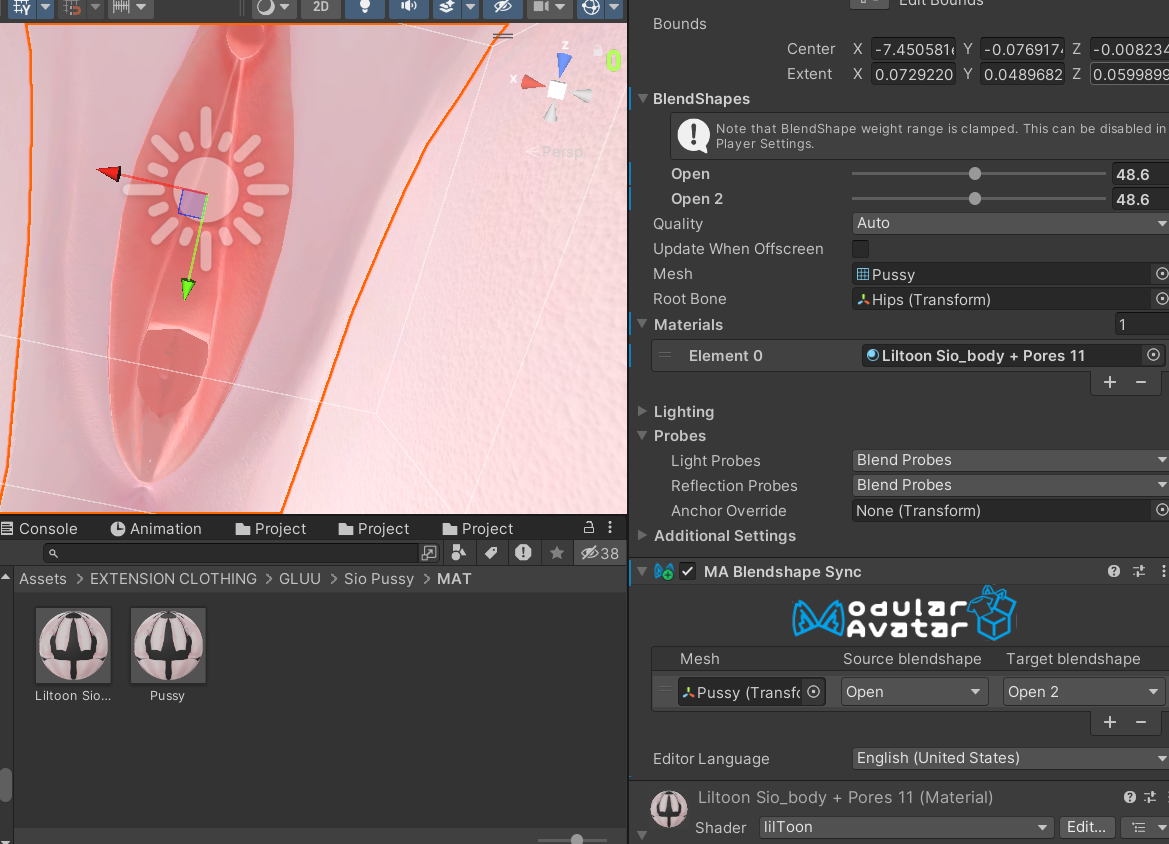
Hopefully no one is bothered by the graphic images, if so I'll take down! Ignore the weird folder layout I'm reorganising XD
I don't have much, but I share what I can <3
I don't do trading, don't bother! -
@JorJor
Select Sio Body 2 to cutout, go to alpha mask, select replace, then insert "mask" or "outline" mask from the Sio file textures you shared, put transparency to 0.49. My settings will look different probably since I'm using a Sio skin texture/mat and I wanted both meshes to match as much as possible.Note: I was too lazy to put the mask in her body texture file like the author did with Manuka's XD but if you know photoshop you can do that to make it easier!
Here are the results, Hope this helps!:
Hopefully no one is bothered by the graphic images, if so I'll take down! Ignore the weird folder layout I'm reorganising XD
@pinkcookie2777
First thank for replying while I was a sleep for them!Second, you don't "neeeeed" to Photoshop or Gimp in the texture, as with liltoon specifically (I'm unsure with other shaders, poi cannot) you can just bake it onto the base texture to save on vram space and functions! Its a few extra steps ever time you make a edit to your base texture, but worth it if your concerned with performance. In fact you can see the button to do so inside of your first screenshot right now!
You can even do this with your alpha to be even better with vram! Tho that one gets finicky when working with faces that have alpha'd parts. Personally I'd rather avoid alpha baking.
It doesn't replace your old texture, it opens an explorer so you can rename and place where your want.
Scientist had issues with observing the earth rotate the first time
They got tired so they called it a day
-
@pinkcookie2777
First thank for replying while I was a sleep for them!Second, you don't "neeeeed" to Photoshop or Gimp in the texture, as with liltoon specifically (I'm unsure with other shaders, poi cannot) you can just bake it onto the base texture to save on vram space and functions! Its a few extra steps ever time you make a edit to your base texture, but worth it if your concerned with performance. In fact you can see the button to do so inside of your first screenshot right now!
You can even do this with your alpha to be even better with vram! Tho that one gets finicky when working with faces that have alpha'd parts. Personally I'd rather avoid alpha baking.
It doesn't replace your old texture, it opens an explorer so you can rename and place where your want.
@Pastel Yeah I know about that feature, I'm with you on that I don't alpha bake either. Fortunately, I have a high performing computer so performance is only a concern for friends. I personally didn't do it myself because I'm making MANY Sio genres/varieties and I'm very indecisive on what parts I want for Sio. I'm still editing the material for her private area to match the enhancements I have. But glad you added this tip for them and others in the future. Not gonna lie that comment goes for anything photoshop. I'm very lazy when it comes to photoshop, blender and adobe anything that isn't college related. If I can do it in Unity I'll do it there XD Cheers!
-
@JorJor
Select Sio Body 2 to cutout, go to alpha mask, select replace, then insert "mask" or "outline" mask from the Sio file textures you shared, put transparency to 0.49. My settings will look different probably since I'm using a Sio skin texture/mat and I wanted both meshes to match as much as possible.Note: I was too lazy to put the mask in her body texture file like the author did with Manuka's XD but if you know photoshop you can do that to make it easier!
Here are the results, Hope this helps!:
Hopefully no one is bothered by the graphic images, if so I'll take down! Ignore the weird folder layout I'm reorganising XD
-
Can someone make a video tutorial on how to place it on the avatar and also how to make it open with the DPS when something is introduced?
-
@Lilpanz Could you please re-upload the file?
-
Just decided to purchase it cuz it was like $4:
 Download Link (pixeldrain.com)
@anon12343219 Could you please re-upload the file?





Hello! It looks like you're interested in this conversation, but you don't have an account yet.
Getting fed up of having to scroll through the same posts each visit? When you register for an account, you'll always come back to exactly where you were before, and choose to be notified of new replies (either via email, or push notification). You'll also be able to save bookmarks and upvote posts to show your appreciation to other community members.
With your input, this post could be even better 💗
Register Login