
Help with avatar?
-

how do I fix the black dots? (its mainly in color adjust but I don't want to remove the hue shift) The avatar is 8-kit by lilmisspasta -
bump for some help?
-
is it 100% the correct shader?
-
is it 100% the correct shader?
@L3monSh4rk I'm currently using Poi.Pro.9.1.6
(I don't know if there is a newer one out) -
just checked the avatar page, it says '2. Import Poiyomi Toon 9.0.57' so it might be a very specific shader? im not sure, maybe try importing the one specified and see if that fixes it? otherwise i dont have any other ideas, im sorry

-
just switched it and nope, nothing worked-
-
i have 2 thoughts: maybe its something about seting in fur shader, or you put wrong texture in that material
-
i have 2 thoughts: maybe its something about seting in fur shader, or you put wrong texture in that material
@lowmashmalow It was just a poi toon shader, nothing switched nor changed even when I had poi pro in the unity
-
@zeta-zaza
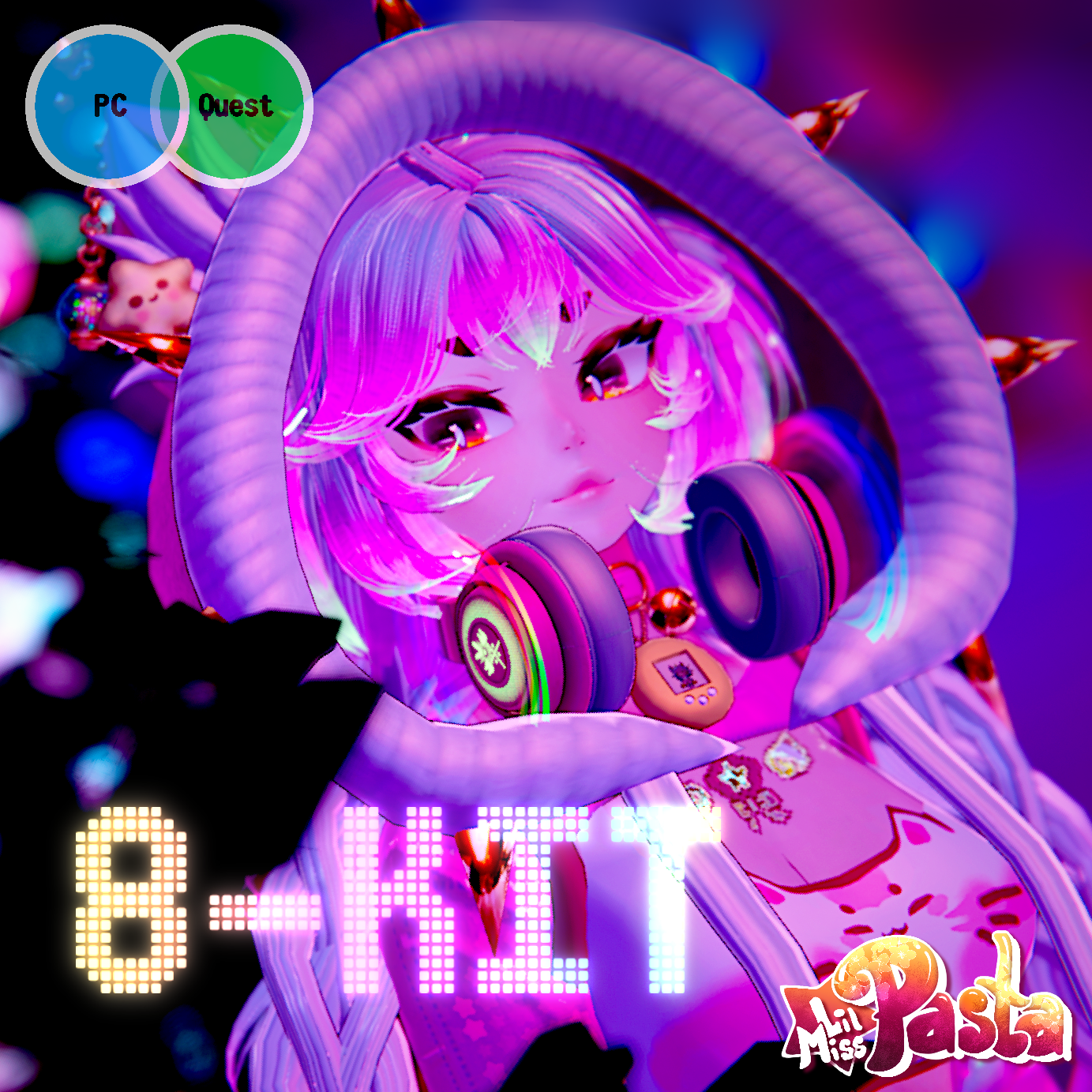
This is how she's supposed to look (the white is actually white and doesn't have black dots in it) -
Hi! Try changing the blending mode on the material for this! Is it already set as opaque?
-
Hi! Try changing the blending mode on the material for this! Is it already set as opaque?
-
@puppyplatter I could check hold on!
@whysomuch Sure! lmk how it goes, and if you can could you grab a screen shot too? On the right hand side, I wanna see what all the settings and values are set to on your shader for this material. Thanks! ^-^



Hello! It looks like you're interested in this conversation, but you don't have an account yet.
Getting fed up of having to scroll through the same posts each visit? When you register for an account, you'll always come back to exactly where you were before, and choose to be notified of new replies (either via email, or push notification). You'll also be able to save bookmarks and upvote posts to show your appreciation to other community members.
With your input, this post could be even better 💗
Register Login