
VRCA-Recovery Tool! Get Fully Working Unity Projects Out of VRCA Files
-
VRCA Recovery turns a VRChat avatar file (.vrca) back into a Unity project you can open, edit and build again. It sets up a Unity 2022.3.22f1 project with the VRChat Avatars SDK already installed, and puts your avatar in a ready-made scene.
Virus Total for 1.0 Windows
Virus Total for 1.0 Linux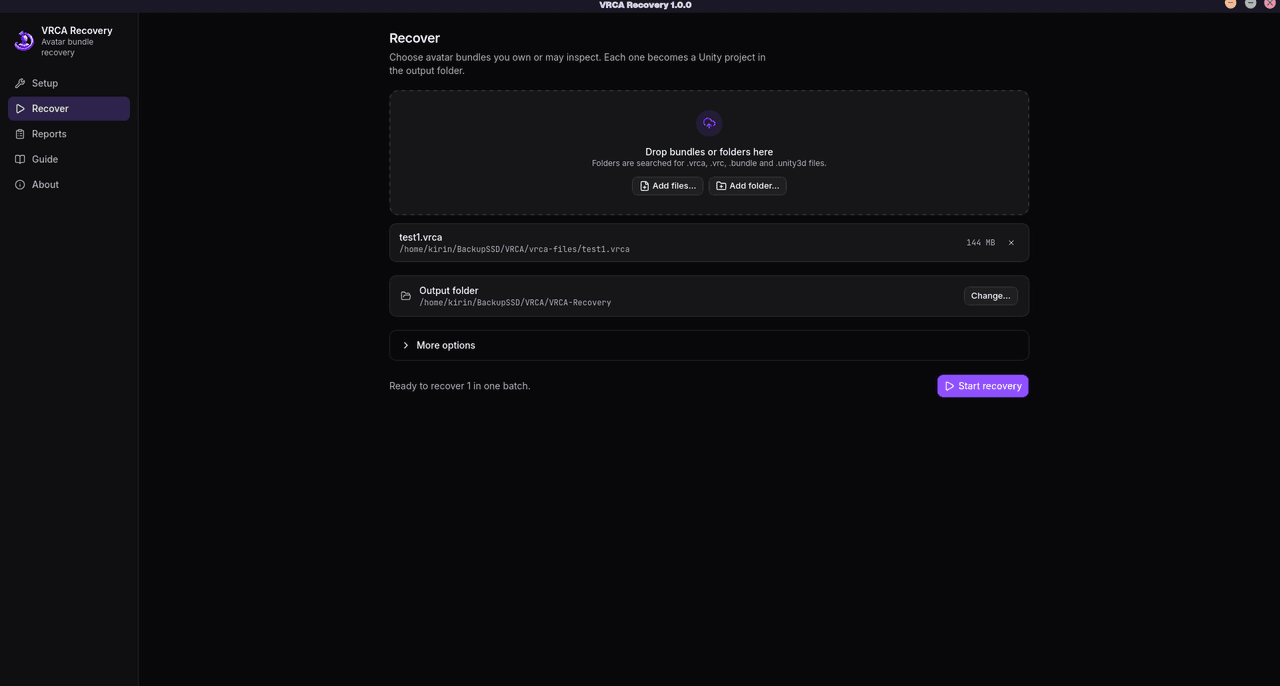
What comes back
- The avatar itself: prefabs, meshes, textures, materials, animator controllers, expression menus and parameters.
- Shaders: the app looks for the real shader first, in this order:
- your own shader libraries;
- lilToon and Poiyomi;
- packages found in VRChat’s listings, the community index or public shader releases.
Locked Poiyomi materials are matched to the unlocked shader they came from. If no real copy exists, the full edition rebuilds the shader from the compiled code inside the avatar. When that isn’t possible either, a placeholder keeps the material’s properties.
- Animations: in the full edition, animations whose targets were stored as scrambled names get their real targets back. That covers object paths, blend shapes, animator parameters and material properties.
- Build tools: VRCFury (including SPS), GoGo Loco and Modular Avatar are detected and installed, and their scripts are reconnected.
- Other packages: added only when the avatar’s shaders or scripts prove it needs them.
How it checks its work
A finished recovery has passed more than “it opens in Unity”:
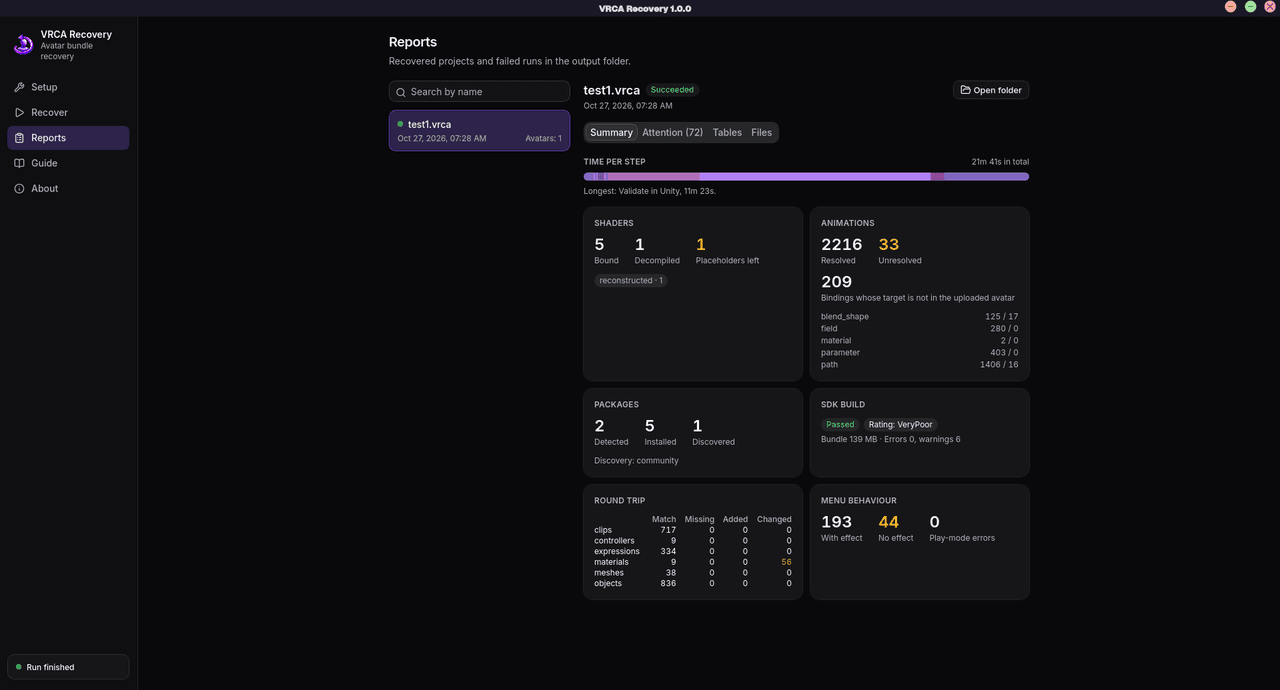
- Unity loads the project and checks the avatar descriptor, the animator, the playable layers, the expressions and every shader the app bound.
- The SDK builds the avatar offline and runs its own avatar checks, including the PC performance rating. No account or upload is involved.
- The rebuilt avatar is exported again and compared with the original, so you can see what’s missing or changed.
- Each menu control is clicked through in Play mode with Av3Emulator, and the report notes any control that does nothing.
What it can’t bring back
An avatar file only holds what VRChat needs to show the avatar. Anything that lived only in the creator’s project is gone:
- Source art: PSD, BLEND and FBX files with their import settings. You get the finished meshes and textures instead.
- The rig setup: the rig comes back as it was exported, not rebuilt, so it may need work before you rely on it.
- Shaders with no compiled data: these can’t be rebuilt, so their materials keep a placeholder.
- Editor-only setup: anything that never made it into the upload is not in the file to recover.
Getting started
- Install Unity 2022.3.22f1 through Unity Hub and sign in so the editor has a license. The app finds Unity; it never downloads it for you.
- Open VRCA Recovery and accept the agreement.
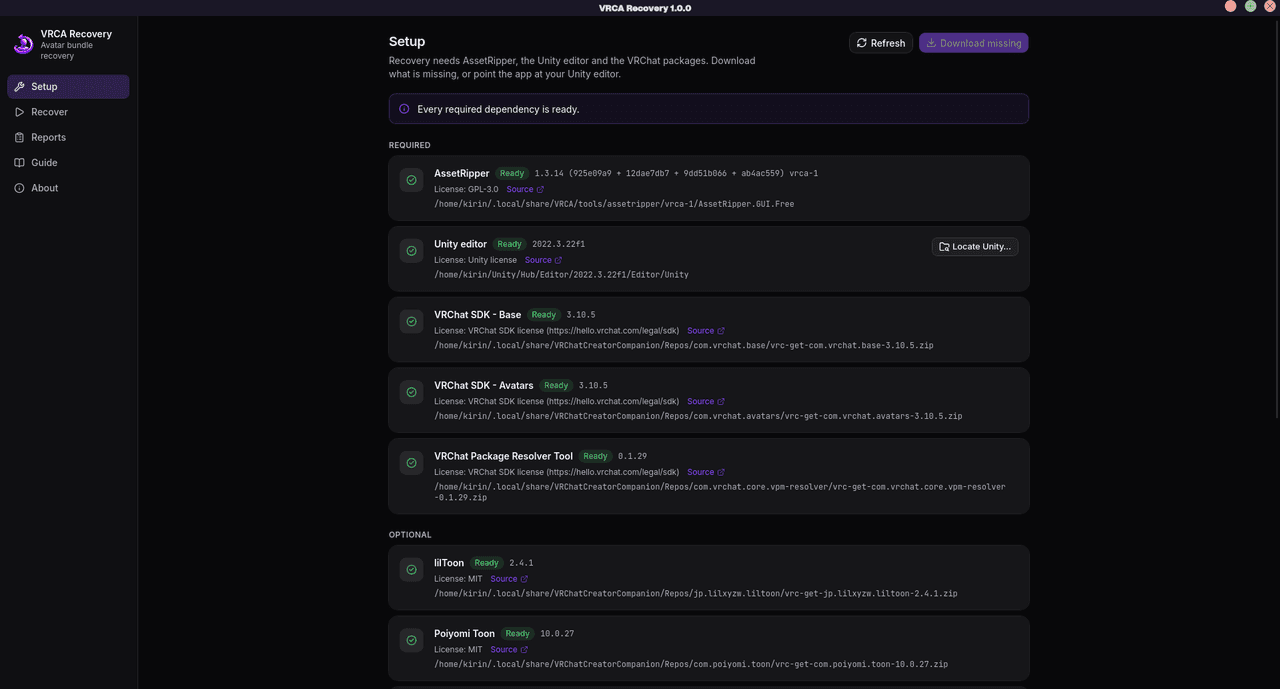
- Setup: click Download missing. It downloads and verifies AssetRipper, the VRChat SDK and the optional shader and build-tool packages. If Unity is installed somewhere unusual, use Locate Unity….
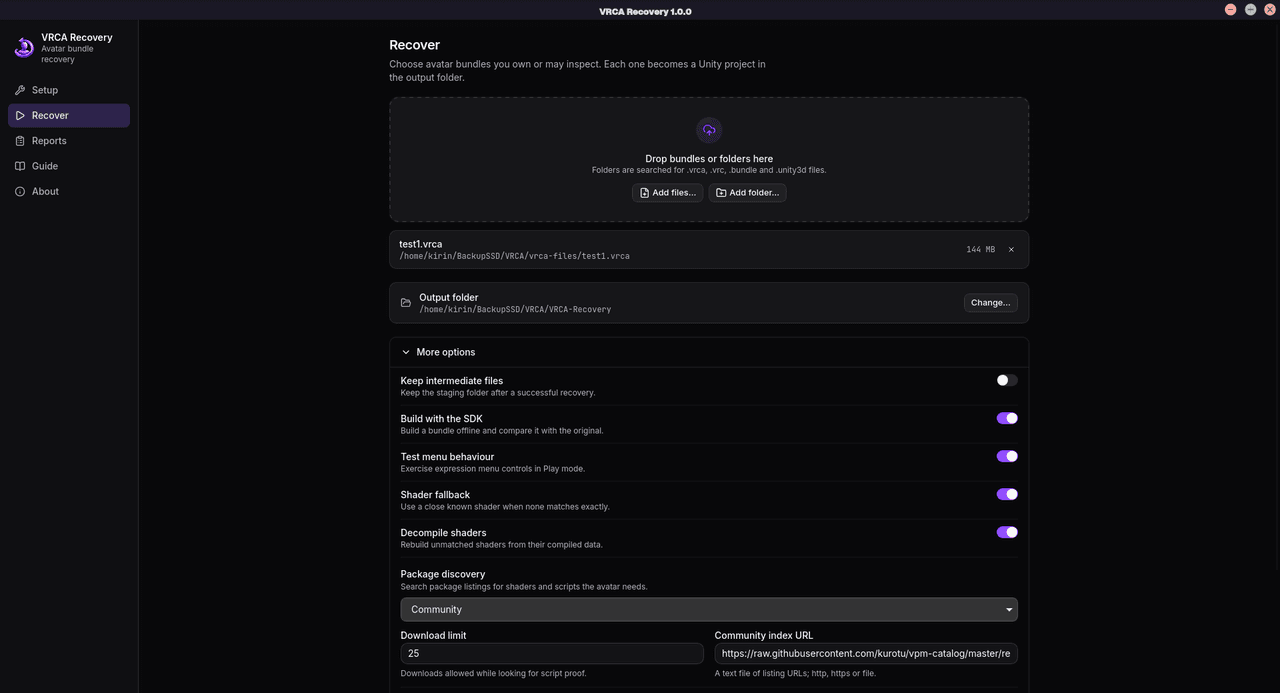
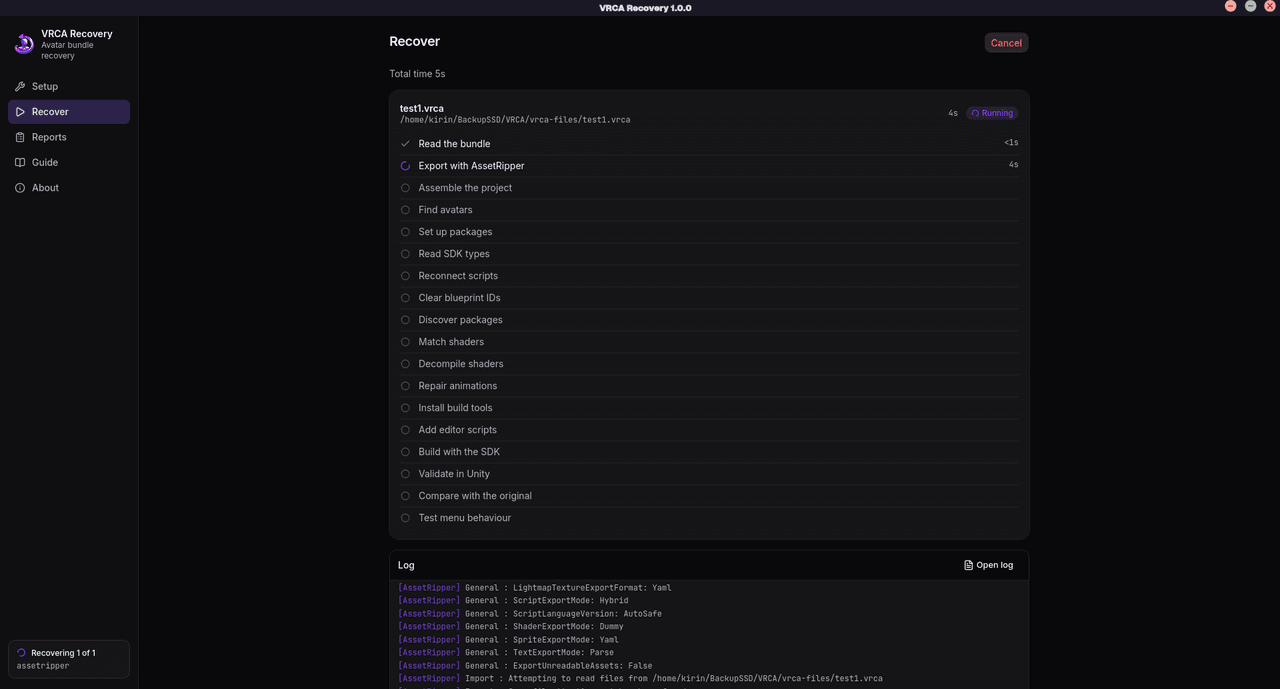
- Recover: drop in your .vrca files, or a whole folder of them, pick an output folder and click Start recovery. Each step shows live progress, and you can switch pages while it runs.
- Reports: see what was restored, what was approximated and what needs attention. Every shader is listed with how it was recovered.
Tip: if the avatar uses paid shaders or Booth assets you own, add the .unitypackage files or folders under More options → Libraries. The app checks each one against the avatar and only uses what it actually needs, so you get the real thing instead of a rebuild.
Good to know
- You’re responsible for what you do with recovered content.
- A passing check doesn’t mean the avatar is identical to the original. Read the reports and look the avatar over in Unity before you upload anything.
- Recovery takes a while, roughly 15–25 minutes per avatar with all checks on. You can turn off the SDK build and the menu test under More options to make it faster.
- The app doesn’t check for updates, and links open only when you click them.
example recovered avatars.
Screenshots for example recovered avatars. -
-
Windows defender is sadly flagging this as Trojan:Win32/Cloxer

-
Yeah my chrome blocked the file right after download because of a virus...

Hello! It looks like you're interested in this conversation, but you don't have an account yet.
Getting fed up of having to scroll through the same posts each visit? When you register for an account, you'll always come back to exactly where you were before, and choose to be notified of new replies (either via email, or push notification). You'll also be able to save bookmarks and upvote posts to show your appreciation to other community members.
With your input, this post could be even better 💗
Register Login