
✔ (FOUND by stupid chud girl) Blair by Yura
-
-
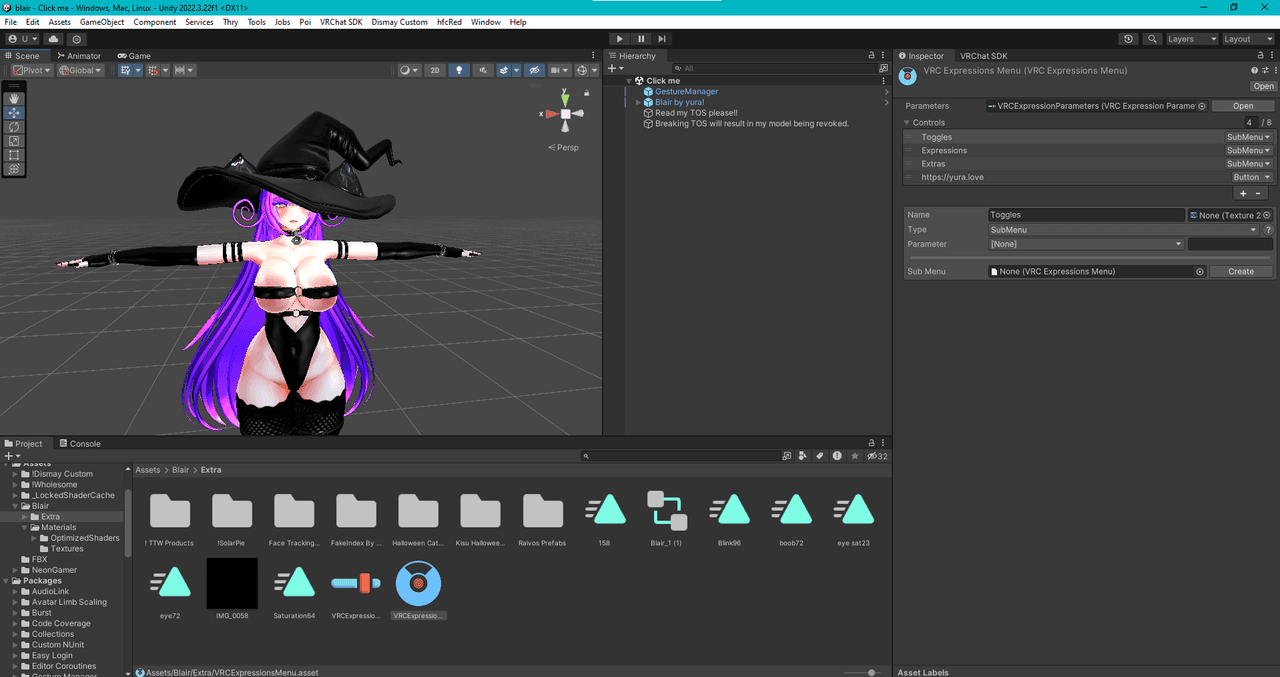
this normal? the no menu@M-I-K-O-S-H-I
If your gesture manager is not showing in play mode, try deleting the gesture manager from the hierachy and reinstalling it back. It worked for me and I tend to do this everytime a project already has gesture manager pre-installed. -
got it working, i had to make a new project and i got it uploaded thankfully
@Reaper-queen hooww mine still says avatar upload failed
-
bumping 4 fixed unity project of the avi and poipro version x
-
 R ReddieBerrie has marked this topic as solved
-
@stupid-chud-girl bomp for pro!
-
-
upp pro plise
-
Bumping for pro
-
i found fix the bugs same R and L
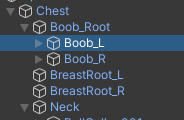
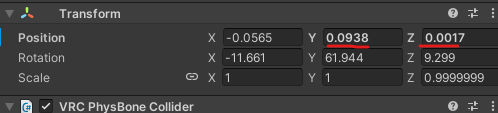
-
Writing
How to Remove the Broken GogoLoco and Add a New One
- Find Blair in the Hierarchy window.
- Select Blair and go to the Inspector.
- Scroll down until you find Expressions.
- Open the project menu and select one of the menus so it gets highlighted.
- Go back to the Inspector and look for Control Extras.
- Locate the − controls in the Inspector menu and on your keyboard, next to Control X.
- Click the − button to correctly remove the broken GogoLoco.
- Now you can add a new GogoLoco.
- Check the errors: they should decrease from 51 to 36, according to the result described.
I hope this helps!




Hello! It looks like you're interested in this conversation, but you don't have an account yet.
Getting fed up of having to scroll through the same posts each visit? When you register for an account, you'll always come back to exactly where you were before, and choose to be notified of new replies (either via email, or push notification). You'll also be able to save bookmarks and upvote posts to show your appreciation to other community members.
With your input, this post could be even better 💗
Register Login